Blue 2 in 1 not updateing in Hubitat

Hello,

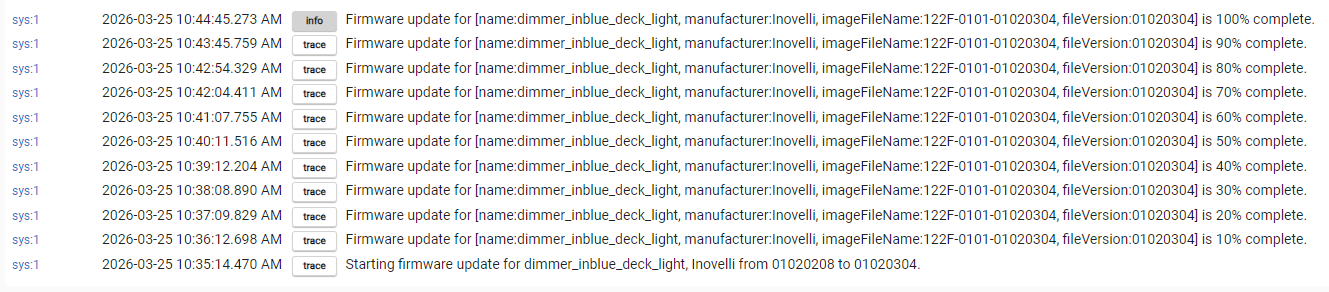
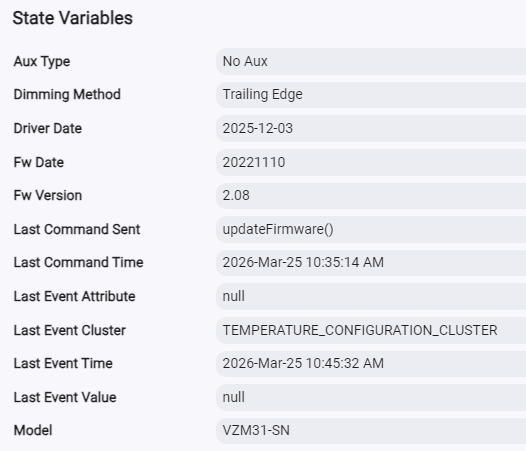
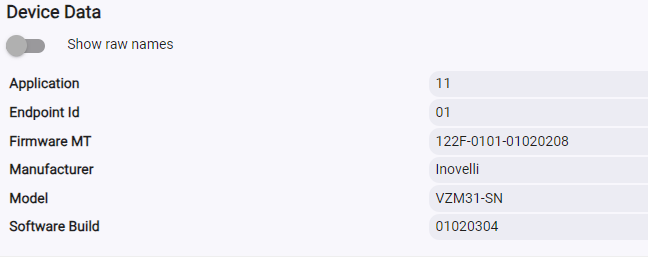
I have about 20 blue series 2 in 1 dimmers. I update them in Hubitat and they say they complete 100% however in one area they show as updated but in another they still show as the old firmware. How do I know which one to believe ?

image

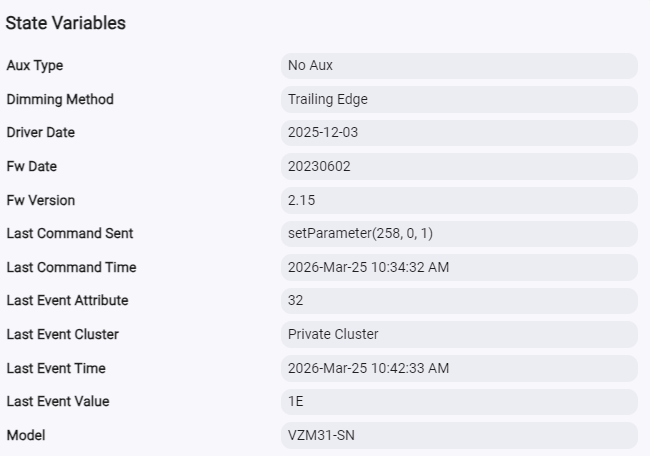
Under Commands says 2.15

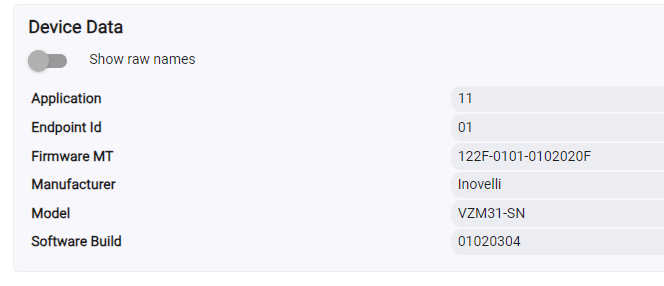
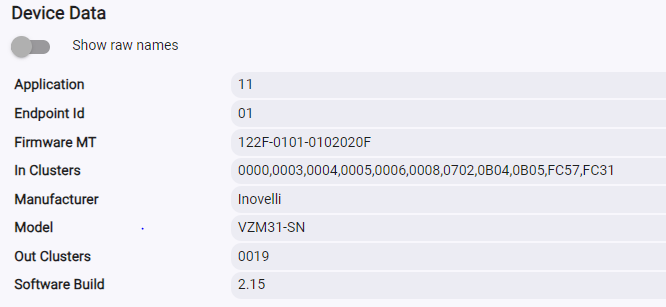
Under Device info says 3.04

Try changing your device driver to “device“, going back to the commands page and clicking on all of the buttons that clear out data and state. Then restore the Inovelli device driver and click on “configure“ on the command page. This should clear out old states in Hubitat.

Not sure if this is the school solution (old military term), but reboot the hub.

I did a test update from 2.18 to 3.04. After configuring all and initializing, and power cycling the switch, the device commands page still reflected 2.18. I bounced the hub and the device commands page now reflects 3.04.

I did as you state.

  1. Change Driver to “Device” - save and close
  2. Go back into page(s) clicked “Delete all States” save and close
  3. Back into pages change back to Inovelli Blue driver, then configure.

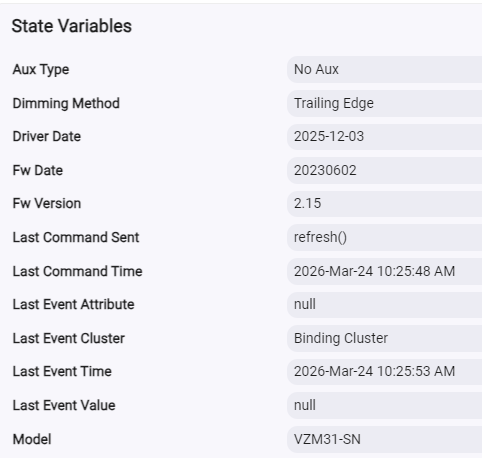
Didnt work, still says 2.15

I will try updating the firmware again to see if that helps any.

What do you mean when you say “bounced the hub and the device commands ?

Bounce=Reboot

In other words, I rebooted the hub and the proper firmware level started showing. This appears to be a refresh issue in Hubitat. According to your logs, the reboot completed, but I think Hubitat is not showing the newly updated firmware level properly. In my case, rebooting the hub fixed that.

Okay, I did try that. Unfortunately still not working.

I have updated all my Inovelli Dimmers, this one specifically use to show on the Device Infor page 3.04 but now is showing 2.15, so it reverted back.

This is starting to sound like the update bug (which affects systems beyond just Hubitat) that requires using a harness to get around…. I had to do that for all my Blues a while ago to get to 2.18 (thankfully, the 3.04 update went fine OTA for me on all Blues, so hopefully I never have to see that harness again).

Contact Inovelli support - they can coordinate getting a harness to you.

I will try with another Dimmer

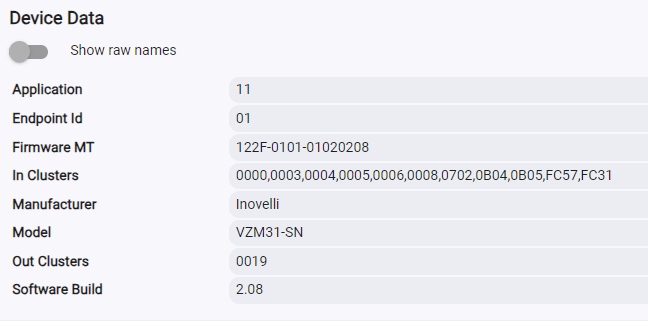
Says it is 100% updated from 2.08

Device Data Showing 3.04

Will do a Initialize then save and close - No Change

Will try Configure - no change

Try Refresh - no change

Setting Drive to Device - Save and Close

Press Delete All Current States also Delete All States

Save & Close

Shows no State Variable, Device info showing 01020304

Change Driver Back

image

Save and Close

Hit Configure [RUN]

Variables come back BUT no State Variables

Device Date reverted back to 2.08

So now it looks like it just isnt updating correctly.

@hydro311 makes a good point.

What are the date codes on the switches you are having in issue with? They’re on a sticker on the switch.

No idea, bought them when they first came out, and dont really want to go around pulling them all out to look at them. Is there someone else I can find that ?

Then it’s almost certainly that update bug. But reach out to support - they can probably help confirm, and help arrange getting the fix to you.

If you do need to confirm the date codes, I think that sticker is on the front mounting plate, so hopefully the worst you’d have to do is pop of the switches’ cover plates to check.

Yeah, this issue only effects switches from the first batch (date code starts with 22). So it definitely sounds like that problem. Reach out to [email protected] and they’ll be able to get you sorted with a cabled flashing tool.

You will have to pop the covers off to get them cabled though.

1 Like

Thank you, I will contact them.

Looks like most of what I purchased was in August of 2022. I pulled a couple with date code 2209.

Seems like I have about 20 that are from that date as a “bad batch”. However it says only on prefixes of:

  • 94:34:69:ff…

  • 38:5b:44:ff..

I checked one and it show date code of 2209 but a zigbee id is 94:DE:B8:FF:FE:F4:B8:46, so this would indicate it is not a bad batch ?

Might it be that there are more bad batches

The 22xx date codes need the harness. 23xx and later (the first 2 digits is the year) use a different bootloader and should not need the harness.

The bad batch refers to a soldering error on the switch’s board. That’s a different issue than the bootloader requiring a wiring harness.

1 Like

So far I have found 7 that fall into that category. Do I need replacements from those ? I did have a few where the relay blew.

Do you mean that you have seven that are in the bad batch category? Inovelli offered replacements for those when the issue was first identified, but that was a couple of years ago. I have no idea what they’re doing now. You would have to contact support to inquire.

[email protected]

1 Like

Yes, 7 that have the bad batch date code plus have the prefix of 94:34:69:ff… or 38:5b:44:ff..

Inovelli is not offering replacements for the bad ones, they just said they will send the usb harness and that should solve things.