Fixed an issue where LED notifications could fail to clear, be interrupted, or not display correctly when the notification duration was less than 3 seconds.
Fixed color distortion that could occur with certain colors at low brightness.
March 30, 2026 / v1.02 / 0x01030102
Released to Z2M, ZHA, and Hubitat.
Changes:
Reduced the debounce count for button recognition
Fixed unexpected behavior during the startup stage
Set the number of Zigbee scene tables to 15 (default is 3)
January 21, 2026 / v1.01 / 0x01030101
Changes:
Return to the “Previous Level” when the switch ramps to OFF (from presence timeout)
Fixed an issue where the OnOff Cluster OnWithTimedOff command was not working
Fixed an issue where meter energy continued to increase even when the load was set to OFF
Fixed an issue where the switch would stop functioning when P17 (Load Level Indicator) was not set to 11
Optimized the temperature acquisition algorithm and fixed cases where temperature was not reported correctly
Fixed an issue where LED notifications did not function as expected (could not be cleared by setting effect = 255)
Fixed an issue where the LED strip display of the mmWave module was incorrect in the auto-generated interference area
Wondering if maybe you could send this update to Hubitat? The LED notifications fix may be related to a problem I had. Also, does this switch have the update for low temperature reporting that was fixed in VZM31 v3.04? I’d like to put one of these in my garage.
I believe this upgrade broke something for me. I’m on HA ZHA, and had automations attached to single and double taps, which stopped working last week. I can still control the switch from HA though, so the connection is fine.
New owner of Inovelli blue series mmWave here, your documentation is a little lacking in the firmware update department, or at least difficult to navigate. Is it still correct that firmware updates are impossible with these devices connected to SmartThings hubs? Trying to decide if I need to buy a Hubitat or something else. They’re working great with SmartThings so I haven’t felt the need to change hubs.
Alas, no. Here’s an example config I set up just to debug this. Same setup worked a week or two ago, after I initially installed the switch. I also installed the ZHA quirk (wasn’t initially needed, didn’t help now).
As a dedicated SmartThings user, let me share the method I use for firmware updates. I run a vanilla Home Assistant instance virtualized in VirtualBox on my Windows laptop. I’ve added a Thread/Z-Wave dongle that I re‑flash whenever needed. When I have a one‑off need to update a device’s firmware, I start Home Assistant and temporarily add the device to HA if it’s Matter, or disconnect and reconnect it to HA if it’s Zigbee. This lets me perform firmware updates only when they’re truly necessary. I then remove the device from HA and rejoin it to SmartThings. This approach is also inexpensive — the only real cost is the dongle (sonoff mg24), which is about $50. Once the update is done, I shut down the virtual machine and unplug the dongle.
Yes. To determine if a device’s firmware in SmartThings, open the device page, 3-dot menu, Information. You will see one of two things under the device name. Either “The latest version is installed” or a prompt to update firmware. If you don’t see either of those, ST does not support an OTA upgrade.
I temporarily move devices into Hubitat to upgrade them. Quick and painless.
I believe there is a issue with the firmware beta.
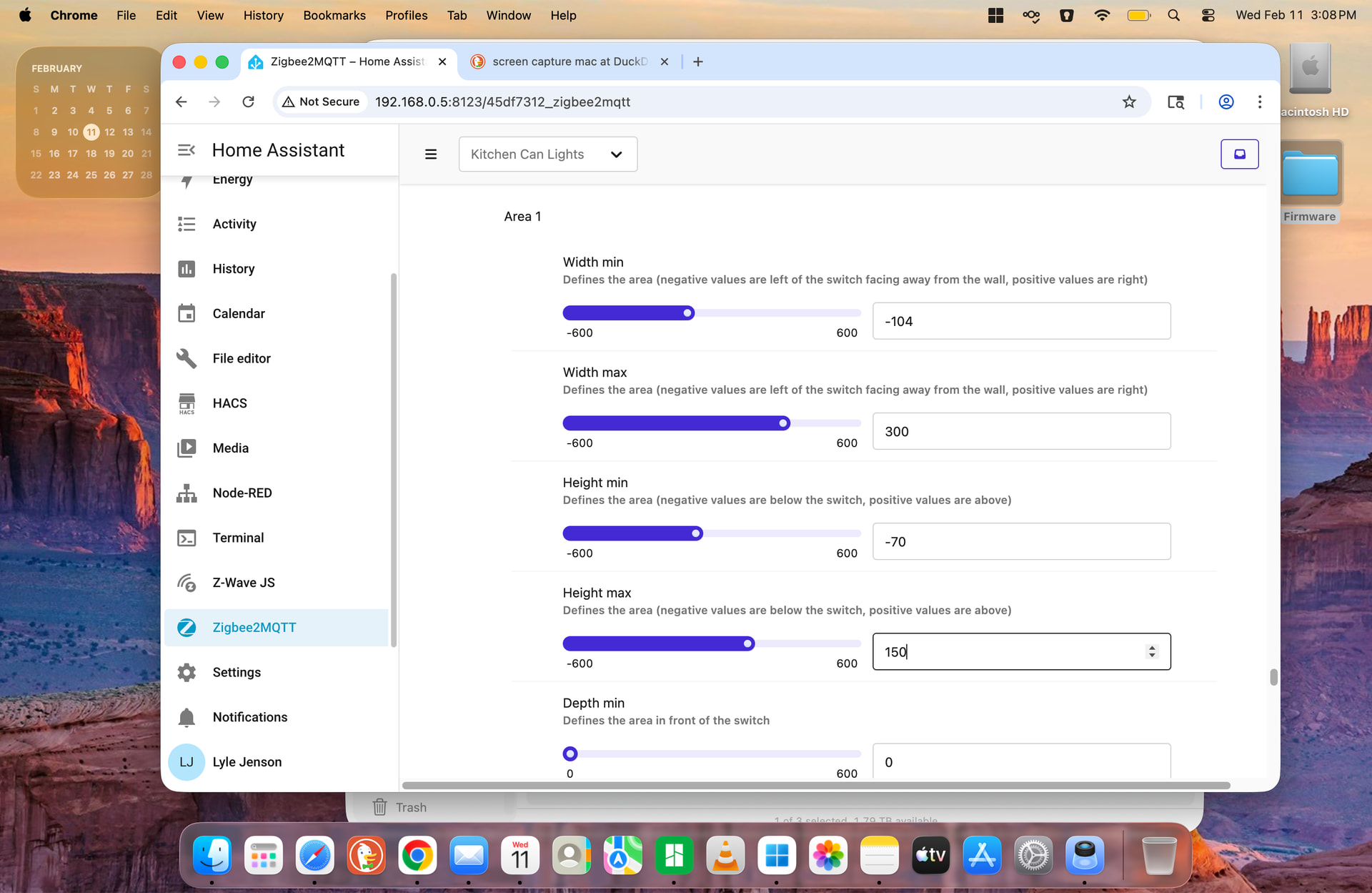
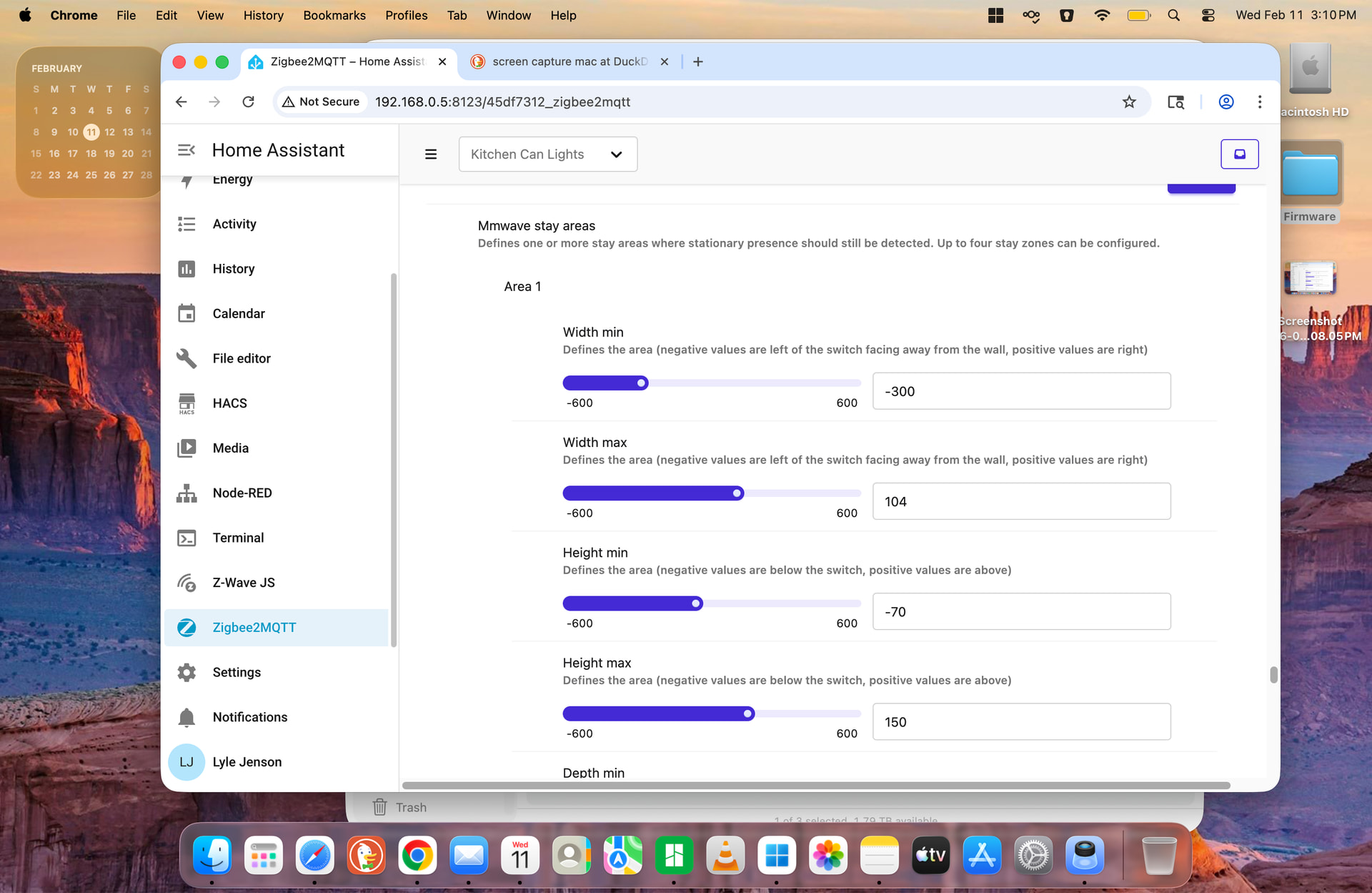
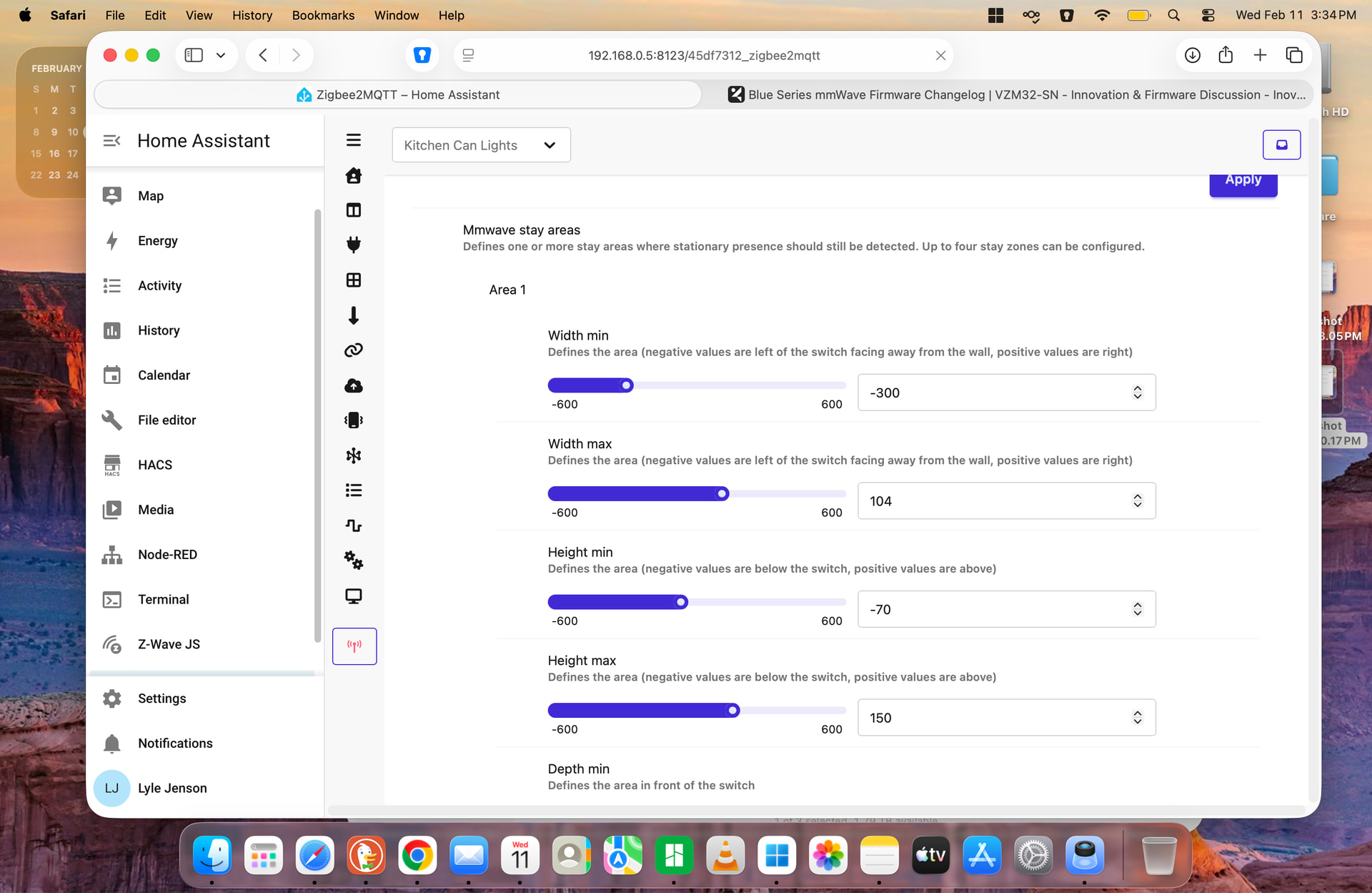
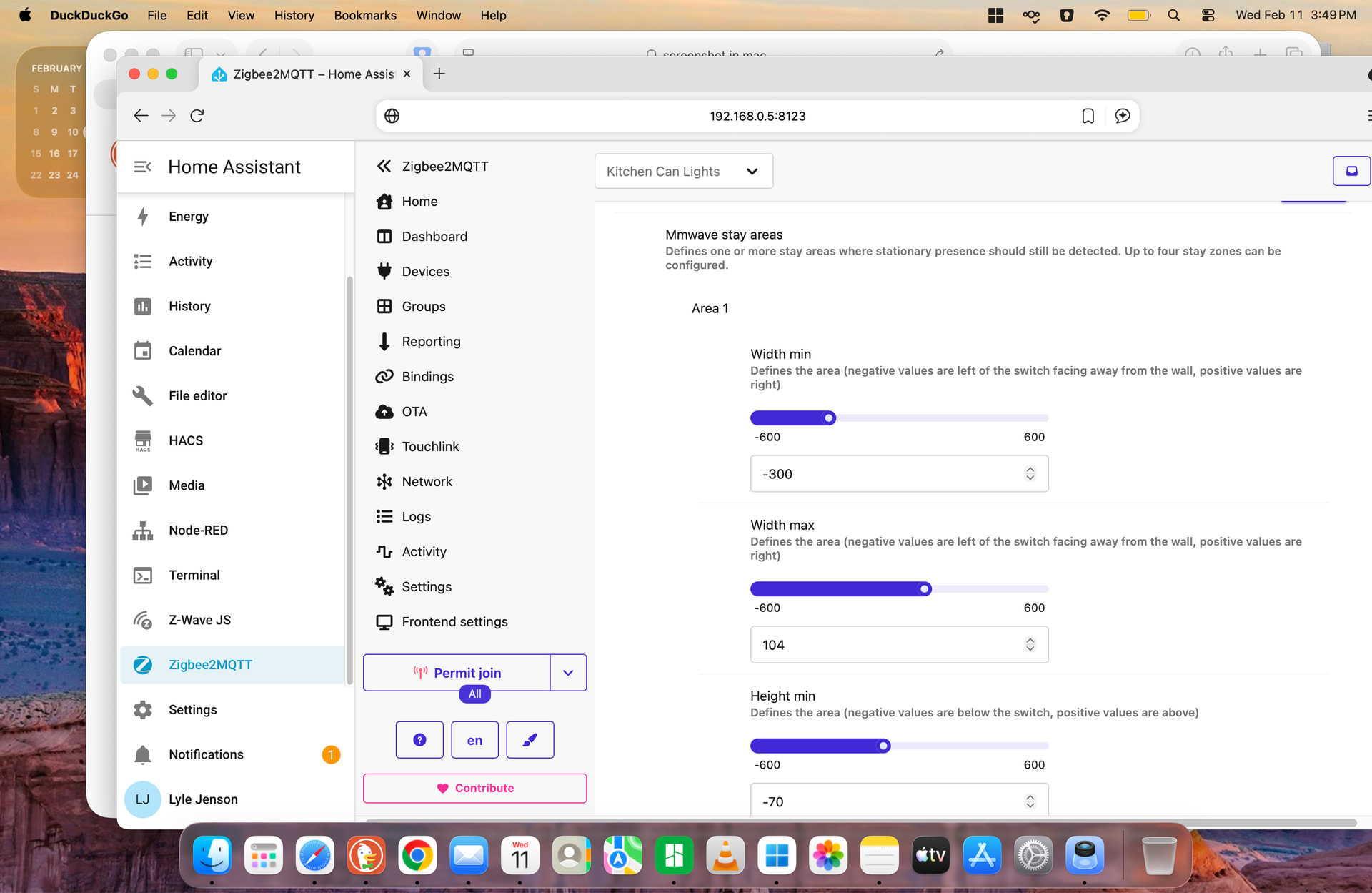
In Home assistant (ZigBee2MQTT), if you set the stay areas (in my case Area 1), and apply them, under STAY AREA, go back in and it swaps the Width min and Width max numbers. Changed 3 times, and it swaps the numbers when you go back in to the settings page. I cleared the stay areas, and tried again, same thing happens. I am unsure if the original 1.00 does this, as all the mmWave are running the beta.
It did fix the switch not working after changing the “LoadLevelIndicatorTimeout” from 1.00 however.
I tested it on a switch with the factory firmware (1.00) and I’m not able to reproduce this behavior. I have not tried the beta firmware yet, but I can upgrade a test switch and see what happens.’
To test this, I did the following:
I set the min to -123 and the max to +123 for the width in stay area 1.
I then clicked apply
I then clicked reconfigure on the same switch to request values for all of the parameters
I confirmed that the min was still -123 and the max was +123 for the width in stay area 1.
I confirm that I can see this happening with the specific values that you provided but it does not happen with the values that I was testing it with.
@EricM_Inovelli I don’t believe this is a bug in the converter since the same conversion logic is used for the stay, detection and interference areas and this problem only seems to occur for stay areas. I believe this a firmware bug that exists in both 1.0 and the current beta.
I’m having a similar issue where my automation triggered based upon the zha_events button_1_press command filtering on cluster 64561. What’s interesting is one of my switches is still passing this (thought not always) and another one of my switches isn’t passing anything via cluster 64561 at all - just cluster 6 and 8.
Also having issues with this update. Using Z2M and the update pushes, downloads but doesn’t “stick" - Z2M asks for the same device to be updated just a few moments later.
@morphd a couple things to try. First, reconfigure the switch and reinterview. There may be some binding or reporting config that needs to be reapplied. Second, a factory reset and re-include of the device to make sure there is not any stale configuration data that is causing problems. I tested my switch with this beta and scenes were working for me.
@stefan814 if you are having problems with this update it is likely network related. Try applying the update to the switch that is the closest to the coordinator first and make sure only one update is happening at a time. Lastly, reconfigure and re-interview the switch after the update so that it updates its firmware version in the user interface so we can confirm it that way.