Thank you very much @EricM_Inovelli. That was it. The update appeared immediately within Home Assistant. (I didn’t realize there was a ZHA change to the OTA updates after my current version.) I really appreciate you digging in and figuring out why it wasn’t showing up for me, and going the extra mile to update the old feed to include the firmware update.
I installed the update, and the install went smoothly.
Unfortunately, however, it seems that the new firmware did not fix my bug. (I’m having the issue where sending the clear effect for an individual LED will not necessarily turn off the LED. Particularly when the main switch load is in the off state at the time.)
It looks like the recent post by @MasterDevwi indicates that v1.02 does not include the fix for that.
I was hoping it did, based on your post at the top of this chain. I guess it got removed somewhere between the v1.01 beta and v1.02?
Is there a ticket for that issue somewhere that I can follow to be notified of any updates? And is there a formal list of the changes that actually made it to a given release (e.g. on Github or similar), for my future reference?
@DonF yeah, that issue is being tracked. I had originally thought it was in fw 1.02, but our test configuration was slightly different, so it seemed to work in our tests, but wasn’t completely fixed. It is scheduled to be fixed in 1.03.
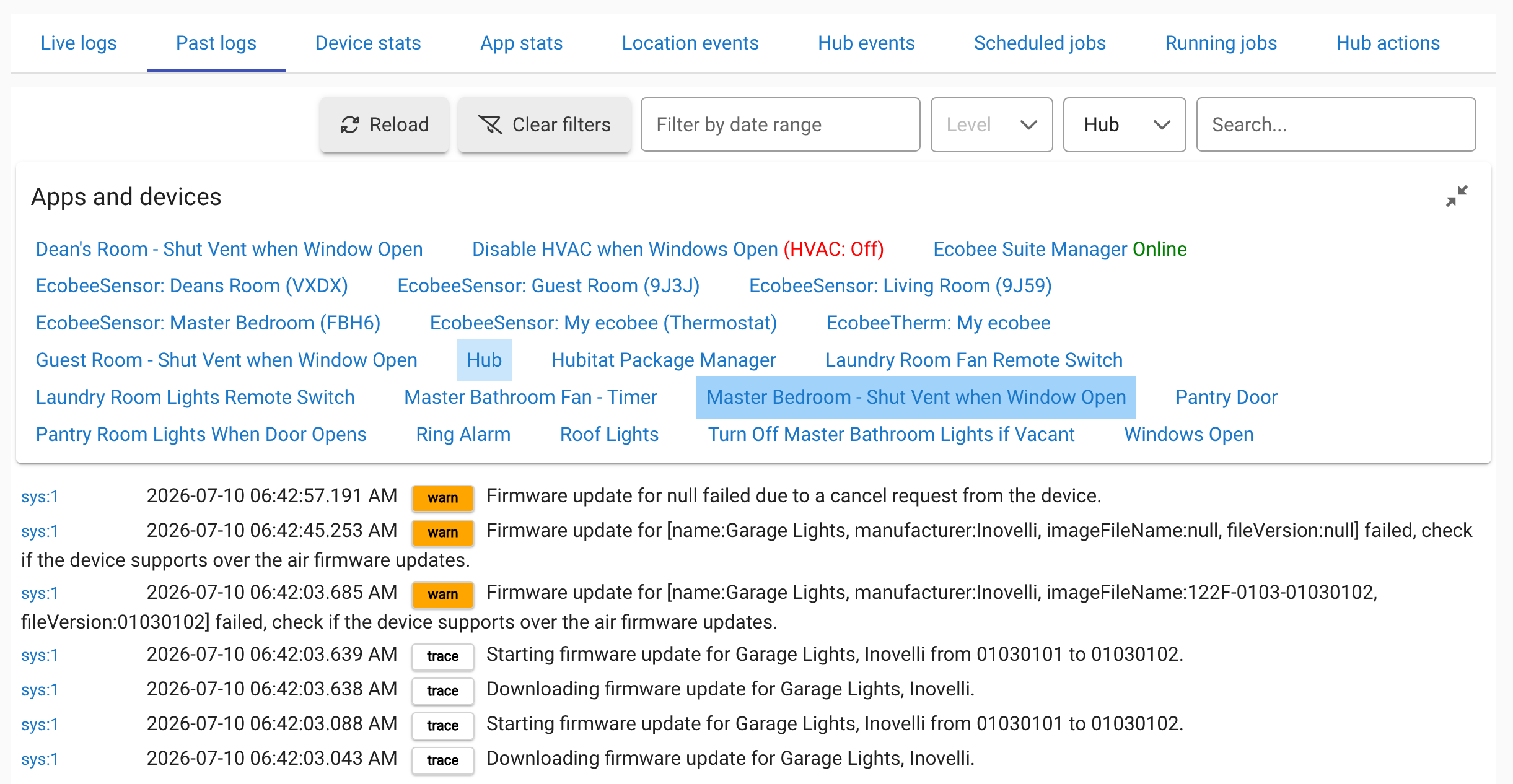
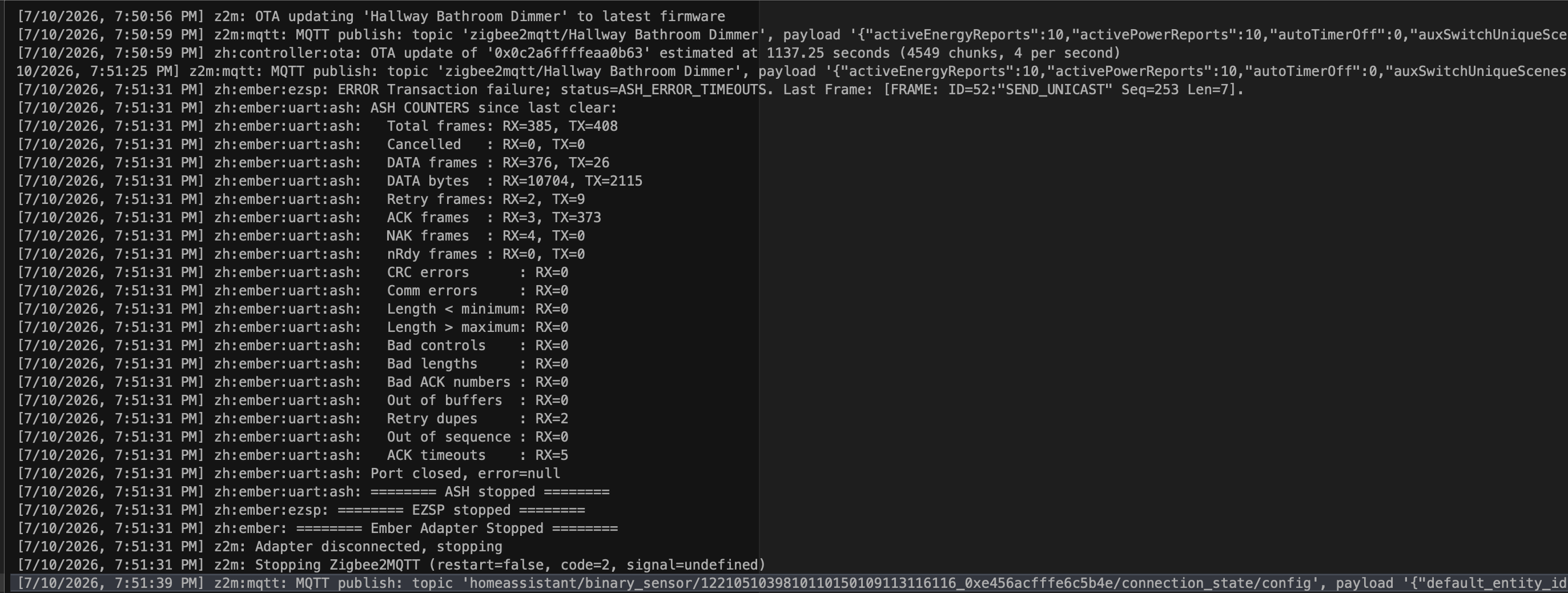
@Llama if the firmware gets a certain percentage and then quits this usually means update got cancelled because of something like the coordinator being overwhelmed, or too many bad packets through a bad routing device, etc.. See if you can capture the logs when the update stops. Also, if you can try the switch that is closest to your coordinator as a test or make sure there isn’t heavy traffic occurring from automations, that might help.
@breakthestatic I tested this and it looks like anything less than a duration of 3 (1 & 2) does not work. I will have the engineer check it out, but you remember this working in fw 1.00 or 1.01? It will help troubleshoot if we know which version it was introduced in.
FYI, your first action payload is missing the “,” after the color. I thought that was the issue initially, but after fixing it I noticed the problem with the duration.
It definitely worked with the original shipping 1.00 firmware. I never installed 1.01, so I can’t say whether it broke there or 1.02 though. Also, sorry about the comma, I had manually edited my post when I realized it was related to the duration and likely accidentally hit backspace while typing (my original paste job had all the yaml indentation broken so I manually went in and reformatted it )
Firmware update for Pantry lights, Inovelli 122F-0103-01030100 is not available.
Unable to download firmware update for Pantry lights, Inovelli, please try again.
It never progresses to “Starting firmware update.” Could you confirm whether firmware 01030102 is still present and downloadable in Hubitat’s Zigbee OTA catalog?
@dano142 can you open a ticket with hubitat? That message to me seems like the device is not in their upstream firmware repository. I will also try to update but I am having difficulty with my hub. I did do a vzm31 update to 3.07 a couple days ago though.
@dano142 can you try changing channels and also restarting the Zigbee radio? What Hubitat are you using C5, C7, C8, C8 Pro? Maybe bump up the Zigbee power!
@dano142 I believe the problem is that the hub is not correctly querying Hubitat for the firmware. It is working on my hub but maybe I already have the file cached? I would definitely reach out to their support to see if they can help:
sys:12026-08-12 6:11:47.325 pmtraceFirmware update for [name:Inovelli mmWave Dimmer Blue Series VZM32-SN, manufacturer:Inovelli, imageFileName:122F-0103-01030102, fileVersion:01030102] is 30% complete.
sys:12026-08-12 6:11:24.173 pmtraceFirmware update for [name:Inovelli mmWave Dimmer Blue Series VZM32-SN, manufacturer:Inovelli, imageFileName:122F-0103-01030102, fileVersion:01030102] is 20% complete.
sys:12026-08-12 6:11:01.933 pmtraceFirmware update for [name:Inovelli mmWave Dimmer Blue Series VZM32-SN, manufacturer:Inovelli, imageFileName:122F-0103-01030102, fileVersion:01030102] is 10% complete.
sys:12026-08-12 6:10:33.407 pmtraceStarting firmware update for Inovelli mmWave Dimmer Blue Series VZM32-SN, Inovelli from 01030100 to 01030102.
Thanks fellas. Will do, and will report back if I learn anything. Great product by the way…love the mmwave sensor…works like a charm. Hoping this firmware update resolves my one issue with ramping and restoring to previous brightness. Thanks again.

 )
)