I’m curious if the VTM 30 and VTM 31 support matter group bindings. I think it would be supe awesome if they did @EricM_Inovelli. I’m participating in an effort to test it out using Home Assistant and the new Matter Server.
If the groups work similar to how they do on Zigbee then after creating the group you need to bind the Level Control and On/Off cluster from EP2 on the Inovelli to the group in order to control the group from the switch.
Hi Eric,
I tried to setup a group binding between an Inovelli white switch and a set of Nanoleaf lights. I didn’t have much luck.
I used chip-tool to configure the devices. I was able to toggle a group of lights using the chip-tool client, but not the White dimmer. As far as I can tell the dimmer wasn’t sending out multicast commands.
Here’s the basic process I used:
- Use the matter UI to share the devices to a new fabric.
- Add the devices to the chip-tool fabric
./chip-tool pairing code 68 12345678910 --bypass-attestation-verifier true # Light
./chip-tool pairing code 69 12345678910 --bypass-attestation-verifier true # Light
./chip-tool pairing code 50 12345678910 --bypass-attestation-verifier true # Dimmer
- Create the group and keys on the chip-tool client:
./chip-tool groupsettings add-group Office 0x4141
./chip-tool groupsettings add-keysets 0xAAAA 0 0x000000000021dfe0 hex:d0d1d2d3d4d5d6d7d8d9dadbdcdddedf
./chip-tool groupsettings bind-keyset 0x4141 0xAAAA
- Add the group, keys, and ACLs to the lights
./chip-tool groups add-group 0x4141 Office 68 1
./chip-tool groups add-group 0x4141 Office 69 1

./chip-tool groupkeymanagement key-set-write '{"groupKeySetID": 42, "groupKeySecurityPolicy": 0, "epochKey0": "d0d1d2d3d4d5d6d7d8d9dadbdcdddedf", "epochStartTime0": 2220000,"epochKey1": "d1d1d2d3d4d5d6d7d8d9dadbdcdddedf", "epochStartTime1": 2220001,"epochKey2": "d2d1d2d3d4d5d6d7d8d9dadbdcdddedf", "epochStartTime2": 2220002 }' 68 0
./chip-tool groupkeymanagement key-set-write '{"groupKeySetID": 42, "groupKeySecurityPolicy": 0, "epochKey0": "d0d1d2d3d4d5d6d7d8d9dadbdcdddedf", "epochStartTime0": 2220000,"epochKey1": "d1d1d2d3d4d5d6d7d8d9dadbdcdddedf", "epochStartTime1": 2220001,"epochKey2": "d2d1d2d3d4d5d6d7d8d9dadbdcdddedf", "epochStartTime2": 2220002 }' 69 0

./chip-tool groupkeymanagement write group-key-map '[{"groupId": 16705, "groupKeySetID": 42}]' 68 0
./chip-tool groupkeymanagement write group-key-map '[{"groupId": 16705, "groupKeySetID": 42}]' 69 0

./chip-tool accesscontrol write acl '[{"fabricIndex": 3, "privilege": 5, "authMode": 2, "subjects": [112233], "targets": null},{"fabricIndex": 3, "privilege": 3, "authMode": 2, "subjects": [50], "targets": [{"cluster": 3, "endpoint": 1, "deviceType": null}, {"cluster": 6, "endpoint": 1, "deviceType": null}, {"cluster": 8, "endpoint": 1, "deviceType": null}]}, {"fabricIndex": 3, "privilege": 3, "authMode": 3, "subjects": [16705], "targets": [{"cluster": 3, "endpoint": 1, "deviceType": null}, {"cluster": 6, "endpoint": 1, "deviceType": null}, {"cluster": 8, "endpoint": 1, "deviceType": null}]}]' 68 0
./chip-tool accesscontrol write acl '[{"fabricIndex": 3, "privilege": 5, "authMode": 2, "subjects": [112233], "targets": null},  {"fabricIndex": 3, "privilege": 3, "authMode": 3, "subjects": [16705], "targets": [{"cluster": 3, "endpoint": 1, "deviceType": null}, {"cluster": 6, "endpoint": 1, "deviceType": null}, {"cluster": 8, "endpoint": 1, "deviceType": null}]}]' 69 0
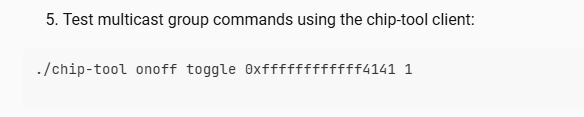
- Test multicast group commands using the chip-tool client:
./chip-tool onoff toggle 0xffffffffffff4141 1
- Setup the group, bindings, and keys on the White dimmer:
./chip-tool groups add-group 0x4141 Office 50 1

./chip-tool groupkeymanagement key-set-write '{"groupKeySetID": 42, "groupKeySecurityPolicy": 0, "epochKey0": "d0d1d2d3d4d5d6d7d8d9dadbdcdddedf", "epochStartTime0": 2220000,"epochKey1": "d1d1d2d3d4d5d6d7d8d9dadbdcdddedf", "epochStartTime1": 2220001,"epochKey2": "d2d1d2d3d4d5d6d7d8d9dadbdcdddedf", "epochStartTime2": 2220002 }' 50 0

./chip-tool groupkeymanagement write group-key-map '[{"groupId": 16705, "groupKeySetID": 42}]' 50 0  ./chip-tool binding write binding '[{"fabricIndex": 3, "group": 16705}]' 50 2

./chip-tool binding write binding '[{"group": 16705, "fabricIndex": 3}]' 50 2
This should be sufficient to toggle the group using the dimmer, but no luck.
I can subscribe to one of the light nodes and see that the chip-tool client sends multicast messages toggle them. I don’t see anything from the Inovelli switch.
./chip-tool onoff subscribe on-off 1 100 69 1 --keepSubscriptions true
I can create a direct binding to confirm that the fabric and some other basics work normally:
./chip-tool binding write binding '[{"node": 68, "endpoint": 1, "fabricIndex": 3},{"node": 69, "endpoint": 1, "fabricIndex": 3}]' 50 2
I’m not sure what else to try, short of buying some other binding compatible matter clients.
Please let me know if there’s any additional information I could provide.
Once you add the Inovelli to the group, does it respond to group commands:
The direct binding from endpoint 2 to the two bulbs works though, just not the group binding?

Direct binding works for me in homeassistant with several lights (I see a popcorn effect)
Group binding (using Matter Binding Helper in Home Assistant) does not.
It seems that @securejangle is encountering the same issue as I have, and has gone further by using the chip-tool to try things manually (look at what I linked to at the start of the thread).
it be wicked cool if the Inovelli switch has matter group binding support. I was looking for a confirmation that it does, so that when matter controllers support it I’d be able to use that functionality
1 Like
Hello, I just want to add that I also tried to setup group binding using inovelli white and Ikea light bulbs, using the Matter Binding integration on home assistant, and it is also not working.
If I can help with something, I can do some troubleshooting. I would really like to get this working.
Hi Eric,
Once you add the Inovelli to the group, does it respond to group commands:
Yes. If I add endpoint 6 to the group, I can toggle the dimmer LED using group commands.
./chip-tool groups add-group 0x4141 Office 50 6

./chip-tool accesscontrol write acl '[{"fabricIndex": 3, "privilege": 5, "authMode": 2, "subjects": [112233], "targets": null},{"fabricIndex": 3, "privilege": 3, "authMode": 2, "subjects": [50], "targets": [{"cluster": 3, "endpoint": 6, "deviceType": null}, {"cluster": 6, "endpoint": 6, "deviceType": null}, {"cluster": 8, "endpoint": 6, "deviceType": null}]}, {"fabricIndex": 3, "privilege": 3, "authMode": 3, "subjects": [16705], "targets": [{"cluster": 3, "endpoint": 6, "deviceType": null}, {"cluster": 6, "endpoint": 6, "deviceType": null}, {"cluster": 8, "endpoint": 6, "deviceType": null}]}]' 50 0

./chip-tool onoff toggle 0xffffffffffff4141
I confirmed that the dimmer does not control the LED using a group binding.
The direct binding from endpoint 2 to the two bulbs works though, just not the group binding?
Yes, that’s correct. Direct bindings worked when I set them up using chip-tool.
./chip-tool binding write binding '[{"node": 68, "endpoint": 1, "fabricIndex": 3},{"node": 68, "endpoint": 1, "fabricIndex": 3}]' 50 2

./chip-tool binding write binding '[{"node": 69, "endpoint": 1, "fabricIndex": 3},{"node": 69, "endpoint": 1, "fabricIndex": 3}]' 50 2
I also confirmed that a direct binding between endpoint 2 and 6 on the dimmer works as expected.
Thanks for the feedback. I will work with our team to see if we can get this feature working.
4 Likes
Thank you Eric, I’m excited to hear that!
1 Like
That would be epic!
This is literally would enable my setup to be perfect (turning a group of lights on without a popcorn effect)
2 Likes
Just wanted to add my response to this that group binding is a core feature that I hope does get supported. Many of us have downlights in a room controlled by a single switch and binding the downlight group to the switch would make everything function much more smoothly. If Inovelli needs people to help test I’m happy to do it. I have a couple of rooms with White Switches and Nanoleaf downlights.
1 Like
I would also be happy to test. I have White series switches and dimmers.
Hi all - I came across this thread after spending quite a while debugging my own setup. Attached are detailed notes on some issues / behavior I’ve come across after trouble-shooting with Claude having full access to my network. @EricM_Inovelli I hope this helps.
# Inovelli White Series 2-1 (VTM31-SN) — Matter binding defects

**Prepared for Inovelli engineering · 2026-07-30**

Five defects found while configuring Matter bindings between VTM31-SN switches and Philips Hue
Matter bulbs. Four concern the Binding cluster; one concerns Level Control attribute reporting.

The most serious is **Defect 1** — binding table writes report success while silently discarding
entries. It is easy to reproduce, affects every integrator writing bindings programmatically, and
plausibly underlies a class of user reports about bindings "not sticking" or paddles behaving
inconsistently.

---

## Environment

### Switch under test

| | |
|---|---|
| Device | Inovelli White Series Smart 2-1 Switch, **VTM31-SN**, hardware **2.1** |
| Firmware | **1.1.5** (production, 2026-02-13) — uniform across all 22 switches in the home |
| Configuration | `Smart Bulb Mode = Smart Bulb Enable`, `Switch Mode = Leading Dimmer` |
| Test fixture | Two switches (nodes 1 and 2) driving three bulbs (nodes 75, 76, 79) |

### Bound bulbs

| | |
|---|---|
| Product | **Philips Hue White and Color Ambiance A19**, 1100 lumen |
| Model | **9290038538** · Hue internal model id **LCA014** |
| Vendor | Signify Netherlands B.V. — Matter vendor id **4107** (`0x100B`), product id **297** |
| Electrical | 9.5 W, 90 mA, 110–130 V AC 50/60 Hz · colour range printed 1000–20000 K |
| Certification | FCC ID `2AGBW9290038538X` · IC `20812-38538X` |
| Firmware | **1.126.9** (identical across all units tested) |
| Matter version | **1.3.0** |
| Device types | Ota Requestor / Root Node / Color Temperature Light / Dimmable Light / Extended Color Light / On Off Light |
| Radios | 802.15.4 (Thread when Matter-commissioned, Zigbee when bridge-paired) + Bluetooth LE |
| Group limits | `MaxGroupsPerFabric` = **4**, `MaxGroupKeysPerFabric` = **3** |

Bulb label carries **"DO NOT USE WITH DIMMERS"** — these are smart bulbs intended to receive
commands, never to be phase-dimmed, which is precisely why Smart Bulb Mode plus binding is the
required configuration and why the binding defects below have no workaround for this pairing.

Relevant Level Control state on the bulbs, identical across all units: `OnLevel = null`,
`Options = 0`, and no vendor-specific ramp overrides.

### Controller and network

| | |
|---|---|
| Controller | Home Assistant Matter Server **9.1.1** · `matter-server/1.3.3 (matter.js/0.17.7)` · schema 12 |
| Transport | Thread, channel 25, single border router (Apple TV) |
| Switch group limits | `MaxGroupsPerFabric` = **8**, `MaxGroupKeysPerFabric` = **3** |
| Fabrics on device | 3 — Apple Home, Apple Keychain, Open Home Foundation (HA). `SupportedFabrics` = 5 |

All operations issued over the Matter Server WebSocket API (`read_attribute`, `write_attribute`,
`device_command`) as an Administer-privileged admin on fabric index 3.

---

## Defect 1 — Binding table writes silently drop leading entries (**most severe**)

**Cluster 0x001E (Binding), endpoint 2, attribute 0x0000.**

Writes return `Status: 0` (SUCCESS) while persisting **fewer entries than were sent**. The entries
lost are consistently at the **start** of the list. Behaviour is non-deterministic — the identical
payload succeeds on a later attempt.

### Observed cases

| Payload sent (node ids) | Read back | Lost |
|---|---|---|
| `[75, 76, 79, 2]` | `[76, 79, 2]` | first 1 |
| `[75, 76, 79, 2]` | `[76, 79, 2]` | first 1 (repeat) |
| `[75, 76, 79]` | `[79]` | first 2 |
| `[{"2":1,"4":6},{"2":1,"4":8}]` | `[]` | all |
| `[{"2":1,"4":6},{"2":1,"4":8}]` | both entries | none (same payload, minutes later) |
| `[{"2":1,"4":6}]` | `[{"2":1,"4":6}]` | none |
| `[{"2":1,"4":6}]` | `[]` | all (same payload, later) |

Write response in every case:

```json
[{"Path": {"EndpointId": 2, "ClusterId": 30, "AttributeId": 0}, "Status": 0}]
```

### Reproduction

1. Read `2/30/0` and note contents.
2. Write a 3–4 entry unicast binding list.
3. Read `2/30/0` back immediately.
4. Compare. Repeat 5–10 times; leading entries drop on a substantial fraction of attempts.

### Impact

A controller that trusts `Status: 0` leaves the device partially configured with no indication of
failure. In our case a switch silently lost its binding to one of three bulbs, presenting to the
user as "one bulb doesn't respond to this paddle" — indistinguishable from a mesh or ACL problem.
Reliable configuration requires read-back-and-retry on every write, which should not be necessary.

### Expected

Either persist the full list, or return a failure status. Partial application reported as success
is the core problem.

---

## Defect 2 — Group binding entries are discarded unless a cluster is specified

Per the Matter specification, a Binding `TargetStruct` is valid with a `Group` field and no
`Cluster` field.

| Payload | Result |
|---|---|
| `[{"2": 1}]` | **silently discarded**, `Status: 0`, reads back `[]` |
| `[{"2": 1, "4": 6}]` | persists correctly |
| `[{"2": 1, "4": 8}]` | persists correctly |

### Expected

Accept a group binding without a cluster, or reject it with `CONSTRAINT_ERROR` / `INVALID_ACTION`.
Silent discard on success is the problem.

---

## Defect 3 — Group and unicast binding entries are mutually exclusive

Mixed binding tables are permitted by specification. This device discards the unicast entry
whenever a group entry is present, regardless of ordering, and still returns `Status: 0`.

| Payload | Read back |
|---|---|
| `[{"2":1,"4":6}, {"1":2,"3":1}]` | `[{"2":1,"4":6}]` — unicast dropped |
| `[{"1":2,"3":1}, {"2":1,"4":6}]` | `[{"2":1,"4":6}]` — unicast dropped |
| `[{"2":1,"4":6}, {"2":1,"4":8}]` | both retained |
| `[{"1":75,"3":1}, ... , {"1":2,"3":1}]` | all retained (unicast only) |

### Impact

In a multi-switch fixture, switch-to-switch bindings are how the pair keeps LED and load state in
sync. Because those are unicast, adopting group binding for the bulbs **forces the loss of state
sync between companion switches**. The two features cannot be combined.

---

## Defect 4 — Group (multicast) binding never transmits

> **Already known to Inovelli.** Community thread
> *"Do the white switches support Matter group binding?"* (topic 21589, July 2026). EricM_Inovelli
> advised binding "the Level Control and On/Off cluster from EP2 on the Inovelli to the group in
> order to control the group from the switch", and on reports that it did not work replied:
> *"Thanks for the feedback. I will work with our team to see if we can get this feature working."*
>
> **This section is corroboration, not a new report.** Its value is that our configuration follows
> the prescribed method exactly — EP2, clusters `0x0006` and `0x0008`, targeting the group — and
> that every precondition was verified on-device rather than assumed. If the team needs a
> known-good test case to validate a fix against, this is one.

With every prerequisite verified present on-device, a paddle press bound to a group produces **no
effect on any group member**. No error is raised at any layer.

### Verified preconditions

Switch (node 1) and all three bulbs:

```
KeySetWrite (ep0, cluster 0x003F)      -> success
KeySetReadAllIndices                    -> {"groupKeySetIDs": [1, 0]}
GroupKeyMap  0/63/0                     -> [{"1":1,"2":1,"254":3}]     (group 1 -> keyset 1)
```

Bulbs additionally:

```
AddGroup (ep1, cluster 0x0004)          -> {"status":0,"groupID":1}
GroupTable  0/63/1                      -> [{"1":1,"2":[1],"3":"Dining","254":3}]
ACL  0/31/0 entry                       -> {"1":3,"2":3,"3":[1],"4":[{"1":1}]}
                                           privilege Operate, authMode Group
```

Switch binding table:

```
2/30/0 -> [{"2":1,"4":6,"254":3}, {"2":1,"4":8,"254":3}]
```

Single shared epoch key, `groupKeySecurityPolicy: 0` (TrustFirst), `epochStartTime0: 1`.

### Result

Paddle press → nothing. The **same switch drives the same three bulbs correctly** when its binding
table is reverted to unicast entries, so the bulbs, ACLs, mesh and switch are all otherwise
healthy. Only the groupcast path is dead, and it fails silently.

### What would help

Confirmation of whether groupcast binding is implemented in 1.1.5 at all. If it is not, the device
should reject group binding entries rather than accept and store them — as written, the binding
table advertises a capability that does not function.

---

## Defect 5 — `OnOffTransitionTime` reported but absent from `AttributeList` and unwritable

**Cluster 0x0008 (Level Control), endpoint 1, attribute 0x0010.**

```
AttributeList (0xFFFB) = [0, 1, 2, 3, 15, 17, 18, 19, 20, 16384, 65528, 65529, 65531, 65532, 65533]
```

`0x0010` (16) is **not present**. Yet:

- The device returned a value for it during interview (`10`), which controllers cache and display
- `write_attribute` returns **`Status: 134`** (UNSUPPORTED_ATTRIBUTE)
- Live `read_attribute` fails: *"Failed to read attribute: no values returned"*

### Impact

Home Assistant surfaces "On/Off transition time (Load Control)" as a configurable number entity
that cannot be changed. Two switches showed `1.0` and others `0.0`, sending us chasing a
configuration difference that does not exist on-device. Consistency between `AttributeList` and
interview responses would prevent this.

---

## Secondary observations (lower confidence, reported as encountered)

**Air gap does not de-energize the switch.** A switch that locked up (LED lit, paddle dead, radio
dead, triac partly open) was unaffected by pulling the air-gap tab; a 60-second breaker cycle was
required. If the air gap is intended as a recovery mechanism, it did not act as one here.

**Switches self-power-cycle when turned off outside Smart Bulb Mode.** In multi-way installations
where a switch derives power from a switched line, setting `Smart Bulb Mode = Disable` causes it to
reboot on every "off" press, dropping off the network each time. Understood as a wiring
consequence, but a documentation note would save integrators considerable time.

**Configuration loss following Apple Home removal.** Consistent with the 1.1.0 changelog note that
a switch may restore factory settings after removal from Apple Home. We observed switches with
empty binding tables and `Smart Bulb Mode` reverted to `Disable` with no user action.

---

## Summary

| # | Defect | Severity | Reproducible | Previously reported? |
|---|---|---|---|---|
| 1 | Binding writes drop leading entries, report success | **High** | Yes, intermittent | **No — new** |
| 2 | Group binding without cluster silently discarded | Medium | Yes, consistent | **No — new** |
| 3 | Group and unicast bindings mutually exclusive | Medium | Yes, consistent | **No — new** |
| 4 | Group binding never transmits | High | Yes, consistent | Yes — topic 21589 |
| 5 | `OnOffTransitionTime` phantom attribute | Low | Yes, consistent | **No — new** |

**Defect 1 is the finding worth acting on first.** It is new, it affects every integrator writing
bindings programmatically, and it is entirely independent of group binding — users who never touch
multicast are still exposed. A switch that silently ends up bound to two of three bulbs presents
identically to a mesh fault, an ACL problem or a dead bulb, which makes it expensive to diagnose
and easy to misattribute to Thread or to the bulbs.

**Defect 3 is worth flagging to whoever picks up the group binding work.** Even once multicast
transmits correctly, group and unicast entries being mutually exclusive means a companion-switch
binding cannot coexist with a group binding — so adopting groupcast for the bulbs would cost
switch-to-switch state sync. That is likely to surface as a regression report the moment group
binding ships, unless it is addressed alongside.

Defect 4 corroborates an already-acknowledged issue and is included as a fully-instrumented test
case rather than as a new report.

**Practical impact of 3 and 4 together:** with multicast unavailable, a 3–5 bulb fixture must be
driven by sequential unicast. The bulbs begin their ramps tens of milliseconds apart and snap into
alignment at the end of a dim. Users experience this as poor dimming quality, and there is no
configuration that avoids it — particularly for bulbs labelled "DO NOT USE WITH DIMMERS", where
binding is the only legitimate control path.

Happy to supply raw request/response captures, full attribute dumps, or to re-run any test.
4 Likes
@palmy thank you for the work on this and I will share it with the engineer. I’m sure he will find it useful so I appreciate it.
As for Defect 5, we chose to remove this attribute as it overlaps the OnTransitionTime and OffTransitionTime. Users were getting confused by having all 3. I will ask the engineer to also remove this from the attribute list.
2 Likes
Unrelated to groups but as your notes mention it, I have also noticed pulling the air gap does not always power off the switch. It’s infrequent, but it does happen. Its also not a faulty switch or wiring as the same switch that works fine, will have an issue later, then it will work fine again. It’s bizarre and I’m not sure how its even possible since the air gap is supposed to immediately cut the power. 
Unrelated to groups but as your notes mention it, I have also noticed pulling the air gap does not always power off the switch. It’s infrequent, but it does happen.
I just ran into this with a white series dimmer.
I was holding the rocker switch in the upwards position when when I pulled the air-gap. This allowed the air-gap tab to move upwards slightly, and caused it to catch under the edge of the rocker switch. The rocker then prevented the air-gap from fully extending into the disconnected position.
I was able to solve the problem by slipping a knife between the air-gap and the rocker, pushing it back into position.
I only ran into this issue once, and it was only because I was holding the rocker upwards. I am able to easily reproduce the problem using the steps outlined above. I wouldn’t be surprised if it was more common on well-worn switches. You could probably prevent it by pressing the rocker into the downward position while pulling the air-gap.
It might be worth addressing in a future hardware revision.
1 Like
Direct binding works for me in homeassistant with several lights
How many bindings were you able to create on one Switch? I am setting up a white series dimmer switch, and was only able to create 10 bindings before trying to add additional ones didn’t seem to do anything. It seems trying to add a binding beyond ten prevented the switch from accepting any more bindings. Even after removing a few bindings so there were only 7 present, it wouldn’t accept any more until I power cycled the switch. After that I was able to get to 10 bindings again, but no more.
Unless there is something I am missing, on/off and brightness/level have to be bound separately, which limits me to only 5 controllable lights per switch in order to have the switch adjust the dimming too. I have more than 5 downlights in my kitchen, so unless/until group binding is fixed in a future firmware update, I guess I’ll have to stick with my janky home assistant automation.
That’s incorrect. What are you using to establish the bindings? I use homeassistant with the matter server. When you establish bindings don’t enter a value for the cluster as it is optional (if no value is specified, then it binds to both on/off and level control). The newer matter server offer the option (All Clusters (any eligible). This works for me for both on/off and dimming
I was using GitHub - cedricziel/ha-matter-binding-helper: A binding helper for matter · GitHub , but I’ll try doing it manually in the matter.js server and see if I can do what you’re talking about.
Ahhh. I’ve used it too. There is an open issue with Matter Binding Helper to omit the optional cluster ID. That’s why I established the bindings in the Matter Server directly (which is far easier in recent releases than before)