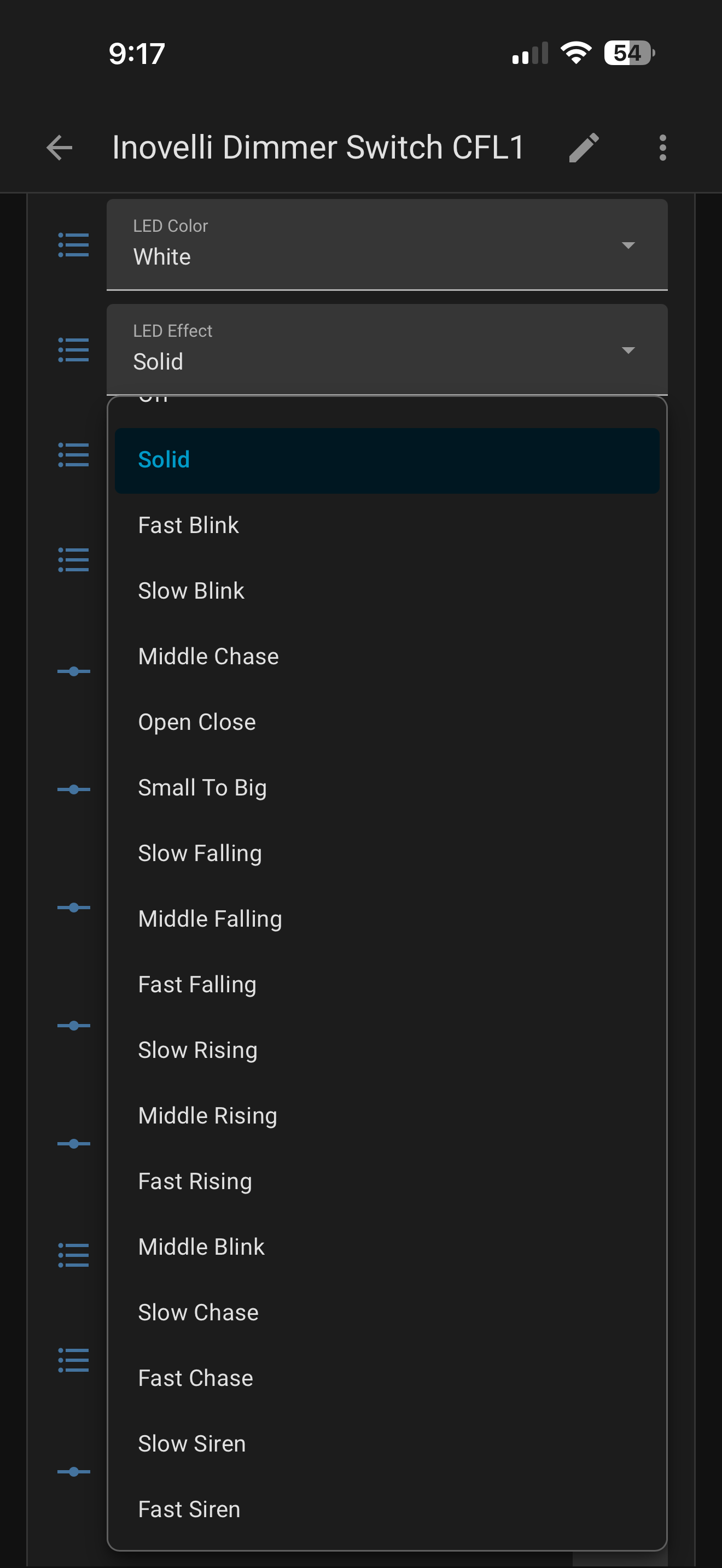
Apologies if this question has been answered in the thread. I searched and read, but I didn’t find an answer specifically for what I’m looking for. The closest was the question about matter bindings and companion apps triggering them.
Basically, I have a white switch in a multiway with a dumb switch that I used home assistant to matter bind to another white switch. It works great, except the white switch in a multiway is not triggering the bindings when the dumb switch is used. Is this a feature request on inovelli’s part to trigger matter events when external devices modify the white switch (in this case, the dumb switch in multiway)? From what I can tell, the answer to the question about companion apps was “This is expected from the spec due to mapping the physical button device to the binding”. So that would mean the physical device would need to emulate those events when dumb switches/companion apps trigger changes. I could see the argument that apps should not emulate a trigger press. A multi-way switch though I would think should conceptually trigger the same button events regardless of which switch is used. I wouldn’t be surprised though if that has consequences I don’t currently understand
I just verified your that understanding is that how things are working using one my VTM31-SN/Dumb switch combos.
Bindings right now are only triggered by a physical press of the button on the White Switch. Toggling an associated dumb switch does not trigger a binding on a White switch.
It is a good question as to whether a toggle of a dumb switch should be considered a press of a paddle (which has a little inbuilt complexity to “synthesize” an up paddle or down paddle action and hence trigger the binding but that is not how it works today).
In my case I have an overlaid automation that takes care of the case where the dumb switch is actuated which works fine in my use case.
Matter/Thread documentation, open source, and firmware update files. Where is there documentation about what the Matter endpoints do and the supported commands to change them? I can query the state of various endpoints/clusters: 0:
BasicInformation: ‘productName: VTM31-SN\n’,
‘NodeLabel: bathLights\n’,
‘Location: BA’
1:
FixedLabel: ‘Load Control’
OnOff: ‘true’
LevelControl: ‘182 (1 254)’
2:
FixedLabel: ‘Dimmable Switch’
3:
FixedLabel: ‘Up’
Switch: ‘0’
4:
FixedLabel: ‘Down’
Switch: ‘0’
5:
FixedLabel: ‘Config’
Switch: ‘0’
6:
FixedLabel: ‘RGB Indicator’
OnOff: ‘false’
LevelControl: ‘254 (1 254)’
ColorControl: ‘100 200’
7:
20:
ModeSelect: ‘Switch Type: 2, Multi-Way with Inovelli Aux Switch’
21:
ModeSelect: ‘Smart Bulb Mode: 0, Disable’
22:
ModeSelect: ‘Control of switch load: 0, Remote & paddle control’
23:
ModeSelect: ‘Dimming Speed: 25, 2.5s’
24:
ModeSelect: ‘Button Delay: 0, No Delay’
25:
ModeSelect: ‘LED Color: 85, Green’
26:
ModeSelect: ‘LED Effect: 14, Fast Rising’
27:
ModeSelect: ‘Switch Mode: 2, Trailing Dimmer’
28:
ModeSelect: ‘Audible Click: 1, Disable’
29:
ModeSelect: ‘LED Intensity(on): 50, 50’
30:
ModeSelect: ‘Aux Test: 125, 125’
31:
ModeSelect: ‘LED Intensity(off): 0, 0’
But does endpoint 6/ColorControl change the color when in indicator mode, where endpoint 25/ModeSelect change the color when in normal on/off/dim level mode? I assume 26/ModeSelect changes the LED effect when in indicator mode
Is Jonagold an open source project, (perhaps I can get documentation info from the source). Where is the source repo, github? Are copies of the firmware update packages on a repo as well? (I’m a programmer and would like to help out)
Thanks for the info. Is there documentation about the Thread endpoints and clusters? Things like the ‘Supported Modes’ are self describing in the Thread responses, but more detail about how to set the color of ‘indications/notifications’ would help, is that endpoint 25 or endpoint 6/ColorControl?
I’m having two issues. All of my switches (9) are reporting poor connectivity, even the one that sits next to my thread router.
I’m trying to use the blueprint for multi tap. I am unable to change the light temperature with the bulb(s) i’m trying to control. I have noticed that HomeAssistant doesn’t always pick up when I hit the buttons, wondering if related to number one.
@suchnsuch In our Thread/ Matter switches the signal quality test does not give a true quality indication/ To get a better understanding of the Thread/Matter mesh condition Thread and Matter signal strength is primarily evaluated by Viewing your Thread network topology and node diagnostics. You can check these metrics through the official Matter Server UI or by inspecting your Thread device states.
The most comprehensive way to check your mesh health and signal strength is to use the Matter Server add-on’s visualizer.
Go to Settings > Add-ons and ensure the Matter Server is installed and running.
Click Open Web UI (or enable Show in sidebar to pin it).
Select the Thread tab. (Note: If you are on a phone, turn your screen sideways to landscape mode to reveal the tabs).
Click on individual nodes in your mesh diagram to reveal Link Quality, nearby neighbors, and operational roles.
If you are troubleshooting drops or weak signals, the server logs can provide valuable clues.
Go to Settings > System > Logs.
Select Matter Server from the top dropdown. Look for subscription timeouts, signal drops, or re-subscription issues that point to a weak connection
Take a look at toggle button delay (Parameter 51 & 52)
By default, the switch waits a brief moment after you press a button to see if you are going to tap it again (the multi-tap window). If you tap too fast or too slow, it gets dropped.
Look at your switch’s configuration parameters in Home Assistant.
If you don’t use 4x or 5x taps, you can lower the Multi-Tap Window timer so the switch sends the event to Home Assistant much faster.
I would also recommend checking for Thread network latency, unlike Zigbee which fires instantly, Thread can sometimes experience a split second latency if your border router (like an Apple HomePod, Google Nest, or Home Assistant SkyConnect) is struggling to talk to the switch. Watch your Home Assistant Logbook while tapping the switch. If the event shows up 2 seconds late, it’s a network mesh issue, if it doesn’t show up at all, it’s a blueprint/firmware issue.
Short version: VTM31-SN 1.1.5 honors EventPathIB.IsUrgent for 0x003B events, but non-urgent subscriptions can delay generated Generic Switch events until max interval. I’m asking whether Device Library R1.4 §6.6.4.1 implies urgent-equivalent reporting for Generic Switch endpoints.
@CroVlado I have added a feature request to add breath effect to the LED bar notification patterns. I have no timeframe for when or if this will happen. But I have submitted the request for you.