I’m trying to bind a VZM32-SN Blue mmWave dimmer with a Sengled Bulb from within Hubitat. My goal is for the Led strip to show the bulb’s dim level.
Using the Zigbee binding app, I was able to have the bulb turn on/off and dim up/down from the switch and the LED level follows. However, when I control the bulb directly from a Hubitat automation of the device screen(not via the switch), the LED doesn’t reflect the dim level.
Is this something that can be done, to show the dim level on the LED when the bound bulb is controlled directly?
You’ll have to setup a Zigbee group for that. Put endpoint 1 of the switch in the group (along with the bulb) and bind endpoint 2 from the switch to the group instead of the bulb.
I have no clue how to do that in Hubitat, but that’s the general principal of it.
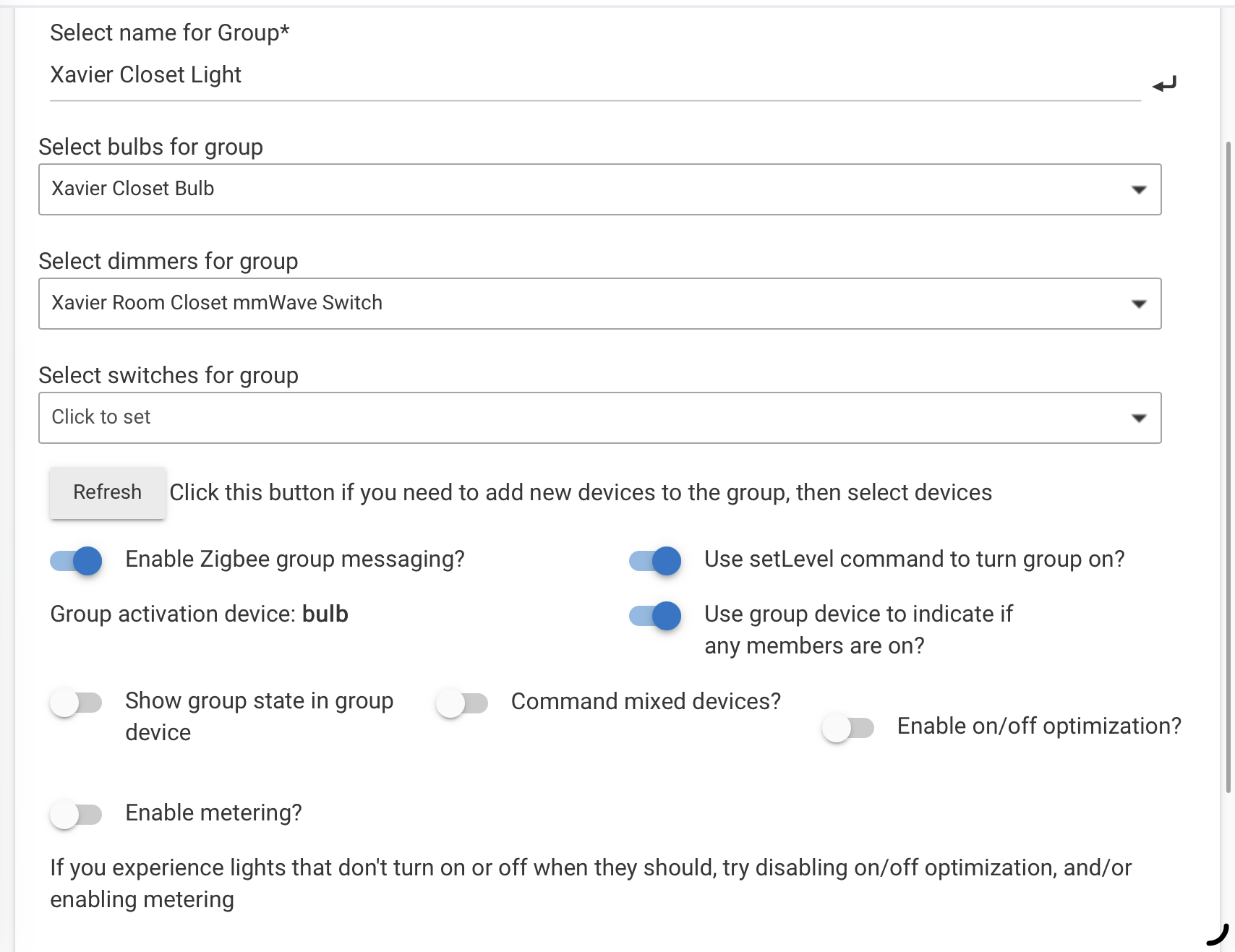
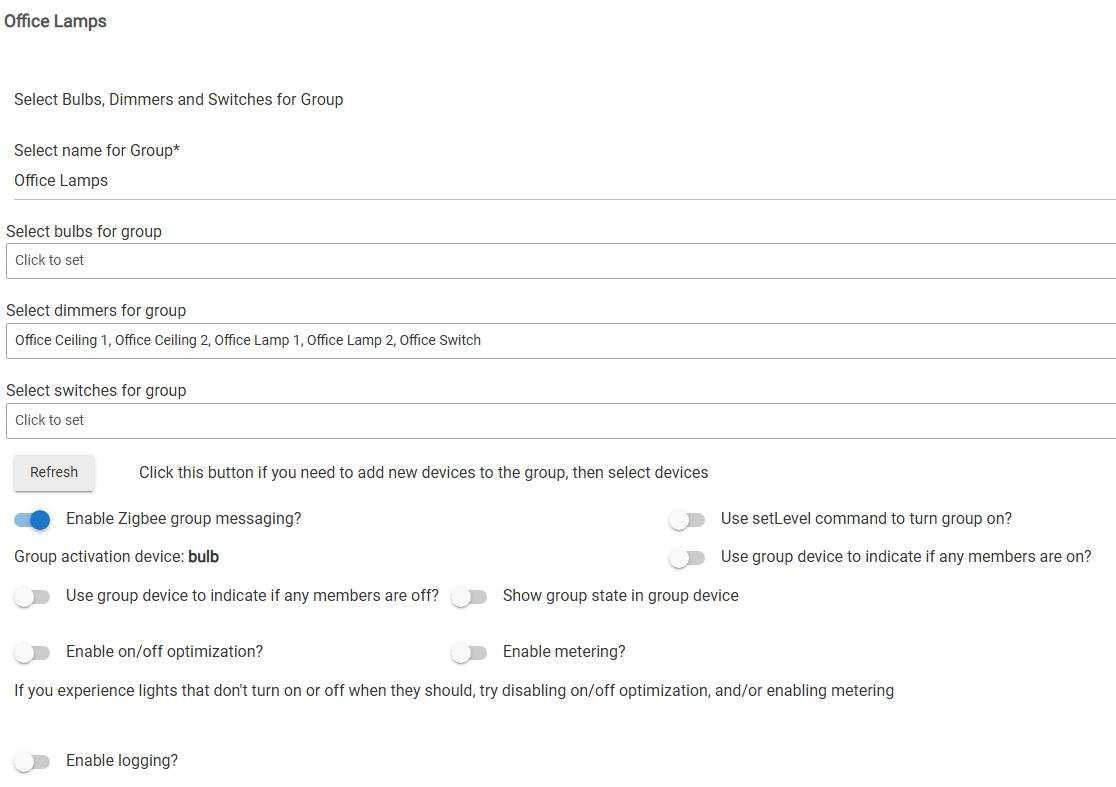
Yea, that seems to be the problem - Not sure how to create such a group in Hubitat. I did try setting up a Group & Scene. When I control the group, it works (same as when I control via the switch). However, when I control the bulb directly, the issue remains - the switch doesn’t show the level.
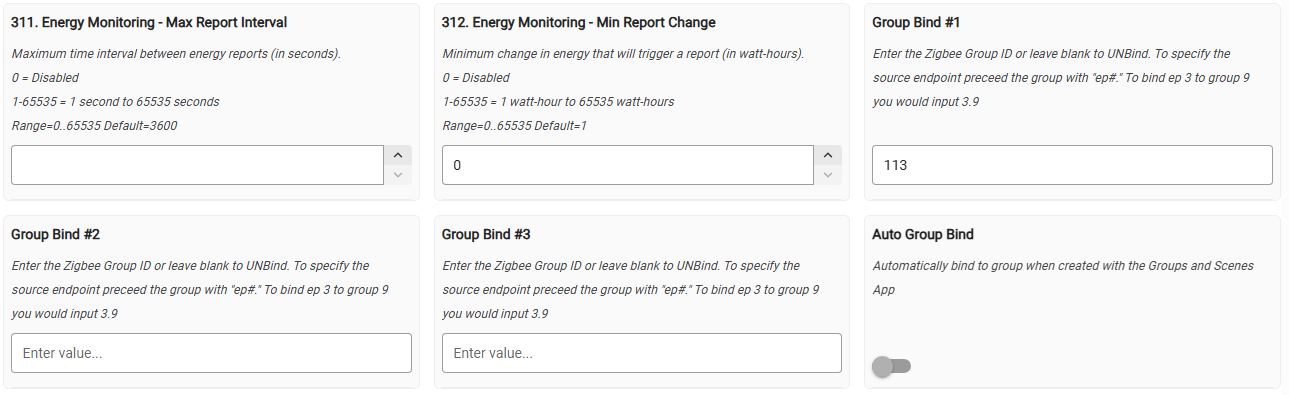
The instructions are nice! The only thing that I hadn’t done was add the group bind number in the dimmer’s driver. I added that, but unfortunately, not seeing anything different. However, I wonder if that is because I also have a direct binding… Will have to remove it later to see if it makes a difference.
I got the group 113 from the url of the first screen shot. Now the switch controls the group, and is in the group. You need to update any rules to also control the group instead of the individual devices. If you control a device, you change that device, but if you control the group, you control all devices in that group. The switch is special since it can be set so that when you control it, it in turn controls the group keeping everything synced, but the bulbs don’t do that.
I do have group activation device set to bulb on that one, but I have it on dimmer for the others. I have not seen a difference in how the groups work.