I discovered and fixed the issue with target info reports being unexpectedly generated by the Hubitat driver. @EricM_Inovelli I am sending a pull request for this fix and a few others, as well as the addition of interference area attributes. This will enable expanded functionality for setting and reading interference areas. My mmwave ghost buster app will leverage this new functionality to discover and bust ghosts.
Apologies if this is beyond the topic of this thread (let me know and I’ll start a new one).
How are you determining how to set motion areas in Hubitat? I don’t see any motion device that I can use to see when it’s detected motion to be able to set the area parameters. And setting it to turn on a light has reset delays which makes trial and error a lengthy process.
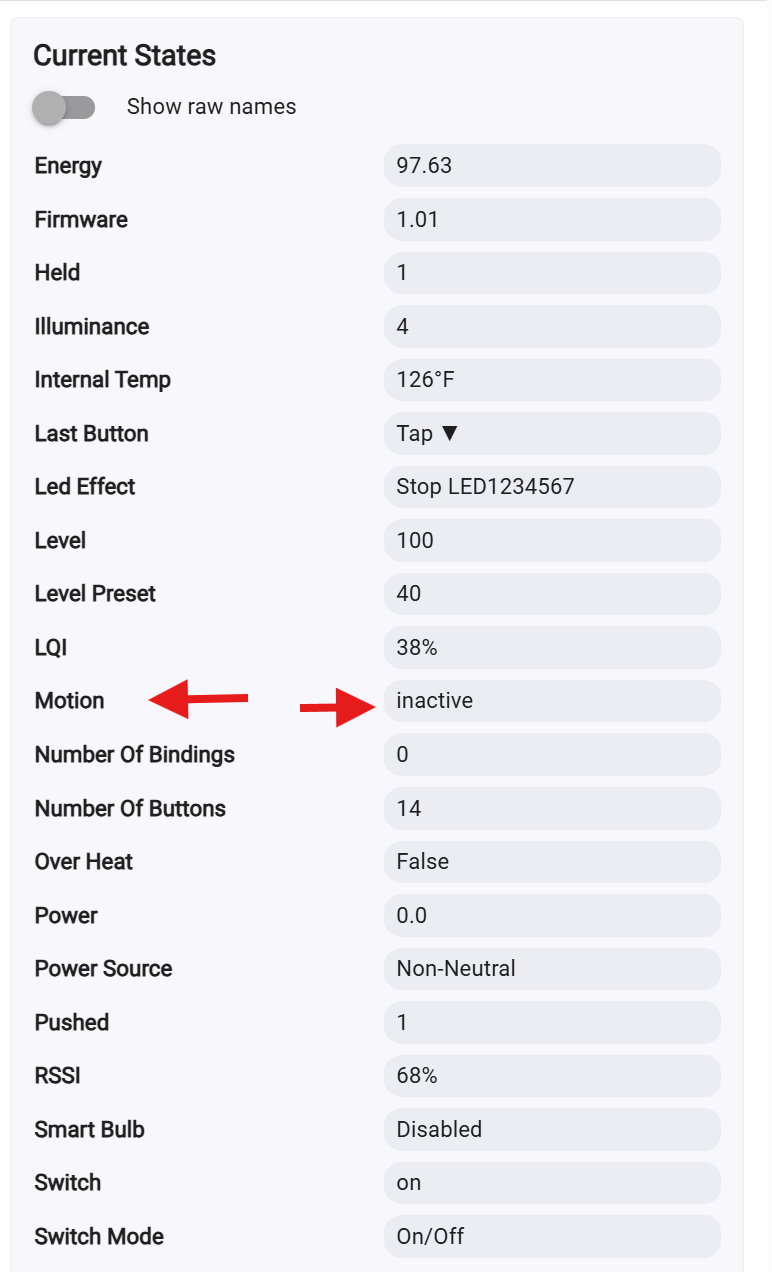
@apd183 , can you verify the driver installed and being used? On the device page you should see information about the switch current states on the right side like the below picture. The delays will also be present even if the load is not being controlled. You can find infor that may help with configuring the switch at these two links Basic mmWave Configuration and Advanced mmWave Configuration. Understanding the room size and the dimensions should be set from the switch looking out. These are also in cm so you will need to convert from inches to cm i.e. 1 inch equals 2.54 cm. The setting also requires that a negative number be used for switch to floor and switch to left (-121.92).
| you multiply the length in inches value (x) by 2.54. (4 feet) 48"x2.54=121.92cm |
|---|
When making the post I was on the 2026-01-30 driver, but have since updated to 2026-05-19 (as well as firmware to 1.01) and now see “ReportingArea” events in the logs, which helps immensely in getting closer-to-real-time detection info to help determine the effective detection boundaries.
The attribute you point out there seems to require a refresh of the page to see so I don’t know when exactly it changes.