Blue mmWave: how to set and read interference area (Hubitat)?

I’m trying to manually set an interference area for a blue mmwave switch in Hubitat (to target an intermittent ghost difficult to catch in the act for automatic interference configuration). The driver exposes the command: mmWaveSetInterferenceArea(areaid, xmin, xmax,ymin,ymax,zmin,zmax). Pressing the command seems to produce a zigbee command to the switch, but it’s unclear if the setting sticks. Is there a way to see on the driver whether the interference area is actually set? I don’t think it’s being set because motion is still being detected within that area.

EDIT: I confirmed the interference area is actually being set as expected. It’s just the interference area reports that I can’t seem to get without enabling P107….

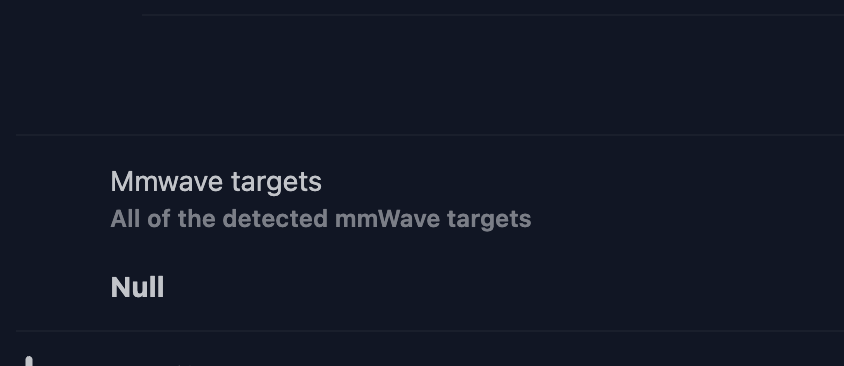
I see that there is a Report Interference Area advanced command possible here.

But there isn’t currently any preference in the driver to activate these reports, like there is for Report Target Info. Perhaps that is what would be needed?

Answer: turns out I needed to enable P107 (Target Info Reporting), then send mmWaveControlInstruction with an Id=2, in order to trigger a report from the switch of the interference area(s). The parsed report shows up in live logging, not in device attributes or state (for now!).

Suggestion: This might suggest the P107 parameter should be renamed to “Advanced Info Reporting” to encompass all advanced reports from cluster 0xFC32, not just the Report Target Info at 0x01

You shouldn’t need to enable P107.

send mmWaveControlInstruction with an Id=2, in order to trigger a report from the switch of the interference area(s). The parsed report shows up in live logging, not in device attributes or state (for now!).

That should be sufficient and how it’s implemented in Z2M as well.

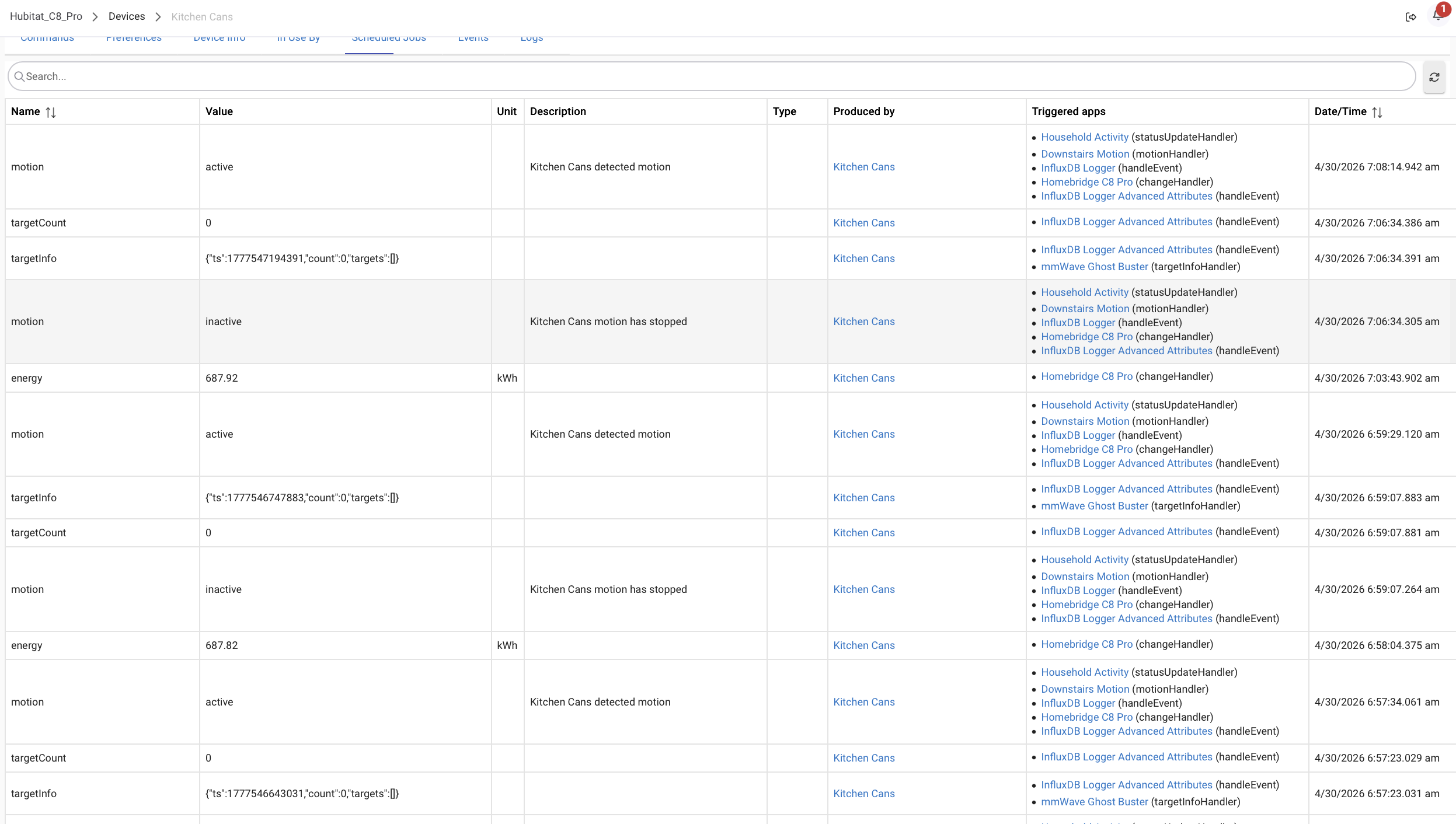
It must be implemented differently in Hubitat then, because interference area, detection area, etc. are only reported with P107 enabled, even upon sending mmwaveControlInstrction = 2.

Probably a question for @EricM_Inovelli why it’s behaving that way.

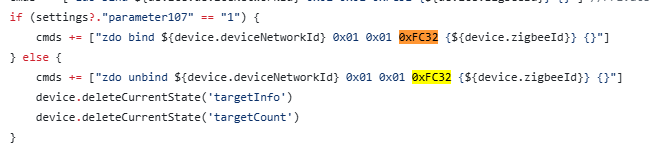
It looks like the driver only binds to the mmwave report cluster when you set P107 to 1:

I didn’t work on that part of the driver so I am not sure of the original intent. Maybe to reduce noise unless you are in a “troubleshooting / advanced configuration” mode. I can remove that if statement unless anyone thinks of a good reason that it might be there.

I don’t recall where I got this impression (maybe a dream :sweat_smile:), but my understanding was that it was an intentional precaution to help keep the logs from flooding too much and otherwise mitigate potential (hub-level) performance impacts.

As @hydro311 said, it’s there to prevent spamming the log with reports, except for troubleshooting or advanced config mode. So it should be left as-is according to my understanding. My suspicion is that the driver just needs to be updated to parse the on-demand interference area report. I will look into that.

Yes, this matches how we handle it in Z2M. The converter sends the request for the areas and then the switch responds with a series of commands to report each of the areas. See for reference: zigbee-herdsman-converters/src/lib/inovelli.ts at 0e55e1c9f3f8cb9fed37ab199a39eadd04682f2c · Koenkk/zigbee-herdsman-converters · GitHub

This should be safe to do assuming you can suppress the reports from being logged and have an entity to shove the data into like we do with Z2M.

There’s not a risk of being flooded unless you are bound to the mmwave cluster and also have P107 enabled. All of the responses to commands sent to the mmwave cluster need you to be bound to them to receive them.

This is also how we have multiple area support working in Z2M.

Would this not flood the zigbee network with target info reports though? Even if you suppress the reports from being logged in the hub, the main drawback would be much more zigbee traffic, no?

ideally you’d be able to receive continuous unsolicited target info reports when P107 is enabled. But then disable P107 to suppress so many target info reports, while at the same time being able to solicit interference area reports on-demand (without having to also flood the zone network with the large number of target info reports).

I’ll explore this more tomorrow as I suspect it’s just a simple driver tweak, unless I misunderstood how the binding and reporting works here.

I’m saying that the binding is safe to do alone. The unsolicited reports don’t come unless you also enable P107.

This requires the bind to the mmwave cluster being always done and is exactly what I’m suggesting being tweaked.

I’m not sure why the driver didn’t always bind to the private mmwave cluster to begin with, then, but an always-on bind would be great if it doesn’t actually flood the zigbee network and would solve this issue.

I did some testing based on this with modified Hubitat driver code. The modified driver always maintains a ZDO bind to the FC32 (0xFC32) private cluster, and logs all messages from the device. The bind alone indeed seemed safe to do without P107 enabled. Only when P107 was enabled did the flood of target info reports come. That part is good.

The issue I ran into in practice, though, is that P107 also gated whether the interference area reports were received upon request (with mmwaveControlInstruction(2)). Even though bound to FC32, and even after requesting the interference area report with mmwaveControlInstruction(2), I only receive an interference area report when P107 is enabled, not when P107 is disabled. It seems then that P107 is gating all reporting from cluster FC32, not just the target info report.

@rohan can you confirm if you are able to get interference area reports in HA with FC32 bound but P107 disabled?

I do see that there is another parameter, P111,that relates to the interference area setting/reporting. But P111 is not exposed in the Hubitat driver. And P111 seems more of a ‘control’ parameter than a setting, so it’s unclear to me if its setting has anything to do with gating interference area reports?

:pushpin: Observed Behavior

Case 1 — FC32 Bound, but P107 DISABLED

When Parameter 107 (target reporting) is OFF:

mmWaveControlInstruction()

FC32 CATCHALL:
command: 0x0B
data: [0x00, 0x00]

No zone data is returned.


Case 2 — FC32 Bound + P107 ENABLED + ControlInstruction(2)

When P107 is enabled and ControlInstruction(2) is issued:

dev:102 08:16:29.891 AM info mmWaveControlInstruction()

dev:102 08:16:29.954 AM warn FC32 CATCHALL:
command: 0x0B
data: [0x00, 0x00]

dev:102 08:16:30.108 AM warn FC32 CATCHALL:
command: 0x02
data: [0x04, 0x34, 0x00, 0x42, 0x00, 0x16, 0x00, 0x46, 0x00, 0xE7, 0xFF, 0x0B, 0x00, ... ]

dev:102 08:16:30.123 AM warn FC32 CATCHALL:
command: 0x03
data: [0x04, 0x38, 0xFF, 0x4B, 0x00, 0x00, 0x00, 0xAF, ... ]

dev:102 08:16:30.137 AM warn FC32 CATCHALL:
command: 0x04
data: [0x04, 0x00, 0x00, 0x00, 0x00, ...]
Yes. That’s how all of my switches are configured. I use this functionality extensively since I’m using multiple areas on my switches.

Hmm ok. I’m still on the OEM firmware. Was any of this impacted by firmware updates?

Still running 1.0 on all switches.

Thanks for the confirmation. I think i found the issue with the driver and the fix. Will update when I have it in place.