As I’m starting to install and configure my blue mmwave switches, I’m finding some oddities with the provided Hubitat driver. I’ve listed some findings below, if someone can confirm the questions I can work on an updated driver and submit a pull request.
FYI the Hubitat install help page has several links to the non-mmwave blue dimmer that probably need updating (like wiring install, switch configuration, parameter page). Had some confusing moments while trying to gather information.
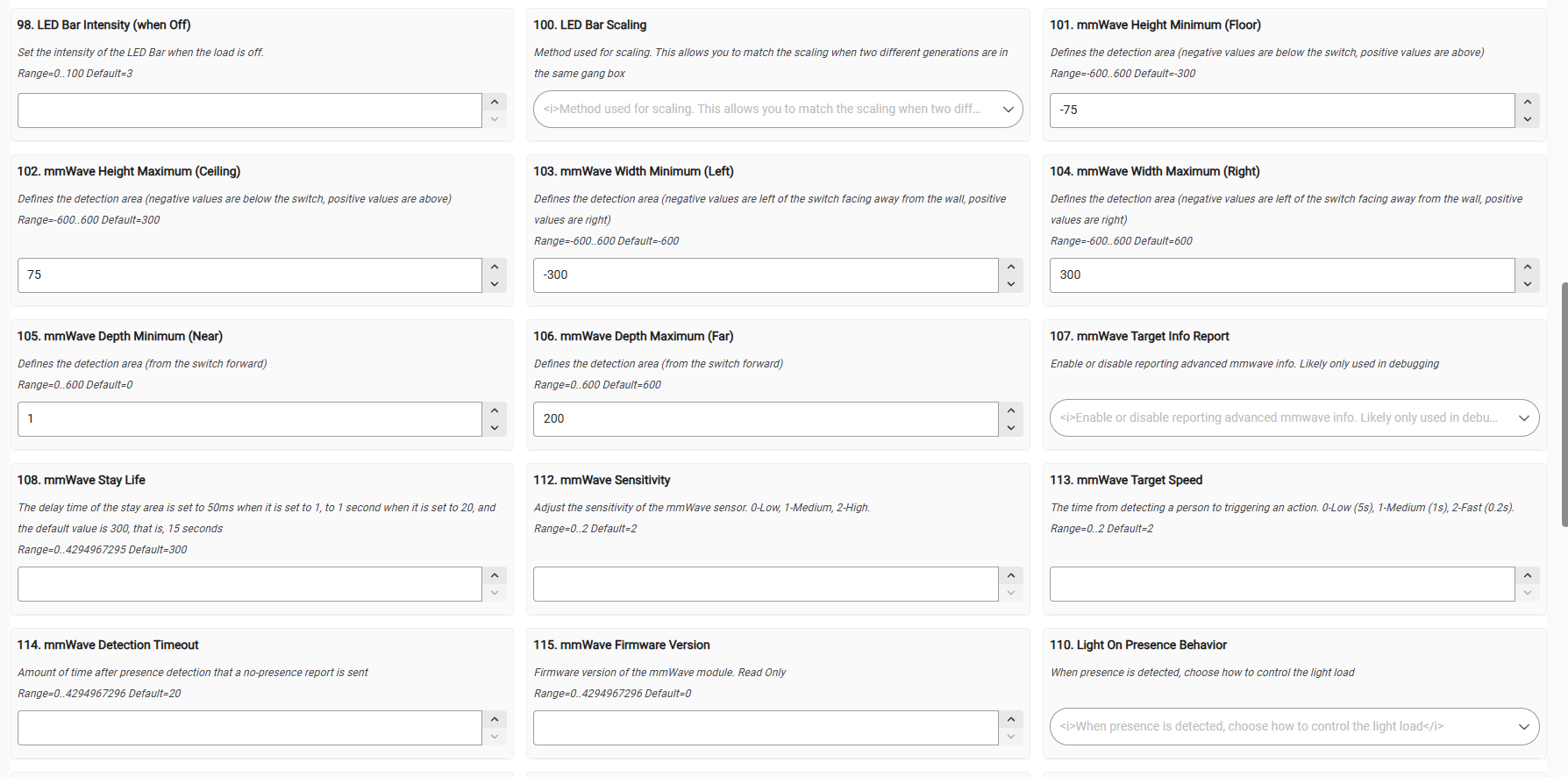
Should I be seeing default values on the Preferences tab? Some thread I found in here months ago mentioned it should be working now, but I don’t see that.
Parameters on the Preferences page do not match the official parameter list. Is that list comprehensive that the parameters in the driver could be updated to match?
Spcifically, Parameter 34 is present in the driver, but there is a warning in Hubitat when it tries to save (and for some reason even on a new switch it’s trying to set value 0 even though 2 is the default in the driver). Is this a valid parameter?
In both the driver and the parameters page, there are several parameters dealing with fan control. Are those valid parameters for this switch?
Lines 82 and 83 seems to not be the proper format for these capability names, there should not be a space, correct? (current values below)
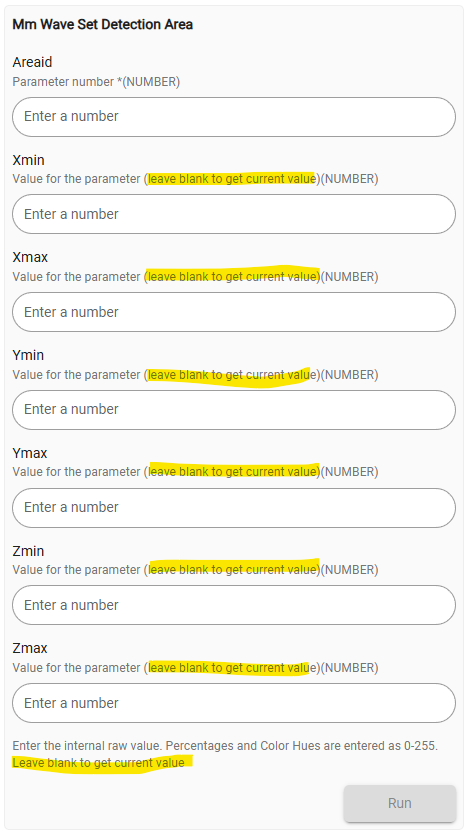
Mm Wave Set Detection/Interference Area commands have descriptions that say “leave blank to get current value”, but that does not seem to be a feature of the functions in the driver (get an error that the arguments don’t match).
(and an aside, on this forum, I can’t create a topic without choosing a product tag, of which the only option is “vsd30k”)
Anoter to-fix for the Inovelli folks: While going through the mmwave switch parameters, many anchor links on that page also link to the non-mmwave parameter page.
Have you installed the Inovelli driver using Hubitat Package Manager? I would start there and after it is installed change to that driver and make sure to click configure and initialize.
I am not positive most likely driver related
That is the correct parameter list for the device
Parameter 34 is not a used parameter for our devices
Yes those are correct and used when the switch is being used along side an Inovelli canopy module (Zigbee bindings)
Most likely also driver related
Again most likely driver related, when you click that you should see the values in the logs
Or you can manually install the driver by using the info from our page here
Yes, the driver is installed, version 2026-05-19. These are all issues with that latest version of the driver.
Since I’m not intimately familiar with the driver and device firmware I wanted to confirm some of these were actually incorrect before editing and submitting an update. (The fan parameters are a good example of I don’t know what I don’t know!)
This one is beyond my skill at this point so I’ll just ignore it for now.
Got it, I’ll troll through the code and submit an update
Ditto 2
Good to know for the future
Upon further testing, spaces don’t seem to matter in those values, so this is a non-issue. (Hubitat’s own examples switch between having spaces and not.)
The error mentioned is all that shows in the logs. Here is the exact message when trying to submit with only an ID: groovy.lang.MissingMethodException: No signature of method: user_driver_InovelliUSA_Inovelli_mmWave_Dimmer_Blue_Series_VZM32_SN_786.mmWaveSetDetectionArea() is applicable for argument types: (java.math.BigDecimal) values: [1] (method mmWaveSetDetectionArea)
Fixing this one is probably beyond my skill right now. Is what it says on the values (“leave blank to get current value”) possible or not? If not, I could at least update the message (and maybe add some error checking).
I reached out and was informed that the driver is setup for most users and for configuring the room size the below area in the device settings is for setting each axis. Also the Basic Configuration Guide found here may provide more context. As for the error message that again is due to parameter 101 to 117 being custom and how Hubitat (as well as other hubs) can manage or convert from the mmWave info to what the hubs can process. If you are looking for a live way to track presence and location within the sensor range Hubitat does not have anything. There is a community developed app in HA though
It looks like you’re talking about item 6 in my list. This is not from the Parameters page, it is from the Commands page where there is a “mmWave Set Detection Area” command available, but the “leave blank to get current value” seems to be wrong. (This also seems to apply to the similar “mmWave Set Interference Area” command.)
The code appears to only expect all values, passing a zigbee command which I don’t know enough about to troubleshoot. As mentioned before I’ll not bother “fixing” this one unless someone chimes in on whether those labels are correct or not.