I have installed two Blue series mmWave switches in my stairwell per the manual and also have bound them via Z2M. Everything is working great except for one specific scenario. If I walk from the bottom to the top of the stairs the bottom switch will detect me and turn both switches on but the lights won’t STAY on because, even though the switch at the top of the steps shows “occupied”, the switch at the bottom no longer detects motion and will turn both switches off. This leaves the switch at the top of the stairs in the “off” state while simultaneously being in the “occupied” state. This is the behavior in reverse as well.
This wouldn’t normally be a problem for a stairwell but in this case the landing is an area where people congregate and this is the only source of light there.
Is there an elegant solution that I’m missing or do I need to develop some logic or automation in either Z2M or Home Assistant? I’d really like to avoid HA automations so that my lights operate as expected even if the server is down.
I was just about to create a thread about the same thing - can the mmwave sensor occupancy between multiple mmwave switches be paired?
I have a room that is too large to cover with one mmwave switch, but it does have a 4-way switch configuration where all of the boxes together can see the entire area. However, I’d need to pair the presence sensors as you’re describing.
I suspect that the presence sensors currently act as a switch (i.e. edge detection only). So as soon as any of the grouped switches transition from occupied => unoccupied, that edge in the signal will result in the switch sending the “off” command, even if other grouped switches still detect presence.
I’m pretty sure this can be fixed with a Home Assistant template binary sensor, but I am also hoping for an offline solution. It seems like that’d be difficult to handle in the firmware, though, since the switches would need to transmit their presence sensor status back to the “main” switch, not just send on/off commands.
Anyway, in case it’s useful for you, the template occupancy sensor would look something like:
{{ is_state(‘binary_sensor.my_mmwave_1_occupancy’, ‘on’) or is_state(‘binary_sensor.my_mmwave_2_occupancy’, ‘on’) }}
Then set parameter 110 (MmwaveControlWiredDevice) to 0 (Disabled), and use this new combined occupancy sensor to toggle the lights with a Home Assistant automation.
I’d suggest doing this as an automation in Home Assistant. The switches do not have the capability to bind and link the mmwave sensors today (I’m not sure if zigbee as a protocol has a way to do that). I would also suggest using a binary sensor group rather than a template binary sensor.
For (2) - I recommend using a Zigbee group instead of a Home Assistant light group. This makes it so that the commands are only transmitted once and keeps both synced (Basically create a zigbee group, add each switch’‘s ep1 to the group, bind on_off and level_ctrl from each switch’s ep2 to the group. This will give you a new light entity in Home Assistant to use.). I have a couple of similar (but slightly more advanced automations for my kitchen lights defined here if that’s helpful for reference.
The package has the binary sensor groups covered as well at the top of the file.
Configure the switches to auto turn on, but not auto turn off.
Configure the hub to shut off switches once all relevant motions sensors show no activity.
This lets you get the fast responsive auto on behavior when the switch see motion, but limit when the lights go off preventing the annoying “lights shutting off on you” experience. The obvious downside of this approach is if the hub is down the lights stay on.
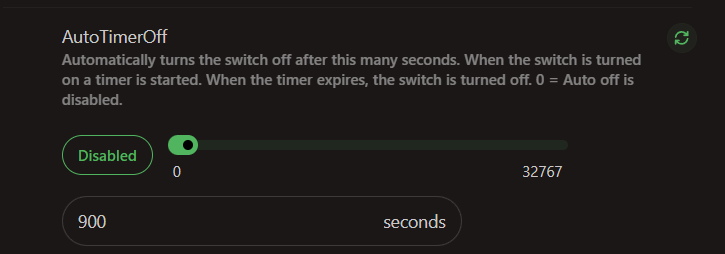
Thanks, I really like this solution. In the case where the hub is down I’ve set the auto-off timer on the switches for 15 mins (900 s). So far this is working well.
@EricM_Inovelli this would be another good option/feature to add to the firmware. Currently the on off behavior is always tied to motion status. It would be “nice” if we could delay the light off without holding the motion status active. What this would better enable is situations where the hub controls the when to shut off lights (because multiple switches are being considered) while still having some base intelligence in the switch to shut off lights when/if the hub is down or a command/status is missed.
Thanks for the suggestion, I will take note of this as an option for a future update. “auto off timer after presence is no longer detected”. For now this can be done with a hub automation (as you mentioned).