i installed the Blue Series Fan Switch with a neutral and successfully paired to HA. The switch (in both On/Off and 3 speed mode) only turns the fan onto a very low speed. The fan is only on/off with no speed configurations (I saw in the manual that I need to set it to high to avoid an issue with these same symptoms). The motor draws .6A AC which seems well within the range of the switch.
I tried both neutral and non-neutral configurations and got the same results.
i have ground installed on the switch as well, but have not tried to remove it (this will be my next step). Besides that, I am not sure what to do.
any suggestions or advice is greatly appreciated. Thank you!
That makes sense. Ground was not removed (I took a break for food lol).
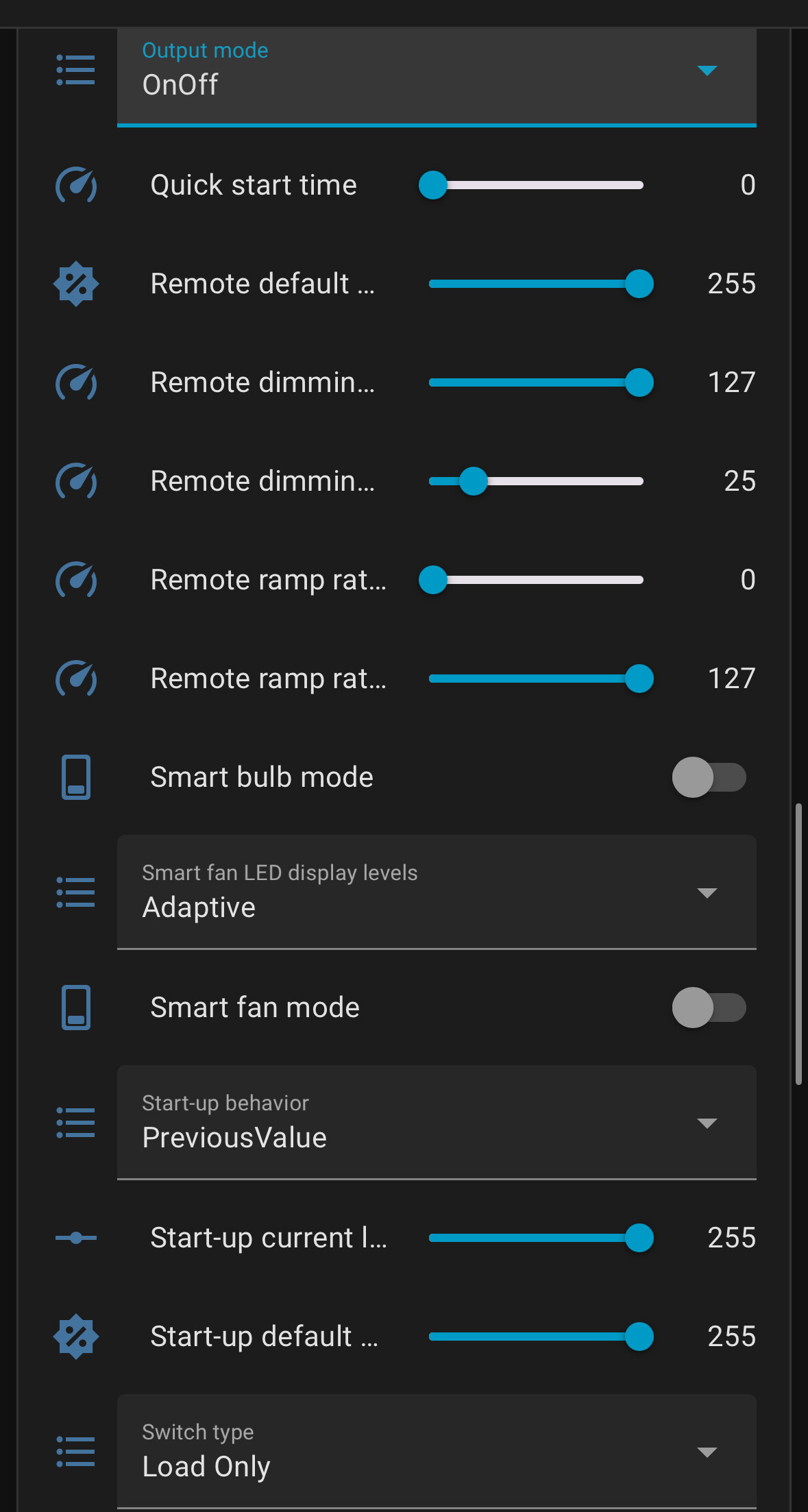
Here is my current configuration in HA:
I tried different settings for output mode, smart fan, LED display levels, and switch type. None of those setting seem to make a difference and all resulted in a very low fan speed.
@rohan will have to comment if that is Z2M. It looks like it’s in the on-off mode.
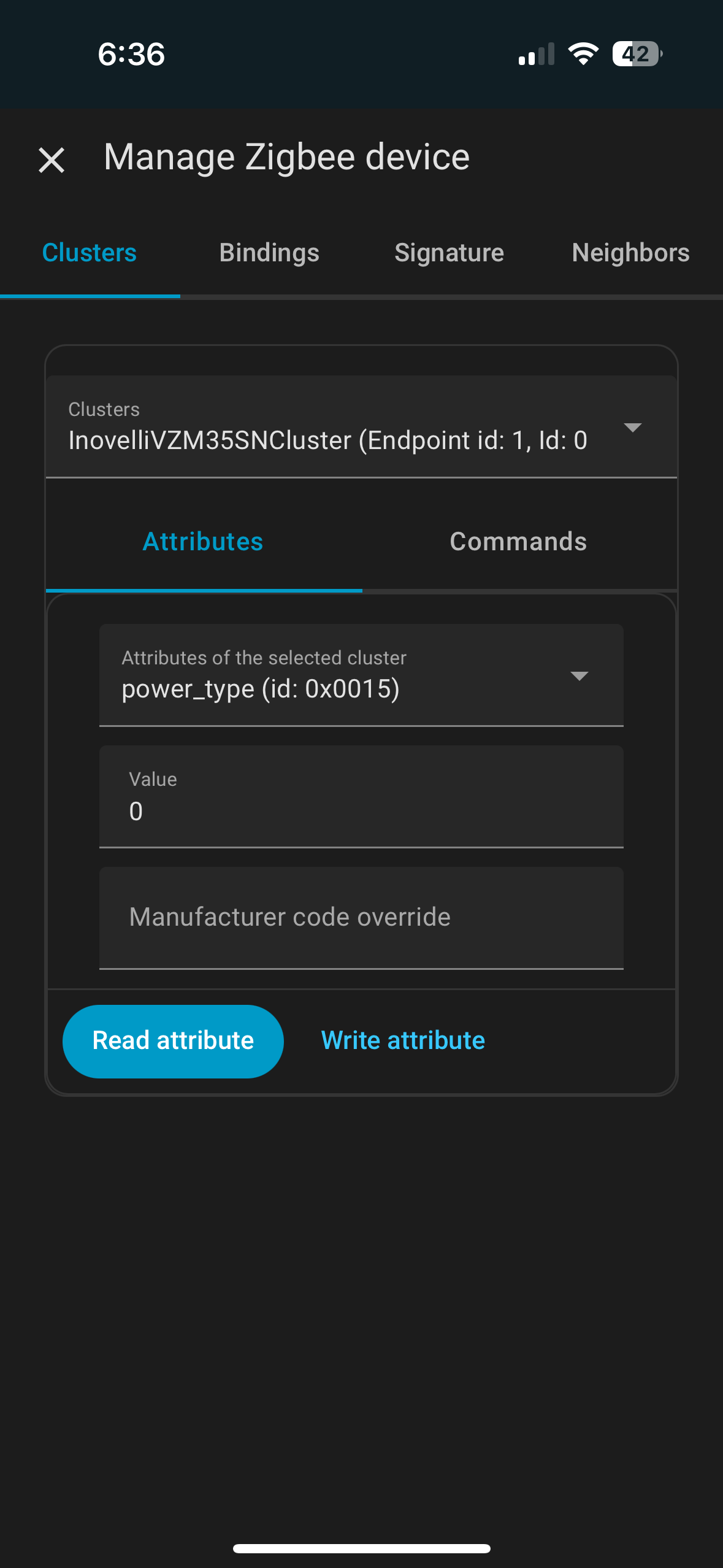
P21 is the AC power type. That will tell you if the switch thinks it has a neutral or not. See if you can find that value and report back what it is displaying. That is read-only, you can’t set it, it’s based upon what the switch determines.
Where is that entity/value? I can’t seem to find it. The imgur link shows are all the entities and properties I can see in ZHA (I could only attach two pics in the reply here)
Well, 0x15 in decimal is 21, so I’m guessing yes. @chack is the ZHA guy here, so hopefully he can confirm.
Based on what I’m seeing here, it looks like your switch thinks it is in a non-neutral configuration, which would explain why you’re not getting full speed out of the switch. If that is the case, you need to take a look at your wiring.
Originally I had it in no neutral configuration which would possibly explain why it thinks it’s in that configuration now. But I still had very low speed there too, which is why I tried the neutral configuration.
Any advice on what wiring I should be looking at? Original dumb switch only had line and load and that’s exactly what I wired up to the fan switch.
So are you saying that in the switch box you only have a 2-wire, exclusive of the ground?
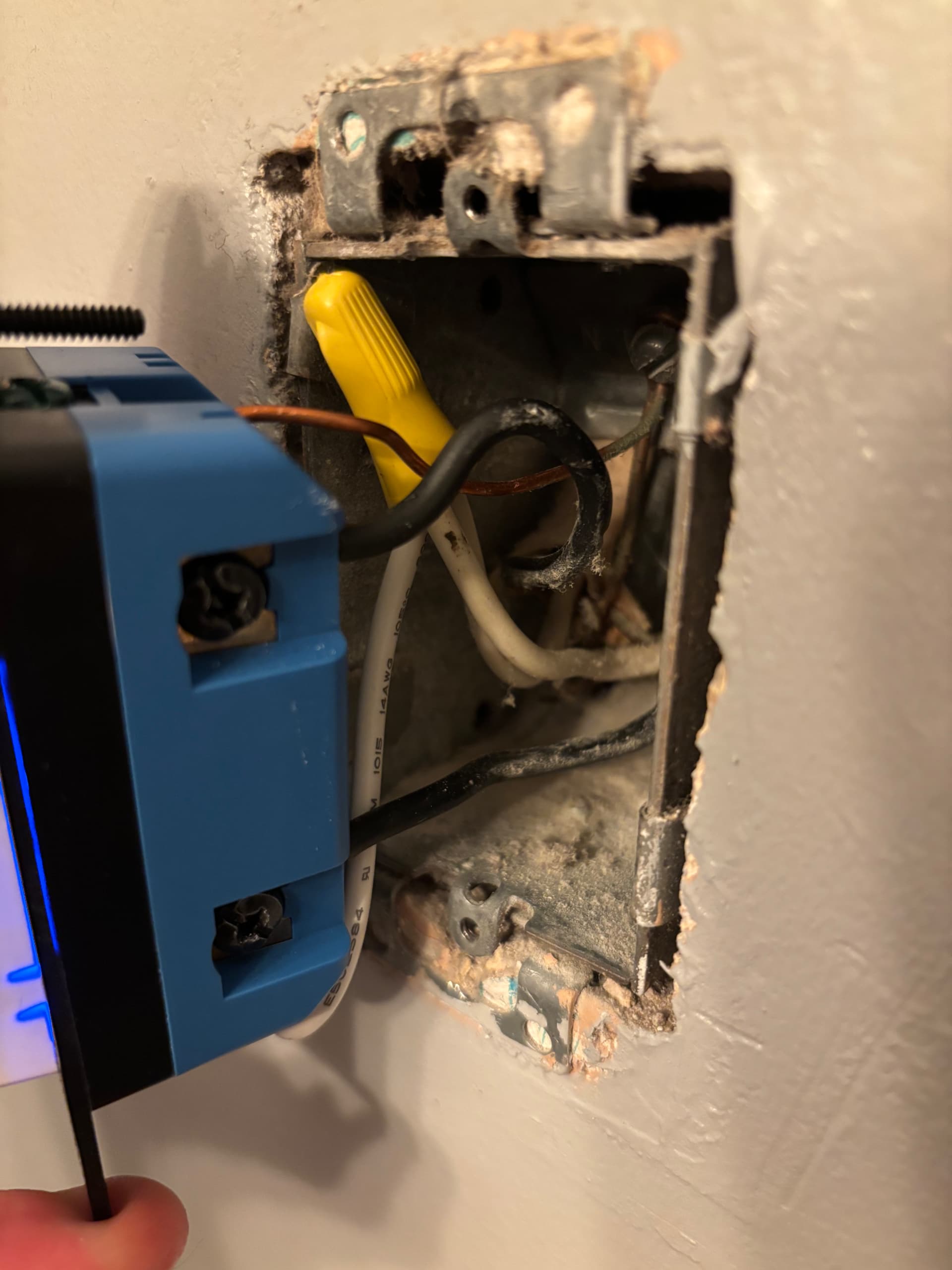
You might want to post a picture of your switch box so we can see what’s going on. There’s only one way to wire the switch, neutral or non-neutral, depending upon what your wiring configuration is. There’s no way to change it from one way to the other, so I really do not understand what it is you think you did based on your explanation above.
Sorry for the confusion. The people who owned the house before me didn’t really understand a lot of things so they did not have ground wired to the switch previously installed. The switch box had:
Line and load (black) to the switch
Fan and house neutral (white) tied together via wire nut
Exposed copper (ground) in the back
I connected: line and load to the smart switch, included white wire to the joined neutrals and then the switch neutral, and ground to the switch. pic included is current state (with the low speed).
What I meant before is the original dumb switch only had line and load connected, and I transferred those directly to the fan switch (and ground). Once I encountered the low speed issue, I thought maybe neutral would help, so I connect that to the switch too. It didn’t change anything though. My comment was asking how I would inspect the wiring as it seems to me that it was a pretty direct transition to the smart switch (besides switching line and load there isn’t much I could have mistakenly done, but the switch remains on when I turn off the fan so I don’t think that’s the case).
Is there some reason you did not test across the hot and the neutral? If you reference ground then you really don’t know if you have a good hot and neutral pair.
Remove the load conductor from the switch, leaving the line and neutral connected. Does the switch power up?
I found the issue. The wire nut that was used is for 2 wires and it was squeezing one of them out (when I put 3 in). I connected all three and tried it out and it worked, full speed. Looks like I will need to go get a bigger wire nut tomorrow.
Thank you for helping me out and being patient with me!
Yellow is the proper wire nut size for three #14 conductors. Before you put on the nut, use a pair of lineman’s pliers to twist the three conductors together, then cap. If you simply place the three conductors together without a pre-twist, you may not get a good connection between all three.