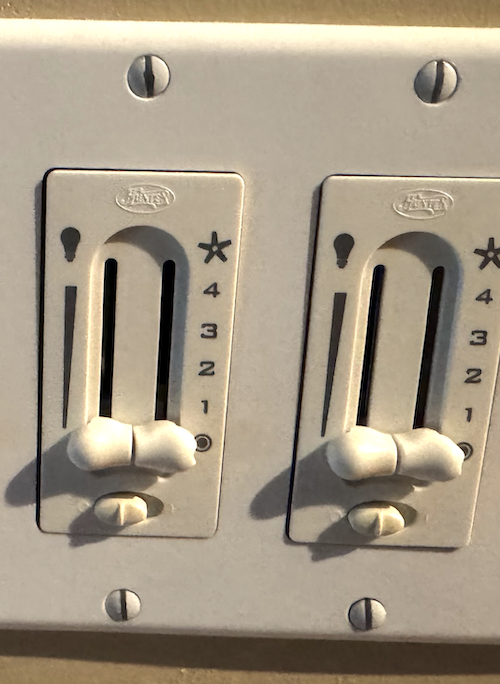
All the wall boxes have neutral, and the wiring to the fans is 14/3 Romex: light, fan, neutral (and ground). I’d like to replace them all with white series fan switches to control the fan, wire the lighting conductor directly to hot, and then use smart bulbs with Matter binding for the lights. My ideal control setup would be:
Action button locally cycles through fan speed options
Switch paddle controls bound lights, ideally with all the local functionality that the light switches have (press-and-hold to increase or decrease dimming, “Enable 2x Tap Up to P55”, and so on) - I will also have some regular blue and white series dimmer switches controlling non-smart bulbs and I’d like them to feel the same.
Multi-tap sends commands to Home Assistant to trigger other automations
I’m aware of the canopy modules, and I’ve used them before and like the results (particularly with dual binding, so the action button controls the fan and the paddle controls the lights). But I don’t want to use them here for a few reasons: mucking around with ceiling wiring up on a ladder is miserable, they’re expensive, and it feels silly to buy electronics I don’t need: with my old VZM31 + VZM36 + smart bulb setup, there were two sets of dimmer electronics (one in the switch, one in the canopy module) that weren’t used at all.
Using a fan switch seems like the most efficient setup: one fan controller (in the switch), zero AC dimmers (let the smart bulbs dim themselves, controlled over Matter). But I also want the switch to feel like a light switch from a UI perspective, with the action button controlling the fan. Is there a way to do this? Or does this belong in the “feature requests” section?
It might be possible, but it wouldn’t be direct control for the fan, but would rely on HA automations even though the switch hardware directly supports controlling the fan.
This is all theory crafting below on how I’d attempt it if I wanted to get it working as you describe. I have no idea if it would actually work correctly…
If it can work, you would not want the switch smart mode, but you would want to enable local protection so the paddles wouldn’t control the fan by default. You would essentially use the fan switch both as a scene controller and as a smart “relay” for fan control. Pressing the config button would trigger an automation which would then control the switch internals to set the fan speed, while you might be able to bind the paddle endpoint to the smart bulb for more direct control (or be stuck with needing automations for that as well)
I have no idea how you’d get the LED bar to show the status of the lights and not the fan though.
I thought about that, but a lot of the lighting/dimming functionality (e.g. hold the top of the paddle to ramp up brightness; hold the bottom of the paddle to ramp down brightness) would be difficult or impossible to do reliably via HA automation.
It’s just a “small matter of firmware programming”…
Seems reasonable, and I could manage having fan speed control go through HA - but proper dimming control from the paddles is important, so I want to get confirmation that will work before I buy a bunch of them
That potential issue with proper dimming control of smart bulbs will be evident no matter what switch you get unless you can bind the switch directly to the bulbs.
Looking further into it, I am not sure you can even bind the paddle on the fan switch with a smart bulb anyway, so that may be a non starter right out of the gate.
At this point, as far as I can tell, if you want “guaranteed” functionality using the Matter over Thread devices, you would need a White switch (dimmer or on/off; the on/off switch allows you to run the canopy module load through the switch and allows the air gap to kill power) and the White canopy module. You can bind the paddle to either the Light portion of the canopy module (if using standard bulbs) or to the smart bulbs directly (having enabled smart bulb mode on the canopy module, much like you’d do with the switch itself). You would then need to run the Fan control via config button presses through an HA automation as I don’t think you can currently bind the config button directly.
If on the other hand, you were using the Blue Zigbee devices, you could directly bind the switch to both the lights and the Fan portion of the canopy module without needing automations.