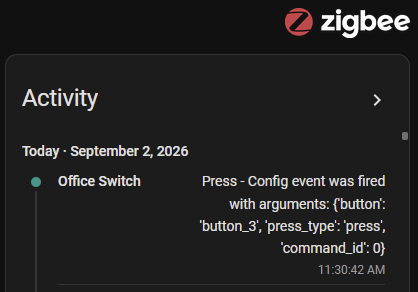
I am trying to add a Home Assistant automation for a Blue mmWave dimmer switch based upon the config / favorites button. I am using ZHA; switch is configured in Smart Bulb Mode, Local Protection is disabled, and I am able to see that button presses are recognized on the activity monitor of the device:
However, when I try to add an automation trigger there are no options referring to any switch presses. None regarding up, down, double-taps, etc. The only available options are the various sensors and parameter values:
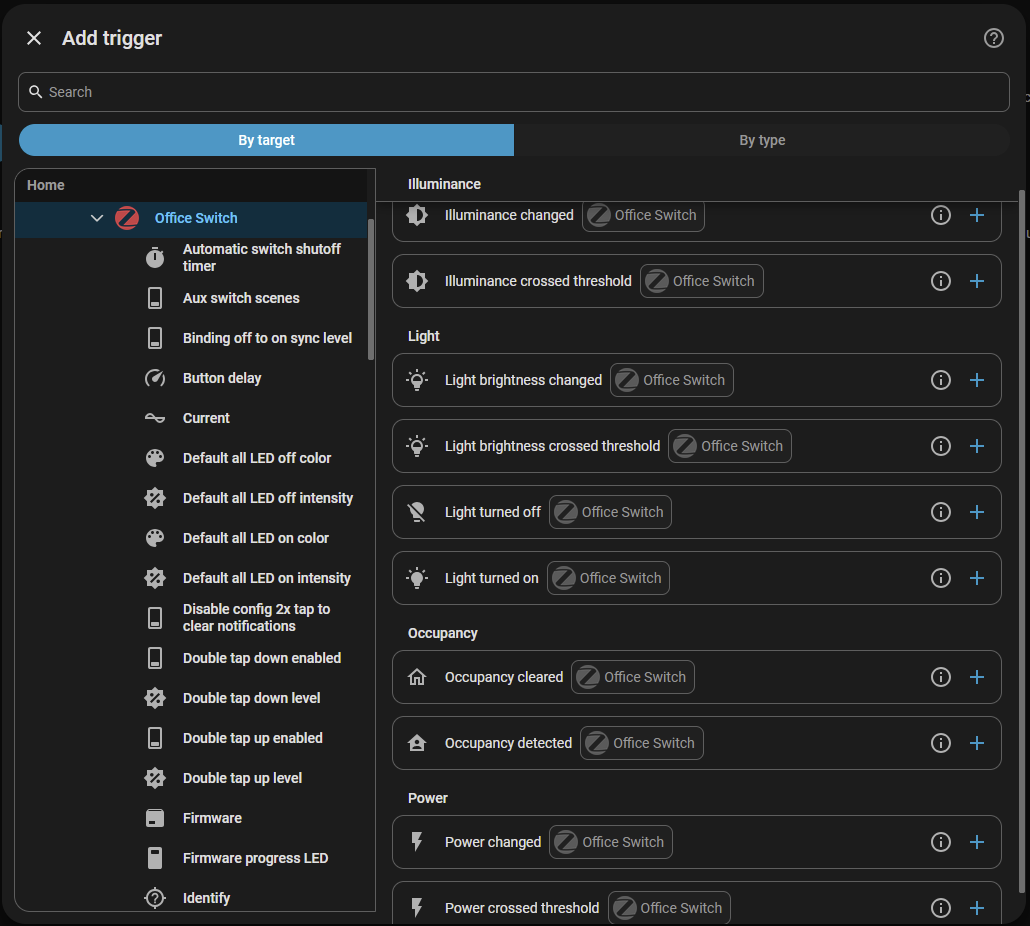
The full list of entities under the ZHA Office Switch heading (screenshot left) are:
- Automatic switch shutoff timer
- Aux switch scenes
- Binding off to on sync level
- Button delay
- Current
- Default all LED off color
- Default all LED off intensity
- Default all LED on color
- Default all LED on intensity
- Disable config 2x tap to clear notifications
- Double tap down enabled
- Double tap down level
- Double tap up enabled
- Double tap up level
- Firmware
- Firmware progress LED
- Identify
- Illuminance
- Increased non-neutral output
- Internal temperature
- Invert switch
- LED scaling mode
- Light on presence behavior
- Load level indicator timeout
- Local default dimming level
- Local dimming down speed
- Local dimming up speed
- Local protection
- Local ramp rate off to on
- Local ramp rate on to off
- Maximum load dimming level
- Minimum load dimming level
- mmWave depth maximum (far)
- mmWAve depth minimum (near)
- mmWave height maximum (ceiling)
- mmWave height minimum (floor)
- mmWave hold time
- mmWave room size preset
- mmWave sensitivity
- mmWave target speed
- mmWave width maximum (right)
- mmWave width minimum (left)
- Ocupancy
- Office Switch
- On level
- On/Off transition time
- Only 1 LED mode
- Output mode
- Overheat protection
- Power
- Power-on behavior
- Power-on level Remote default dimming level
- Remote dimming down speed
- Remote dimming up speed
- Remote protection
- Remote ramp rate off to on
- Remote ramp rate on to off
- Smart bulb mode
- Start-up default dimming level
- Summation delivered
- Switch type
- Voltage
I have tried a number steps without success:
- Reconfiguring the switch
- Deleting the device, performing a factory reset, and adding back to the Zigbee network
- Toggling various settings
- Installing the Blue mmWave ZHA custom quirks file (didn’t notice any difference)
What is the correct way to add Inovelli switch button triggers to Home Assistant when using ZHA?