I’m hoping someone can help identify whether I’m dealing with a Home Assistant bug, an Inovelli firmware issue, or something else in the Matter commissioning process.
Hardware
Home Assistant Green
Home Assistant Connect ZBT-2
Home Assistant Core 2026.7.1
Supervisor 2026.06.2
Home Assistant OS 18.1
Frontend 20260624.4
Matter Server 9.0.4
OpenThread Border Router 3.0.1
Verizon G3100 router
iPhone (Home Assistant Companion App)
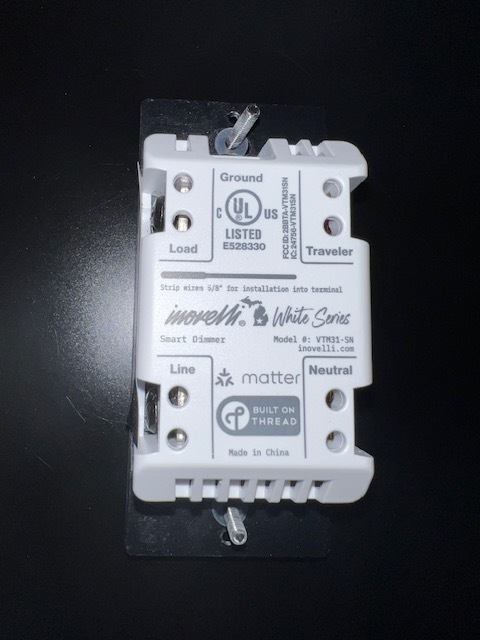
Inovelli White Series Smart Dimmer
Model: VTM31-SN
Matter over Thread
Thread Configuration
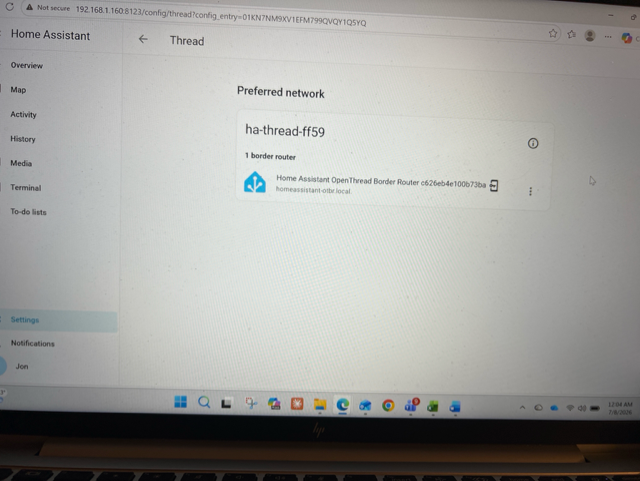
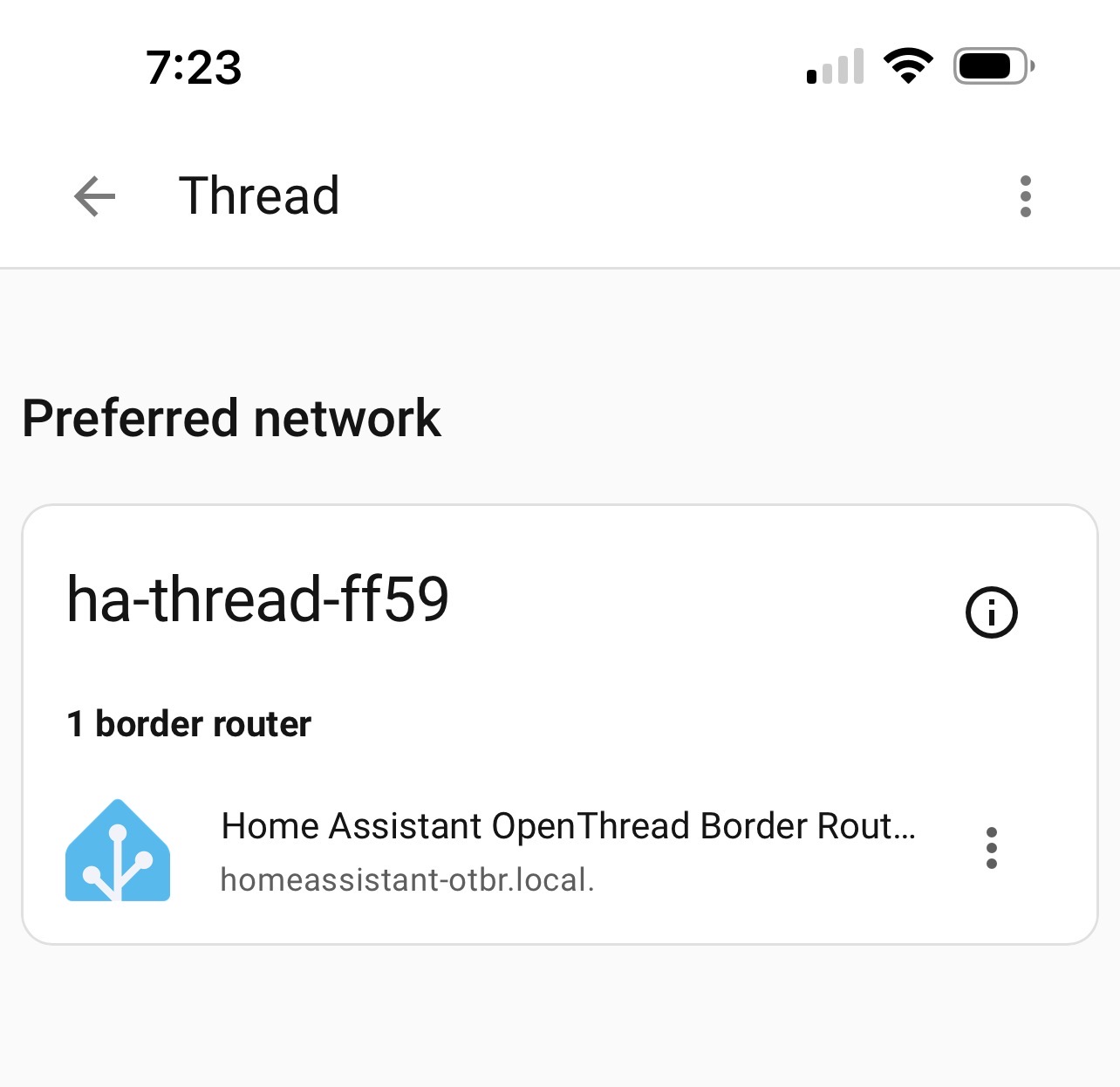
Preferred Thread network exists:
ha-thread-ff59
One Home Assistant OpenThread Border Router
Thread integration shows healthy
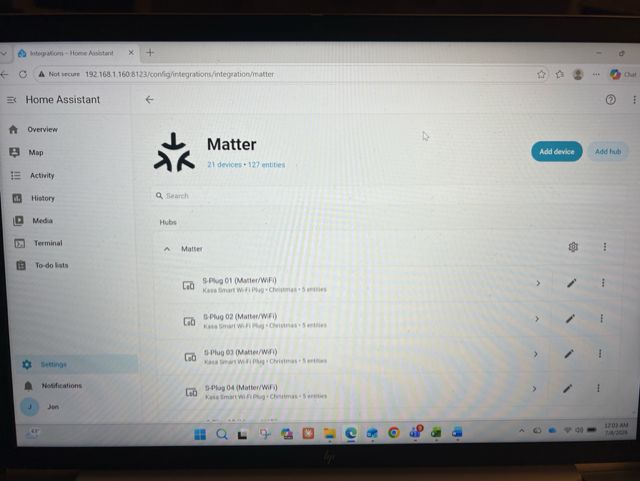
Matter integration is healthy
Matter-over-Wi-Fi devices are already working correctly (21 Matter devices currently connected, all Kasa Matter/Wi-Fi devices).
Problem
I cannot commission any of my Inovelli White Series dimmers.
I currently have seven VTM31-SN switches installed, and I have attempted commissioning on several of them.
Every one fails identically.
Commissioning Process
For every attempt:
Factory reset the switch immediately before pairing.
LED bar pulses blue throughout commissioning.
Using the Home Assistant Companion App on iPhone.
Home Assistant → Add Device → Add Matter Device.
Scan QR code.
iPhone recognizes the device as a Matter Light.
Home Assistant requests permission to add the accessory.
Commissioning begins (“Setting Up…”).
Approximately 39 seconds later, commissioning fails with:
Unable to Add Accessory
Pairing Failed
The LED continues pulsing blue after failure.
Troubleshooting Already Performed
Factory reset multiple switches.
Attempted commissioning on several different switches.
Replaced the original ZBT-2 with a brand-new ZBT-2.
Recreated Thread network.
Verified OpenThread Border Router is running.
Verified Matter Server is running.
Verified Thread preferred network exists.
Verified Matter integration.
Verified Thread integration.
Verified switch is in Dimmer Mode.
Verified Single Pole Mode.
Tried iPhone on both 2.4 GHz and 5 GHz Wi-Fi (same result).
Home Assistant and iPhone are on the same LAN.
No Apple HomePod or Apple TV Thread Border Router exists on the network.
Home Assistant Logs
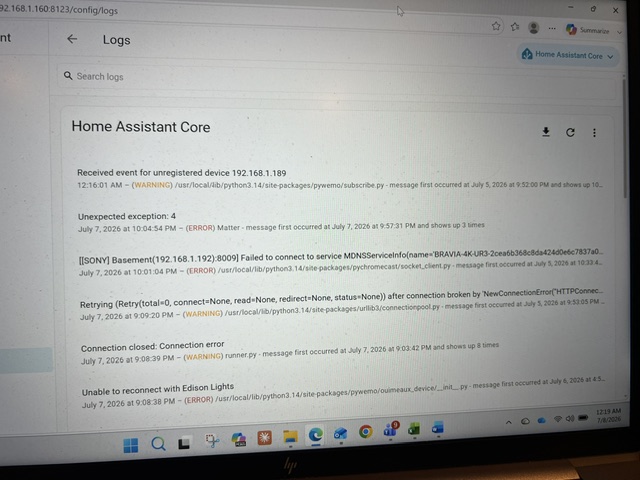
The log consistently reports:
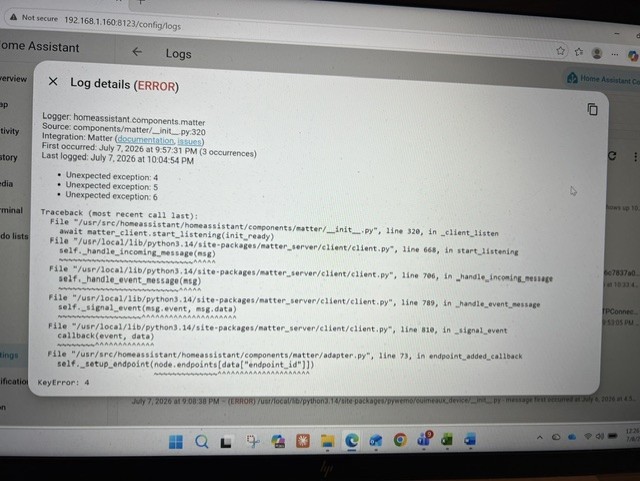
Unexpected exception: 4
Unexpected exception: 5
Unexpected exception: 6
Expanding the traceback shows:
Logger: homeassistant.components.matter
Source: components/matter/_init_.py:320
KeyError: 4
File “/usr/src/homeassistant/homeassistant/components/matter/adapter.py”, line 73, in endpoint_added_callback
The traceback appears to indicate that Home Assistant receives an endpoint-added event but then raises a KeyError while attempting to access endpoint 4.
My Question
Has anyone seen this before with the Inovelli White Series (VTM31-SN)?
Specifically:
Is this a known Home Assistant Matter bug?
Is this a known firmware issue with the VTM31-SN?
Does anyone know why endpoint_added_callback would generate a KeyError during commissioning?
Any suggestions or debugging ideas would be greatly appreciated.
Putting this out there as a just in case… You mention other Matter over WiFi devices, but don’t mention that you have any Thread devices already running on your network.
You’ve likely already done this but the issue I had the first time I added any MoT devices to Home Assistant was that I needed to sync the thread credentials to my phone.
For Android Devices:
Open the Home Assistant Companion app.
Navigate to Settings > Companion app > Troubleshooting.
Tap Sync Thread credentials and follow the on-screen prompts.
For iOS Devices (iPhone/iPad):
Open the Home Assistant Companion app.
Go to Settings > Devices & services > Integrations.
Select the Thread integration and tap Configure.
At the bottom of your preferred network box, tap Send credentials to phone
If it is something more complicated than this, I’ll need to leave that to others to try and help.
I completed the suggested Thread credential synchronization.
Home Assistant Green
SkyConnect/ZBT-2 OpenThread Border Router
Preferred Thread network: ha-thread-ff59
Successfully used “Send credentials to phone” in the Home Assistant Thread integration. The Companion App displayed a success checkmark.
Factory reset the switch before each attempt until the LED pulsed blue.
Commissioned using the Home Assistant Companion App on iPhone.
The behavior is unchanged:
Commissioning runs for approximately 30–40 seconds.
Pairing then fails.
This has now been reproduced after confirming the iPhone has the correct Thread credentials.
Are there any known firmware issues or Matter commissioning bugs that would cause commissioning to consistently fail at this stage? Are there any additional Matter Server or OTBR debug logs you’d like me to capture?
Additional data point:
I have now attempted commissioning approximately four different White Series switches. None have ever paired. I have not attempted any other MoT devices yet (I don’t have any other MoT devices in hand).
Note - I shipped one Inovelli switch from the exact same production batch to my brother. Using a brand-new Home Assistant Green and a brand-new ZBT-2, he successfully commissioned it without issue.
This appears to rule out a defective switch batch and instead points toward something unique to my Home Assistant environment or Matter commissioning process.
Is there any known issue that would consistently cause commissioning to fail approximately 30–40 seconds into the process?
Ensure BT is turned on in IOS settings and reboot the phone. Also, since is the start of your thread network how far is the switch from Home Assistant?
The white switches only pulse blue during pairing. They should be steady blue following a factory reset. How are you doing the reset?
I just deleted one of my test switches (VTM-31) and re-added it HA without any issues. I do not use the HA OTBR (I use Apple HomePod/AppleTVs) however that eliminates the Matter Stack. I also checked the Matter Discord channel and did not see any issues there.
Thanks andrewk. I do the reset by holding the top paddle and config switch until the LED cycles to red, and then release. Yes it is then solid blue, and when I start the pairing, it begins to pulse blue. All good on that front!
One other thought, in addition to moving the switch closer to your OTBR is to clear the matter entries in your iPhone for the devices you have tried (and failed) to add (goto Settings → Matter Accessories and clear out any Inovelli entries). After you have done that reboot your phone. Also after you factory reset a device you only have +/- 15 mins to commission it before it times out of commissioning mode.
BTW I commission all of my switches in an “Old Work” outlet box with a grounded cable that I can plug it into a wall socket (I just cut up an extension cord for the cable). The goal is to get switches working and programmed, before I put them in the wall).
I just went through something similar with a new green, zbt-2 and a new remote location. The only difference is that I have an Android not an iPhone. My first issue was that I had not synced my phone using the companion app at the remote location. I did that and it still didn’t work. At the remote location I have a T-Mobile Gateway which uses cellular service. The green was connected directly to the gateway. Turns out that thread needs mdns working which a T-Mobile Gateway did not have working and which was not unlockable. I had to purchase a separate inexpensive router and plug the router into the gateway and plug the green and everything else into the new router. I then had to delete the thread network I had created and start all over again. The new inexpensive router worked well and had mdns.Then it took only a few short minutes to pair all my matter over thread devices. It literally took me days to figure out what the problem was but only minutes to fix it. This might not be your issue but who knows.
Hi andrewk, I did not have any Inovelli entries in iPhone Settings → Matter Accessories – only Kasa Matter Wi-Fi plug devices and a Smart Water Leak sensor over Wi-Fi,
Hi noel.adler, thanks for the inputs. I have sync’d my phone w/companion app. I have FiOS for my gateway/router, in fact I have three Verizon G3100 routers for coverage in my house.
Your statement is interesting: “The green was connected directly to the gateway. Turns out that thread needs mdns working which a T-Mobile Gateway did not have working and which was not unlockable. I had to purchase a separate inexpensive router and plug the router into the gateway and plug the green and everything else into the new router. I then had to delete the thread network I had created and start all over again. The new inexpensive router worked well and had mdns.”. I wonder how this would work with my three Verizon G3100 routers?? Which inexpensive router did you get?
I did try pairing a switch in the same room as HA. I have a test bed that plugs into the wall and runs to the switch, and then a bulb. While I still cant get it to pair, the switch manually works and lights / dims the bulb (for what that’s worth!)
No, I don’t have a HomePod or a Thread Capable AppleTV in your house,
That says mDNS is basically working. However I googled your router and there were a lot of comments regarding the way that it handles mDNS.
"Issues with mDNS (Multicast DNS) on the Verizon G3100 router are usually caused by the router’s built-in DNS Rebinding Protection, which inadvertently blocks local device discovery. This prevents devices like Apple AirPrint, Google Cast, and smart home hubs from locating each other. "
You might want to check those settings before we go any further. The matter.js stack uses mDNS as one of it’s primary methods to find nodes etc.
While you are in the router console you might want to check if you can lock your 2.4GHz Wifi onto channels 1 or 6. We can then lock Thread onto a channel that does not conflict with those channels. It is not what is causing your current issue but it’s good practice moving forward.
Latest update - success! I considered the comment above about AppleTV, and bought the AppleTV 4K WiFi w/ Ethernet 128GB. Configured it as the Thread Border Router, instead of HA. Then Commissioned the Inovelli White switches using Apple Home (thru AppleTV). Once commissioned, I tested basic remote control thru Apple Home, and then integrated with HA using Turn on paring mode" in Apple Home, for the specific switch, and copying the pairing code. Then, in HA, did Add to Home Assistant-> Add Device → Add Matter Device → “Yes, it’s already in use”… then enter the pairing code. It worked and I verified that I could control the switches via HA as well as Apple Home. I will use HA for my matter device controller, and for automation rules etc,
Thanks everyone for your assistance and troubleshooting! Let me know if you have any question - I do my best to recall any other details or caveats.
That’s great. Now you have the AppleTV working you should be able to set its Thread network as primary in HA and then commission via the HA companion app.