Inovelli White - LED Notifications

New user to HA

I am trying to set some LED notifications on home assistant using Inovelli White Switches. I’ve searched other forums but can’t seem to find a topic on this. Apologies if there’s another thread already but I can’t find an answer.

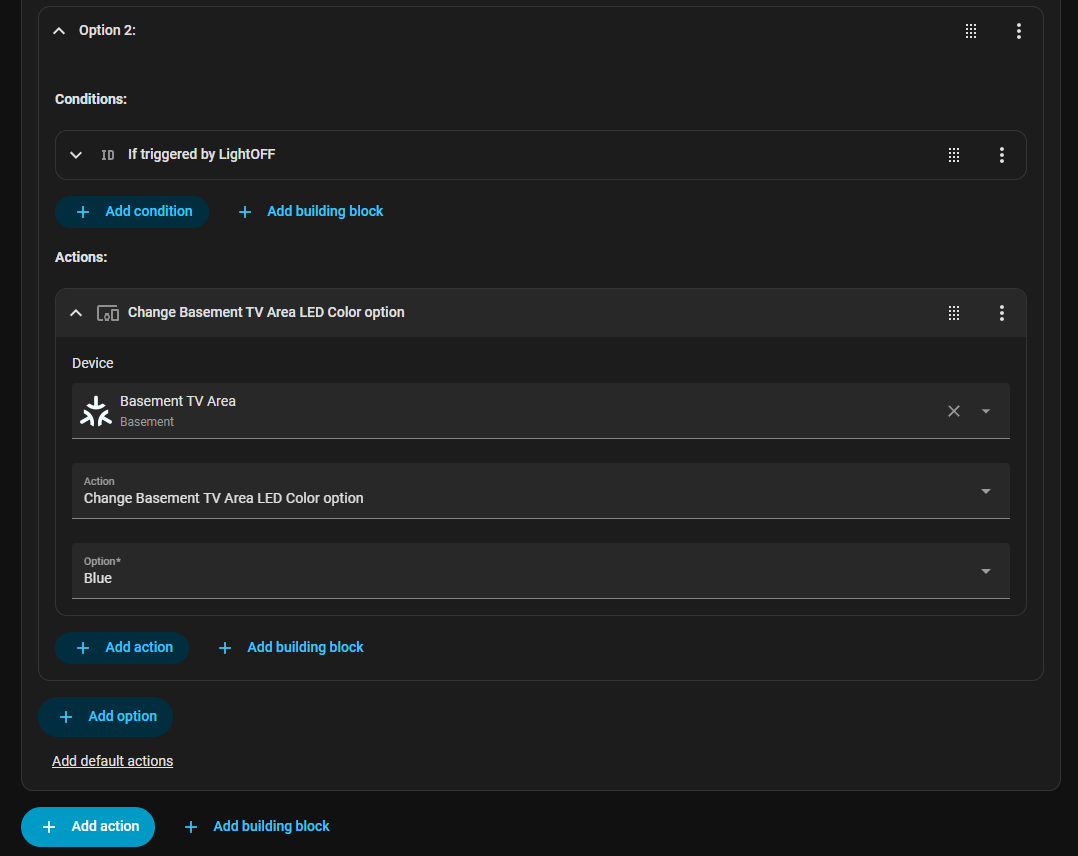
I am trying to make a simple automation to set the LED color as a notification when the garage door is open for example. I’m currently just using a light to test the automation. The issue im having is that I don’t have a way to reset the switch to its “regular” behavior of showing the dimmer level with my default color (blue). I can set a green notification when the activation trigger is met, but when the deactivation trigger (simulating the garage door closing) takes place, the light remains green will the full LED bar lit until I close the light and turn it back on again.

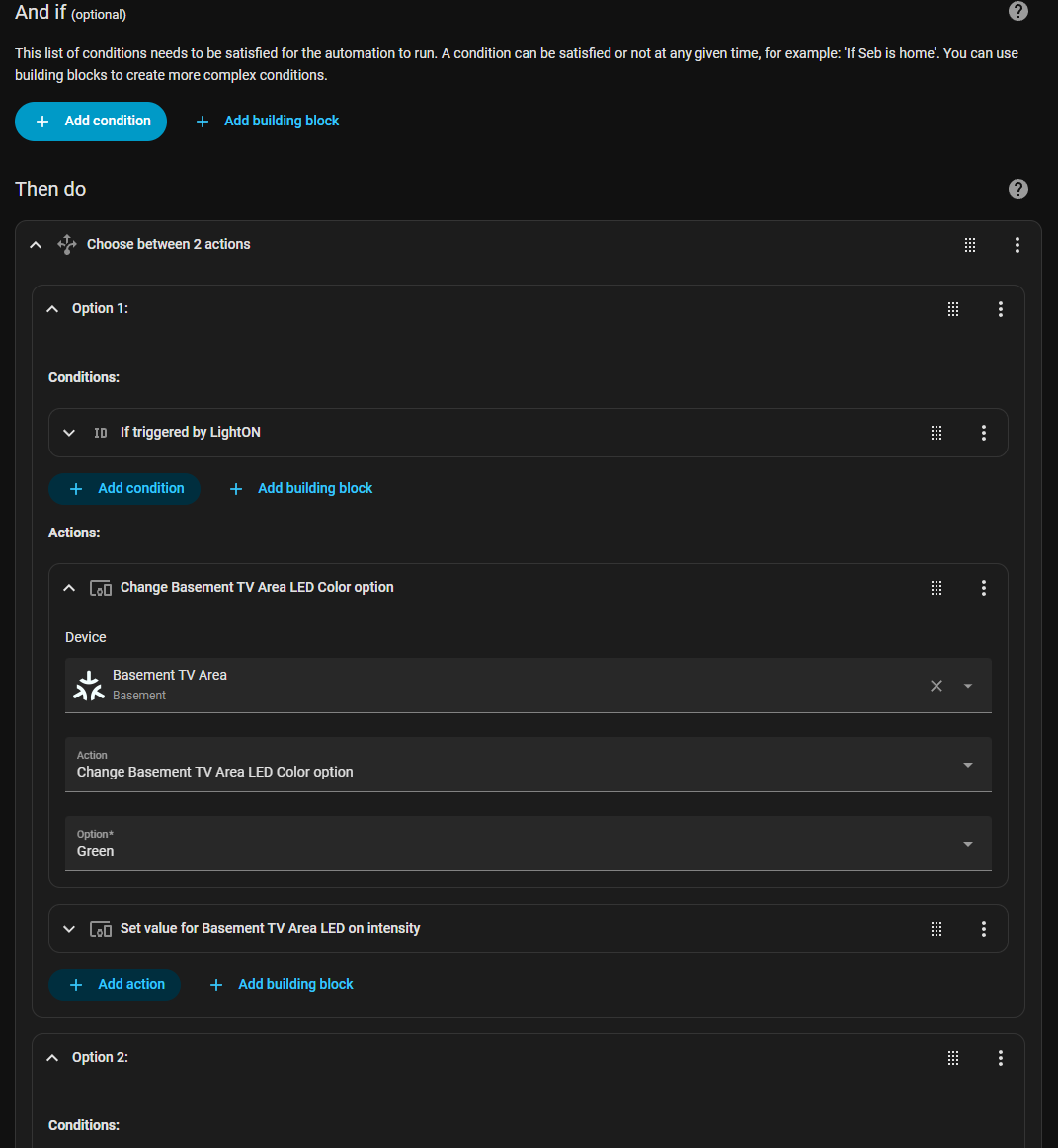
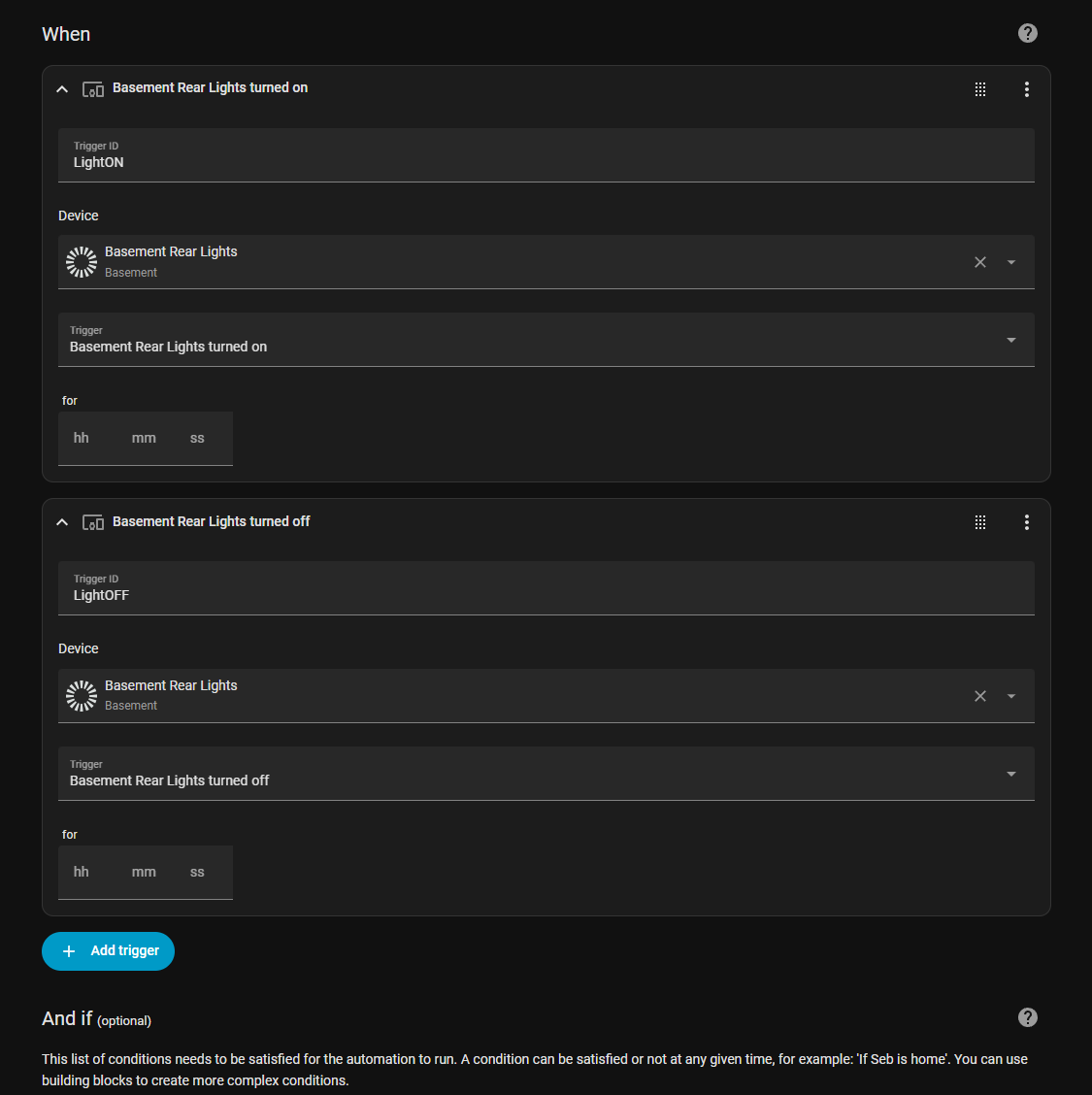
I don’t know if I am doing this completely the wrong approach but I do not seem to be able to find the information or automation example for LED notifications for White switches on Home Assistant. Any advice is appreciated :slight_smile: Below is my code in YAML and also in

alias: Notification Testing
description: “”
triggers:

  • type: turned_on
    device_id: 7dc2ef706232253dae9402991e8fc602
    entity_id: f87ab8cd4cc7bfbf4e1313a1fbc59dc7
    domain: light
    trigger: device
    id: LightON
  • type: turned_off
    device_id: 7dc2ef706232253dae9402991e8fc602
    entity_id: f87ab8cd4cc7bfbf4e1313a1fbc59dc7
    domain: light
    trigger: device
    id: LightOFF
    conditions:
    actions:
  • choose:
    • conditions:
      • condition: trigger
        id:
        • LightON
          sequence:
      • device_id: 74aa998f6fa4c95339e06e7383e0f36d
        domain: select
        entity_id: 634a22245108e42fccf551844f793206
        type: select_option
        option: Green
      • device_id: 74aa998f6fa4c95339e06e7383e0f36d
        domain: number
        entity_id: b03bb2ae1ea4cac4f82f6eedcb24fd04
        type: set_value
        value: 70
    • conditions:
      • condition: trigger
        id:

        • LightOFF
          sequence:
      • device_id: 74aa998f6fa4c95339e06e7383e0f36d
        domain: select
        entity_id: 634a22245108e42fccf551844f793206
        type: select_option
        option: Blue

      • device_id: 74aa998f6fa4c95339e06e7383e0f36d
        domain: number
        entity_id: b03bb2ae1ea4cac4f82f6eedcb24fd04
        type: set_value
        value: 0
        enabled: false
        mode: single

For the White series, the LED notifications are their own light entity. To start the LED notification you would turn the light on and to stop it you would turn the light off. Looking at your automation, to stop the automation you’re turning the light to blue, but instead should be turning it off.

Also, just as a general rule of thumb you should avoid using the device in automations and instead use the entity_ids. If you were to replace a switch, you’d have to replace the device_id across all of your automations which is a pain, but if you targeted the entity_id instead, then you’d just have to ensure you set the entity of the new device to match the old, and then everything continues working as if nothing changed.

Here’s an example of the automation I’m using. In the action section I’m turning a boolean on and off, so you’d just need to replace that with light.turn_on and light.turn_off.

alias: Garage Door Open LED Notification - Boolean Triggers
description: ""
triggers:
  - trigger: state
    entity_id:
      - cover.garage_door
    id: turnOffBoolean
    to: closed
  - trigger: state
    entity_id:
      - cover.garage_door
    id: turnOnBoolean
    to: open
    for:
      hours: 0
      minutes: 10
      seconds: 0
conditions: []
actions:
  - choose:
      - conditions:
          - condition: trigger
            id:
              - turnOnBoolean
        sequence:
          - action: input_boolean.turn_on
            metadata: {}
            data: {}
            target:
              entity_id: input_boolean.garage_door_open_led_notification
      - conditions:
          - condition: trigger
            id:
              - turnOffBoolean
        sequence:
          - action: input_boolean.turn_off
            metadata: {}
            data: {}
            target:
              entity_id: input_boolean.garage_door_open_led_notification
mode: single

1 Like

There is a simpler way do you it. You treat the LED bar as a separate RGB light (which it is). When you turn it “ON” you can control color, brightness etc. When you turn it off it returns to its default color and intensity depending on whether the light switch is on and off. In this case the LED bar has an entity id of “light.inovelli_dimmer_18_light_rgb_indicator” and the garage door an entity id of “cover.garage_door’“. I have a similar automation on my garage door however it has a few more parts to it so I just created this one. I tested it and it works just fine.

Hope the attached assists.

- id: '1765899925502'
  alias: Test Garage Automation
  description: ''
  triggers:
  - trigger: state
    entity_id:
    - cover.garage_door
  conditions: []
  actions:
  - if:
    - condition: state
      entity_id: cover.garage_door
      state:
      - opening
    then:
    - action: light.turn_on
      metadata: {}
      target:
        entity_id: light.inovelli_dimmer_18_light_rgb_indicator
      data:
        brightness_pct: 59
        rgb_color:
        - 255
        - 255
        - 0
    else:
    - if:
      - condition: state
        entity_id: cover.garage_door
        state:
        - closed
      then:
      - action: light.turn_off
        metadata: {}
        target:
          entity_id: light.inovelli_dimmer_18_light_rgb_indicator
        data: {}
  mode: single

OOPS @francesc0 just beat me to the post. Please do not infer from my post that I think my approach is better than his.

1 Like

@francesc0 thanks for the response and great tip regarding entity ID. I will modify how I do automations moving forward because you are right that it does not futureproof.

Regarding turning the light off, I had tested previously with turning the LED light off but I found that afterwards I was not able to get the dimming on the LED from regular use so that is why i am returning it to blue. Maybe your boolean option might bypass this issue but I will have to test once I am back home!

@andrewk thanks for the response. Similar to my response to @francesc0 I found i was getting issues with regular dimming when “dismissing” the notification by turning off the LED. In your solution, is the light entity the LED addressable device in home assistant? It seems like I may be trying to do the same thing but I may be doing it incorrectly as previously mentioned by @francesc0 . I will test and modify when I am home later.

That is correct the “light” in my example is the entity ID of the LED bar.

You’re welcome. Turning off the entity_id for LED notifications will return the light bar to the correct brightness. Targeting the device_id results in weird/unususal behaviors, so that could be why you were running into issues.

I wouldn’t suggest using an input_boolean as that’s just going to add complexity (ie, you’d need a second automation to turn the LED entity_id on and off when the boolean changes between on and off). I use it to track my notifications so that if multiple notifications are active and one of them is cleared, then the other notification becomes active.

Thank you for your example automation. Targeting the device_id was indeed the issue. I’ve recycled your automation and it works perfectly! Thanks for your input!

Thanks for your input. Same as Andrew, targeting entity_id makes much more sense! I really like your input boolean idea and I can see how you can get creative with that. I might explore this later when I have more automations that I want notifications for. Do you have input on how you would “layer” automation notifications on the Inovelli LEDs?

This is probably too much to explain here but I’ll do my best to be clear but concise.

First, create separate scripts for turning on each LED notification (LED Notification: Dryer, LED Notification: Garage, etc.). Each script should contain one action, a light.turn_on for the LED light entities.

Then, create another script for clearing the notification (LED Notification: Clear). The first action should be a light.turn_off that turns off the LED light entity for every switch (create a group), followed by a choose action that checks each boolean one-by-one, and if a boolean is on/true it calls the corresponding LED Notification script from step one.

Finally, for each notification you need to create two automations: the first will be similar to the one I posted above that turns the boolean on and off, and the second will use the boolean as a trigger and either call the script to turn the notification on, or call the script to clear the notification.

Once you have that up and running you should be all set, but you’ll quickly realize you have too many notifications to keep track of. And if you struggle to keep track, your housemates have no hope. You need to create a way to announce the last LED Notification over your home speakers. This is where things get tricky.

Create a script that uses the variable below, combined with a choose action using the template below to determine which of your LED Notification scripts was last called. Then, create an action that sends an announcement over your speakers–”Close the garage door”. Lastly, use the Inovelli Matter Switch Tap Sequences blueprint to call the script when you click one of the buttons on the switch (e.g. Config Held).

variables:
  last_notification: |
    {{
      states.script
        | selectattr('attributes.last_triggered', 'defined')
        | rejectattr('attributes.last_triggered', 'none')
        | selectattr('name', 'match', 'LED Notification')
        | rejectattr('name', 'match', 'LED Notification: Clear')
        | sort(attribute='attributes.last_triggered', reverse=true)
        | map(attribute='name')
        | first
    }}
{{ last_notification == 'LED Notification: Trash'}}

Wow ok this is not what I was expecting. Thanks for sharing! I see how this can get complicated quickly. Right now I dont have enough notifications for this to be worth it but if ever i do, I will circle back to this! This looks really cool!