Well, let’s see if I can give a clear enough explanation on how to get you up and running…
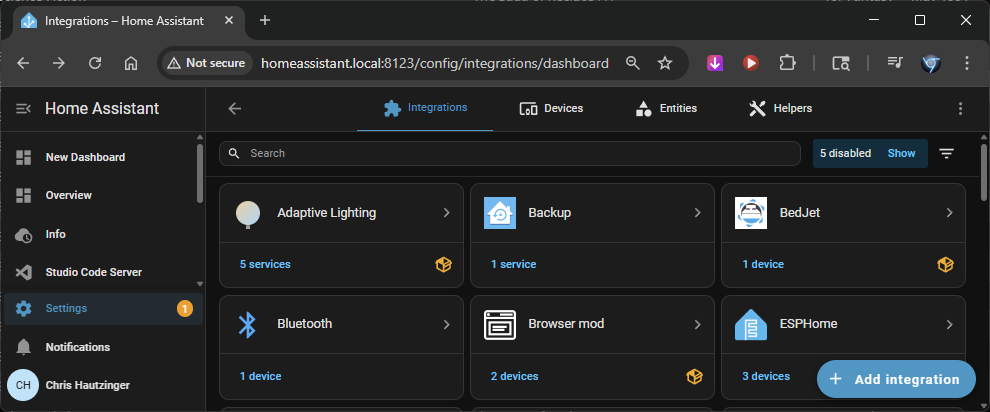
While you have it installed (from HACS), have you added the integration yet? Settings>Devices & services>Add integration>Adaptive Lighting
Now, in your Integrations, click on Adaptive Lighting and “Add entry” to create a new instance. Once it is created, click on the Settings icon and choose the device you will be controlling… in this instance it will be your dimmer. Set your min_brightness and max_brightness… for your example, this will be 33% and 100%. Now comes the timing of everything…
By default, this will start gradually dimming from sunset to midnight, going from your max to min brightness. If you want the same as your example, you can modify this.
To match your example, you will want to set a sunset_offset to 3600 seconds, which is the same as 1 hour after sunset. To accomplish the instant changing at that time, we will want to make other changes as well.
Set the brightness_mode to “tanh” instead of “default”, and set both the brightness_mode_time_dark and brightness_mode_time_light to 0. That setting of 0 determines how many seconds it takes to change brightness, starting from either sunrise or sunset respectively, so if you would like to have it go down gradually over 2 hours instead, you would use a value of 7200 (seconds).
So, with a sunset offset of 3600 seconds, and a transition time of 0, at 1 hour after sunset, it will change the brightness from max to minimum immediately, and at the time of sunrise, from min to max immediately.
You will then want to make sure you check the box to detect_non_ha_changes, so it will operate when you turn the lights on at the switch, and the only_once box so they will only be affected when they are turned on… You don’t want to be in the bathroom at 59 minutes after sunset and have the lights dim on you while you are in there after all 
You can likely leave the rest of the setting at their defaults and click Submit at the bottom of the settings window.
Adaptive Lighting has 3 separate functions, one for brightness, one for color temperature (for smart bulbs; unused for this), and one for sleep mode (unused for this), which can all be toggled on or off individually and you also have a “master” toggle to enable or disable the entire instance.