I recently bought new z-wave switches and my old switch when connected to smartthings in settings has the ability to select and add the child handler to enable access to the notification light in home assistant.
With the new switches, it does not have the same capability from the settings menu as “Add Child Device” is missing from the newer device handlers. What steps would I need to take to add the child device for the new switches? Is the code for the device handlers posted somewhere publicly that we can modify to add this and attach it to all of the new switches?
sorry if this is confusing, I’m actually talking about smartthings and the ability to use child devices for notifications. My 2021 z-wave switch if I click the device in the smartthings app and then from top right go to settings has an option to enable child handlers in smartthings settings, but the 2024 with inovelli 2-in-1 red device handler does not show the option at all.
I will eventually connect the switch to HA through a smartthings add on as I do not have the external usb for the raspberry pi. This is the reason I am mentioning HA for end game use case, but I believe all of the software changes need to be on the smartthings side of my hubs
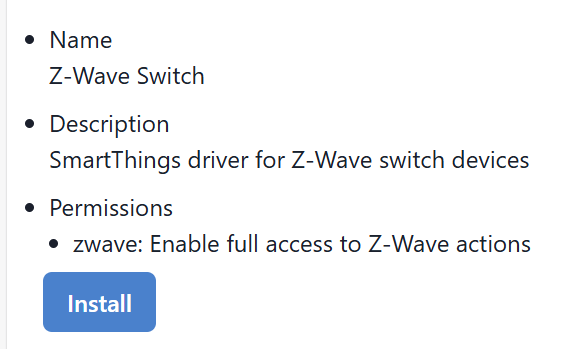
Got it. So device handlers were deprecated by ST about 5 years ago and were replaced by Edge drivers. So presumably you have joined the Inovelli channel and are on the proper Edge driver.
The notifications on the LED bar are then set via a routine. There are four parameters exposed for that.
So that is how you set a notification within ST. If you are asking about how you set a notification from within HA after ST has been bridged to it, I have no idea.
I am not seen child devices for a long time. I believe they were deprecated with Edge, but I could be mistaken.
Hi Bry, understood, but interestingly the 2021 z-wave switch still is able to let me switch to adding the child handler today in the settings. Wouldn’t this be discontinued if deprecated entirely? Or does the 2021 likely use a device handler still to this date, but you can’t attach newer switches to the old handler then?
2025 switch driver Name: Inovelli 2-in-1 red series
If I set the 2025 switch to the same z-wave switch all capabilities disappear that I can see with the same 2021 switch. Any idea why this would be?
Sorry if these are bad questions, just want to make sure I run through all the possibilities before going out potentially and buying a USB for the HA setup instead of using SmartThings to HA add-ons/integrations.
Correct me if I’m wrong, but by 2021 switch do you mean a Gen 2 switch and by 2025 switch do you mean a Gen 3 switch?
Can you post a screenshot of what you are referring to? I have multiple Gen 2 devices (on Edge Drivers) and I do not see any setting relating to a child device. All I can add is that my child devices all disappeared when I migrated to Edge. TBH, this is more a question for @EricM_Inovelli .
I think you’re trying to say that if you change the driver from the Inovelli Edge driver to the SmartThings Edge driver, you lose functionality such as notifications and the like. This is because the stock ST driver doesn’t support all the cool stuff Inovelli has implemented. For some reason that I have no idea about, ST forces removing custom capabilities and some parameters for the stock driver. So if you use the native ST driver or the Inovelli WWST (works with SmartThings) driver, which is a stripped down version, all the cool stuff won’t work.
TLDR: Use the Inovelli Edge driver
Device handlers have gone the way of the Dodo. You’ll recall that they were managed in the IDE, which no longer exists. Go try and find a device handler in the IDE to edit it. If there are Groovy drivers that still work maybe because you didn’t convert, that’s news to me. AFAIK, Samsung forced a migration from Groovy DHs to LUA Edge for devices that weren’t migrated.
Thank you, this is exactly what I was looking for, except I’m noticing it is not creating the child device albeit the toggle switch is now there. Do you have a time frame the team would expect it completed by since it isn’t certified yet?
I found a bug shortly after I posted but it might take a little bit for the fix to make it to your hub. Next time you try do this (after waiting a bit):
Toggle off (if it is on)
Wait 5 seconds
Toggle on
As long as you have the latest version of the driver it should work. I will get the driver date and time for you tomorrow if it still isn’t working.
Thank you, it worked great this morning!!! Again big shout out to the team and Lance for all the help throughout the process of getting my switches working over the past couple months.