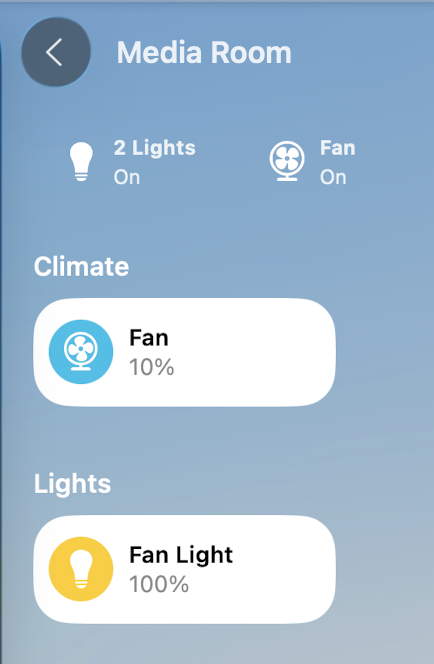
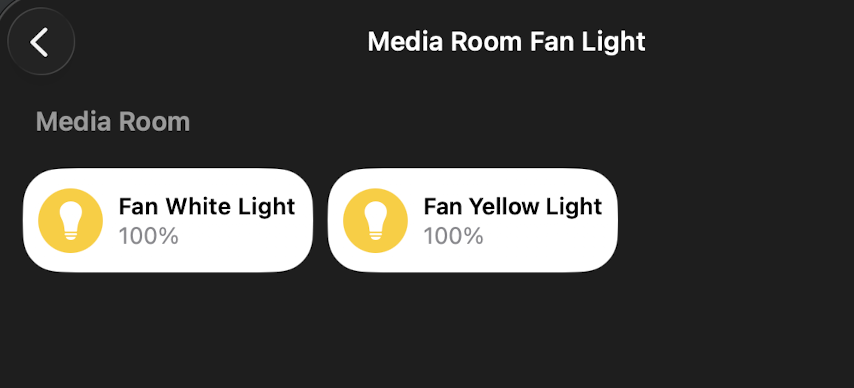
I have a “smart” fan that I have bridged into HomeKit via Homebridge docker container and plugins. The fan has controls for white LED, yellow LED (which I combined in the Home app), and fan speed. The fan only supports on/off switch at at the wall.
I have an AppleTV that supports Thread.
I’m thinking that getting 2 Inovelli White series light dimmers (not a fan dimmer) will be what I need, and to put them both in smart bulb mode.
The fan has a single connection, and if on then the fan is on Wi-Fi, and if off then the fan is completely off. It has a RF remote for control, but I just use the HomeKit controls.
My questions are:
Can I connect NO load to the switches (or rather one will have the load that will always be on, the second won’t have a load at all), or will they error out if having no load?
Can the light dimmer switch be used to set a dim command on Apple Home?
Can the fan dimmer switch (also a regular white light one) do the same for the fan?
Will the White series connect to my AppleTV? Is it OK that some of them will be somewhat far from the AppleTV? Should I get a different Thread bridge instead? I don’t have any other Thread devices.
Can I turn off the LED on the dimmer after a timeout? One will be in my room and I like it dark at night
These switches are really expensive, and I’d be looking at shelling out $600 (2 per room for 5 fans) to control all the fans and fan lights in my house.
Regarding the switch type, if I understand your scenario properly, you cannot connect a fan as a load to a dimmer, even if it’s in the smart bulb mode. The dimmer is not supported for that type of load. You need to use a fan switch for that.
The fan motor is DC and the fan itself has an AC to DC converter. I do not want the switch to issue dim commands and keep full power all the time, which is what smart bulb mode claims to do. Either way, I could split the wire in the wall and just hardwire the fan on the AC main. In that case, neither switch would have any load whatsoever. It would only be a Home automation device
If using the dimmer, you don’t want to run the load through the switch, so you would go it up to power only, connecting the load directly to power.
If you wanted to run the load through the switch, you would want to use the on/off switch as this just uses a relay. This way, you can still use the air gap tab to kill power. When used in smart bulb mode, the on/off switch will behave practically the same as the dimmer and can send dimming commands if configured properly.
I’d like the on/off switch to keep the device power enabled but send a smart command to turn off the light. Because the 2nd switch will have no load wired to it and will control the fan.
You have a DC smart fan where you can control both the fan speed and dim the lights. What protocol does this fan use? Matter over Thread? Wifi?
You want to install 2 smart switches to control these with physical switches.
Unless the fan uses a protocol that can be paired or bonded/associated to a smart switch, like Zigbee, ZWave, or Matter over Thread, then you will be limited to “automations” through HomeKit to take the input button presses to then perform the action you want, like not being able to use smooth dimming.
Yes. As there are smart controls for both the fan and light, you won’t be using the actual dimming or fan speed control hardware, and only using them as smart controllers. This means that you can hook up both switches to only power and neutral and not need to run the load through either of the switches while utilizing “smart bulb” mode and be able to send the commands to HomeKit. When done this way, it really doesn’t matter what switches you end up using… the Dimmer, Fan Switch, or the On/Off switch, they will all behave the same when in smart bulb mode, the main difference being the load that you will be able to run through the switch. As you won’t be running any load through the switches, you could use any of the three.
If you use Dimmers, you will connect the Load directly to power and not run it through either of the switches.
But, you can utilize an On/Off switch as one of the switches and actually run the power through the switch. The On/Off switch supports both resistive and inductive loads, as it uses a relay for disconnecting means, unlike the hardware in a Dimmer or Fan switch. This will enable you to kill power via the air gap tab on the bottom of the switch if needed, and will still supply constant power to the fan when put into smart bulb mode.
If you don’t care about being being able to kill power from the switch, then two dimmers will work fine for you, just be sure to only hook them up via Line and Neutral.
HomeKit will see the button presses, you will need to associate those button presses to the commands you want.
If your AppleTV has a Thread Border Router, then it should work.
This I am not sure about.
If you want, you can do this all from a single switch for each fan. You can use the paddle for the light and the config/favorites button to cycle through the fan speeds… This is the common way it is done using a single switch and Inovelli’s Fan Canopy Module for AC fans. This will reduce your cost by about half.
It sounds like a dimmer switch at $65 (others are >$65) would be my best bet, since I don’t care about killing the device power; if I want to do that I will pull the faceplate off and unwire it or cut the breaker.
I may just buy one before buying all of them to try it out, and see if it fits my needs. I just realized I actually need 11 [or 6, as you say I can get by with 1/2], because the light control on one of the fan lights is a 3-way and I’d like to have both sides smart.
With the 3-way, you can get an Aux switch for the other side, which will run you about half the cost, although it doesn’t have an LED bar. It will talk to the main dimmer and operate the same, but no visual feedback on the switch itself.