I installed the Red version of the presence switch. It’s installed in a bathroom and has the door on the left. If I walk by the doorway the presence sensor gets triggered and the bathroom light turns on. No matter what I set the parameters to for X-axis (103 and 104), the sensor is tripped just by walking by the doorway. I’ve attached a picture of what it looks like. You can see the switch facing the back of the bathroom with the door on the left. Just outside the bathroom is the walkway to the garage.
Perhaps I’m not understanding the parameters correctly. But my understanding is I’m basically setting the distance the sensor reads from left to right.
yes from left to right in this case if you are the sensor, and look out with your eyes your left is the door where you enter to the bathroom, and the right is the hand washer.
Yeah, that image is right above the chart that I posted from the documentation. That’s what makes it confusing. The documentation contradicts itself. Even the parameter info in Z-Wave JS shows that the possible values are -600 to 599.
The image and the description are correct. The switch is positioned at width 0 and you can set either the min/max to be between -600 and +600 cm. This allows you to set the detection area to either side of the switch or encompass both.
Stand with your back to the switch. Negative values are to the left, pos to the the right. If you set 103 to 300 and 104 to 301, you are saying that the left hand side of the box is 300cm to your right, and the right hand side of the box is 301 cm to your right. So you have 1cm between the left and right boundary.
If your door is 10cm to the left of the switch, you should set 103 to negative 10, or maybe a little less to avoid detecting the wall moving. Now, if your right wall is 50cm to the right, and you set 104 to 150 the sensor could pick up stuff on the other side of the wall, or even reflections of stuff in the hall. If you have a mirror to the right of the sensor, the metal coating for reflecting light also reflects mmw, so you would be getting a strong reflection out to the hall.
Just remember you are drawing lines out of the wall the switch is on from the point of view of the switch. Negative is to the left, positive to the right. Both lines can be to the left, or to the right of the switch, you just need the right line on the right of the left line. If you do 103 as -10 and 104 as -11 it will not work since you are saying the right side boundary is to the left of the left side boundary. But if you did 103 as -11 and 104 as -10 it would work. The left side being 11cm to the left of the switch, and the right being 10cm to the left of the switch still leaves the left and right boundaries on the correct sides of each other.
If you are still not sure, stand with your back to the switch and your arms out in front of you hands together. 103 is your left hand, 104 the right. If the number is negative, move that hand that many cm to the left, if it is positive, move that hand that many cm to the right. So long as they don’t cross, you are good.
I have a similar problem. I have the switch installed in a bathroom, but it points into the bathroom, so the hallway is behind the sensor. If I walk by it, or close a door in the house too hard, it turns on the light.
I have set the sensitivety all the way down to low, with no resolution.
I have a red mmWave as well and had this problem with a switch, but then it was working just fine and has been for a couple weeks. I think I may have pulled the air gap to power cycle it? Or reinterviewed it? I don’t remember, so I know it’s not particularly helpful, but you could try those things.
I would set the detection area to be 15cm away from each wall to see if that helps. Maybe even remove the shower curtain to see if it is picking up that moving. Keep in mind that these sensors are so sensitive that if they get a clear enough reflection they can pick up your heart beat from the motion of your chest up to 3ft away. So the vibrations of you walking by could shake the walls enough for the sensor to pick it up if you are not on a concrete slab.
It’s like it can see behind the wall it’s installed on. It gets triggered before I even come into view of it.
Add what people are saying doesn’t match the documentation. Take the zigbee version of the switch. The parameters talk about a min and max width like you are setting the left and right parts of the box. But the documentation say the min and max can have a negative and positive value as if I can set the entire left and right dimensions to a single side of the switch. If the min is only meant to be negative why does it accept positive numbers?
The sensor can only see in front of it and a negative depth would be behind it so that is why you do not see it there.
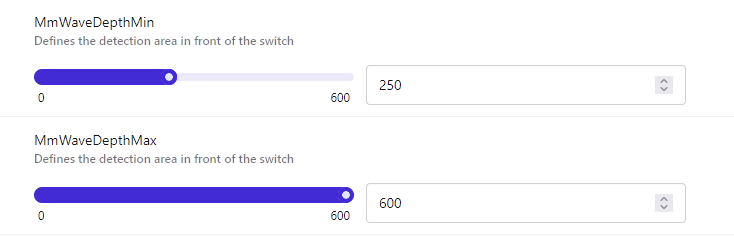
The settings in your screen shot are min 8ft in front of the switch and max 19.6ft in front of the switch. So it is looking for things at least 8ft away and up to its max. If your room is 9ft across the signal could be reflecting and it picking up things a foot and a half behind it.
You can, in fact, do exactly that. I have a switch at the dividing point between my kitchen and dining area for which I only wanted to use it for the kitchen area. So I left the left boundary to -600 and the right boundary to -10 so that it only responds to the kitchen side of things. I guess it’s possible that the -10 entry is getting treated as zero, but in my tests it seems to be triggering where I expect it to based on those two entries.