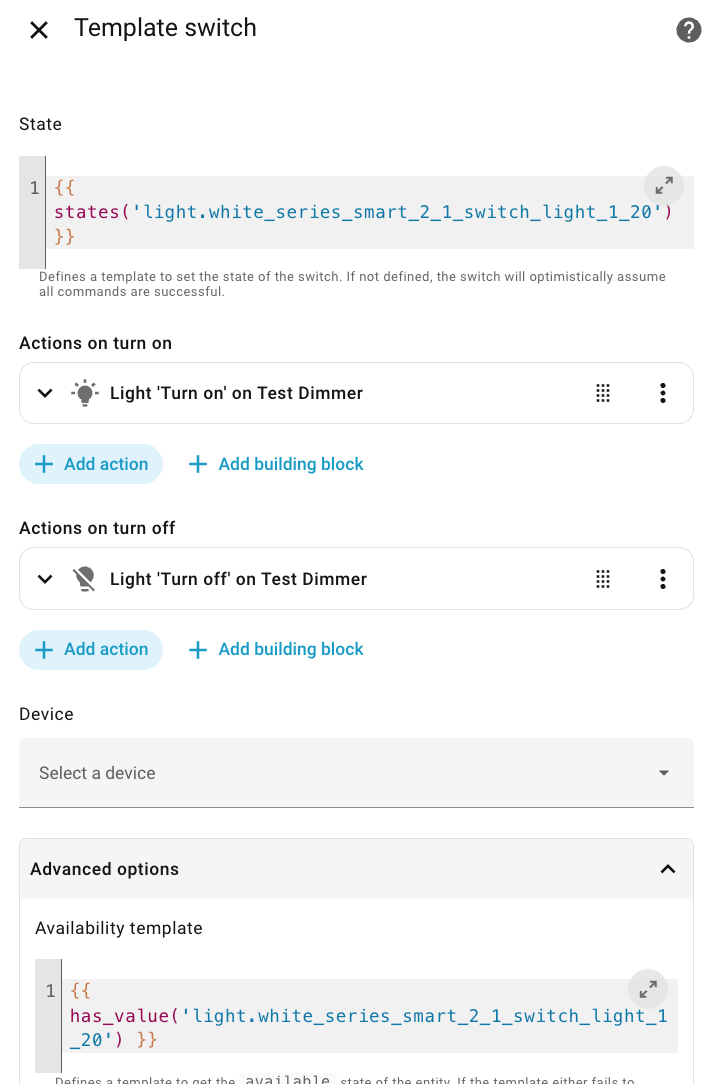
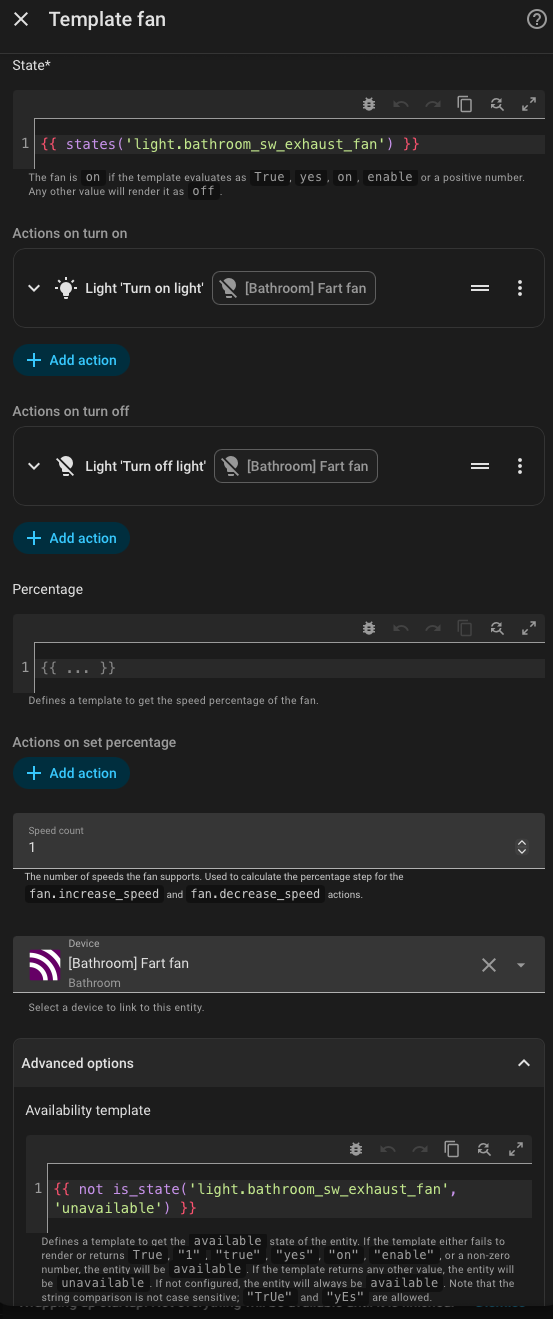
Here is an updated version of the Template Switch UI that I posted further up this thread showing the “Availability Template” setting added in HA 2025.8. With this version, the template switch mirrors the “Unavailable/Available” state of the underlying Inovelli switch.
I found this thread by accident and wanted to ask - is there is any downside of just using device type modification built into ZHA - Zigbee Home Automation - Home Assistant?
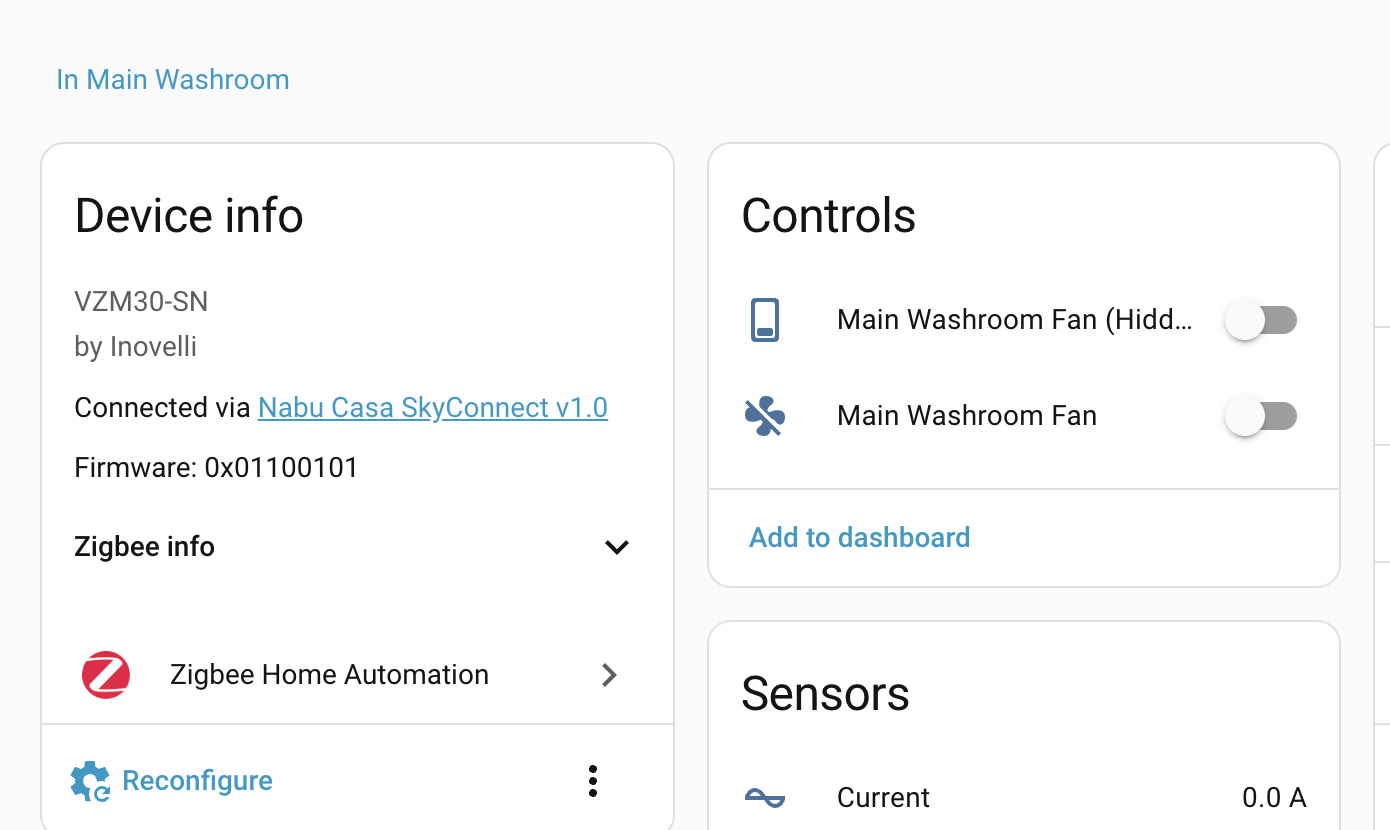
It seems to be working fine and doesn’t require any templates. I also changed the device to display as a Fan.
That is actually a great solution. Only downside I see is that you have to edit the config file, but it doesn’t look too tough.
Does anyone know how to change the device type like this with Zigbee2MQTT? It sounds from the documentation like it should be possible like it is with ZHA, but nothing I’ve tried works and all the examples are for changing a switch to a light not turning a light into something else.
Just chiming in here as another VZM30 user hitting this exact issue. I’ve got one controlling my bathroom exhaust fan through Z2M and it’s showing up as a light entity in Home Assistant.
I get why it happens technically (the dimming cluster, binding support, etc.) but I really don’t think I should have to create template switches and “Switch as X” helpers just to get a fan to show up as… a fan. That’s a lot of moving parts for something that should be straightforward, and it creates a mess with area-based automations — “turn off all the lights” shouldn’t be killing my bathroom fan.
I know Eric mentioned looking into exposing an additional on/off switch entity via the Z2M converter so users could just disable the light entity. Is there any update on that? That would be a huge improvement and seems like the cleanest path forward.
Thanks!
Agree that this should be simpler and should simply show as a switch instead of a light (since its a switch). That would make converting it to a light, fan, or whatever else you can control with a switch would be much simpler. As of right now I’m doing the following with mine:
- converting the light to a switch via a template switch (manual & annoying)
- converting the type of a switch to a fan (simple)
I also have some heat switches for my bathrooms so I just use them as a switch (thus only needing #1 above). In both scenarios the light gets hidden by Home Assistant (Visible) and then actions such as area events to turn on all lights in the area don’t trigger the light based event for hidden lights.
I would have preferred a more elegant solution, but what we have today technically works but certainly feels like a compromise to allow these switches to behave like other switches but misses the mark on actual functionality that I expected.
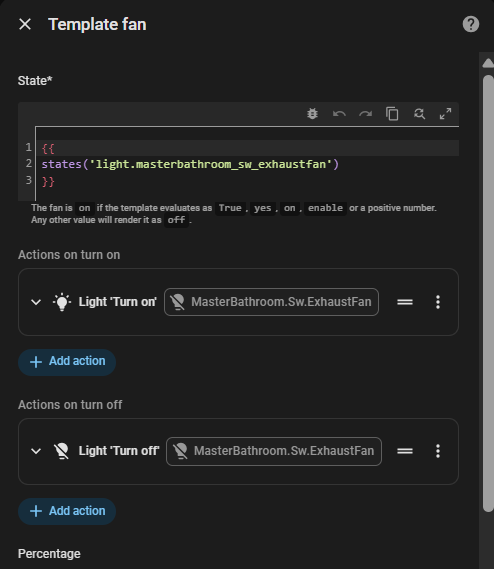
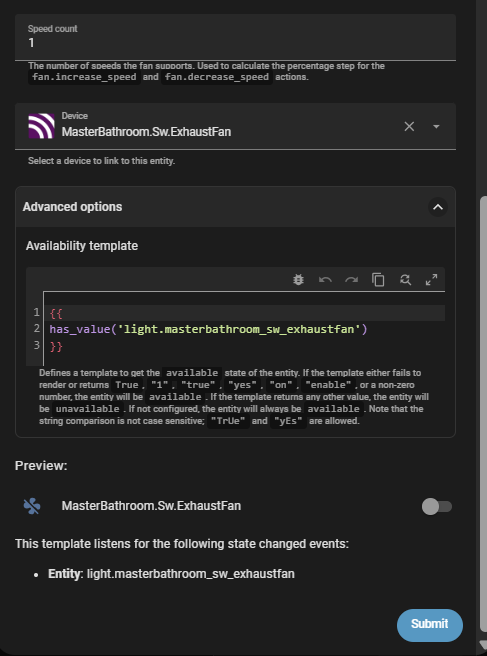
As suggested by @jjbrock7 the template fan, shown below, works directly in the newest HA. It also properly shows in HomeKit as a fan with a single speed. Also, the “Availability Template” follows HA recommendations.
Weird, mine still shows as a dimmable fan both in Home Assistant and the Apple Home app.
Annoying we have to do this in the 1st place, but that worked perfectly. Thanks for posting the screenshot.