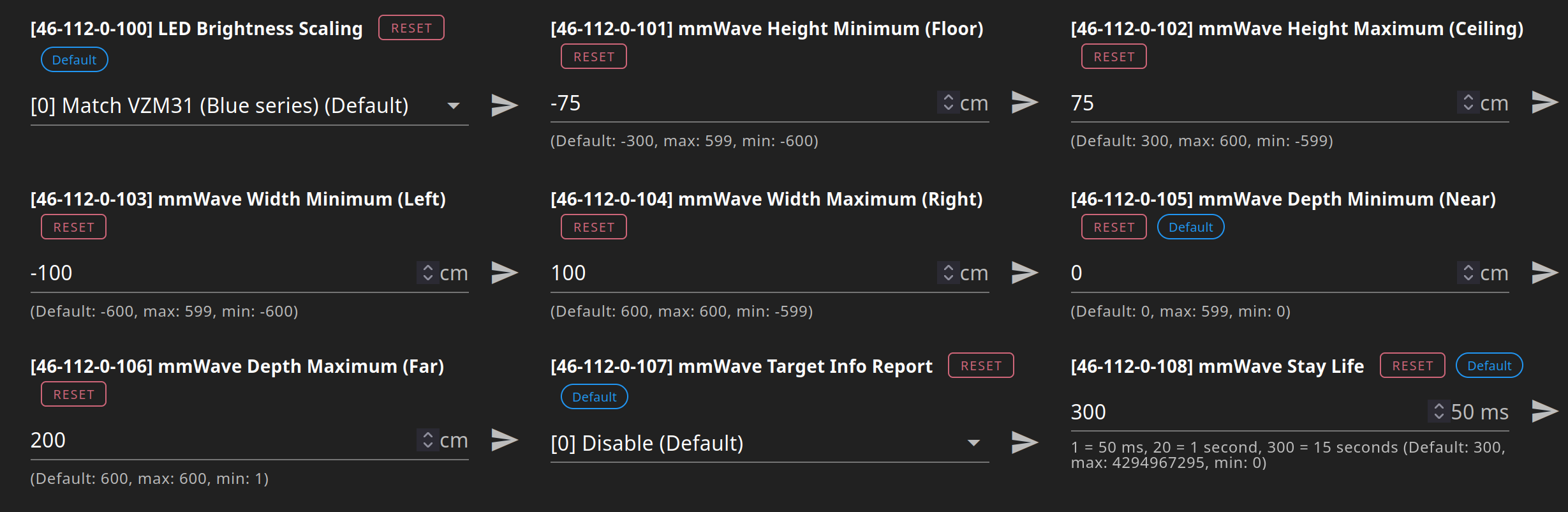
I just received my Red Presence Dimmer, and all in all, I love it. But I’m trying to fine-tune my settings and I’m finding it surprisingly difficult.
My switch is in my kitchen. It’s facing the room perfectly. I have 2 cats. They walk through the kitchen, too, and it’s triggering the presence detection.
I figured this would be simple: change Parameter 101 - mmWave Height Minimum (Floor). Raise the value until the cats no longer trigger it.
I’ve got this value set to 500 cm – over 16 feet. At this number, it shouldn’t even be detecting people, let alone cats, but it is. It’s still detecting the cats. I’m not convinced that changing this parameter is doing anything at all.
I’ve also been playing with Parameter 106 - mmWave Depth Maximum (Far). I have an open layout, where my kitchen opens right up to my dining room, and I don’t want the presence detection triggering for anyone in the dining room. I’ve now set this parameter as low at 50 cm (1.6 feet), and it’s still triggering from almost 20 feet away.
I feel like either these parameters are doing nothing at all, or I’m overlooking something fundamental. Does anyone have any ideas?
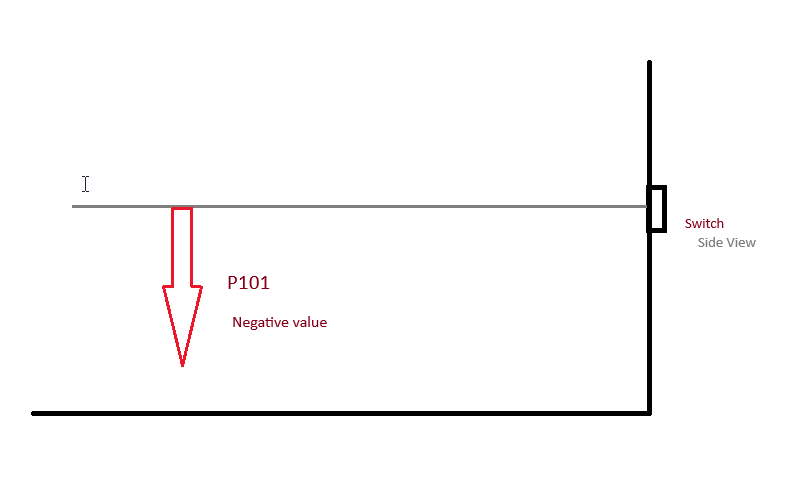
So as I understand it, this value is the distance between the centerline of the switch (extended directly out from the sensor) and the floor. To set the limit BELOW the centerline, you need to enter a negative number.
I have a floor robot that still trips with P101 set to -65, for example. I’ve just set it to -60 to see what happens.
Yes, I understand how the positive and negative numbers are supposed to work. This field will take a positive value, though (“Between -600 and 599”, according to the parameter). Right now, I’m just trying to get a change in value to result in ANY change of behavior, and thus far, no dice.
I’d expect to see this +500 value result in little to no presence detection at all. Instead, my cats, less than 1 foot off the ground, are still triggering the presence detection.
If the floor is 500 what is the ceiling set to? I have found when the the max < min things get really funky. Or at least seem to. Can you share all 6 distance parameters you have set?
how high is your actual ceiling and what material is it? Reflections can be an issue. Maybe what is happening here is your are bouncing off the ceiling and getting back down to floor. try using something more like ceiling:100, floor 50
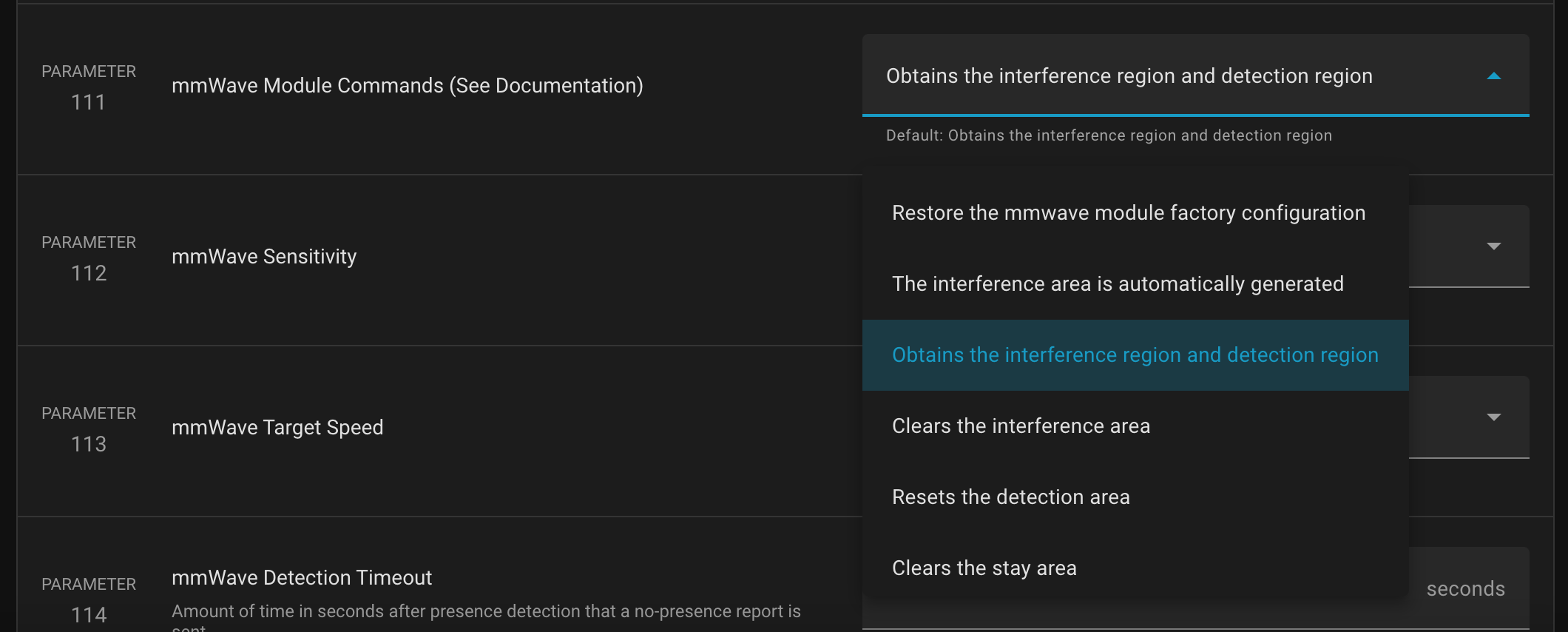
At this point, I’d use P111 to both nuke the detection area and reset the mmW module, and then set everything back up fresh (and don’t use positive values where they aren’t appropriate).
Obtains the interference region and detection region
Clears the interference area
Resets the detection area
Clears the stay area
It’s currently set to “Obtains the interference region and detection region”, which is the default. The documentation doesn’t even define what “interference”, “detection”, or “stay area” mean. I just don’t know how to use these commands.
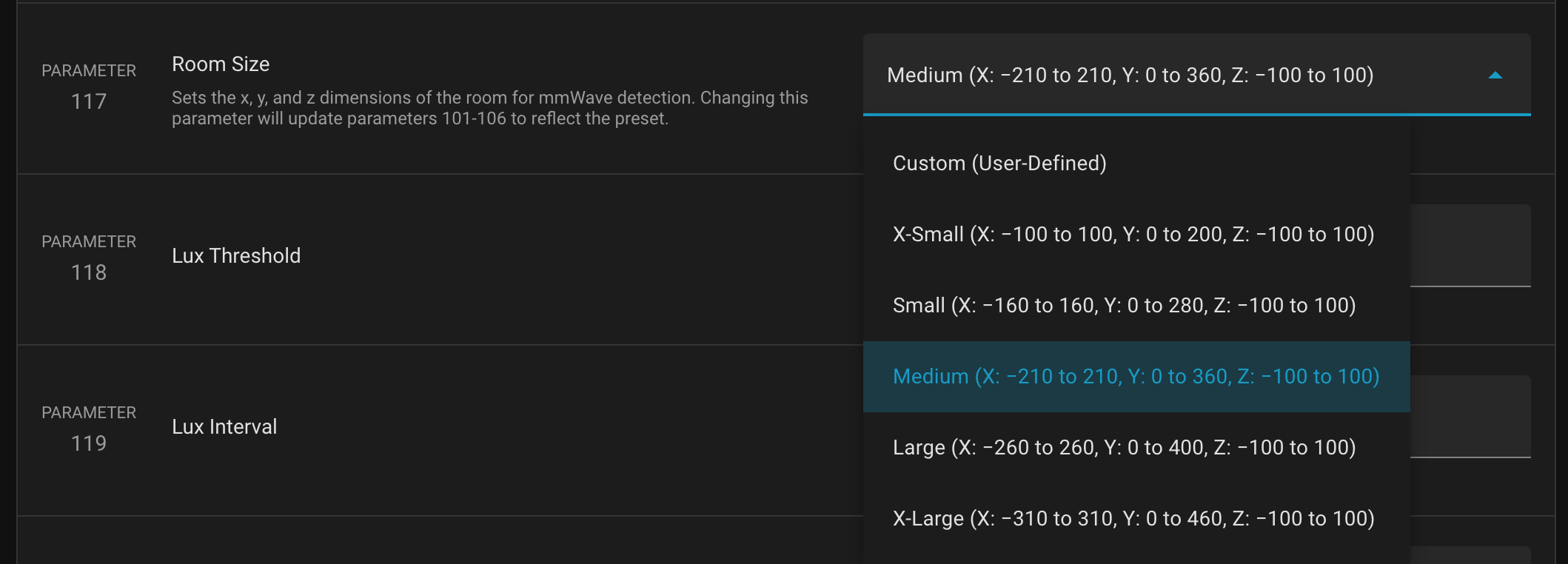
I’ve done a little more investigative work. I’ve continued to find that changes to P101 - P106 do nothing for me. However, there’s P117: Room Size. It’s a dropdown list with predefined dimensions. Per the parameter description: “Sets the x, y, and z dimensions of the room for mmWave detection. Changing this parameter will update parameters 101-106 to reflect the preset.”
If I change this parameter, those changes definitely get applied. I’ve selected “Medium” at the moment, and the sensor is being triggered in a much smaller area than previously.
What’s curious is that, contrary to the parameter description, changing P117 absolutely does not result in any modifications to P101 - P106. I can change P117 to whatever I want, the P101 - P106 values remain the same. But those values don’t seem to matter anyway. Whatever P117 is doing is actually having effect; P101 - P106 do nothing at all.
So, that’s where I’m at. I can use one of the pre-defined room sizes, but I cannot make any finer adjustments using P101 - P106. I’d like to – this Medium setting is better but not perfect – but I see no way to do it.
This has all the appearances of a firmware bug, or maybe some issue specific to Home Assistant; I’m not sure which.
Is this the ZHA interface? I’m using Z2M and when I change the 117 parameter, I have to go through P101-106 and hit a little ‘refresh’ icon to see the updated changes in the UI. So maybe that’s what’s happening in your situation as well. Another difference is that P111 has an ‘apply’ button in the Z2M interface instead of just a drop down menu.
I’m using Z-Wave JS UI. I have the Red version of the presence dimmer, not Blue.
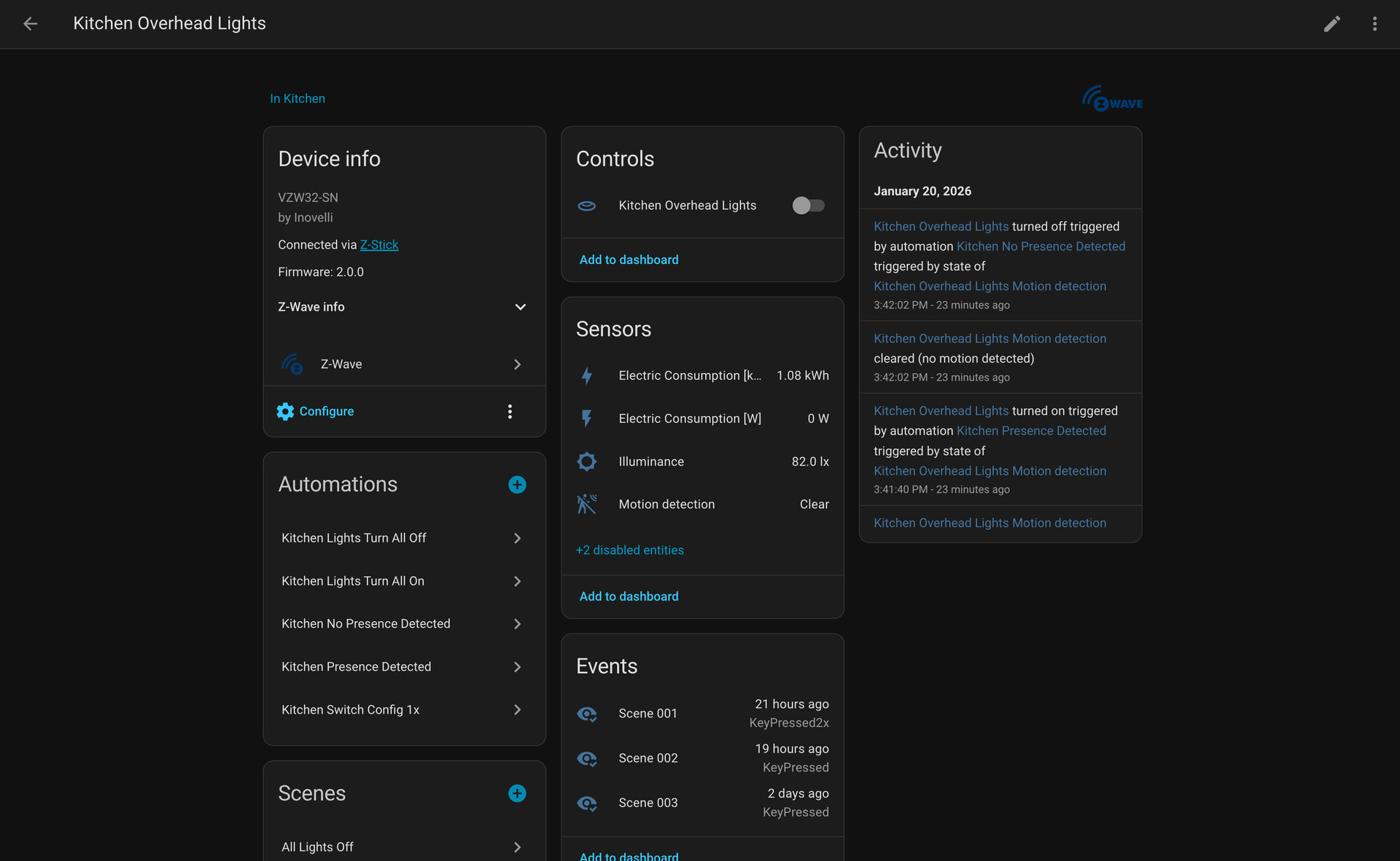
The screenshots I’ve provided are from the device page –> “Configure” button. That’s the only place I know to change Z-Wave device parameters, but if there’s anywhere else I should be operating, please let me know.
I’m actually having a similar issue. I have a hall bathroom where the switch is about 2 feet into the room and is on a wall that is perpendicular to the door. By default, the sensor picks up anyone that walks down the hallway - and even picks up people leaving an adjacent room. To fix this, I wanted to have the sensor ignore all activity “to it’s left”. I thought setting Parameter 103 (mmWave Width Minimum (Left)) to 0cm would be the magic bullet, but it seemed to have no effect. I then tried Parameter 117, setting it to “X-Small”. That change did have an impact, the sensor stopped picking up people leaving that adjacent room. However the range is still too big and it picks up people walking by the door.
I am having the same issue with Hubitat. Setting the distances does nothing, I have a very small room and a mirror too so trying to exclude that doesn’t work for defined settings.
We are investigating the issue. Is it consistent that when you change P101-106 it does not seem to make a difference, but choosing one of the preset room sizes does?
I just posted in the consolidated thread. Room size does work if set via commands in Hubitat. If setting each parameter one by one in the commands section in Hubitat, with an initialize/configure between, I could get the switch to respect boundaries. It does not work if I try to set more than one thing at a time, or generally have other custom settings.
Can others test this as well? Set one parameter, wait 10 seconds, set another parameter, wait 10 seconds, etc.
Only test this for P101-106 as other parameters seem to be working fine.
Edit: also, please make sure that P102 is greater than 101, 104 is greater than 103, and 106 is greater than 105.
There may be an issue here that we will need to resolve in an update. It might be easier to change the settings from 106 and work backwards to 101. The reason is that if you plan to set P102 to 600 and 101 to 500, but you do parameter 101 first, then there will be a short time that 101 will be greater than 102 (because the default of 102 is 300) and it could be causing an error in processing the mmwave range settings.
I took a crack at this. To start I used ZWaveJS UI to reset all the parameters back to default using the “reset” button at the top of the configuration section (“Configuration v4” navbar). Interestingly, it overwrote my values but not with the defaults I expected (not the values in the subtitles), it used some other values:
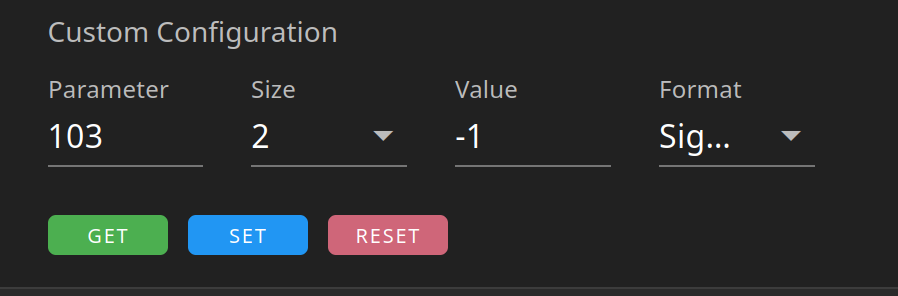
Either way, I went ahead and used the custom configuration box at the bottom and set the P103 value to -1 (been using that instead of 0 in case 0 was the problem):
The new value comes back from the “get” call and is reflected in the UI as well. However the behavior of the switch remains unchanged. In this configuration, I would expect the sensor to trigger only when I was standing in-front of the switch (or close to the center since it’s -1); but when I walk within 2-3ft of the left side the switch it still triggers. Now that distance just so happens to be about 75cm or the “default” value that was restored when I told ZWaveJS UI to revert to defaults. That seems more then coincidental, and I don’t know if that gives you anything to work with or not but its interesting none the less.
And just to clarify, how should we be testing? I want to ensure we can give you guys consistent reports. Does resetting everything to default suffice? Did we need to include/exclude or something else? Does how we update the parameters matter (HA vs ZwaveJS UI)?