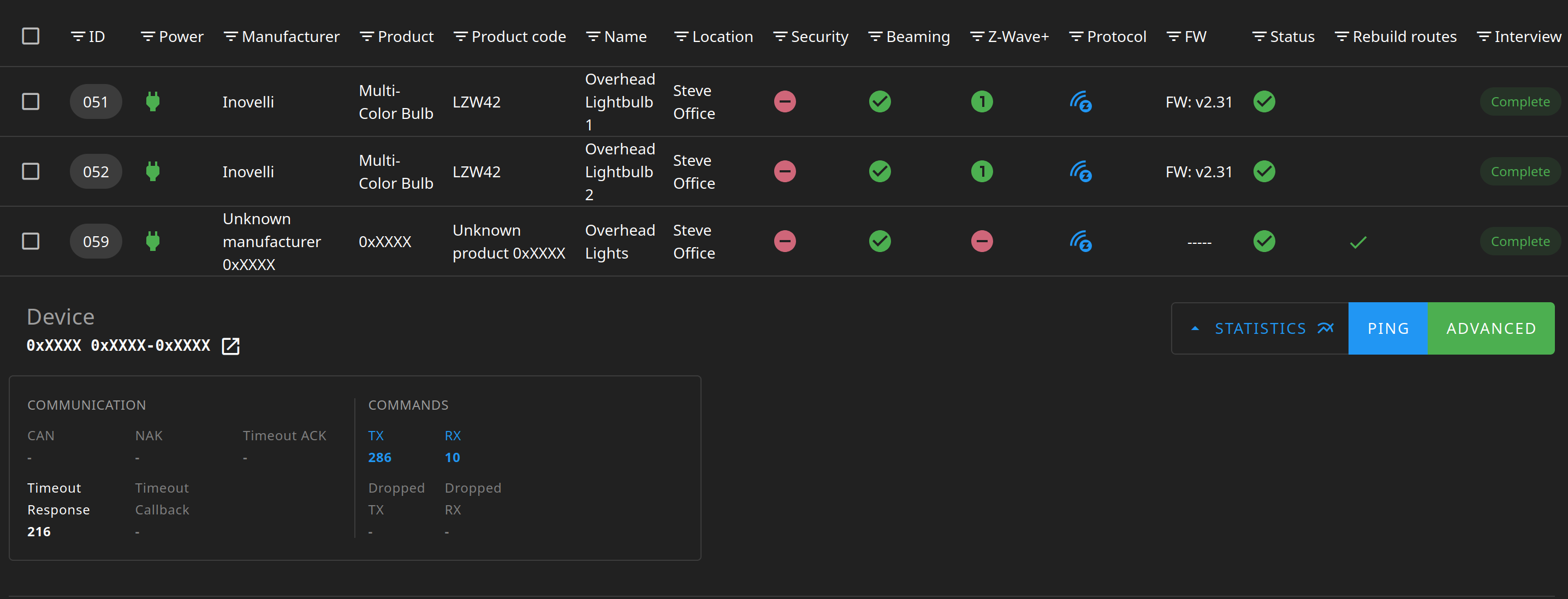
I recently started setting up several of the Red Series mmWave dimmer switches; and decided to put one in my office. I was planning to use ZWave associations to control two Inovelli LZW42 Smart Bulbs after putting the switch into “Smart Bulb” mode. Without thinking, I originally included the switch with S2_Authenticated security, but the switch functioned flawlessly. All switches and sensors (mmWave/Lux) showed up in Home Assistant and I was able to change any of the ZWave parameters I needed to (including enabling Smart Bulb Mode). After adding the bulbs with “No Security”, I realized the switch had to match for association to work and so I excluded/re-included it. This time I selected “No Security” during inclusion but now the controller seems incapable of correctly interviewing the switch. None of the switch metadata is displayed correctly in the UI, and the ZwaveJS-UI statistics show a lot of timeouts:
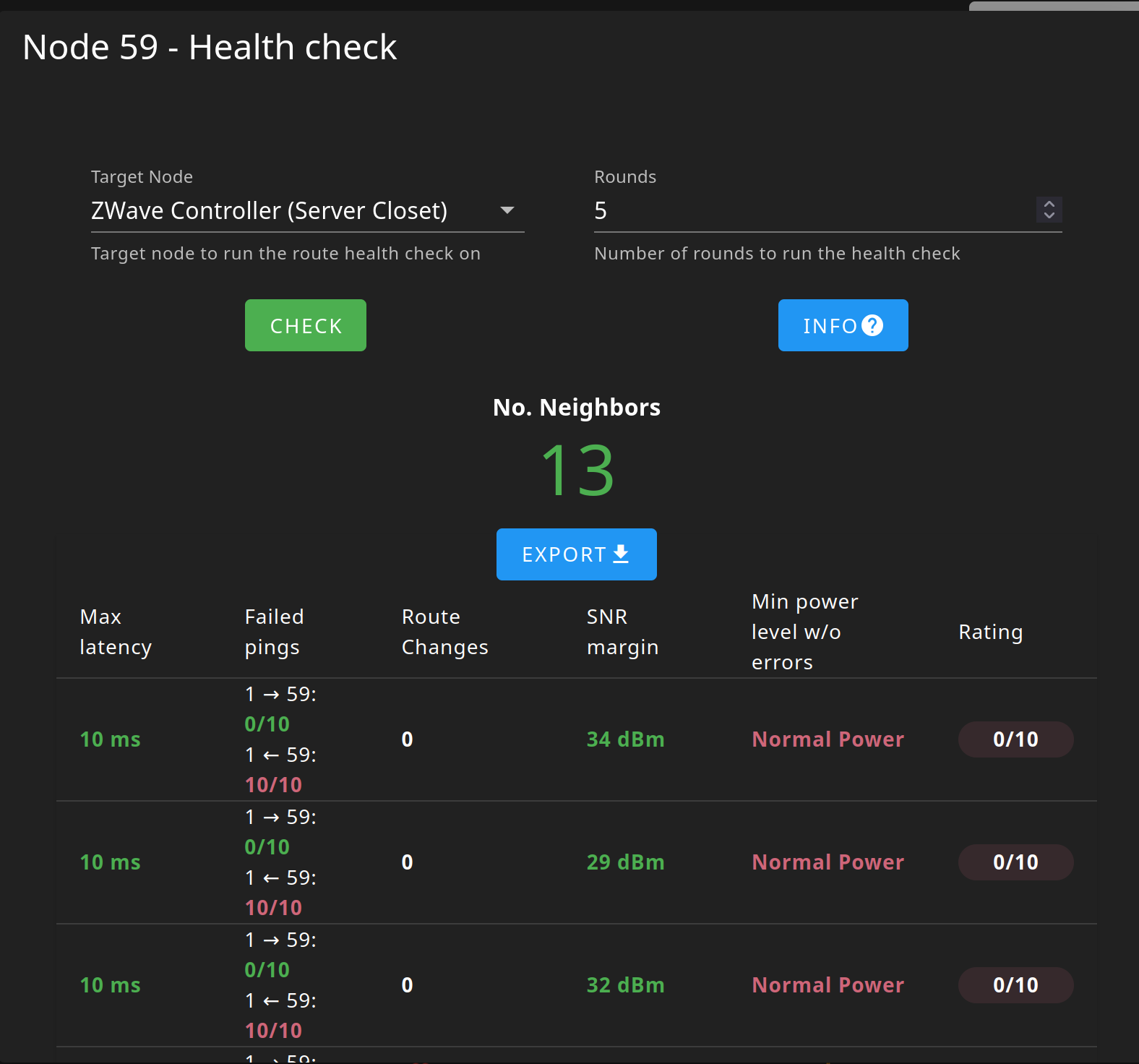
On top of that, only the switch is showing up in Home Assistant (toggling the switch on/off does work). The mmWave and lux sensor are missing and I also cannot configure any of the ZWave parameters. Finally, I ran a diagnostic on the node in ZwaveJS-UI and it seems like the controller can send commands/ping the node but the node’s replies are being lost:
If I exclude and re-include it with security (S2_Authenticated), everything works flawlessly - but I won’t be able to control the bulbs. I’m probably just doing something wrong and thus I’m stuck.
I’m open to any ideas or suggestions to try and get the switch and bulbs linked.
Is the switch far away from the controller antenna? I had similar issues in the past and moving the controller to a more central location in the house helped. Also try maybe re-interview of the switch?
Have you tried using smart start in zwave js ui to provision the switch with the DSK code? That works better to I found recently too.
Thanks for the suggestions. I actually had a tape measure handy and was able to see that the switch itself is about 8ft from the controller, so I can’t get it much closer than that (without moving my server). I have tried re-interviewing a few times, but with no success.
I hadn’t though to try smart start, so I gave that a try. I excluded it, scanned the QR code, air gapped the switch to do a reset, clicked “active” in the UI, and turned it back on. When I leave all the security profiles checked, the switch includes with no issues - included with S2_Authenticated set. However, if I uncheck them and repeat this process, I get the following errors in the logs:
2026-01-21 19:01:50.971 INFO Z-WAVE: Controller status: Secure inclusion started
2026-01-21 19:02:00.283 INFO Z-WAVE: Controller status: Inclusion stopped
2026-01-21 19:02:00.284 INFO Z-WAVE: [Node 078] Found
2026-01-21 19:02:03.966 INFO Z-WAVE: [Node 078] Removed, reason: SmartStartFailed
2026-01-21 19:02:03.994 INFO Z-WAVE-SERVER: Client disconnected
2026-01-21 19:02:03.994 DEBUG Z-WAVE-SERVER: Code 1000:
2026-01-21 19:02:03.997 DEBUG Z-WAVE-SERVER: New client
This occurs several times and eventual ZWaveJS UI un-marks the device as active. While this is occurring the light switch is turning on and off displaying the following color pattern on the LED bar: cyan → yellow → blue (dimmed b/c the switch is off). I wanted to attach a video of this, but my account is too new to be allowed to upload files .
Just curious does this happen to your other switches too? If you include them unencrypted? What model is your zwave controller?
I just have the non mmWave model but I can add them without security and there are no issues.
I have had issues before with removing security from a device. You need to make 100% sure the device is fully and completely removed before adding it back. I would exclude it, delete the device, and even restart the z-wave radio. If any of the security settings get left behind associated to the device and you re-add it without security you will not have access to it.
So to try and answer both @wes.render and @cfoos1’s questions: I took a brand-new switch out of a box, one that I have never included before, wired it up to main’s voltage and tried to include it with no security - to my pleasant surprise it worked!
I then tried to do a full clean of the old switch – and while I had been excluding it and deleting it from the smart start tab, I hadn’t thought to restart the ZWave radio. After doing that, the inclusion worked and the old switch is working too:
 .
.
