I just installed white dimmer switches with Hue downlights connected over threads. They turn on and off, yay! But I’m a little confused what the best way to configure the switch to dim and brighten. What I would like, but I don’t see a way to do, is to be able to push and hold up/down and have the lights get brighter/dimmer.
I’ve thought about making a set of automations that increment by 10% when I double tap in either direction. But that would be like 10 automations per switch for 20% jumps, which seems like a pain for multiple switches.
Am I missing something? This shouldn’t be this hard.
I’m not sure if there is an easier way or not. It’s a bit kludgy because your bulbs are Zigbee and your switch is Thread. So with the switch in the Smart Bulb Mode, you’re forced into automations for brightness control. I understand that some users prefer Whites due to their ecosystem, but IMO, the Blue series is a better match for Hue bulbs.
With a Blue, you can bind the switch in the Smart Bulb Mode to the bulbs, enabling the paddle to directly dim and brighten the bulbs just like a regular dumb dimmer.
Hopefully someone has an easier solution for you. I don’t use Whites, so I can’t suggest anything there.
I also have a hue bridge pro that has matter support. I’m tempted to move off of smart things and entirely into Hue. Maybe if I get the switch and the lights either all talking matter (through the bridge) I’ll be in better shape.
Some updates, I have a working setup for this that I like. I’ll outline it here:
Connect the Hue to smartthings locally over the network. Doing the cloud connection is slow and stops when the Internet is out. (I want to try this with the hue bridge connected over matter, but that has been a struggle to date on the hue side)
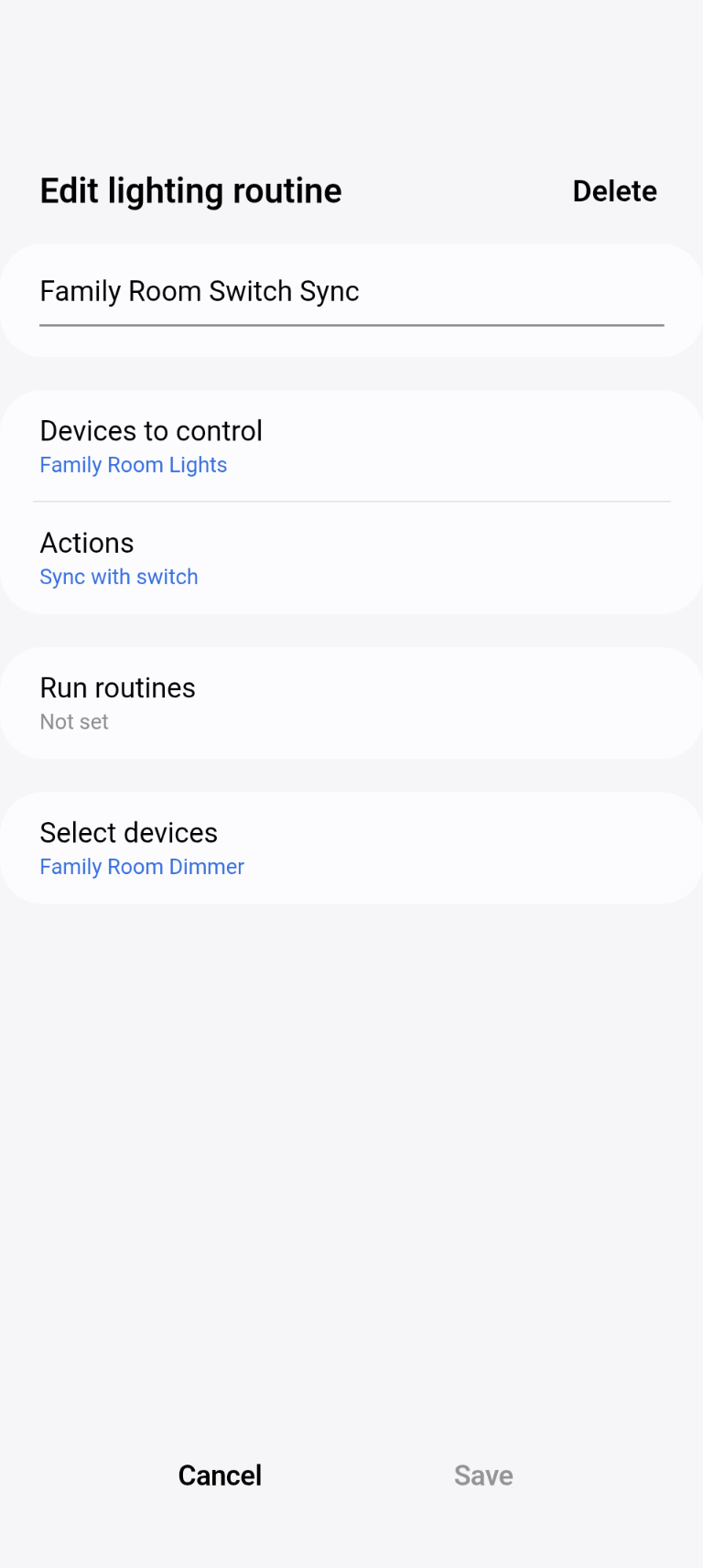
Use Smartthings “Smart lighting” routines to sync the bulbs and the switches. Go to Routines > Discover > Smart lighting.
Set the transition time on the switches to “Instant”. If you don’t do this when you turn the lights on, off or adjust the dimmer, the lights will flicker up and down and not do what you want because the lights are trying to match the incremental steps that the switch is going through on its way to your actual target.
Obviously use smart mode for the switches so that the bulbs are always powered.