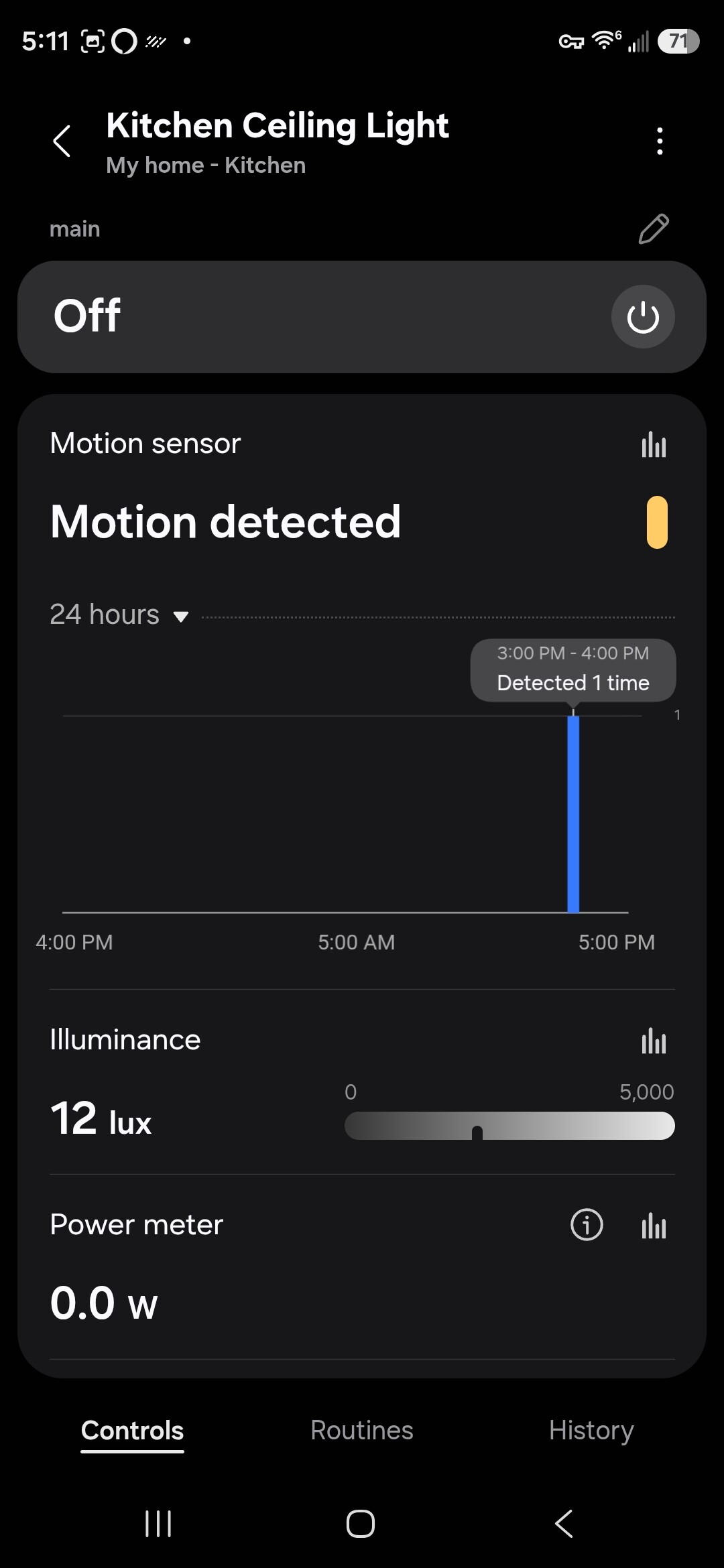
First time posting. Please forgive my lengthy post. I searched for my issue but could not find any posts related to my issue.
I have a new VZM32-SN connected to several can lights and a new inovelli aux switch. I performed a factory reset before successfully adding the dimmer switch to SmartThings (ST). My hub is a ST V2, and it has the latest firmware installed.
Pressing the buttons to control the lights works as expected, but the “Motion detected’ part of the device in ST always shows that motion has been detected. Expanding the ST “Motion detected” and dragging across the graph shows only 1 entry for motion at the time I reset the switch. So, apparently the switch detected motion when I added it to ST and the motion sensor never changed its state to No motion. The room has been empty for over an hour but ST still shows “Motion detected”. ST history does not show any motion entries.
There are 2 history entries showing the firmware is 1.00. Also, Alexa automatically added the switch and the switch works as expected using voice command.
I have checked the wiring on both switches, and it’s correct. Before installing the dimmer I installed repair kit screws. I don’t see any way to update the switch’s firmware. When I view the switch information in ST there in nothing related to firmware. I only see the firmware version in the device history.
Switch mode is set to Dimmer. Aux switch type is set to 3 way aux switch. I have not changed any other parameters.
Ultimately, I want the switch to automatically turn on the lights when motion is detected and the lux reading is less than 6. I want the default illumination to be 30%. I want the lights to stay on until nobody is in the room.
I don’t see any settings in ST related to why the motion state is stuck in detecting motion. I’m hoping whatever is wrong is something simple. I appreciate all constructive suggestions.