I have my Blue Smart Dimmer Switch installed and working with my smart lights. Turning on the lights works perfectly, and I am using Zigbee2MQTT in Home Assistant to find my Inovelli switches and assign groups and automations.
I recently purchased a new light that I’ve plugged into a Zigbee power plug. I would like the small config/favorite button the light switch to turn on/turn off this Zigbee device.
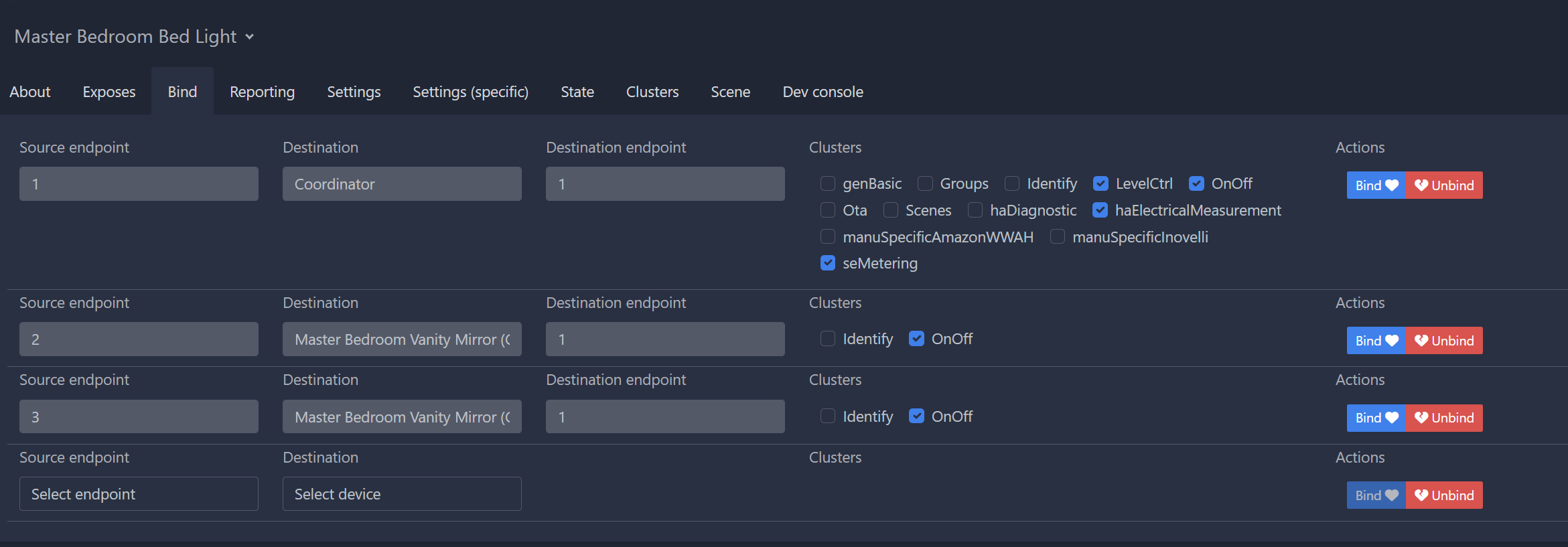
I was able to turn on/off the zigbee device using the large paddle on the Inovelli by binding it, but this also turns on/off the main light. I saw a video saying to select endpoint 3, but there is no 3 as an option.
Is it better to do this in Zigbee2MQTT or in Home Assistant? And can I get instructions for doing it both ways?
What firmware version are you running? Endpoint 3 was only released in 2.18. If you’ve updated to 2.18 and are still not seeing endpoint 3, you’ll need to reinterview the switch.
If you do it via the binding, than it will work if Home Assistant or Zigbee2MQTT is offline.
You were right. I went into ZigbeeMQTT’s OTA tab and saw my 30 Inovelli light switches were a mix of 2.15 and 2.18. But clicking update did nothing. I then saw a FAQ suggest that I go into Dev Console and query the light switch and i saw that it had been upgraded to 2.18, it just wasn’t showing it in OTA nor was it showing Endpoint 3. So i did a reinterview and Endpoint 3 now showed!
When I tried to Bind 3 to the Zigbee power adapter, nothing happened. (Note, I still have that Zigbee adapter on 2 as well, but I already tried with that unbinded).
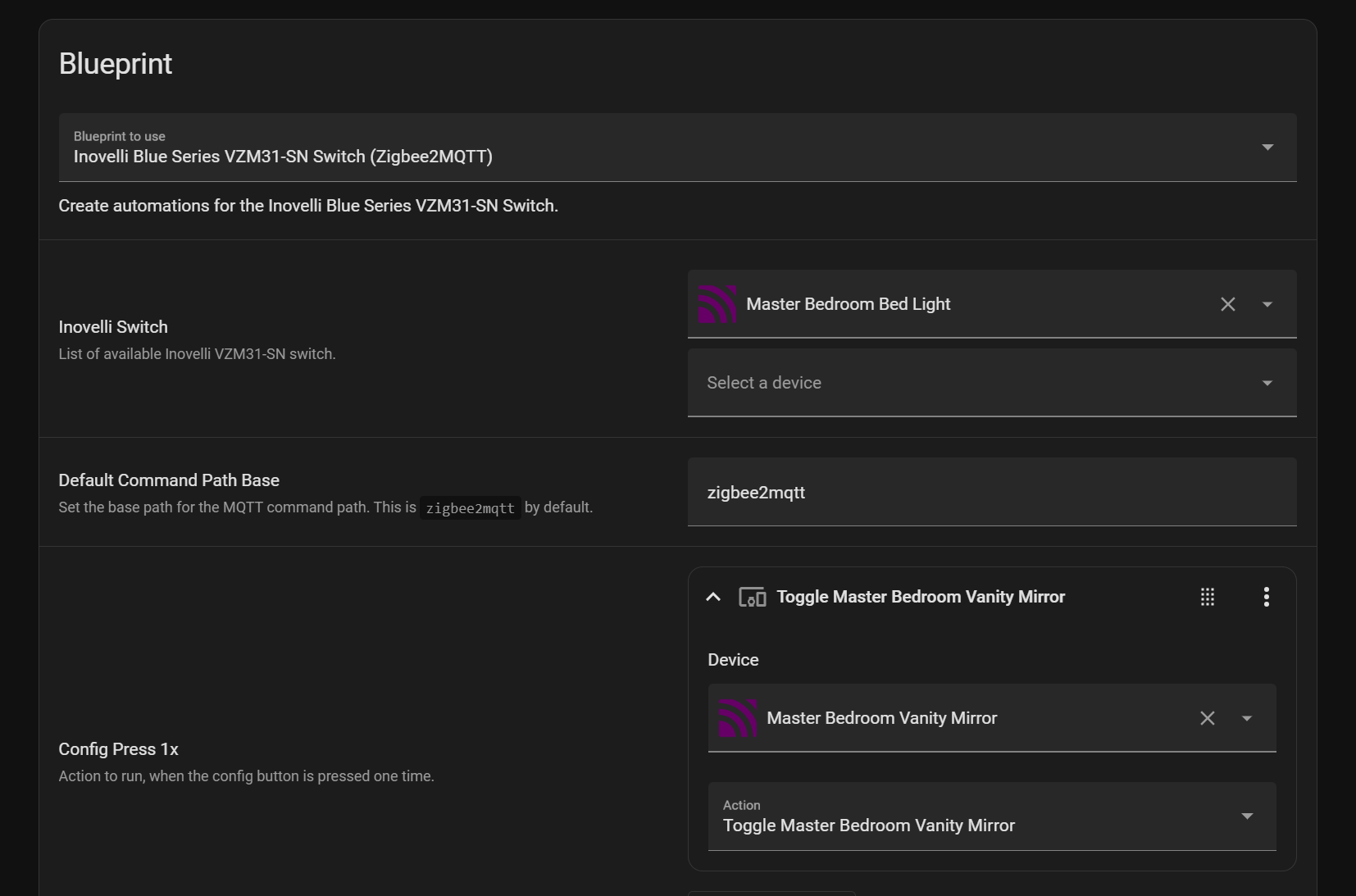
So I then tried to do it the HA method and imported your blueprint. But, unfortunately, I am unaware of what is the next step to make it work. How do I call it to action in an automation?
I also asked ChatGPT to solve this and it wrote me an automation. Run action on this automation works, but unfortunately, pushing the button on the light switch still has no results.
alias: Vanity Mirror Toggle via Dimmer Config Button
description: Toggle the vanity mirror plug when config button on master bedroom light is pressed. Turn off after 1 hour.
trigger:
  - platform: mqtt
    topic: zigbee2mqtt/master_bedroom_bed_light/action
    payload: config_single
condition: []
action:
  - service: switch.toggle
    target:
      entity_id: switch.master_bedroom_vanity_mirror

  # Wait 1 hour then turn it off
  - delay: "01:00:00"
  - service: switch.turn_off
    target:
      entity_id: switch.master_bedroom_vanity_mirror
mode: restart
Can you assist me a little farther please and help me get this working?
EDIT: WAIT.. I didn’t see that there was a new option under HA automations from your blueprint! This is what happens when I try to make things work after midnight only using my phone screen!
I’m not home now but I just created this. Will try it the minute I get home!
I think this is a limitation of the current setup with endpoint 3. Since it was designed to control fans, it rotates through the percentages of 33/66/100 which your smart plug of course will do nothing with (since it’s not dimmable). I believe there’s an open feature request to make this support toggling toggle-able devices (like plugs). I missed the fact that you were using a smart plug and not a smart bulb. For now you’ll have to use the blueprint.
Yep, you figured it out! Blueprints basically make it simple for us to package up complex automations and make them easy to share with just a small amount of input from the user.
I spent 1 hour trying to get it to work on the closest Inovelli Blue light switch to the zigbee power socket adapter. I tried resetting the light switch, removing the switch and re-adding it, doing the same to the Zigbee adapter, etc.
Finally, I tried another light switch.. AND IT WORKED. For some reason, the config button on the closest light switch is showing no results.
I checked the firmware and while Zigbee2QMTT is showing 2.15 for the other light switch, when I got to Dev Console, genBasic/swBuildId, it shows 2.18.
I’m in the same situation. Can’t get the Config button, or any of the multi-taps to show up in Z2M or MQTT. Legacy actions, blueprints, changed button delay, toggled local protection, reset, repaired, reinterviewed, nothing. Not seeing any of the actions in the logs, device, or event listener. Switch works great otherwise, but I can’t get any automation to work. On FW 2.18
I’m not sure what I finally did to get it working, but maybe some combination of troubleshooting fixed it. I didn’t notice any odd errors, everything aside from actions was working just fine. I had just about given up and was going to shut the lights off, tried a multi-tap once more and the automation fired and it worked perfectly. So…problem solved? Drives me crazy I don’t know what solved it.