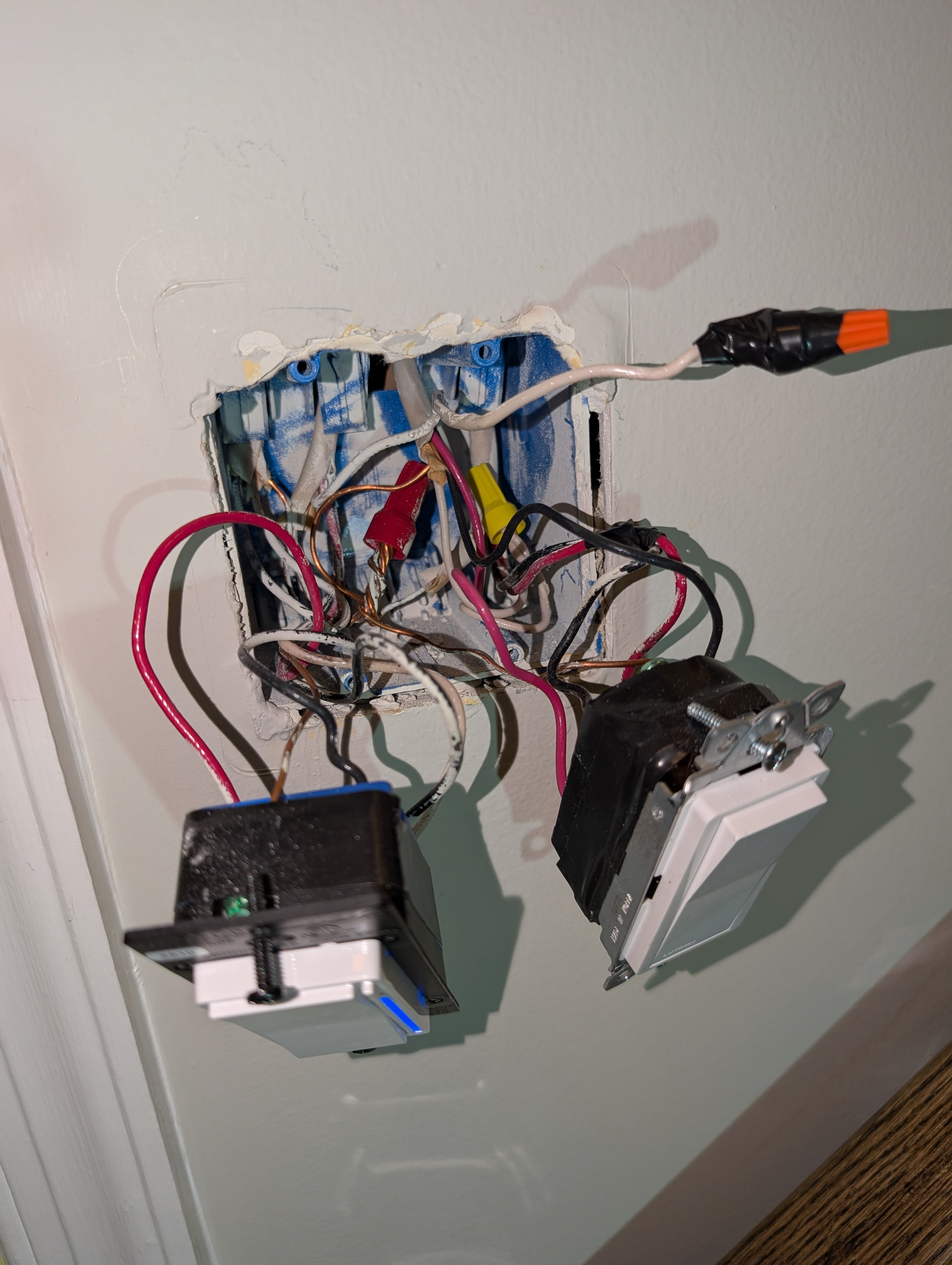
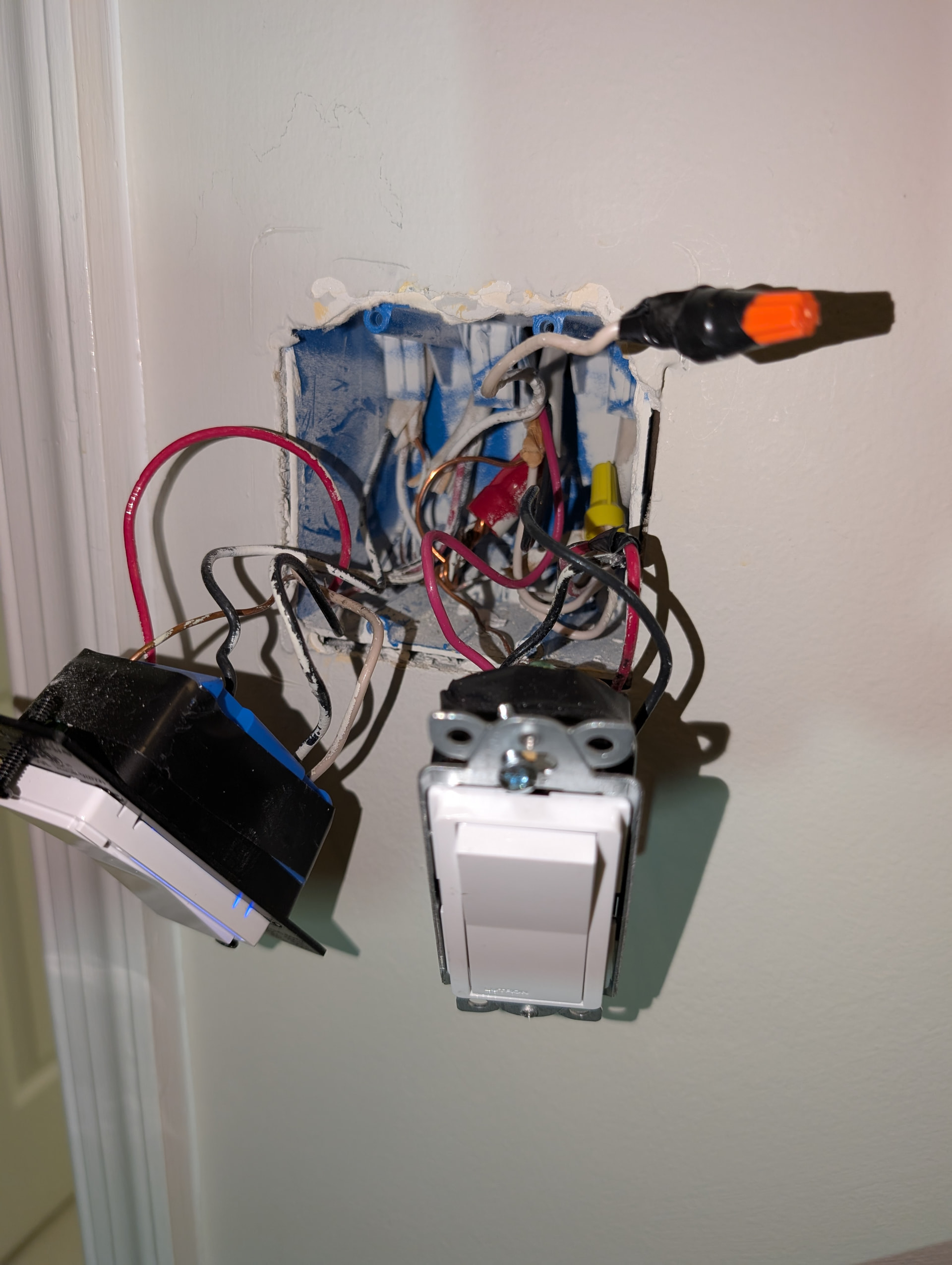
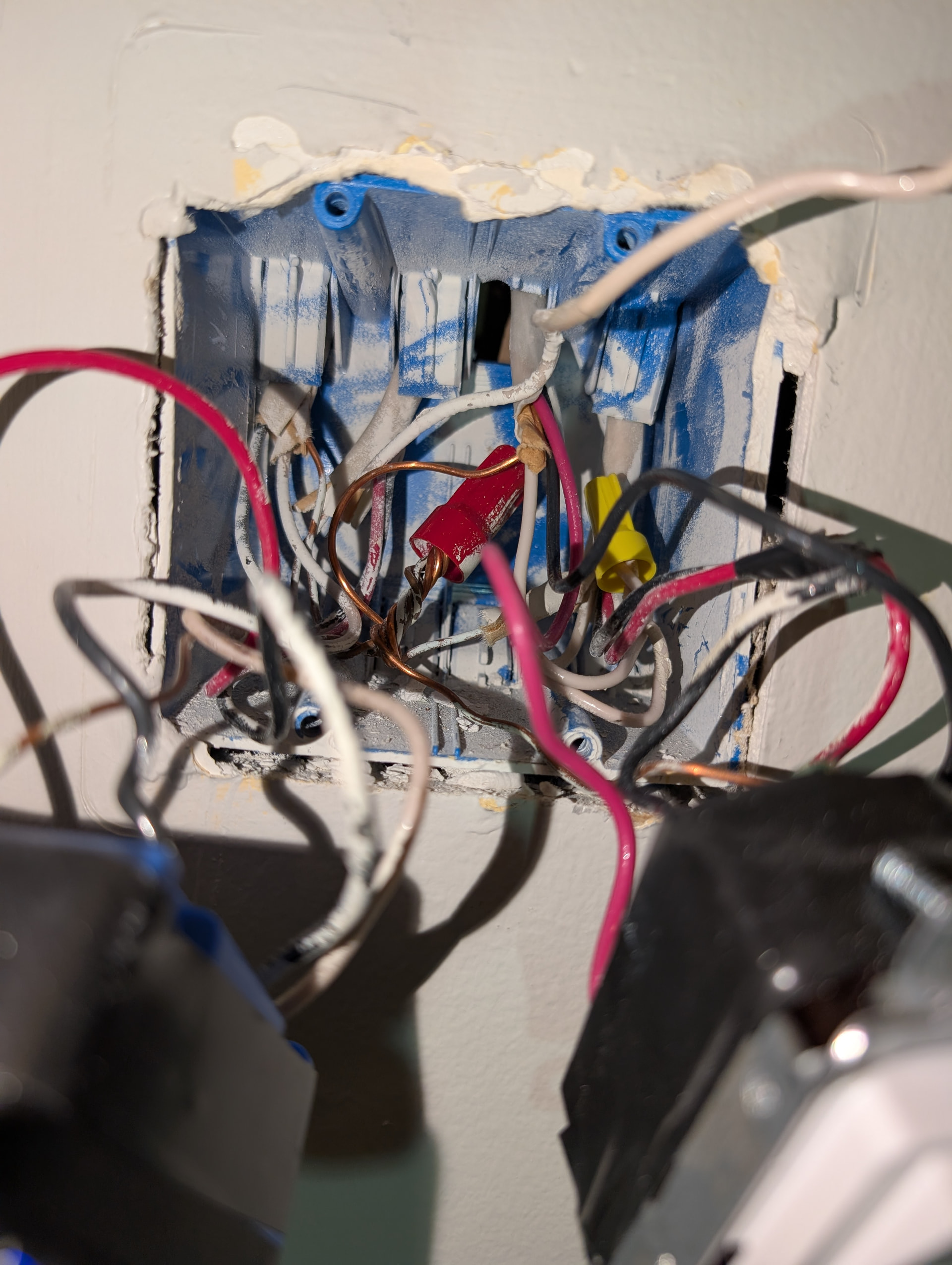
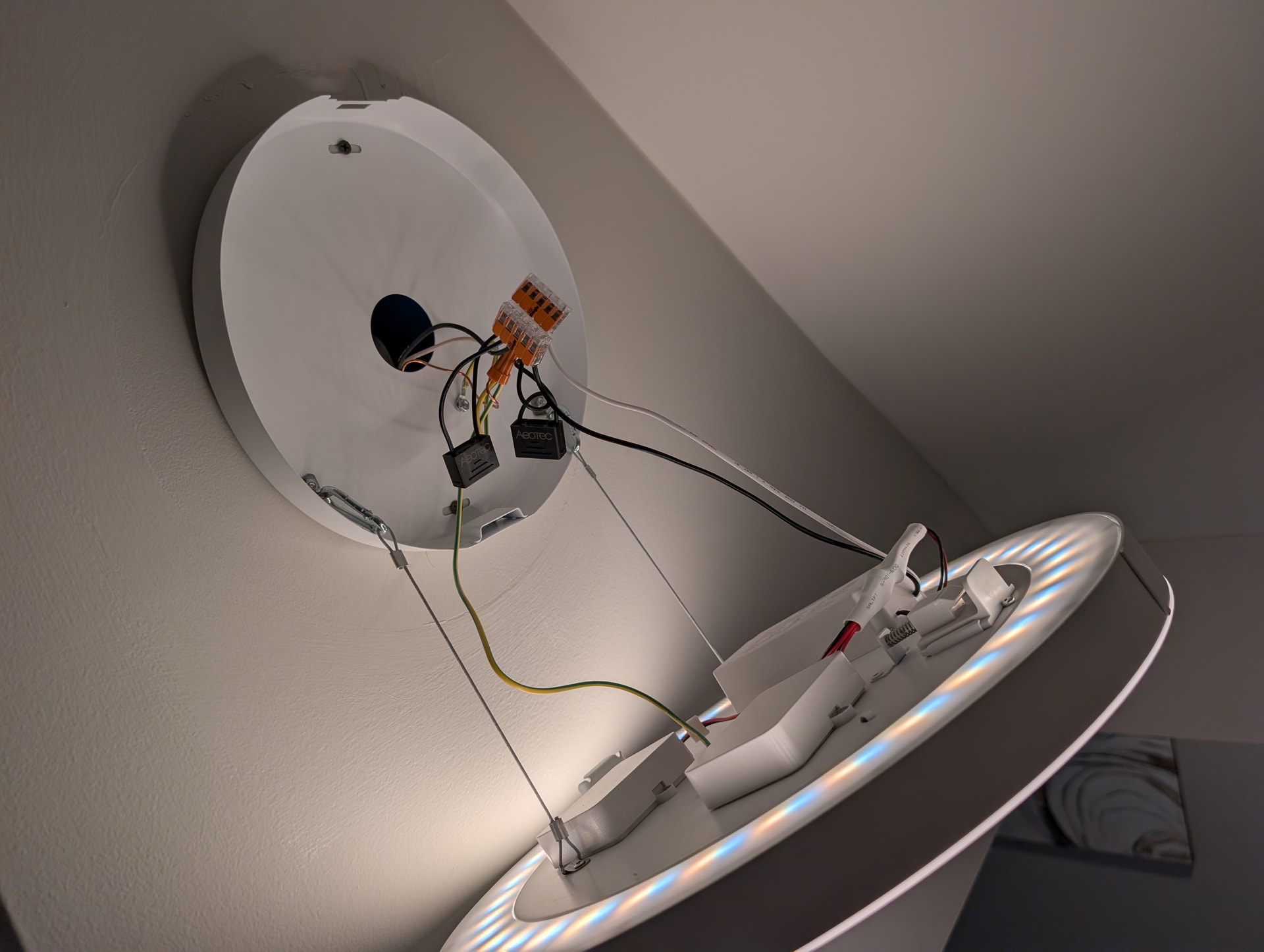
I have a Presence Dimmer (VZM32-SN) set up in a 3-way configuration with an Aux switch. I have a non-neutral setup.
The when I have an incandescent bulb installed, the presence switch and aux switch work as expected, but when I remove the incandescent bulb the switches do not work. The presence switch reboots with a cyan LED.
I thought that the problem would be fixed by adding a Aeotec bypass to the light. I installed the bypass today, but this did not fix the problem.
I want to replace the incandescent bulb with a Zigbee Hue bulb, but can’t do so as the light flickers and the switch reboots when I install the Hue bulb.
When you installed the Hue bulb, did you put the switch into the smart bulb mode?
Smart bulbs with non-neutrals can be problematic, because sometimes the switch does not receive enough to remain fully powered. Some have resolved the issue by adding more than one bypass.
You can also rewire at the light to power the bulb hot full time and then send the hot and the neutral to the switch. This removes the non-neutral configuration.
The only downside to this is that the bulb is powered unswitched, so you have to throw the breaker to cut power to it. However, you could also add a smart relay in the lightbox to cut power so that you don’t have to do that.
Thank you for helping me. You’re very kind to be so patient with me.
I didn’t have the switch in “smart mode”. I changed the switch to smart mode and both lights were on. I then unscrewed the basement incandescent bulb and the Hue LED light on the stairs starting flickering.
Maybe there is something else wrong with the wiring I did?
So when you use a smart bulb, you must have the switch in the Smart Bulb Mode. This ensures that the bulb is fully powered full time, as that is how it is designed to work. In this configuration, you control the bulb through automations or binding, not but cutting or dimming the wired load.
It stands to reason then that you can’t mix bulb types (i.e. smart and dumb) on the same switch leg. If you switch to a Hue for the 2nd light, does that help?
The problem is that your bulb(s) isn’t leaking enough power to properly power the Inovelli. Adding the 2nd smart bulb may help. Theoretically a higher wattage Hue MIGHT help, but that is an expensive experiment.
You’re not doing anything wrong, you just don’t have sufficient horesepower bulb-wise to properly power the switch. If multiple bypasses don’t resolve the issue, you’ll need the rewiring alternative I mentioned previously.
AFAIK, there is only one bypass. They don’t come in sizes.
I can’t say for sure regarding multiple bypasses. If I had that issue, I would do the re-wire. Hopefully someone that has used multiple bypasses can comment here.
The most I’ve seen someone use is 4. But that was for a non mmwave. The mmwave does need more power. At that point, I’d rather do the rewiring instead as well.
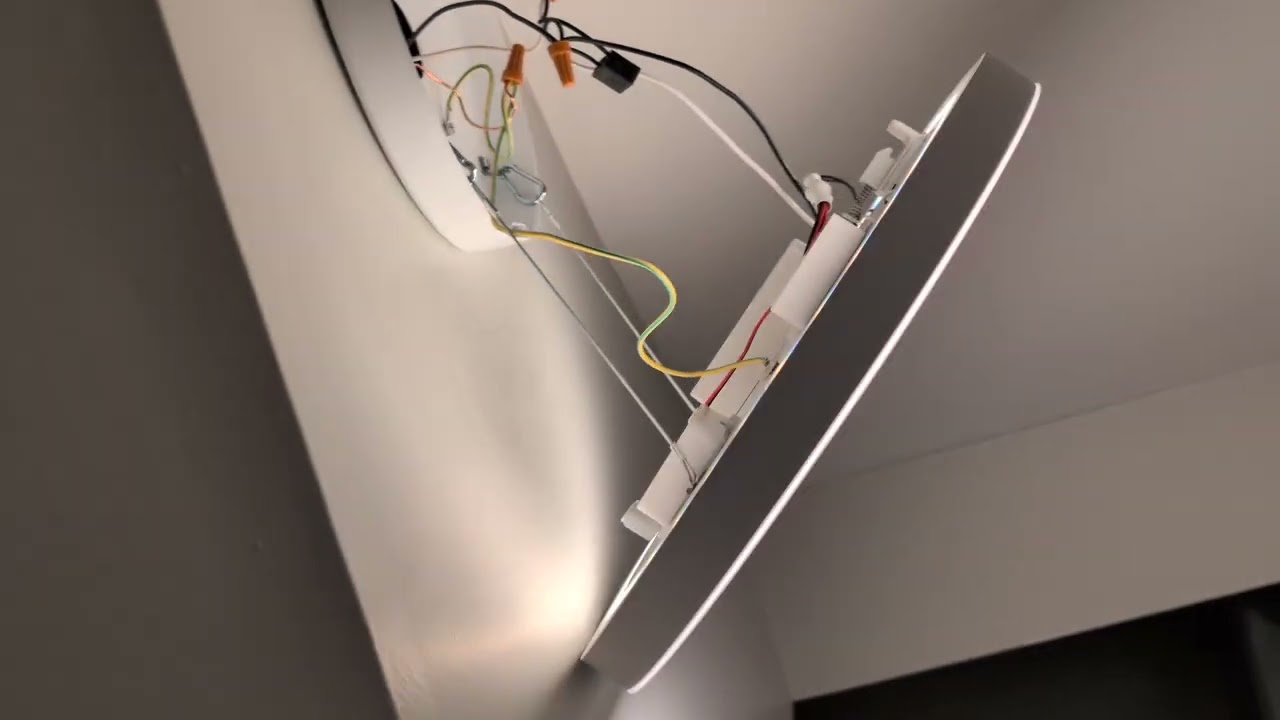
I am open to doing the re-wire, but can’t see how to get access to the wiring for the recessed can light at the bottom of the stairs. It’s a Juno TC2 light. I found the PDF for it online, but I can’t see how to get to the wiring without tearing up the ceiling.
That’s a new work install so it’s probably nailed to the floor joists. I don’t see any way to get at the box without cutting a hole in the drywall. I’m presuming that’s living space over it, right?
What light is the wall mounted one? I know you said it’s a Hue but which model? Also, which Hue bulb did you put in the can?
For testing, wire it as a 2-way. Remove the 3-wire conductors from the switch. Factory reset and confirm it’s configured as a 2-way. Put the Hue in the can. Set the switch to the SBM. Test turning each light off individually via the hub to see if the hub remains powered.
Sorry I’ve been slow to respond. Was busy with work.
I know I need to do the test you described to wire it as a 2-way. I will do that.
Your previous guidance really resonated with me to re-wire it so that the lights are always powered and then wire the switch to have a neutral.
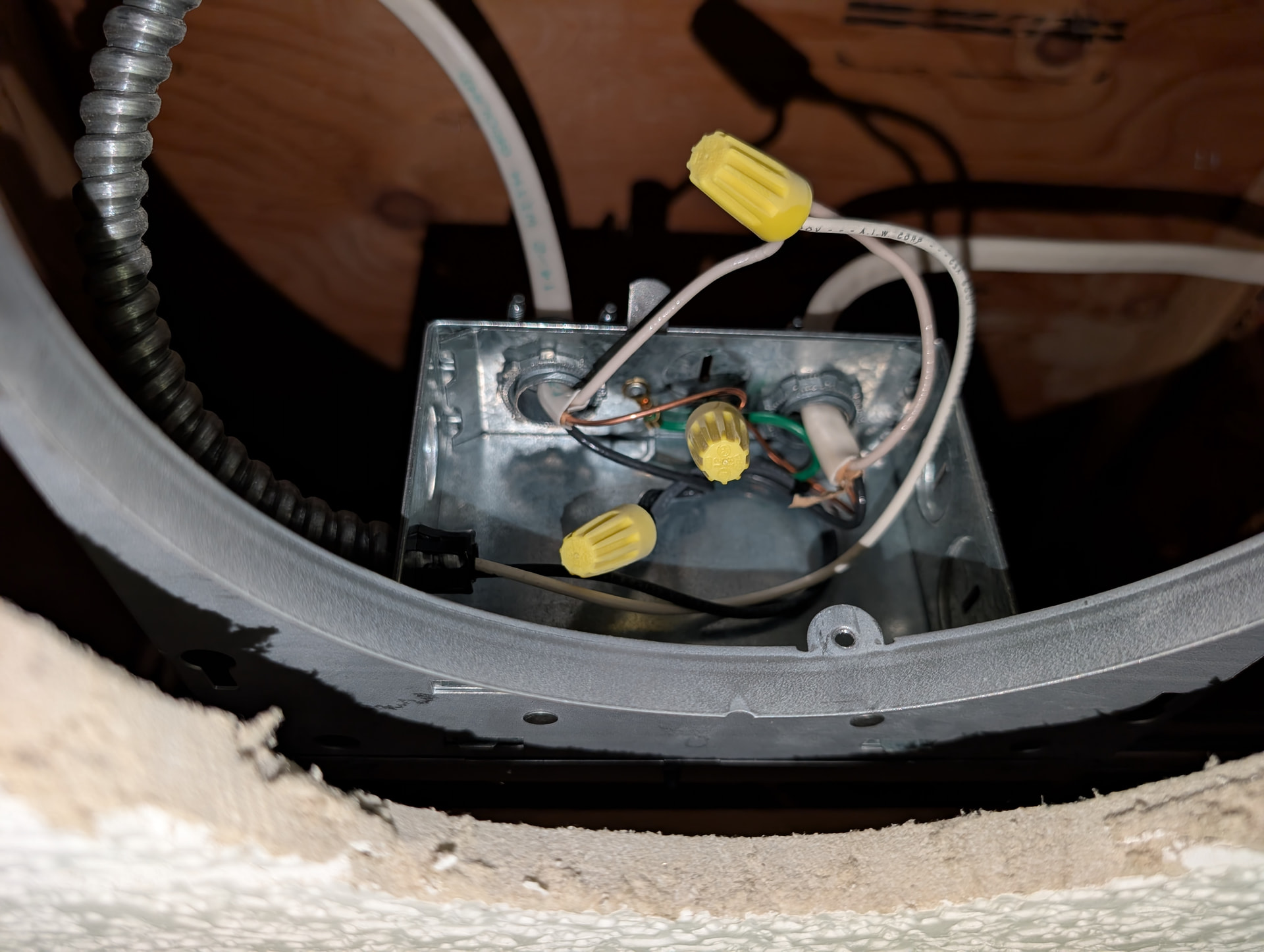
Today I figured out now to remove the recessed light can so I could do the re-wire. I was expecting to see 3 romex wires in the recessed light junction box, but I only see two. The blacks are all tied together and the whites are all tied together.
I was expecting to see a white tied to a black as that would be the white power that’s feeding the basement switch, but it’s not there.
The light on the stair midpoint only has a 2-wire in its junction box.
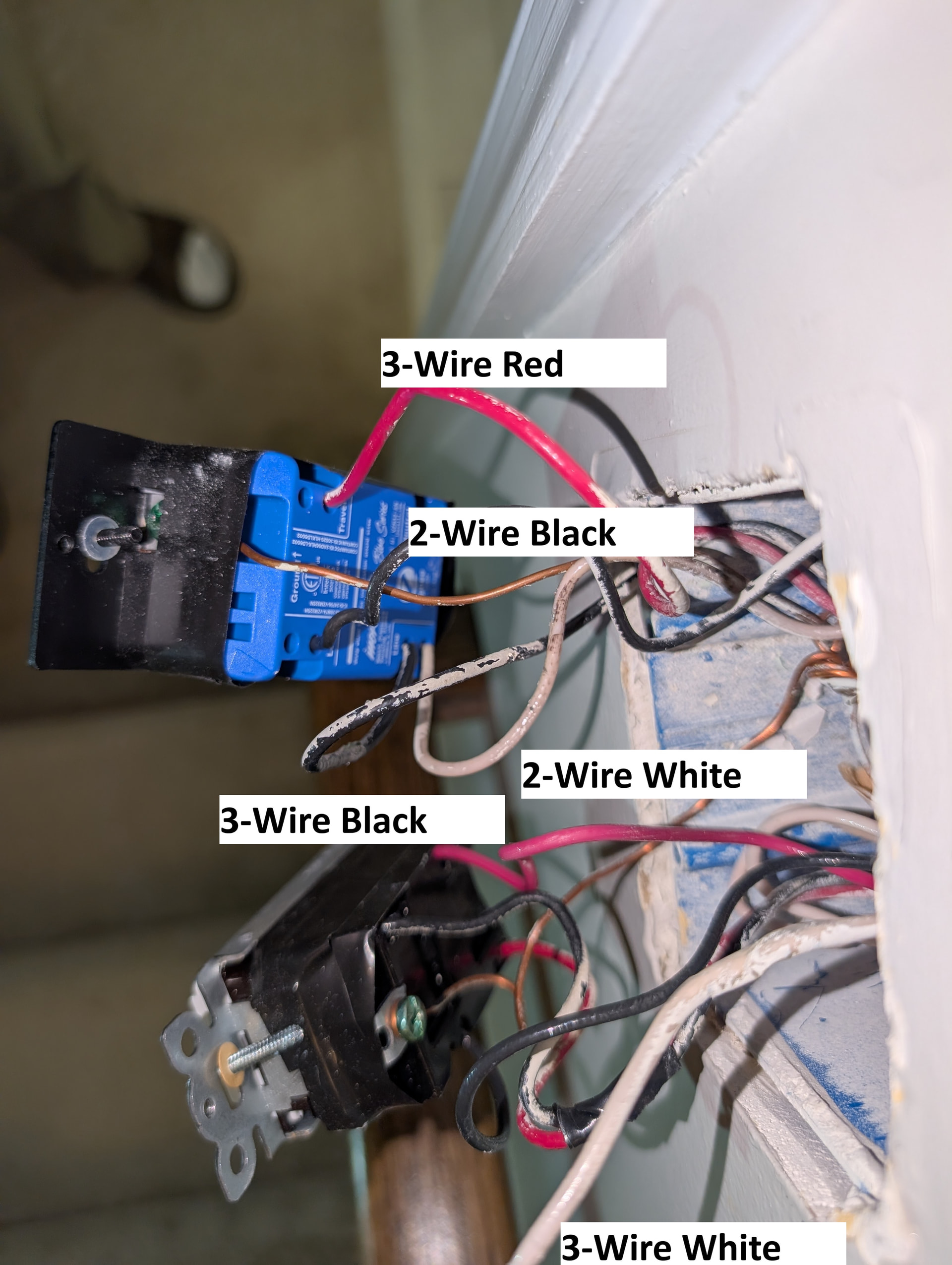
I’m confused as I don’t understand how power is getting onto the white 2-wire that’s in the basement switch box.
So there are a couple possibilities. The first is that you don’t really have a non-neutral. The second is that there is junction box somewhere.
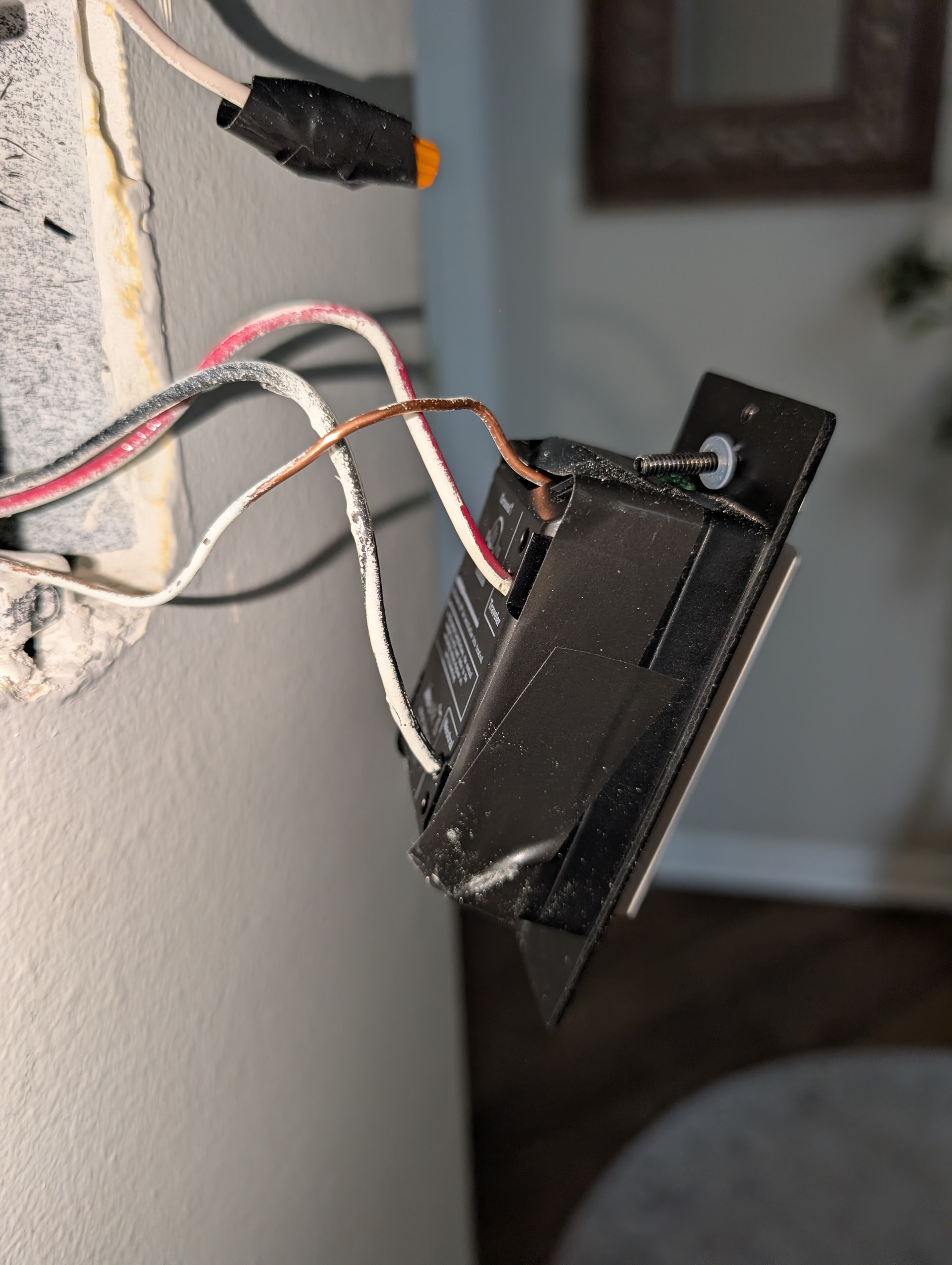
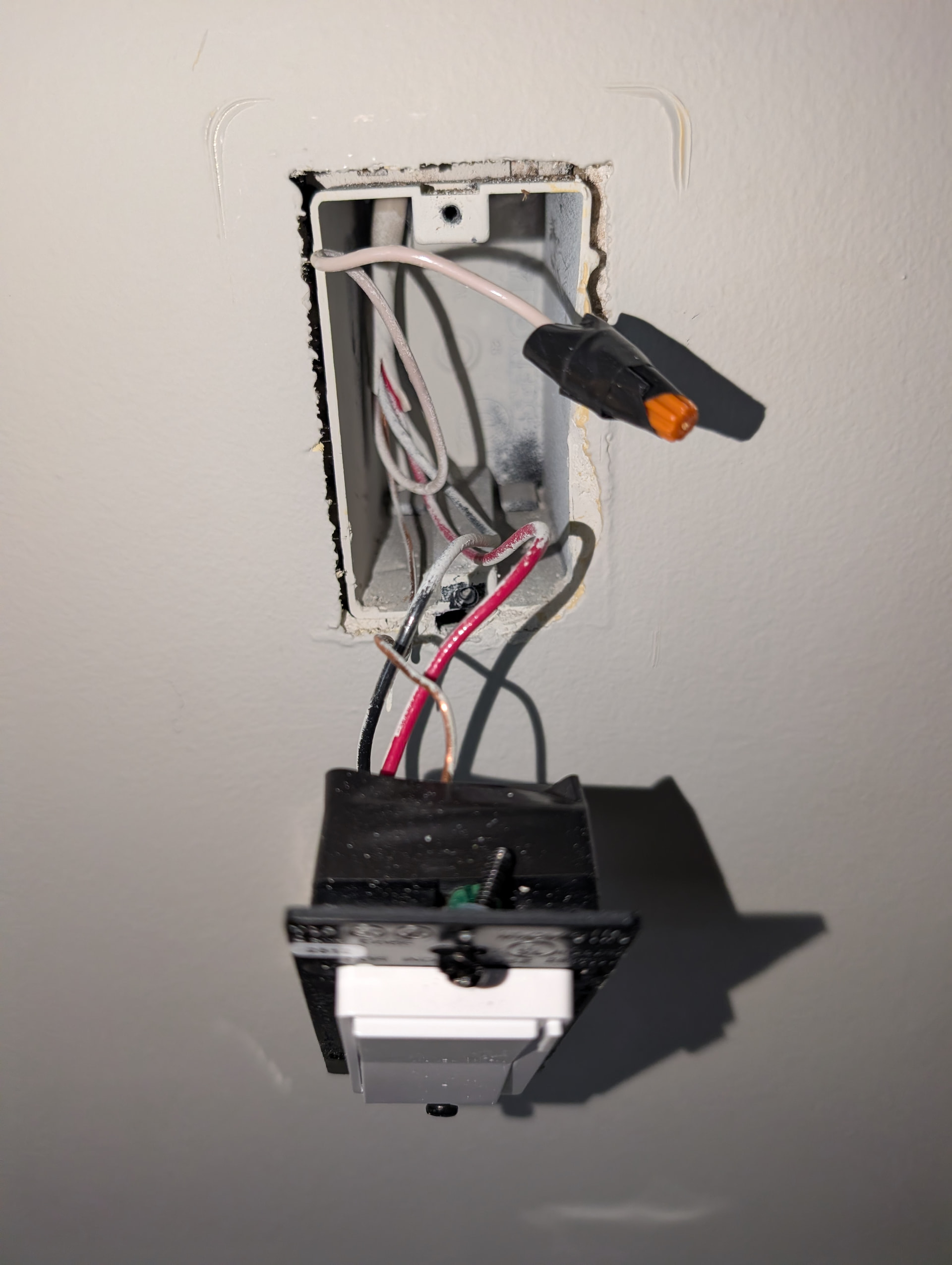
Let’s start at the beginning. Post pictures of the two switch boxes. Switches pulled out and everything else pulled out so that I can clearly see into the boxes AND the connections to the switches. Label the pictures so I know what I’m looking at.
In the basement, remove both conductors from the 2-wire from the switch. With a non-contact tester, test the disconnected black and white separately. Which is hot.
If you have a meter, test between the black and the ground and then the white and the ground. What do you get?
I’m guessing you did this before b/c you’ve said the white is hot, but let’s double-check.