I updated all mine to the 2.02 beta, but HA says firmware 2.0.0. Does that mean the update failed or has does it just not show the updated version in the device settings in HA?
@harry19023 2.02 is now the production firmware and 2.03 is the new beta.
@register the firmware version should update but if you go into the z-wave js UI and refresh the “version” command class you can confirm whether the switch has been updated or not.
1 Like
Eric,
Can I get 2.03 version to test it? Thanks
1 Like
Is the only way to install 2.02 to follow the link from the top of this thread? Will home assistant ever automatically see the new firmware?
Eventually it will make it to the production firmware list in zwave js, but currently you can enable it in the zwave js ui:
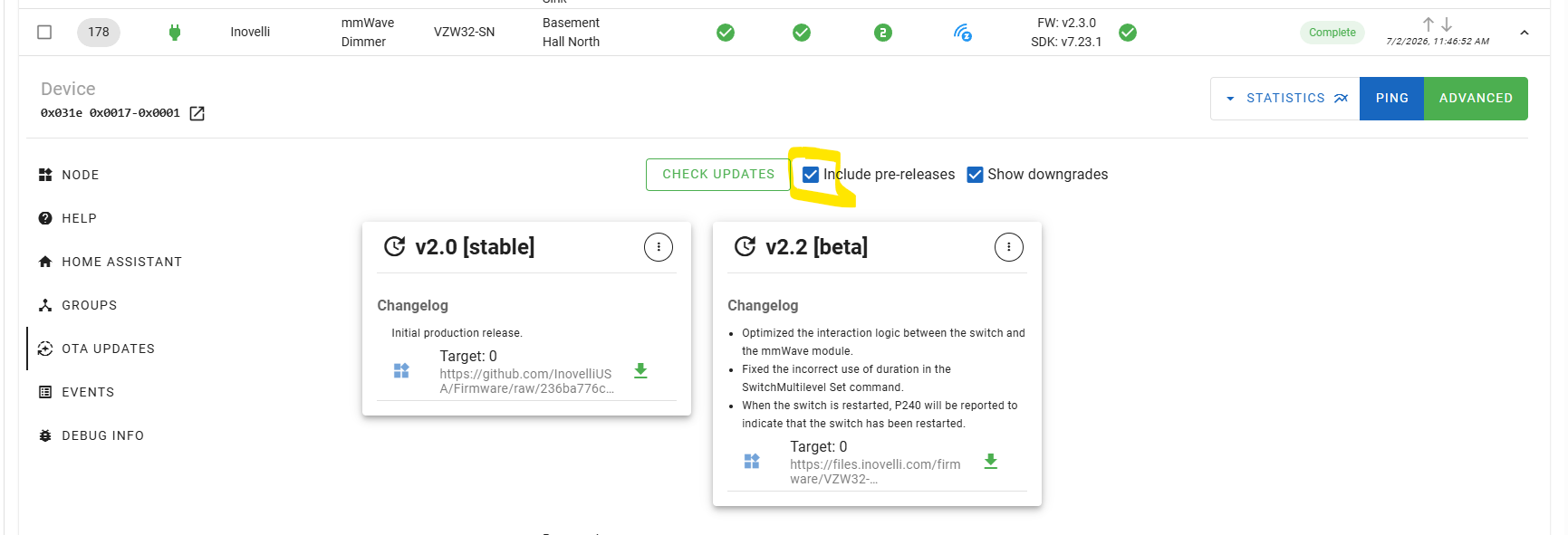
1 Like
One of my switches is stuck on clear - on 2.02 firmware, rebooted by pulling the power gab - still stuck. Could 2.03 fix this or should I RMA it?
Hmmm, I would first try a factory reset as a last resort. Might want to go through all the boundary, sensitivity, etc settings and make sure everything is correct. It wouldn’t hurt to try 2.03 as well though so you could do that as part of your troubleshooting.
I did a factory reset - now it’s stuck on Detected and all the configuration entities are disabled in HA. Should I try flashing 2.03 next, where can I download it? It’s also showing a very low illuminance level - 5-10 lx.
@register you can download 2.03 here. I would also try another factory reset and after the reset pull the air gap for 30 to 60 seconds to let the switch and module fully shut down and clear the memory.
Maybe this happened after the factory reset, but now it says “This device has been provisioned but is not yet included in the network.”
In the zwave console where I update the firmware, how can I tell which device ID matches the one I want to update?
@register can you show us a screenshot of where you are seeing that?
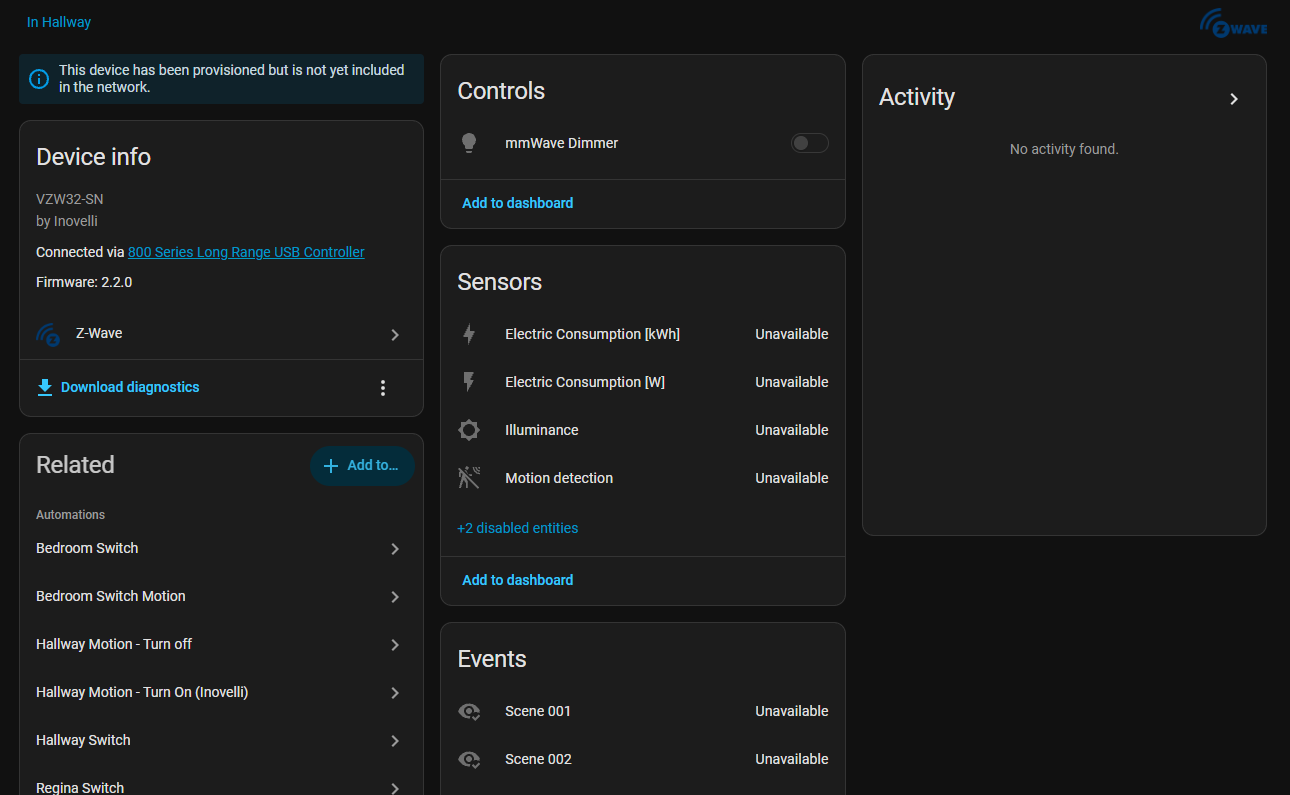
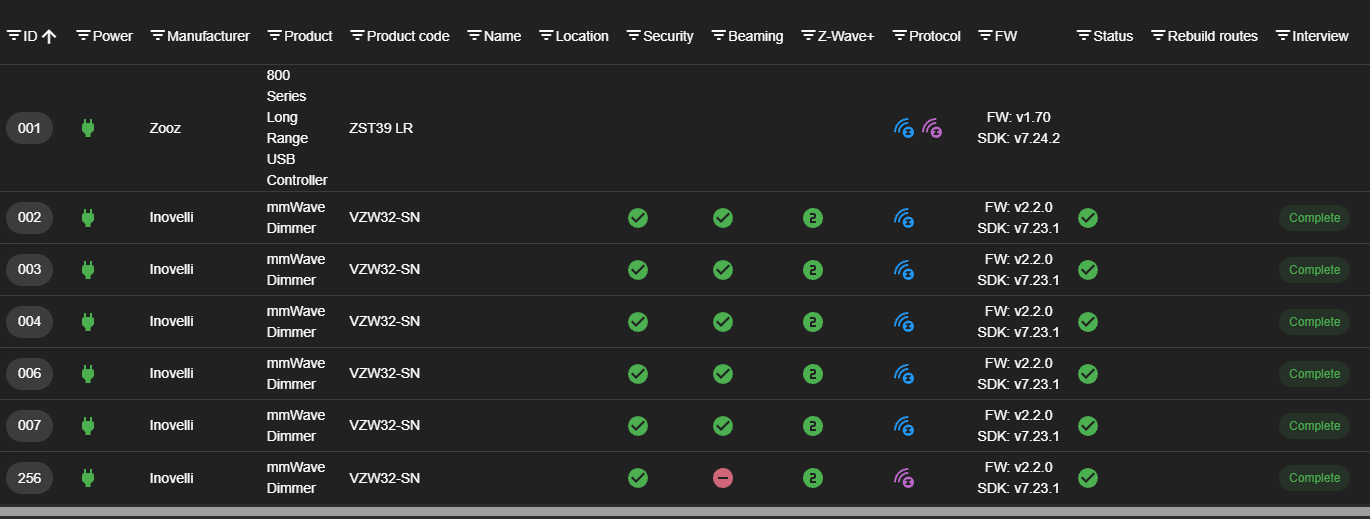
Is that node (the one “In Hallway”) one of the nodes in the second screenshot? Or is it not showing in that list at all?
If not showing at all, are you using Smart Start to include it or the traditional include method? If Smart Start, check your Smart Start provisioning page in the control panel and make sure the device is marked as active:
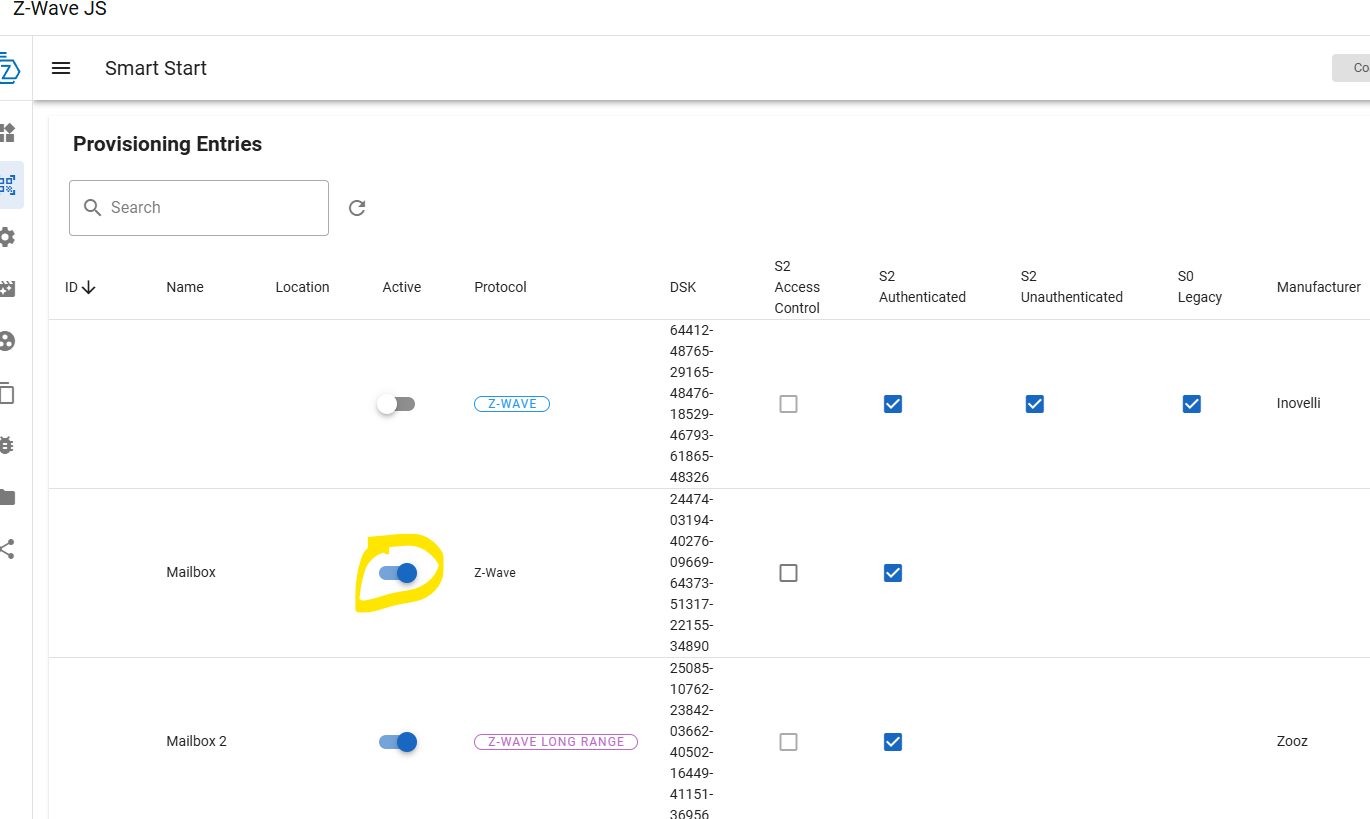
If the switch is factory reset then it should join back to the network on its own.
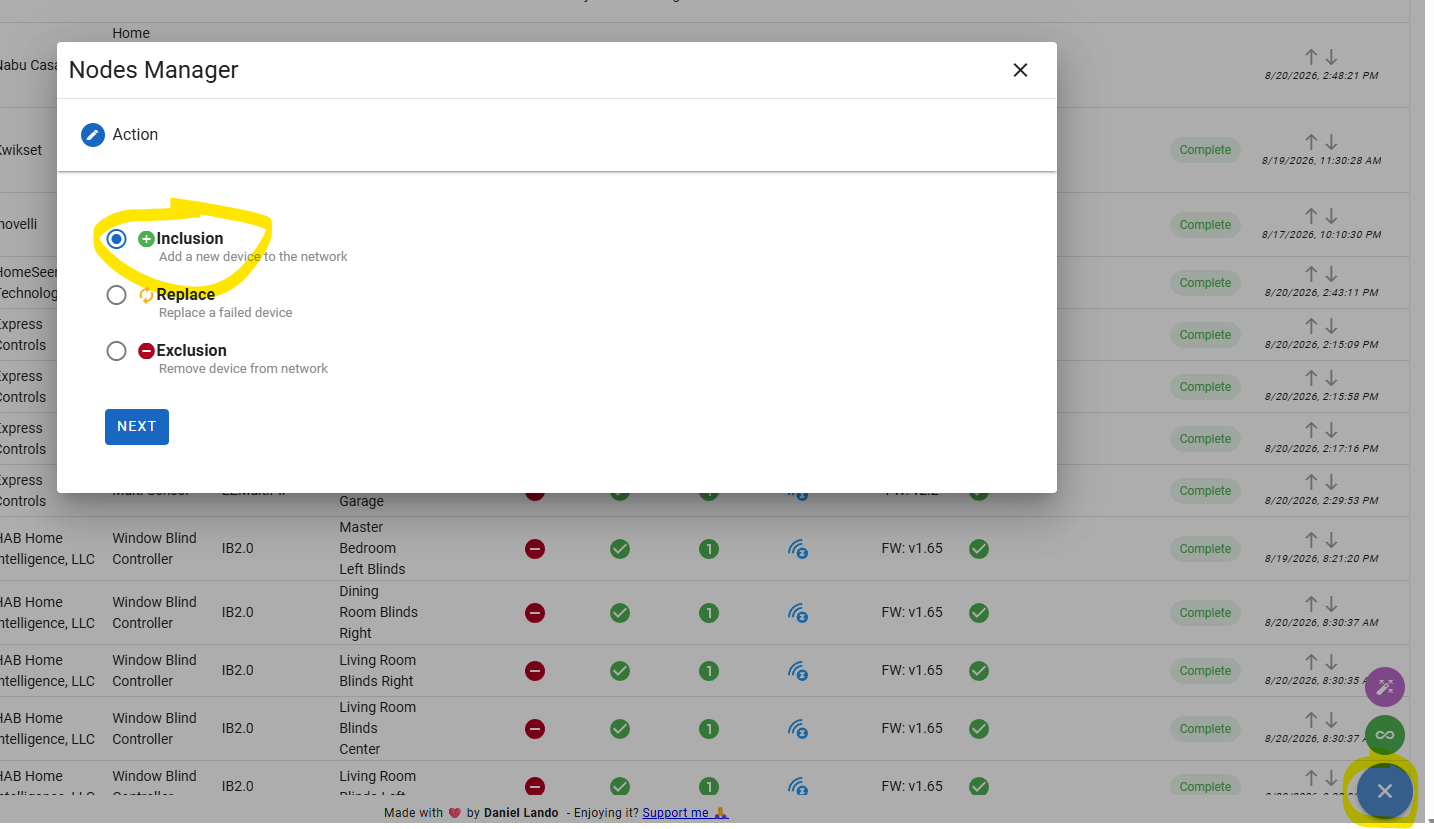
If the traditional method then go to the UI and click on the manage node button and do the inclusion process that way. After it is added back you update the firmware through the OTA tab in that UI.
I don’t think it is showing at all - as I have 7 switches and only 6 show up. It looks like I am using Smart Start - but it’s not showing there either.
Where is the manage node button?
In Eric’s last screenshot above, start by going to the round blue button in the very lower-right corner – it’ll have a hamburger ui-element in it before you click it.
Once you click it, it then gets a “X” ui-element in it. But once clicked, you get a couple more round buttons above it (as shown in Eric’s screenshot above)… “Manage nodes” is the green one with an infinity ui-element in it.
I got it partially added, it timed out when I was looking for the dsk key. I tried to put it back into inclusive mode but now it blinks red instead of blue.
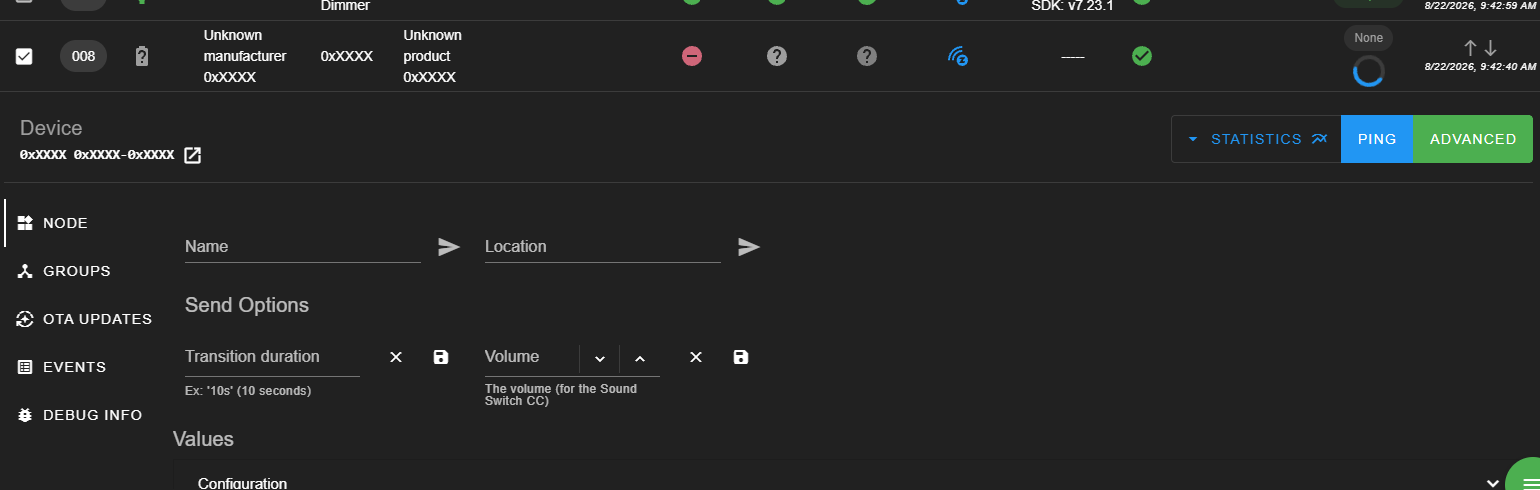
Actually I was able to refresh the page to add the dsk key , but now it’s stuck on waiting on response from node:
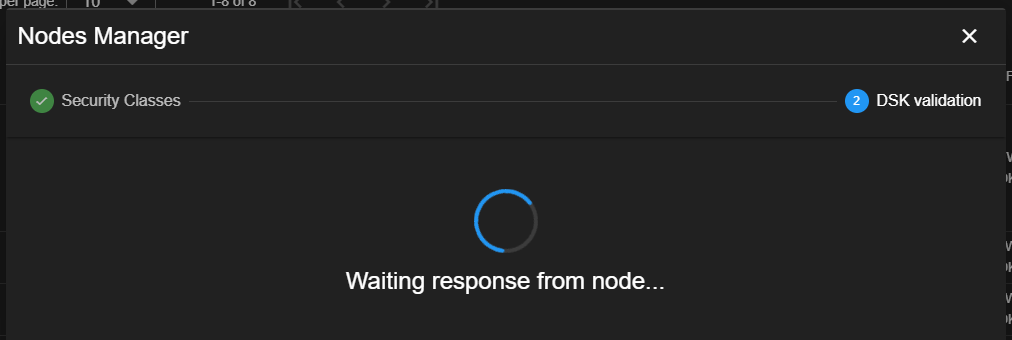
It might have automatically down graded to non-secure if the dsk wasn’t put in place in time. If that is the case, it should show up in the device page now but will have a different icon under the security column. You should be able to do the update at this time. If not you need to go through the same steps and choose Manage Nodes > “Exclusion” and triple click the config button. Then go through the Inclusion process again. For reference:
Triple click config button and it pulses blue = switch does not believe it is on a network
Triple click config button and it pulses red = switch does believe it is on a network
I had some of these same issues too with the 2.02 firmware. I was eventually able to sort it out. Part of it involved some waiting (like 24hrs) I believe, but can’t remember the other details.