New to this community and this is my first post, please let me know if I missed any information that might be helpful.
Looking to confirm some information regarding the VZM30-SN, I purchased it as a bundle with the canopy module and am working with the bindings in ZHA to setup both the fan light and fan itself. The problem I’m having is with bindings. In some sources it says to bind the light to endpoint 2, which works, and the fan to endpoint 3, which is not working when I try the configuration button on the switch. Depending on where I look it says the VZM30-SN does have an endpoint 3 and other sources say it doesn’t, and I’m trying to confirm which is correct and then also resolve setting up the fan controls if it does have endpoint 3 (which shows available to me in home assistant) or if I need to do it another way and what that way is.
That definitely sounds like what I’m trying to do(so it seems there is an endpoint 3 that’s functional), I’m just not getting any response when I hit the configuration button from the fan, so I’m not sure where to start troubleshooting that.
I might try switching it to endpoint 2 and seeming if it works from the main switch just to try it, but if it does I’m not sure that necessarily helps me figure out why it’s not working
Oh man, I just went through this with a VZM32-SN and a canopy module, and it was a headache to get working. I feel for you. Two potential thoughts.
First, check Zigbee parameter 130 (0x82) on the device. On the fan switch (VZM35-SN), parameter 130 is documented to change the Zigbee mode of the switch. The docs in the other switches aren’t quite as clear or as thorough, but I can confirm that on my VZM32-SN, parameter 130 does the same thing even though it doesn’t have the explanatory blurb in its doc. On the page for your switch, it’s listed as “Alternate Smart Load Control Mode,” which makes me think it’s probably the same thing.
Second, as far as I can tell, the current version of ZHA doesn’t let you bind just one cluster on one device to just one cluster on another. It only allows you to bind a device to another device, meaning that all the clusters bind to all the others. When I just set up device-to-device bindings, I ended up with the paddle switch turning on both the light and fan at the same time. This is a pretty significant ZHA issue!
The workaround I found is to use Zigbee groups. Even though in theory you shouldn’t need a group for just a source and target device, the interface for adding a device to a group does allow you to pick and choose specific clusters.
I hope some of that helps. If you want more details or screenshots for how to set up Zigbee groups, let me know and I can probably put something else together.
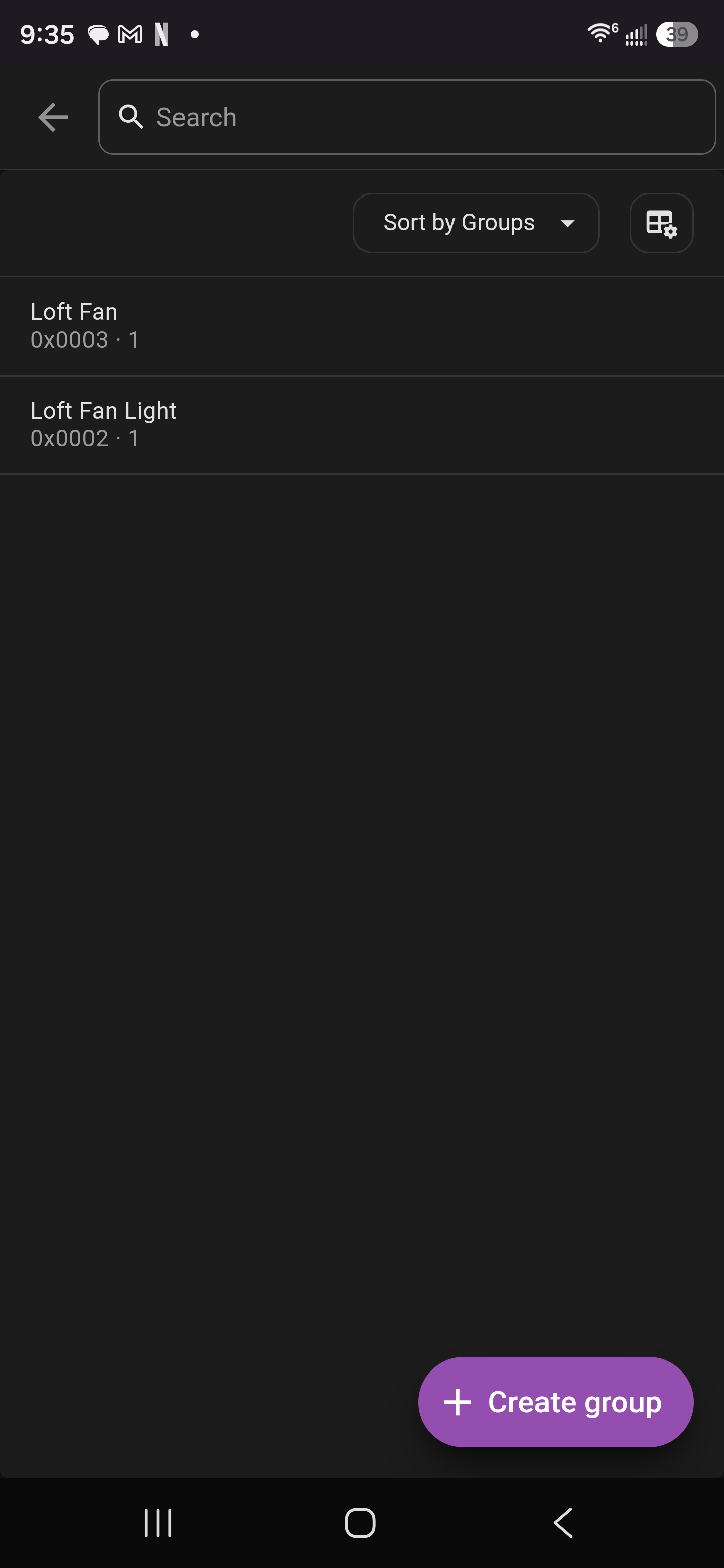
I am using groups, which I believe I set up correctly, I only got the two groups to worry about so far (pic included).
The “loft fan light” is working with the paddle switch and is just doing the light as intended, not the whole fan, but the group bound to endpoint 3 for “loft fan” still isn’t working and I haven’t had a chance to try reversing them yet to see if it will work on the paddle switch vs the configuration button
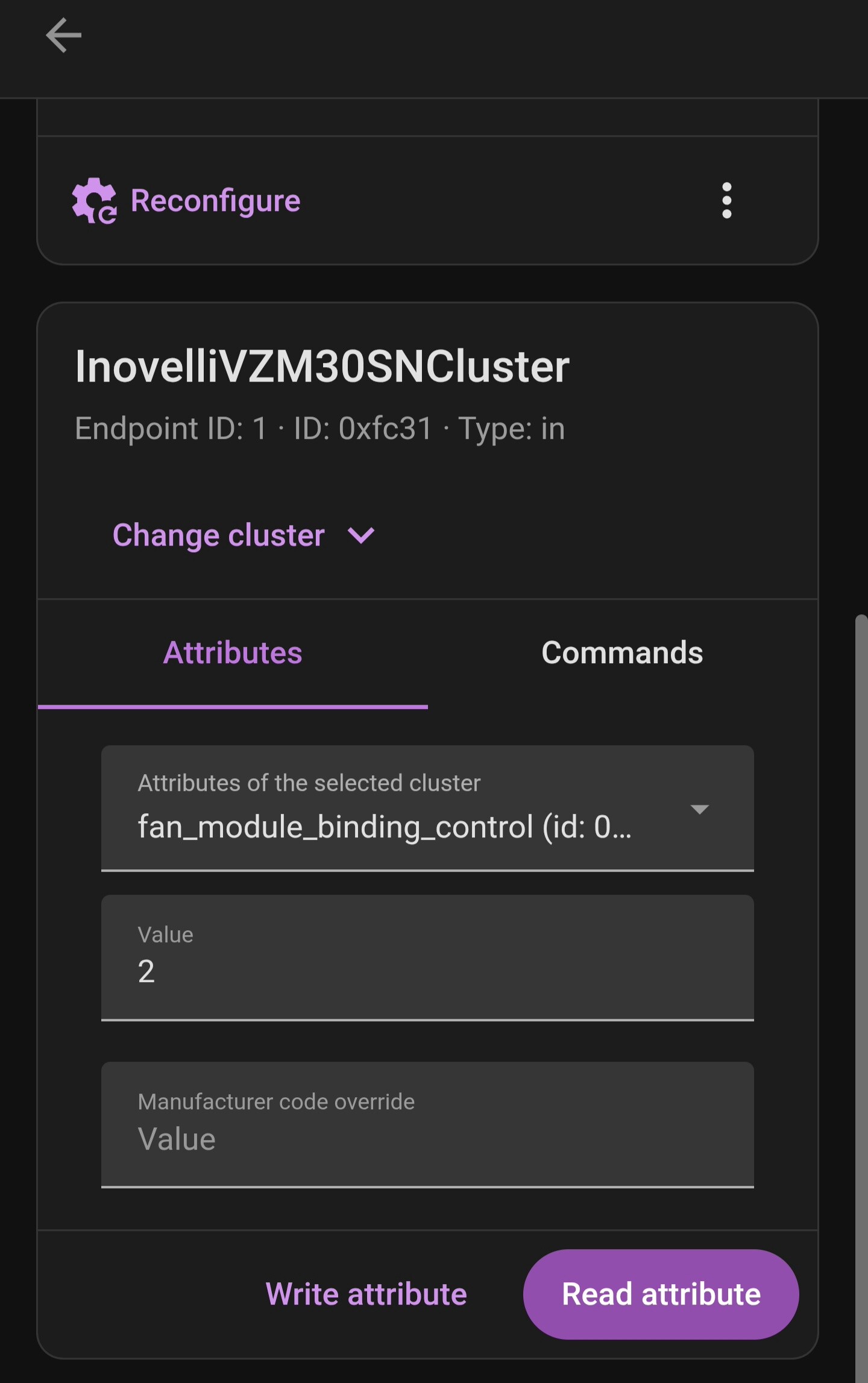
After reviewing everyone’s suggestions, I started rechecking everything, I checked attribute 130 again, which listed for me as “fan_module_binding_control (id: 0x0082)” in ZHA, and rewrote the value to “2” again and it seems to be working this time around for allowing me to use the configuration button to cycle the fan. Not sure why it didn’t work the first time, but better late than never.
Thank you to everyone for the ideas and feedback, I think it’s fixed now