I gotta be honest when I am paying premium $$ for a switch this is kinda absurd, its not some junk zooz switch. How much can the USB module be, offer to sell me one or after buying 2 dozen switches consider it a cost of doing business.
2 Likes
If it’s the same style harness I was sent, it’s a $500+ piece of equipment. At the end of the day, this is a small business that needs to make tradeoffs between new product development, ordering product, expanding business… Buying $15k more of JTAG probes may not be worth the marginal increase in efficiency for a really small subset of customers/switches.
Edit: it may be possible to pick up the edu version of the programmer for <$100 from adafruit but certainly inovelli would not be able to offer this as it’s strictly non-commercial.
2 Likes
Yep. There are knock offs in the $100 range, but I imagine due to licensing and such Inovelli cannot buy and use those.
1 Like
Just a follow up here to set expectations. I sent my message back in February for 8 switches and still waiting on the harness. Not complaining, just want people to not expect this to be fixed in a week or two.
Edit: and just got a notification it’s coming out to me. so took a bit over a month, maybe 6 weeks.
Just confirming that DBG1015A worked. Thank you very much for suggesting and saving me a month or two waiting for the harness. If you don’t want to wait it’s $38 + shipping. Making the pin connector was a PITA. Honestly this whole thing has been a PITA with these switches and i’ve really become disenchanted with Inovelli. After paying an obscene amount for them (and ordering a ton of them), I’m now having to manually fabricate a pin to manually update these to overcome the locked bootloader. It’s bordering on insane. If I don’t then I have to wait a month or two for them to send me over the equipment so that I can manually overcome the locked bootloader. I’ve been an inovelli fan since the black and red z wave switches. I’ve ordered thousands of dollars worth of stuff from them. I’m officially out supporting this madness. If you want to charge for a premium product, it should be a premium experience. These things took years to create and still seem half baked.
I also had issues with the set screw on the new mmwave blue series. It’s crazy to me the liability they are willing to take on that one. If one of those fasteners for the 120v comes loose it’s a huge fire hazard. Again the solution is for me manually taking the device apart and having them ship me a screw that I need to replace.
Update: Here is the link on digikey for the DBG1015A https://www.digikey.com/en/products/detail/silicon-labs/SI-DBG1015A/20412634
Ask for replacement switches, instead of the harness workaround.
I couldn’t agree more with your ALL of your statements. Where did you get the info how to build the harness, is there some guide or something ?
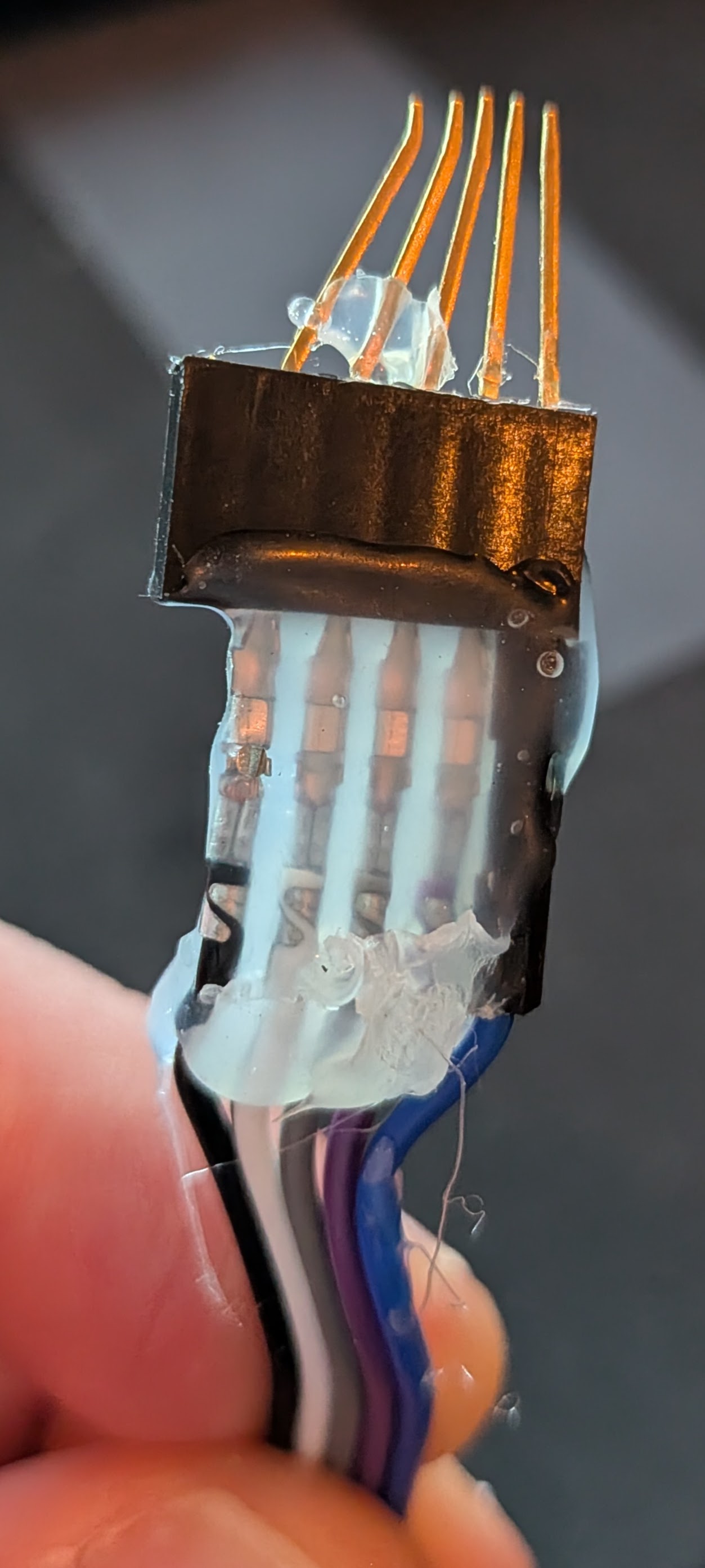
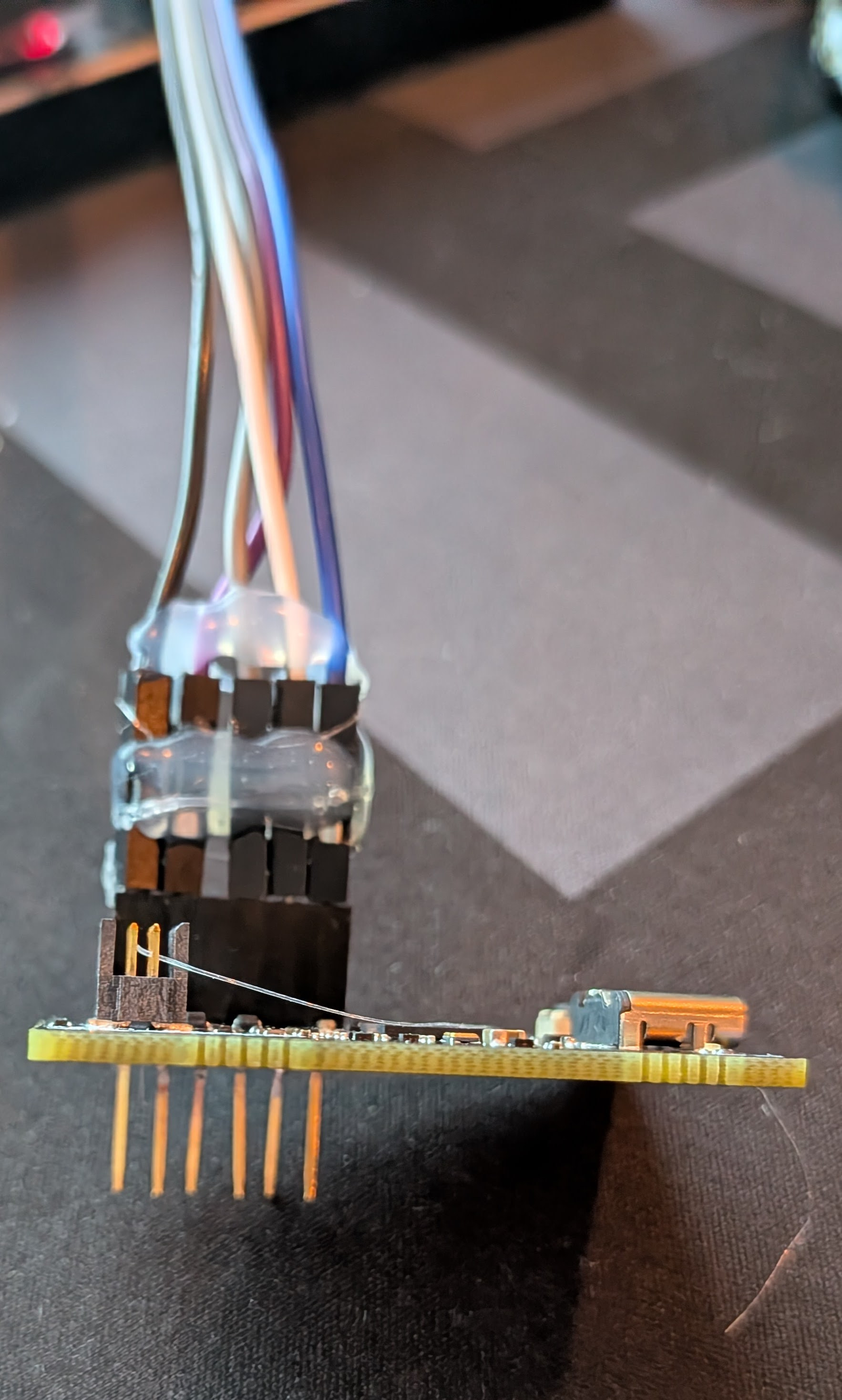
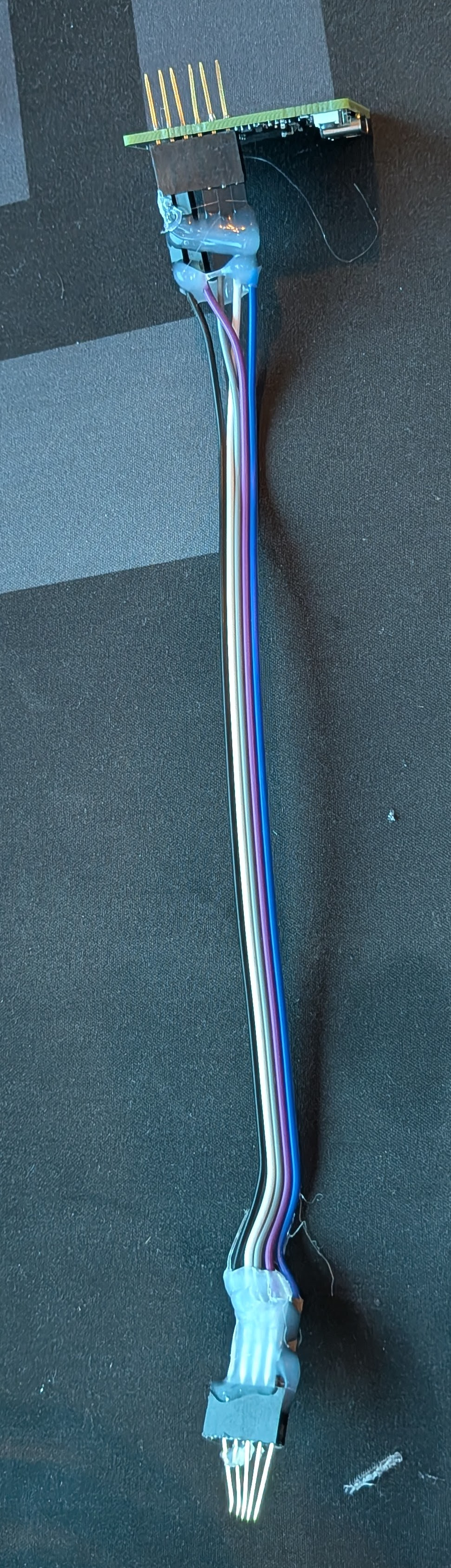
Purchased the DBG1015A as above. Used a combo of header pins and dupont wires and then manually shaped the header pins to fit (the dupont wire diameter is way too big to fit in). Getting it to fit right was a PITA but eventually was able to do it. I can take a picture if it helps.
Hi everyone,
I wanted to share a clear update on the Blue Series bootloader situation and what we are doing to move things forward.
First, thank you for your patience and for continuing to share your experiences. We hear the frustration. This is not the experience we want for anyone, especially those who have supported us for years and invested heavily in our products.
Quick recap for context. A portion of switches manufactured in 2022 have a bootloader issue that prevents them from accepting the latest firmware update to version 3.04. The firmware itself is solid, but these specific units require a one time manual bootloader update to unlock future updates.
Here is where things stand today:
• We have confirmed a working path forward using a USB updater and wiring harness to restore the bootloader. Once this is done, the switch can receive firmware updates normally going forward.
• For customers with three or fewer affected switches, we are continuing to offer direct replacements with known good units.
• For customers with larger quantities, we have been circulating J-Link USB updaters with custom harnesses. This process is working, but it is slower than we would like due to limited hardware and the need to ship devices between users.
We currently have about a dozen updater units supporting more than 100 users. That bottleneck is real, and we understand the wait times have been frustrating.
To help improve this, we are opening up another option:
If you already own a J-Link device, or if you prefer to purchase one to avoid waiting, we can send you a wiring harness at no cost. If you want to go this route, please send a direct message to @EricM_Inovelli and we will get one out to you. We have materials to build a limited number of these and expect this to help reduce the queue.
None of this changes the fact that this situation has been inconvenient and, for some of you, unacceptable. That feedback is valid. We are taking it seriously and using it to improve both our products and how we support them after release.
We appreciate everyone who has stuck with us through this and everyone who has taken the time to document solutions and help others in the community. We are committed to getting every affected user taken care of.
If you are currently waiting and have questions about your place in the queue or your options, please reach out. We will do our best to give you a clear path forward.
Thank you again for your patience and for being part of the community.
7 Likes
Thank you for the hard work addressing this!
FWIW, I recently updated 13 switches using the Inovelli-provided J-Link device and wiring harness, and thankfully it was much more painless than I’d feared. I was worried it would be a huge hassle, but I just had to turn off the power to the switch, remove the faceplate, connect the device, and then run the update tool. Home Assistant ZHA rediscovered the device and I didn’t have to make any changes to my existing automations. All I had to do was reconfigure the device-specific settings on the switch itself. (Pro tip: just make sure you’re using an x86/x64 PC, not ARM!)
I had to wait a bit for the J-Link and wiring harness, but it was just for future firmware updates so it wasn’t a huge blocker in the interim. Now I’m all set going forward!
This topic was automatically closed after 75 days. New replies are no longer allowed.