I’d be interested it testing the beta.
Great, I will PM you. We are hoping to wrap up firmware 1.1.2 (next release) and then submit it for certification.
Ever since I updated all of my thread border routers to have an Ethernet connection, I’ve no longer has any long persistent issues where a device has gone Unavailable
1 Like
Just got the issue where the switch becomes unresponsive and I’m interested in testing to see if the beta fixes it.
I’ll PM you the info.
Is there a reason the beta firmware for the dimmer and the on/off switch end up with labels of Load Control for all the parameters in HA. For instance after installing 1.1.1 firmware on a dimmer switch in HA, the LED On Intensity param name show up as Load Control even though the entity_id kept is’t name of led_intensity_on (or off). On the ON/OFF switch a lot of the a params had a name of Load Control. Not sure if those are passed via the switch or if it is some HA library. I don’t think Apple Home has that problem of naming the params.
It is an issue with Home Assistant. I believe it is fixed here though so it shouldn’t be problem for too much longer:
Thank @EricM_Inovelli . That does look to address this.
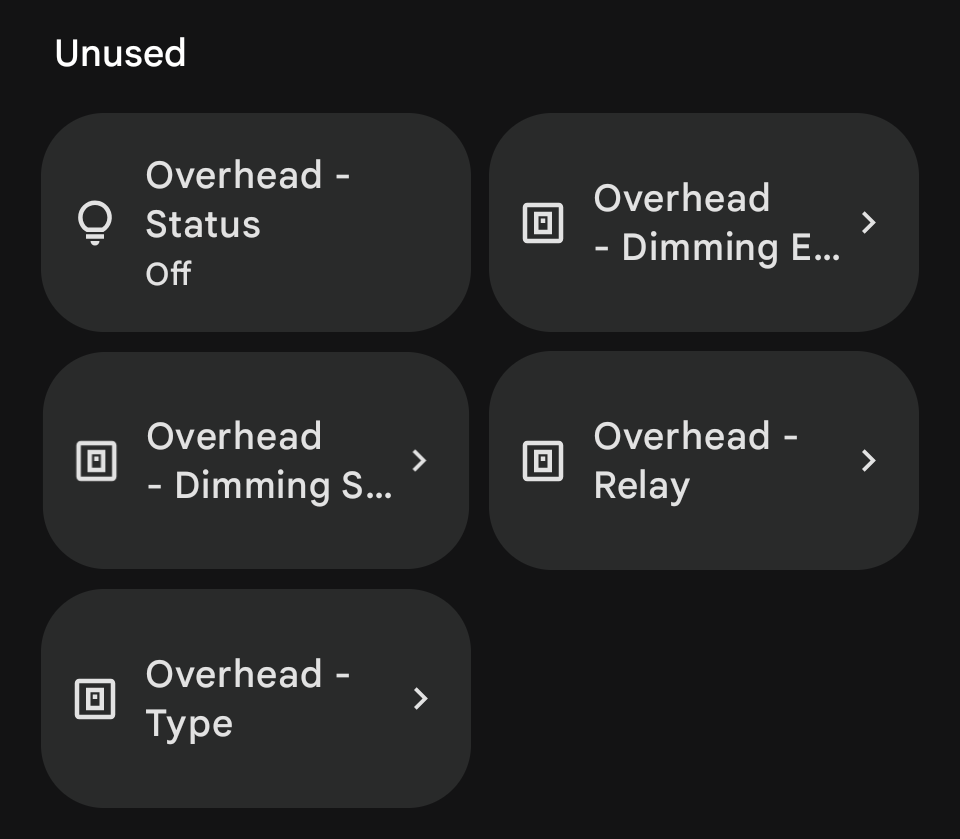
Thanks. Just installed 1.1.1 and I’ve noticed there’s a few entities that seem to have duplicates. Screenshot of a couple below, not a comprehensive list.
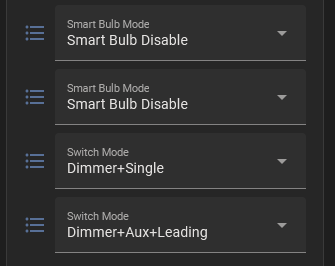
@inovelli-enjoyer I think that is because we are moving the mode select options to their own endpoints. The duplicates are the old entities. I posted this in this thread somewhere:
Note: The mode select clusters were moved to their own endpoints (20-27) to better conform to the standards. This (temporarily) creates duplicate select devices. Restart Home Assistant and the “old” copies will show up as Not Provided devices (greyed out, dead) entities. Go to entity tabs and filer on Domain = Select, Integration = Matter, Status = Not Provided and you should be able to bulk-select and delete those.
1 Like
Would also love to test a beta f/w- seen a couple of dimming state oddities on 1.0.5 that sound like they’re already fixed, as well as some on/off issues with 3/4/5-way dumb switches on long runs.
Thanks!
-Matt
Does this finally fix the multiple configuration options showing as separate devices issue on Google Home?
Idk if I should report this here, in another thread, or even the Home Assistant GitHub repo. 2 problems with the LED strip:
- Kelvin color commands either looks complete off with higher temperatures, or cause an
InteractionModelError: InvalidCommand (0x85)with lower temperatures. Pretty sure this also occurred with the current production firmware. - The way it interprets Hue&Saturation color commands is not perceptually linear. With 50% saturation, the LED looks mostly white already.
This is from looking at the event bus logs for the call_service event where the color is either specified as color_temp_kelvin, hs_color, or rgb_color.
@thekiefs unfortunately coming updates will increase the number of endpoints. Google Home goes against Matter standards and shows our modeselect endpoints when they shouldn’t. We have been kind of waiting for them to change this behavior and have reached out to them before about it, but the behavior hasn’t changed yet. I know some people are creating a room and putting all the settings endpoints there.
@inovelli-enjoyer I can take note of these issues. What color temperature is too high? I think 2700-6500k is what the device expects. For hue and saturation, I find saturation of 100 results in colors that are more vibrant.
I think it’s actually an underlying issue with how the colors are mapped. Because now that I think about it, even the saturation from color temperature acts like a logarithmic scale where the most variation in saturation comes from the last 10% of the slider. Here’s a picture comparison. Monitor is calibrated, camera’s white balance is locked, and I’m holding up a piece of printer paper for reference white. The 2nd preset color (orange, 2188K) is what’s selected. To get the LED bar to actually look like the UI, I need to set it to 700-800K.
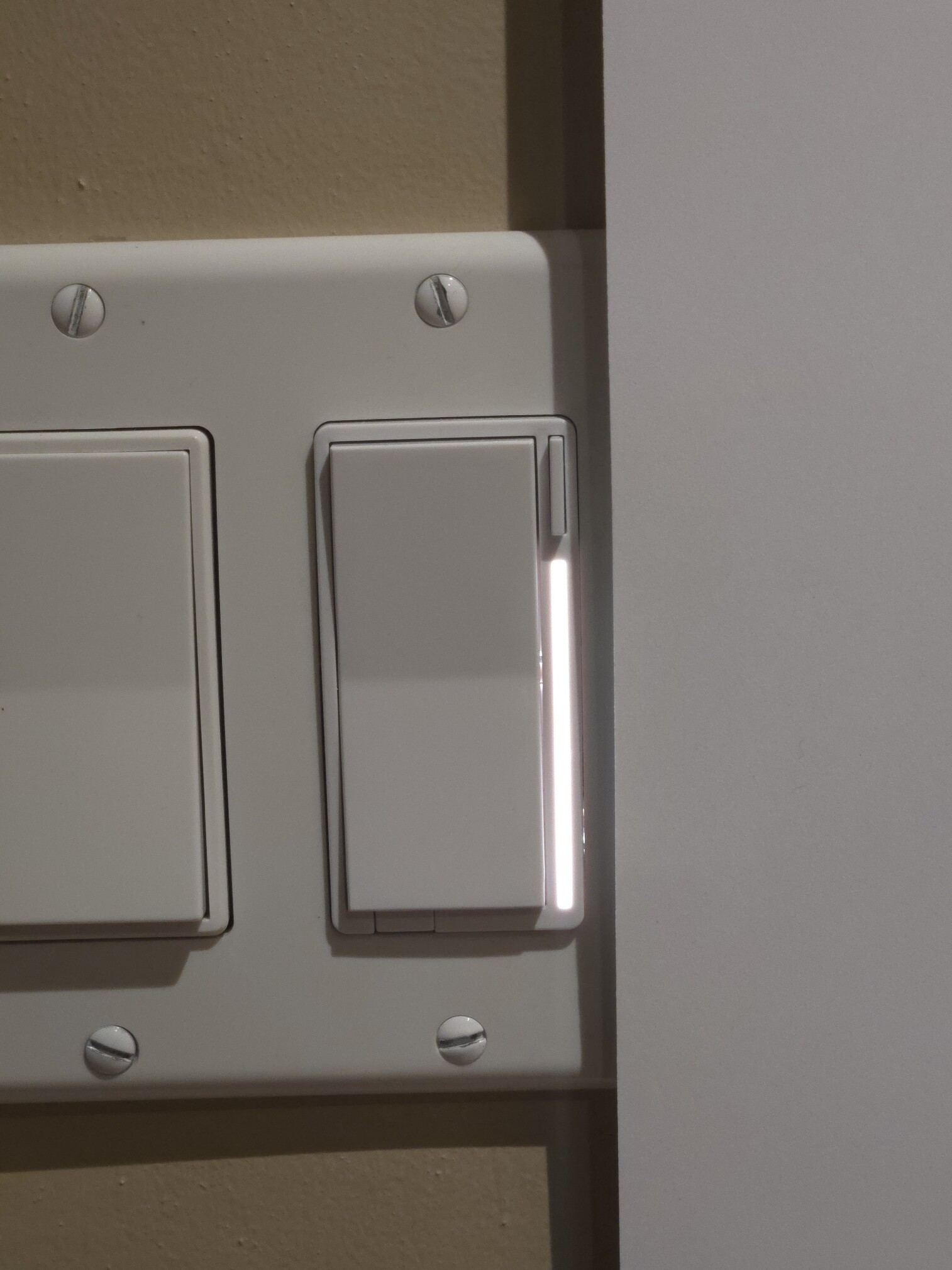
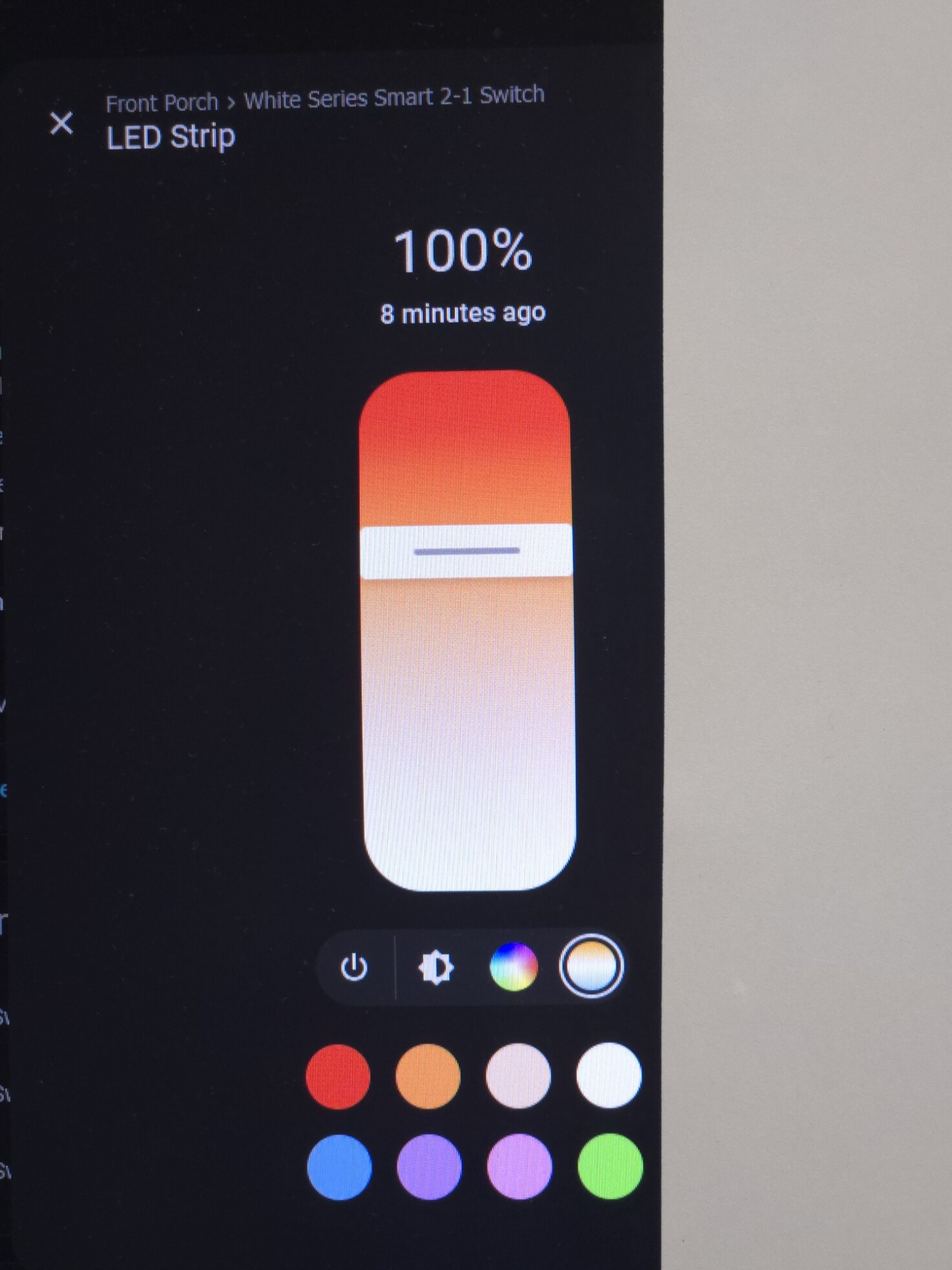
I’ve also noticed that 19K doesn’t cause an invalid command but 15K does.
After installing the 1.1.1 beta on several of my White switches tonight and dorking around with the updated config under HA, I’m thrilled with the changes thus far:
- Having the Power sensor exposed is awesome for quantifying how ridiculously expensive the halogens that came with the house that I haven’t LED-ified yet are.
- Setting the new “Dumb Test” option (which I assume is about distinguishing noise/phantom load from a real load triggered by a dumb switch toggle) to its maximum value of 50 fixed my flaky On/Off toggling with Smart + 3 dumb on a very long loop. On 1.0.5, when the full loop was engaged, an “Off” triggered by automation or at the smart switch would dim to zero, then flip the relay back on and incorrectly report its status as “On” again, even though the lights were still effectively dimmed off. 1.1.1 with Dumb Test=50 makes it work perfectly. The Power sensor also shows a phantom load when Off of 0.02W if “Dumb Test” is set to anything < 50 on the aforementioned long loop (not immediately clear what unit that one is). AFAICT, there’s nothing special about the dumb switches on that loop- just 2 vanilla Leviton 4-ways and a 3-way. They’ll all be Aux-ified eventually anyway, but I wanted to play with the Dumb switch detection since it’s a unique feature.
- Getting closer to feature parity with the Blues on the LED bar w/ animations and stuff is great!
Issues:
-
While the main entity labeling seems like a huge improvement, some of the config entity labeling oddities around “wow, lots of identical active entities labeled Load Control” even after deletion and factory-reset- hoping the previously referenced HA/Matter updates will take care of those.
-
The new compressed Switch+Dimming mode values seem fine, though I think some combination of stale on-switch config and/or stale HA entity state “let the magic smoke” out of one of my switches after upgrading. It had been working fine for over a month on 1.0.5 w/ Dimmer+Single and Leading, but the first time I dimmed it after the upgrade, there was a flash and bang from one of the cans, and that smell of cooking electronics you never want to smell. I pulled the air gap immediately (thank you for this feature!) and yanked everything out of the ceiling. Turns out there was a sneaky magnetic load on that switch with a couple of fixtures having concealed in-can transformers. After switching the offending cans to LED wafers and airing out the smell (which I still haven’t verified the source of), I factory reset the switch numerous times- everything works again except dimming. Any on/off mode involving the relay works fine, but dimming behavior seems to be compressed on the high-end to only work from about 100->80%, even after multiple factory resets and tap-only configs without re-adding the switch to HA. TBC: this is 100% my bad for not definitively verifying the load type before installing the switch (cautionary tale, folks!), but it might be worth trying to re-create this particular upgrade scenario to see if the internal state upgrade or HA somehow managed to e.g., configure it for trailing edge dimming - wouldn’t want someone else in a similar situation to hit it unawares. Also happy to either open and inspect the (apparently) failed switch and/or send it back for forensics.
It is a bit weird that HA “remembers” various things about the device even after deletion + factory reset + add-on/server restart, so there could be any number of variables to this problem, but happy to try to re-create the situation on another switch (sans the actual magnetic load frying the dimmer  ) if it’d be helpful- I’ve got several more still running 1.0.5.
1 Like
Part of this should be resolved with this PR that was merged:
I feel like someone else had this problem as well. The fixture was hiding a magnetic transformer that isn’t compatible with the switch. One issue that is tough with updates is sometimes configuration options change as memory and storage shift after the update. When we release this update we will be explicit to watch out for this and to potentially factory reset or change all the settings back after the update completes. I’ll PM you to see if I can get the switch back from you to inspect it.
1 Like
Hi Eric, could I get info on installing 1.1.1? I can use Apple Home or Home Assistant
Thanks!
1 Like
@mwmancuso I PMd you.
Interested in the beta as well, I’ve been having flickering issues with my 1.0.5’s! Hubitat + Google Home