I was wondering how the Edge Drivers with Samsung SmartThings work? Do they need to be updated to specify all the new configuration parameters? I have them installed but I only see a handful of things to configure.
Edge drivers update automatically. Inovelli pushes them to Samsung and Samsung pushes them to your hub.
I’m sorry - I recognize my question was unclear. I was meaning now that my switches have upgraded to 1.1.5, I was wondering if there was going to be an update to the Edge Drivers in order to support the new capabilities. I hope this clarifies my question.
Got it. That is a question for @EricM_Inovelli .
The updated driver will be able to detect the firmware version and will show the new capabilities. After sometime (one or two weeks) I will coordinate with ST to release the new firmware on their platform. @cxh9055 did you install the firmware update from a different hub?
I have my devices dual admin (ST and Google Home) and I saw the update in ST. I did perform it on a few devices and all went with the update. All on the same thread network you previoulsy worked with on some of the beta releases.
@cxh9055 Oh wait, the update was in SmartThings? I guess they have changed so that updates in the DCL with a compliance record automatically get offered.
I have the updated driver I can push to production. Do you have any switches that are not updated? I would like to test that the driver is able to distinguish between firmware < 111 and > 111 and change show the correct capabilties.
Oh sorry, yes. The update appeared in ST as an option over the weekend or maybe even late last week. I do have switches on the previous version I can’t test with the new firmware - yes. Let me know what details you need.
I have pushed an update to our production SmartThings White series driver. You might have to refresh the device by dragging down on the device screen and it should update the capabilities and and settings for the device. It might take a while for the new driver to reach your hub.
I was able to get the update.
Here are screenshots from the device that is on the old firmware
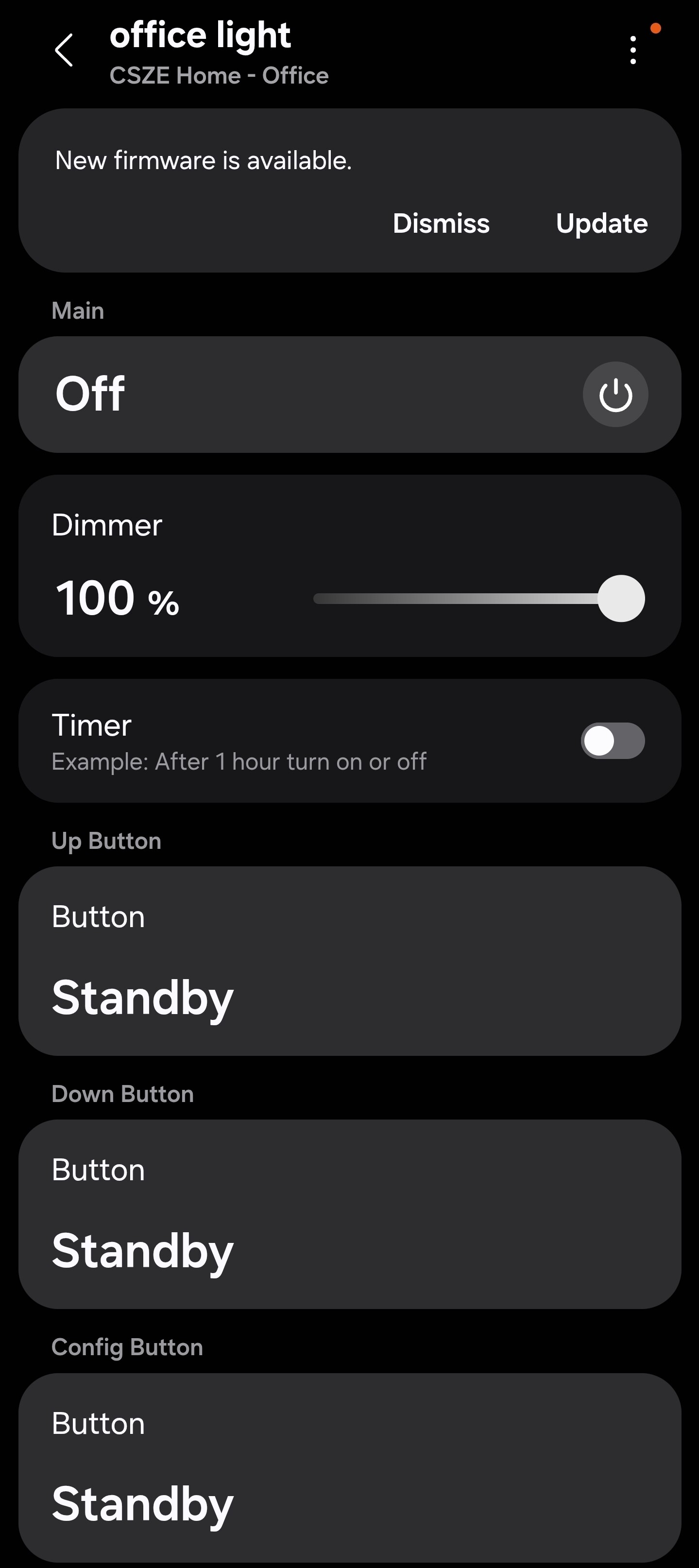
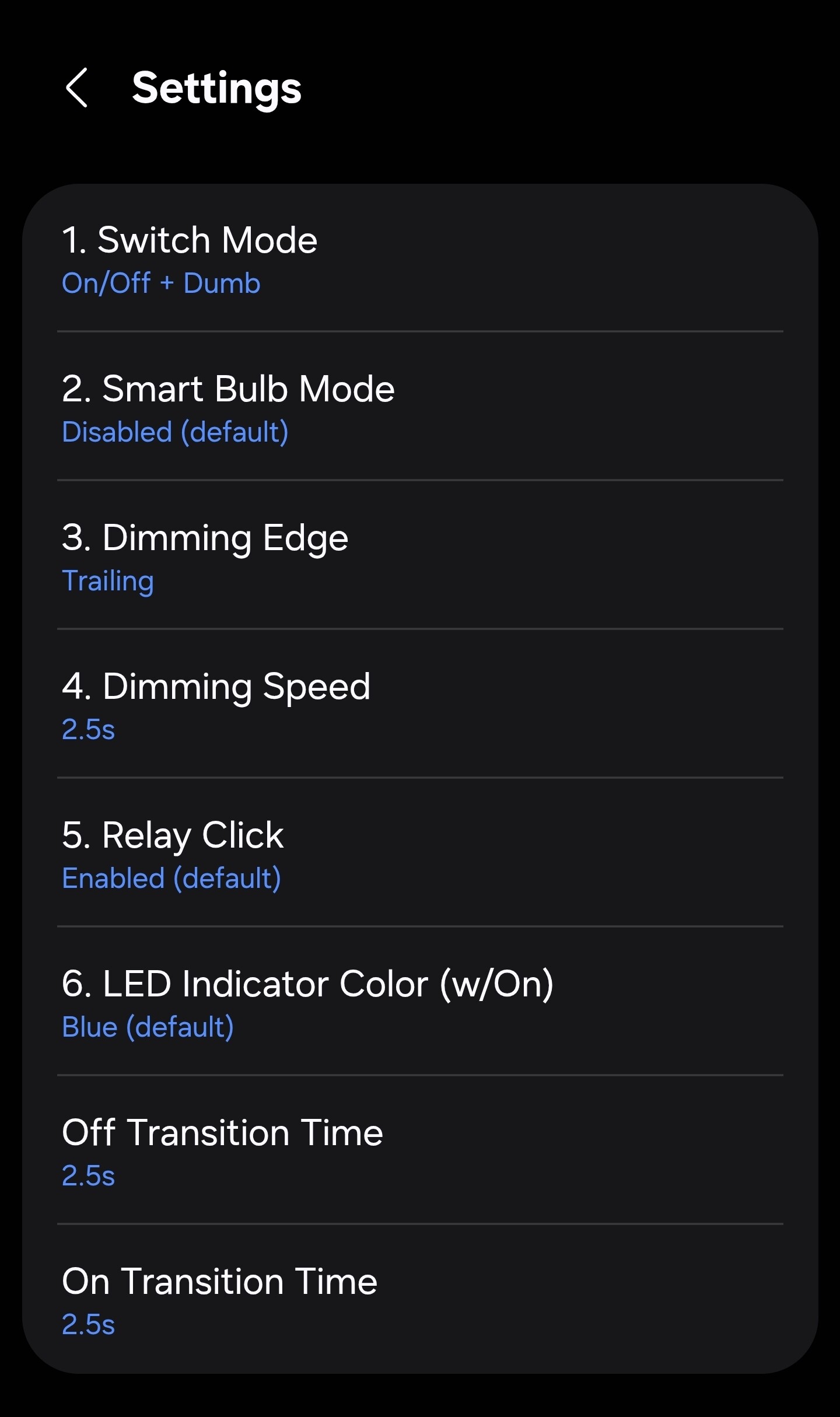
And here is the one that has been upgraded.
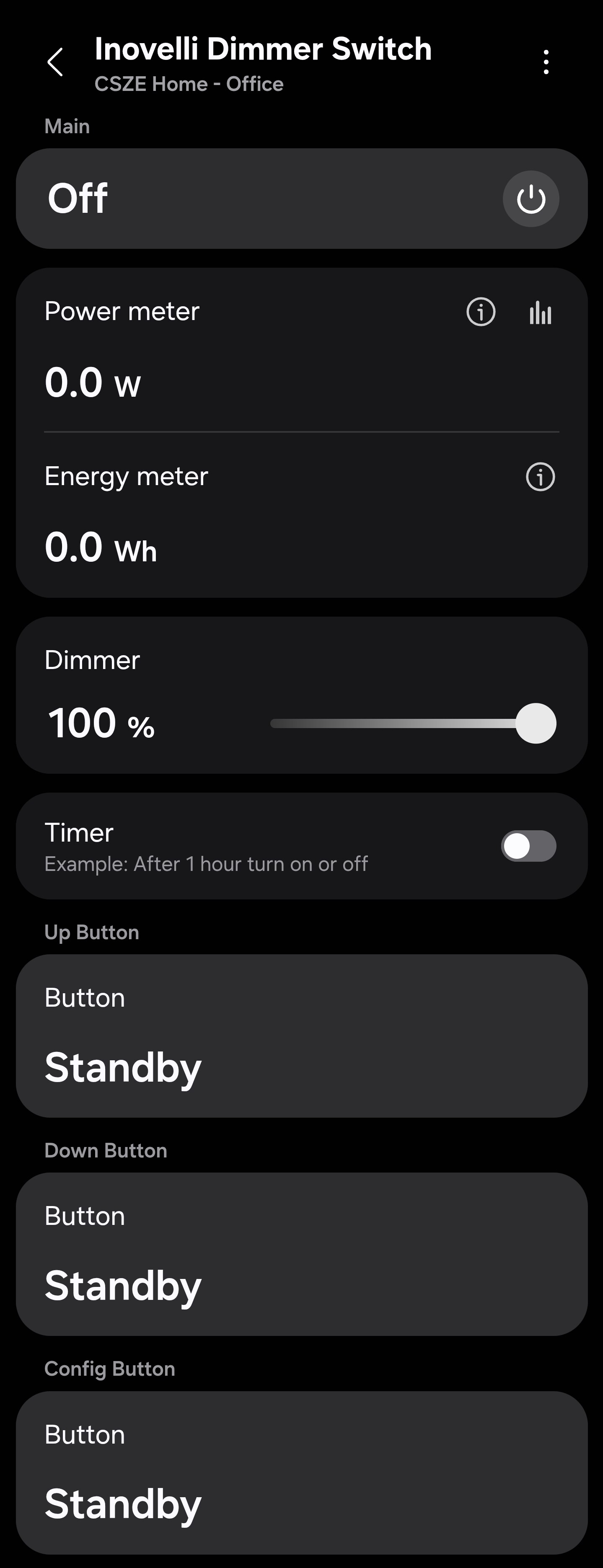
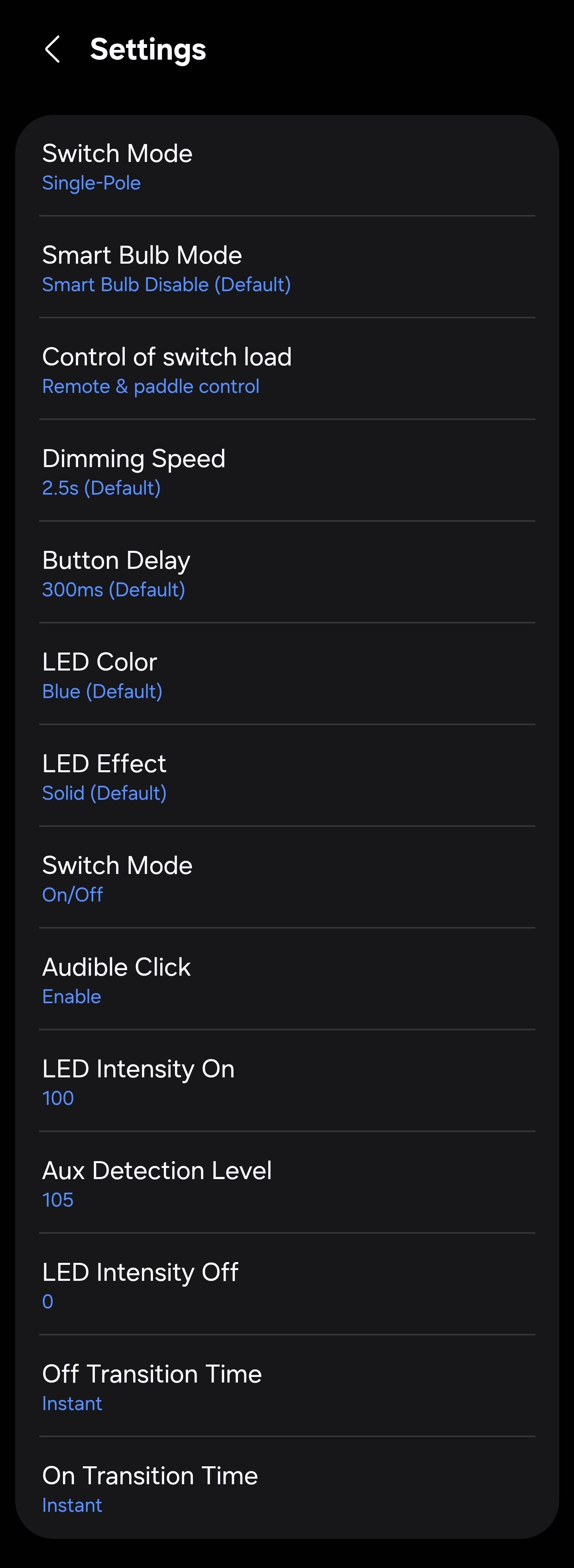
The only thing I noticed is that these are set to on/off mode but the dimmer still shows up in SmartThings. I’m not sure if that is the driver or if because the base device identified as a dimmer then it shows that?
Thanks for the info. The device will still show the dimmer slider and you can use it to adjust the LED bar on the switch or it can just be ignored.
Sure, I didn’t know how that all worked. Admittedly the LED bar appears as a completely second device in ST.
Is there anything else you’d like me to test or evaluate before I update the rest of my switches?
Ah yes, there is a “Notification” device that gets created that can be used to manipulate the LED bar in a different way. I can’t think of anything in particular that you can test other than changing the settings, testing notifications, and making sure energy reporting is working. If you have different configs with 3-way, non-neutral, etc then test the different configurations as you update the switches.
I believe the SmartThings Matter Edge driver update from March 18 is the same one applied to the VTM30‑SN devices, because I received a notification indicating that the driver had changed when I checked the device settings in the app. Since that update, I’ve lost the humidity display as well as the ability to use humidity in my routines. Unfortunately, this makes the device unusable for its primary purpose. I think a small adjustment to the Edge driver could likely resolve the issue
I apologize; I see what is going on. I will fix it and push an update ASAP.
I pushed a driver change so be on the look out for it. If the capabilities don’t add back automatically after the driver change, then go to the device screen and pull down on the page to force a refresh and it should go back to the correct profile.
Thank you for working late to resolve my issue. After checking again this morning, the humidity data is now visible.
That is great to hear. You should also notice that you now have power and energy reporting (which was left off of the ST driver on accident).