What is the load connected to that switch? I’ll PM you the instructions for the fw update and that might help in that case too. You never know lol.
1 Like
Thank you! It’s a bathroom exhaust fan. I have two other white series on/off switches connected to the same model of fan in other bathrooms with the only issue being the inability to use the paddle.
Thanks for sending. I’ll update the firmware tonight and report back.
@EricM_Inovelli : Curious if you guys are tracking an issue where the switches are going offline quite often? In addition to the always slow to register button presses into Home Assistant, they often go offline, where button presses are not registered at all.
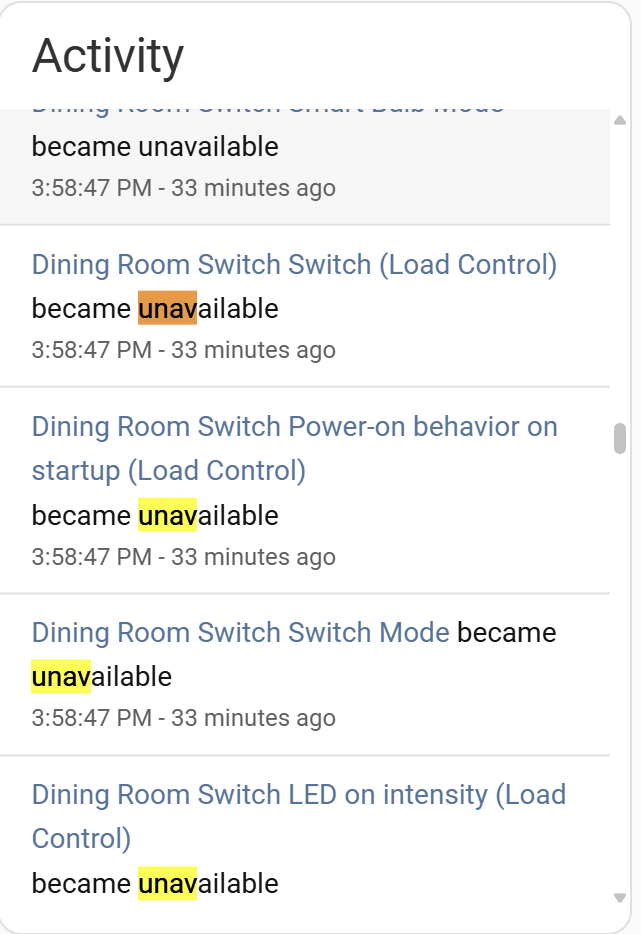
In Home Assistant, if I go to Settings→Devices→Matter→Pick–a-Switch, and monitor for Activity (right hand panel), I’ll hit the switch and get nothing. Then if I wait a while (5 mins or more) they might just start randomly working again. I’m very often also seeing times where lots of the sensors/entities (I’m not sure the right term) within a Switch are going to “Unavailable”. I think this means dropping offline?
Really hoping this is something on your guys’ radar, as random dropouts on light switches is not fun to have! Note I do have the 1.0.3 Firmware update. This happens even with switches physically close to the Connect ZBT-2 antenna (kept away from my WiFi Router).
I would say you first need to take a look at your network. First make sure that your 2.4GHz Wifi is locked onto either channel 1 or 6 since channel 11 can overlap with some thread channels. If you get interference between Thread and 2.4Ghz Wifi (they sit mostly in the same frequency spectrum) then you will have a bad day.
Next, I would recommend connecting your HA box directly to your router rather than by wifi.
Next I would remove the Connect ZBT-2 antenna and use a Thread-Capable Apple TV as your Border Router. Ideally connect it with Ethernet to your router or failing that only via a 5GHz connection. I would recommend separating the 2.4 GHz Wifi network from the 5/6 GHz networks on separate SSIDs so that there is no chance of any WiFi attached Border roaming onto the 2.4GHz network. If your WiFi router cannot do that, you might want to think about replacing it.
Next look at the hardware running your HA instance. If you have a large number of managed devices (I have a significant number of MQTT-based devices (including a Ring Alarm system) in addition to the the Thread network) then you need a reasonably powerful machine to run HA. When I first started with HA I used a Raspi 4 (since I has a. spare one lying around) and it was simply not powerful enough. I now use a 8 core single board PC (Dell Opiplex) that I purchased on Ebay for ~ $150 and it does a MUCH better job. Again it’s directly connected to my Ethernet network.
I have 30 or so Inovelli switches, 2 Apple TVs and 2 Home Pods in my network. I am just not seeing any appreciable amount of errors on the network. The ONLY router-capable Thread devices I have are Inovelli and Apple. All the other devices are battery-powered end-devices.
I would take a look at the Matter log in HA, I think you will see a bunch of errors.
Thanks for some good details @andrewk , much appreciated!
For a bunch of it, I’ve already got it set doing it, or a variation. For example, I read WiFi channel 11 can cause problems, so I had forced it to a different channel (I randomly picked 3), but I just changed it to 1 per your 1/6 suggestion. I do have everything hardwired that I can (including the Home Assistant box itself, as well as my AppleTV). Technically they’re into a Gigabit switch and not the router directly, but that should be a trivial difference.
The HA box I have is a Home Assistant Yellow, using a Raspberry Pi Compute Module 5 (not a 4), do you think that should be sufficiently powered? If I remember right, even after I added just the first Inovelli switch (not all 35), I saw the latency lag between button press and registering the event in HA. But, I was on Firmware 1.0.0 at that point too.
Biggest follow-up question I’ve got – using the AppleTV as a Border Router… Finding conflicting info via Google. Would the method be to:
- Remove Inovelli Switch from Home Assistant, and Factory Reset it
- In HA, go into the “View Thread Network” and set the Apple “MyHome…” as the Preferred Network, and tell it to use those credentials for iOS
- Re-add that Inovelli Switch into Home Assistant (using the iOS App) and re-configure Automations
Do you know, can I do that with just one switch while the others remain functional, or is this an all-or-nothing deal?
Appreciate the info. Although I’m an engineer, I’m a data/database/analytics guy, not a Network dude. So much of this is jumping into the deep end.
This seems like a good plan to me. In most cases HA will re-import the switch with the previous Entity Ids so your animations should cary on working (or you will just be able to edit the animation to put in the “new” Entity ID etc.
It should not be an all or nothing issue however you may not see any benefit until you have moved all of the devices.
BTW I also have a number of GigE switches in my network… as you said they should not impact anything as long as you have good links to and between them (worth checking for port errors if they are managed switches).
Thanks.. Was worried about “do one, lose 34” but that didn’t happen. I just moved one switch so far, but I don’t notice any appreciable difference. Might be ever-so-slightly better, but it could be the Placebo effect. Overall though, “merging” the Thread networks into a single one instead of having “Apple” vs “HomeAssistant” is I think worthy to do. Just haven’t gotten around to the rest of them. I’ll update when I do.
I don’t think you will see any real benefit until you have the Connect ZBT-2 out of the picture.
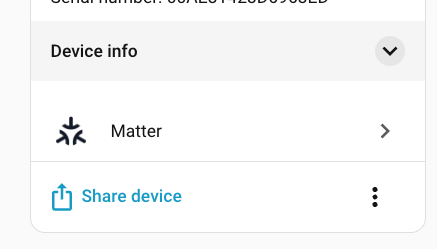
Note that. you can see what network a Thread device is on from the Device info tab in HA.
Click on the down arrow in the device info box and it will show you the network name.
1 Like
Thanks for the extra info. Quick update that I haven’t yet gotten to switching them all over to the Apple network. However, from your recent thought (getting rid of the ZBT-2), I did a quick test where I disabled the HA ZBT-2, and disconnected from my HA Yellow box. The one switch I added to the Apple network still worked, but was no different in speed of registering. And of course, none of the other switches worked during that (as I effectively turned off the ZBT2-owned network by disconnecting it).
Also, in Home Assistant, I noticed an option by the ZBT-2 network to “Add to Primary Network” which I don’t want to try yet, but would you think adding the ZBT-2 into the Primary (Apple) network as an extra Border Router would be a good idea? Feels like yes, but I was also surprised you said getting rid of the ZBT-2.
1 Like
I’m not sure that is a fair test since HA’s matter stack will be saturated trying to bring up the 34 other switches that have suddenly disappeared. Once the network gets saturated it can take HA’s matter stack a while to bring all of the devices back up.
As I said earlier I recently moved to a faster PC running HA and I have noticed a marked decrease in the time it takes the network to recover from errors. I now see an couple of errors every day or so. These are mostly “liveliness update” timeouts which have no impact on the network.
As I said up front I have no direct evidence of this (just a gut feel) but there have been a lot of posts with performance issues where the common theme is a dongle plugged into HA. That is why I suggest you get it out of the picture entirely and see if things stabilize.
Got it, and all makes sense! I definitely prefer the single network theory so the devices can mesh better. I’ve been moving back into my house after a food and rebuild (5 months out of the house), so there’s just a lot to juggle. Otherwise, I’d have had all switches reprogrammed into the Apple Thread network as soon as I learned that was a possibility. 
@EricM_Inovelli assuming the firmware has not made it “live” yet, can you get me the link as well? Just discovered this thread and realized I have the fan problem described here.
It is currently getting certified by the CSA, but I’ll PM you with the instructions to install it now.
1 Like
Update on my “Add the switches to the Apple Thread Network” task. I got it accomplished, and removed the Home Assistant network. I tried both removing the ZHA-2 from Home Assistant (disabling, and unplugging), as well as setting the ZHA to be part of the Apple Thread (MyHome…) network. No difference either way.
Was a good idea to try, and now I at least have a singular network with (currently) 2 HomePods on it acting as routers. However I’m still getting the lag between pressing an Inovelli button (even if the intended delay is set to zero), and the event registering in the Home Assistant event stream.
I will say though, that when I upgraded from the ZHA-1 to the ZHA-2, I don’t think I saw the Inovelli devices dropping off and going “Unavailable”. So I’d say the ZHA-2 is much better than the ZHA-1, but joining to Apple’s network directly didn’t affect any noticeable change, unfortunately.
Take a look at the matter log and see if you have a bunch of failures and retransmits.
Hi having the same issue with no responsive paddle on fan on/off switch, using smartthings what is the best way to obtain/install the updated firmware?
Hello! I have this issue as well, but only use Apple Home, so I don’t think there’s any way to install custom firmware.
Should we expect Matter certification and a proper release soon?
I’m having the same issue with white series on/off switch with my fan and would love to update to the latest firmware.
@EricM_Inovelli would you mind to send me the instructions? Thank you
Sorry for the delay, here are the latest instructions. Please let me know if you have any questions:
Home Assistant White Series Beta Firmware Update Link
White Series Apple TV HomePod Instructions