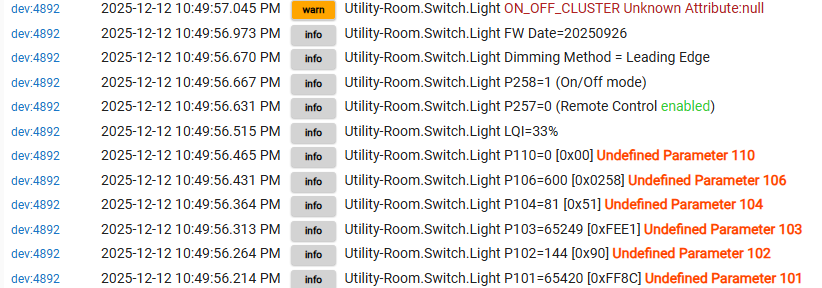
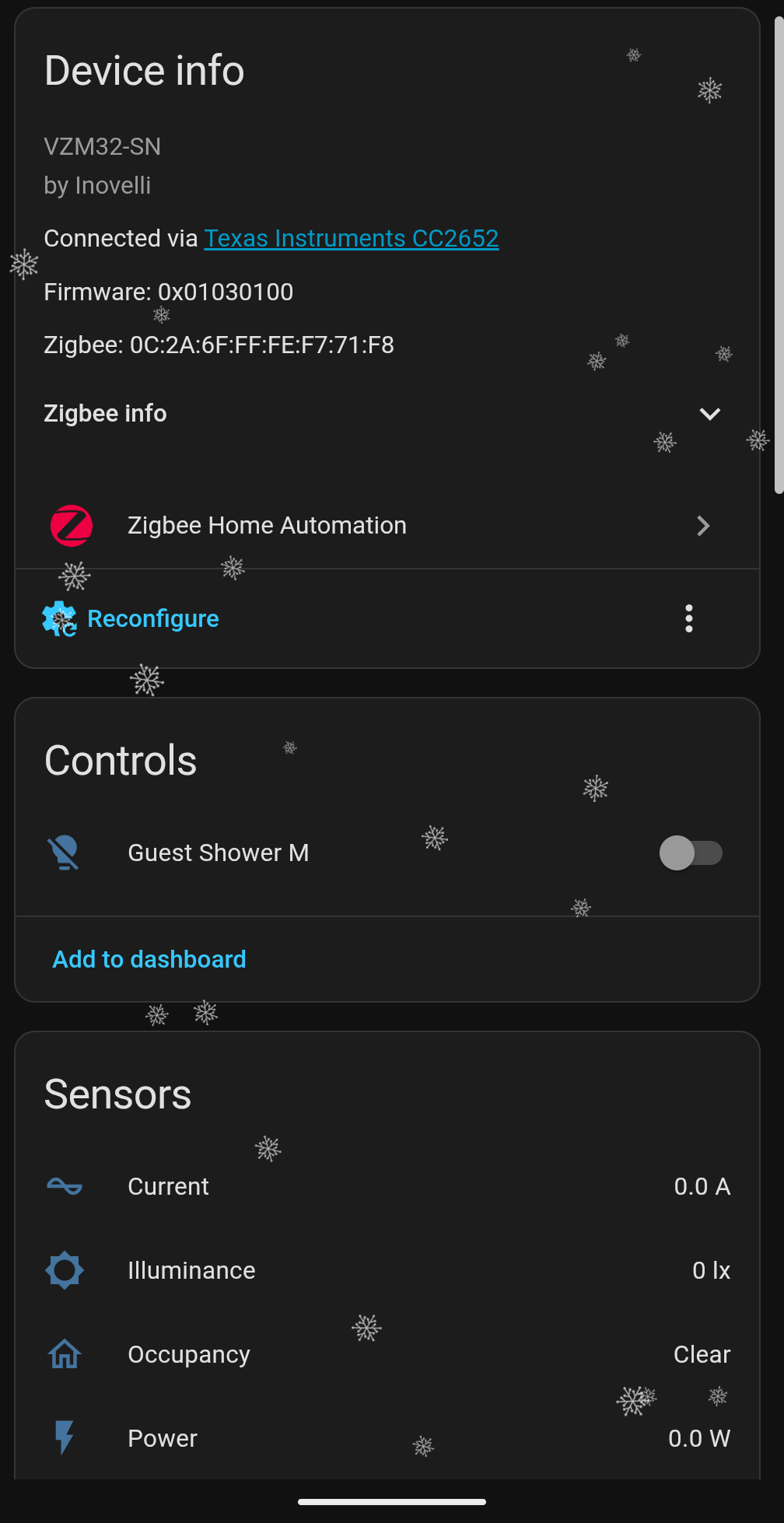
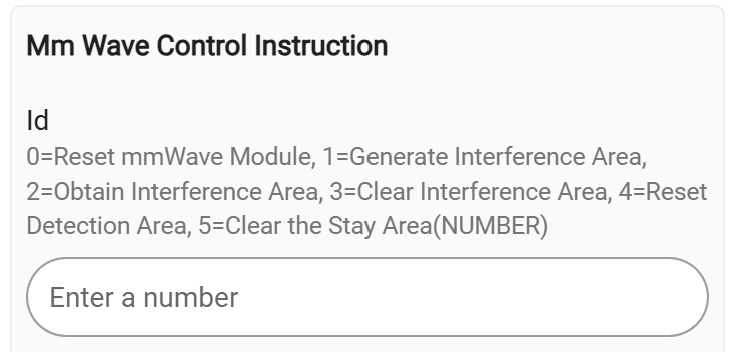
Ah, saw this after I posted. Yeah, that’s frustrating. The quirks also don’t restore the extra entities, unfortunately, due to the changes they made in the quirkbuilder.
I fixed it (at least, for now). This quirk is needed, instead. If you want me to PR it somewhere, please let me know and I’d be happy to. Not exhaustively tested, but does seem to pass smoketests.
Edit: I should preface this with saying that it adds the right entities but not the ideal UI… each entity still needs you to view to update the setting instead of the proper adjustment UI directly on the device. Also, yup… this right here is just guided LLM code, but I don’t see anything fundamentally “wrong” with it and it functions as advertised; I’m an engineer too and I’m not thrilled with this being a way to solve problems either, but it lets me play with my new buttons on the wall until a proper quirk happens.
"""VZM32-SN MMwave Switch/Dimmer Module with explicit entity declarations."""
from zigpy.profiles import zha
from zigpy.quirks.v2 import QuirkBuilder
from zigpy.quirks.v2.homeassistant import EntityType

from zhacustomquirks import (
    INOVELLI_AUTOMATION_TRIGGERS,
    InovelliVZM32SNCluster,
    InovelliVZM32SNMMWaveCluster,
)

# Cluster IDs
VZM32SN_CLUSTER_ID = 0xFC31
MMWAVE_CLUSTER_ID = 0xFC32

(
    QuirkBuilder("Inovelli", "VZM32-SN")
    .replaces_endpoint(1, device_type=zha.DeviceType.DIMMABLE_LIGHT)
    .replace_cluster_occurrences(InovelliVZM32SNMMWaveCluster)
    .replace_cluster_occurrences(InovelliVZM32SNCluster)
    .device_automation_triggers(INOVELLI_AUTOMATION_TRIGGERS)
    # Number entities for VZM32SN cluster
    .number(
        "dimming_speed_up_local",
        VZM32SN_CLUSTER_ID,
        min_value=0,
        max_value=126,
        step=1,
        entity_type=EntityType.CONFIG,
        translation_key="dimming_speed_up_local",
        fallback_name="Local dimming up speed",
    )
    .number(
        "ramp_rate_off_to_on_local",
        VZM32SN_CLUSTER_ID,
        min_value=0,
        max_value=127,
        step=1,
        entity_type=EntityType.CONFIG,
        translation_key="ramp_rate_off_to_on_local",
        fallback_name="Local ramp rate off to on",
    )
    .number(
        "dimming_speed_down_local",
        VZM32SN_CLUSTER_ID,
        min_value=0,
        max_value=127,
        step=1,
        entity_type=EntityType.CONFIG,
        translation_key="dimming_speed_down_local",
        fallback_name="Local dimming down speed",
    )
    .number(
        "ramp_rate_on_to_off_local",
        VZM32SN_CLUSTER_ID,
        min_value=0,
        max_value=127,
        step=1,
        entity_type=EntityType.CONFIG,
        translation_key="ramp_rate_on_to_off_local",
        fallback_name="Local ramp rate on to off",
    )
    .number(
        "default_level_local",
        VZM32SN_CLUSTER_ID,
        min_value=1,
        max_value=254,
        step=1,
        entity_type=EntityType.CONFIG,
        translation_key="default_level_local",
        fallback_name="Local default dimming level",
    )
    .number(
        "load_level_indicator_timeout",
        VZM32SN_CLUSTER_ID,
        min_value=0,
        max_value=11,
        step=1,
        entity_type=EntityType.CONFIG,
        translation_key="load_level_indicator_timeout",
        fallback_name="Load level indicator timeout",
    )
    .number(
        "button_delay",
        VZM32SN_CLUSTER_ID,
        min_value=0,
        max_value=9,
        step=1,
        entity_type=EntityType.CONFIG,
        translation_key="button_delay",
        fallback_name="Button delay",
    )
    .number(
        "double_tap_up_level",
        VZM32SN_CLUSTER_ID,
        min_value=2,
        max_value=254,
        step=1,
        entity_type=EntityType.CONFIG,
        translation_key="double_tap_up_level",
        fallback_name="Double tap up level",
    )
    .number(
        "double_tap_down_level",
        VZM32SN_CLUSTER_ID,
        min_value=0,
        max_value=254,
        step=1,
        entity_type=EntityType.CONFIG,
        translation_key="double_tap_down_level",
        fallback_name="Double tap down level",
    )
    # LED color and intensity sliders
    .number(
        "led_color_when_on",
        VZM32SN_CLUSTER_ID,
        min_value=0,
        max_value=255,
        step=1,
        entity_type=EntityType.CONFIG,
        translation_key="led_color_when_on",
        fallback_name="Default all LED on color",
    )
    .number(
        "led_color_when_off",
        VZM32SN_CLUSTER_ID,
        min_value=0,
        max_value=255,
        step=1,
        entity_type=EntityType.CONFIG,
        translation_key="led_color_when_off",
        fallback_name="Default all LED off color",
    )
    .number(
        "led_intensity_when_on",
        VZM32SN_CLUSTER_ID,
        min_value=0,
        max_value=100,
        step=1,
        entity_type=EntityType.CONFIG,
        translation_key="led_intensity_when_on",
        fallback_name="Default all LED on intensity",
    )
    .number(
        "led_intensity_when_off",
        VZM32SN_CLUSTER_ID,
        min_value=0,
        max_value=100,
        step=1,
        entity_type=EntityType.CONFIG,
        translation_key="led_intensity_when_off",
        fallback_name="Default all LED off intensity",
    )
    # Auto-off timer
    .number(
        "auto_off_timer",
        VZM32SN_CLUSTER_ID,
        min_value=0,
        max_value=32767,
        step=1,
        entity_type=EntityType.CONFIG,
        translation_key="auto_off_timer",
        fallback_name="Automatic switch shutoff timer",
    )
    # Min/max levels
    .number(
        "minimum_level",
        VZM32SN_CLUSTER_ID,
        min_value=1,
        max_value=254,
        step=1,
        entity_type=EntityType.CONFIG,
        translation_key="minimum_level",
        fallback_name="Minimum load dimming level",
    )
    .number(
        "maximum_level",
        VZM32SN_CLUSTER_ID,
        min_value=2,
        max_value=255,
        step=1,
        entity_type=EntityType.CONFIG,
        translation_key="maximum_level",
        fallback_name="Maximum load dimming level",
    )
    # MMWave room size preset
    .number(
        "mmwave_room_size_preset",
        VZM32SN_CLUSTER_ID,
        min_value=0,
        max_value=4,
        step=1,
        entity_type=EntityType.CONFIG,
        translation_key="mmwave_room_size_preset",
        fallback_name="MMWave room size preset",
    )
    .number(
        "light_on_presence_behavior",
        VZM32SN_CLUSTER_ID,
        min_value=0,
        max_value=2,
        step=1,
        entity_type=EntityType.CONFIG,
        translation_key="light_on_presence_behavior",
        fallback_name="Light on presence behavior",
    )
    # Switch entities for VZM32SN cluster
    .switch(
        "invert_switch",
        VZM32SN_CLUSTER_ID,
        off_value=0,
        on_value=1,
        entity_type=EntityType.CONFIG,
        translation_key="invert_switch",
        fallback_name="Invert switch",
    )
    .switch(
        "smart_bulb_mode",
        VZM32SN_CLUSTER_ID,
        off_value=0,
        on_value=1,
        entity_type=EntityType.CONFIG,
        translation_key="smart_bulb_mode",
        fallback_name="Smart bulb mode",
    )
    .switch(
        "double_tap_up_enabled",
        VZM32SN_CLUSTER_ID,
        off_value=0,
        on_value=1,
        entity_type=EntityType.CONFIG,
        translation_key="double_tap_up_enabled",
        fallback_name="Double tap up enabled",
    )
    .switch(
        "double_tap_down_enabled",
        VZM32SN_CLUSTER_ID,
        off_value=0,
        on_value=1,
        entity_type=EntityType.CONFIG,
        translation_key="double_tap_down_enabled",
        fallback_name="Double tap down enabled",
    )
    .switch(
        "aux_switch_scenes",
        VZM32SN_CLUSTER_ID,
        off_value=0,
        on_value=1,
        entity_type=EntityType.CONFIG,
        translation_key="aux_switch_scenes",
        fallback_name="Aux switch scenes",
    )
    .switch(
        "binding_off_to_on_sync_level",
        VZM32SN_CLUSTER_ID,
        off_value=0,
        on_value=1,
        entity_type=EntityType.CONFIG,
        translation_key="binding_off_to_on_sync_level",
        fallback_name="Binding off to on sync level",
    )
    .switch(
        "local_protection",
        VZM32SN_CLUSTER_ID,
        off_value=0,
        on_value=1,
        entity_type=EntityType.CONFIG,
        translation_key="local_protection",
        fallback_name="Local protection",
    )
    .switch(
        "remote_protection",
        VZM32SN_CLUSTER_ID,
        off_value=0,
        on_value=1,
        entity_type=EntityType.CONFIG,
        translation_key="remote_protection",
        fallback_name="Remote protection",
    )
    .switch(
        "on_off_led_mode",
        VZM32SN_CLUSTER_ID,
        off_value=0,
        on_value=1,
        entity_type=EntityType.CONFIG,
        translation_key="on_off_led_mode",
        fallback_name="Only 1 LED mode",
    )
    .switch(
        "firmware_progress_led",
        VZM32SN_CLUSTER_ID,
        off_value=0,
        on_value=1,
        entity_type=EntityType.CONFIG,
        translation_key="firmware_progress_led",
        fallback_name="Firmware progress LED",
    )
    .switch(
        "relay_click_in_on_off_mode",
        VZM32SN_CLUSTER_ID,
        off_value=0,
        on_value=1,
        entity_type=EntityType.CONFIG,
        translation_key="relay_click_in_on_off_mode",
        fallback_name="Disable relay click in on off mode",
    )
    .switch(
        "disable_clear_notifications_double_tap",
        VZM32SN_CLUSTER_ID,
        off_value=0,
        on_value=1,
        entity_type=EntityType.CONFIG,
        translation_key="disable_clear_notifications_double_tap",
        fallback_name="Disable config 2x tap to clear notifications",
    )
    .switch(
        "output_mode",
        VZM32SN_CLUSTER_ID,
        off_value=0,  # Dimmer
        on_value=1,   # OnOff
        entity_type=EntityType.CONFIG,
        translation_key="output_mode",
        fallback_name="Output mode",
    )
    .switch(
        "increased_non_neutral_output",
        VZM32SN_CLUSTER_ID,
        off_value=0,  # Low
        on_value=1,   # High
        entity_type=EntityType.CONFIG,
        translation_key="increased_non_neutral_output",
        fallback_name="Non neutral output",
    )
    .switch(
        "led_scaling_mode",
        VZM32SN_CLUSTER_ID,
        off_value=0,  # VZM31SN
        on_value=1,   # LZW31SN
        entity_type=EntityType.CONFIG,
        translation_key="led_scaling_mode",
        fallback_name="Led scaling mode",
    )
    # MMWave cluster entities
    .number(
        "mmwave_z_min",
        MMWAVE_CLUSTER_ID,
        min_value=-32768,
        max_value=32767,
        step=1,
        entity_type=EntityType.CONFIG,
        translation_key="mmwave_z_min",
        fallback_name="MMWave Z min boundary",
    )
    .number(
        "mmwave_z_max",
        MMWAVE_CLUSTER_ID,
        min_value=-32768,
        max_value=32767,
        step=1,
        entity_type=EntityType.CONFIG,
        translation_key="mmwave_z_max",
        fallback_name="MMWave Z max boundary",
    )
    .number(
        "mmwave_x_min",
        MMWAVE_CLUSTER_ID,
        min_value=-32768,
        max_value=32767,
        step=1,
        entity_type=EntityType.CONFIG,
        translation_key="mmwave_x_min",
        fallback_name="MMWave X min boundary",
    )
    .number(
        "mmwave_x_max",
        MMWAVE_CLUSTER_ID,
        min_value=-32768,
        max_value=32767,
        step=1,
        entity_type=EntityType.CONFIG,
        translation_key="mmwave_x_max",
        fallback_name="MMWave X max boundary",
    )
    .number(
        "mmwave_y_min",
        MMWAVE_CLUSTER_ID,
        min_value=-32768,
        max_value=32767,
        step=1,
        entity_type=EntityType.CONFIG,
        translation_key="mmwave_y_min",
        fallback_name="MMWave Y min boundary",
    )
    .number(
        "mmwave_y_max",
        MMWAVE_CLUSTER_ID,
        min_value=-32768,
        max_value=32767,
        step=1,
        entity_type=EntityType.CONFIG,
        translation_key="mmwave_y_max",
        fallback_name="MMWave Y max boundary",
    )
    .number(
        "mmwave_detect_sensitivity",
        MMWAVE_CLUSTER_ID,
        min_value=0,
        max_value=100,
        step=1,
        entity_type=EntityType.CONFIG,
        translation_key="mmwave_detect_sensitivity",
        fallback_name="MMWave detect sensitivity",
    )
    .number(
        "mmwave_detect_trigger",
        MMWAVE_CLUSTER_ID,
        min_value=0,
        max_value=255,
        step=1,
        entity_type=EntityType.CONFIG,
        translation_key="mmwave_detect_trigger",
        fallback_name="MMWave detect trigger",
    )
    .number(
        "mmwave_hold_time",
        MMWAVE_CLUSTER_ID,
        min_value=0,
        max_value=4294967295,
        step=1,
        entity_type=EntityType.CONFIG,
        translation_key="mmwave_hold_time",
        fallback_name="MMWave hold time",
    )
    .add_to_registry()
)
```