@hatallica, thanks, I fixed it.
The problem has been fixed, and I sincerely appreciate the time you dedicated to it.
I have a few installed and have a few suggestions that I would like to see.
-
Sometime of Night/Sleep mode that turns off the motion lights.
My first thought for making it work would be using the config button to toggle it on and off and maybe at the same time setting the led bar to off (or having an option to set like on/off color with a sleep mode color.
The other idea which may not be easy or work without some testing is having a lux threshold to set to on and another threshold to turn sleep back off. Example would be if lux hits an absolute minimum of 0 for X amount of time then it automatically goes into sleep mode until lux raises past 3 lux for X amount of time.
-
Adding an option for binding an On/Off option to the config button using endpoint 3. (All switches could probably use this feature too)
I actually have 2 different use cases for this and tried the FanControlMode but it’s not intuitive to use for a light. In one room I have this light from aqara [ Aqara LED Ceiling Light T1M – Aqara LLC ] that has a secondary RGB ring light. It would be nice to have the ability to use the config button to toggle this light (or use scenes). The other use case is in my bathroom. Both my vanity and shower lights go to the same switch that I have zigbee smart bulbs in. I wanted to have the motion lights bound to the vanity and use the config button to toggle the shower light when needed.
@Gbo , you can do both #1 and #2 using Hubitat. I’m sure you can with HA too.
Yeah I know but I want to get as much functionality without a hub. Maybe point 2 isn’t that important, but number 1 would be a big one that I don’t want issues with.
I have had hub reboots in the middle of the night and coordinator go bad and it would suck to have that issue until I have enough time to fix everything. Also the family would not approve if I am the only one that knows how to fix it and they slept with the light on all night lol.
My temporary solution though is to ignore the mmWave toggle on the switch and have the hub do both so if there is a hub issue at least both on and off work the same way.
@EricM_Inovelli and team,
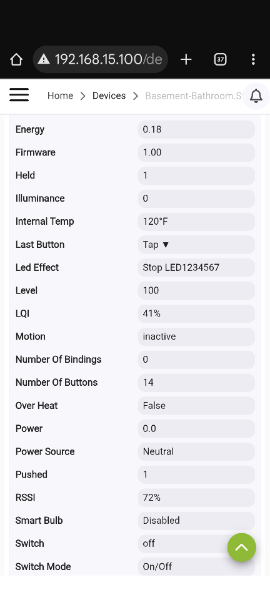
My 11 mmWave switches have the internal temp of 117-120. They are warm to the touch and have been this way since they were installed a few days ago. Is this high temperature range the normal operating temperature?
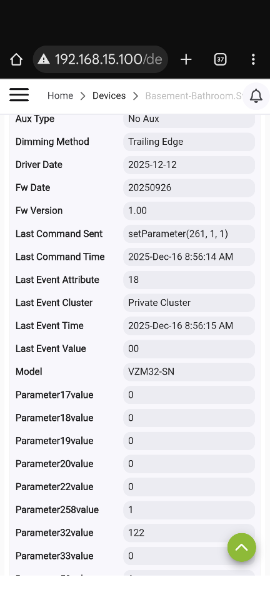
I’m brainstorming on how to realize night/sleep mode as well, while keeping the on/off command local at the switch. Here’s one idea: have your hub reconfigure parameter 110 of the switch based on hub mode. So, whenever night mode is activacted on the hub, the hub reconfigures parameter 110 of the switch to disable the light on presence behavior. And then when night mode is exited, it reconfigures it back as desired. I believe this is possible already now without Inovelli having to do anything on their end (and this sort of thing is more appropriate for the hub to do rather than Inovelli anyway). As long as there’s nothing wrong with reconfiguring switch parameters that often…
This is how I would do it if you want the switch to be the one controlling the on/off. You’ll be fine changing the parameters a few times a day.
I personally implemented it slightly differently. I don’t have the switch ever turn on directly (P110 is disabled) but have the hub decide when to turn on/off based on occupancy coming from the switch’s sensor using an automation. It’s still very fast.
Either way, this seems more like behavior that the hub should control rather than the switch.
IF those readings are correct, they’re high, at least according to the published specs. The published spec range is 32-95° F.
Does the switch feel warm? If you have an IR (non-contact) thermometer, get a reading.
What are the loads? Make/model and total wattage. EricM will want to know that before commenting.
That being said, I wonder if the published specs are accurate. The switch won’t kick in overheat protection until 194°F and will begin operating again at 158°F.
@Bry and @EricM_Inovelli ,
The switches are warm to the touch, all of them. I don’t have an IR thermometer to verify what the switches are reporting.
For the loads, they power LED bulbs. The Inovelli Red On/Off switches I replaced with the mmWave switches were not warm to the touch. Neither are the other switches, if they are in a multi-switch gang box.
They haven’t shutdown yet and seem to work okay. The warmness worries me and the fact that they all are reporting around 120 worries me more.
If it counts, out of my initial batch of 15 switches, I’m returning 4 of them. One has a bad rocker and three have an issue with the Line screw/nut. They will not full tighten.
Those should all be easy parts for Inovelli to send you replacements for without needing to return the whole switch. Send the details to [email protected] and they should be able to help.
@rohan , too late. I already shipped out the 4 switches. I used the automated process via their site.  Replacements were not an option unfortunately. Just a refund or an Inovelli store credit.
I’ll double check with the engineer about the temperature, but all of mine report the same . . . even the beta units. In case you didn’t know that temperature is the temperature reported by the MCU chip and isn’t the most accurate representation of the actual temperature of the switch. It is mostly just used in the safeguard shutoff if there is a failure of the product.
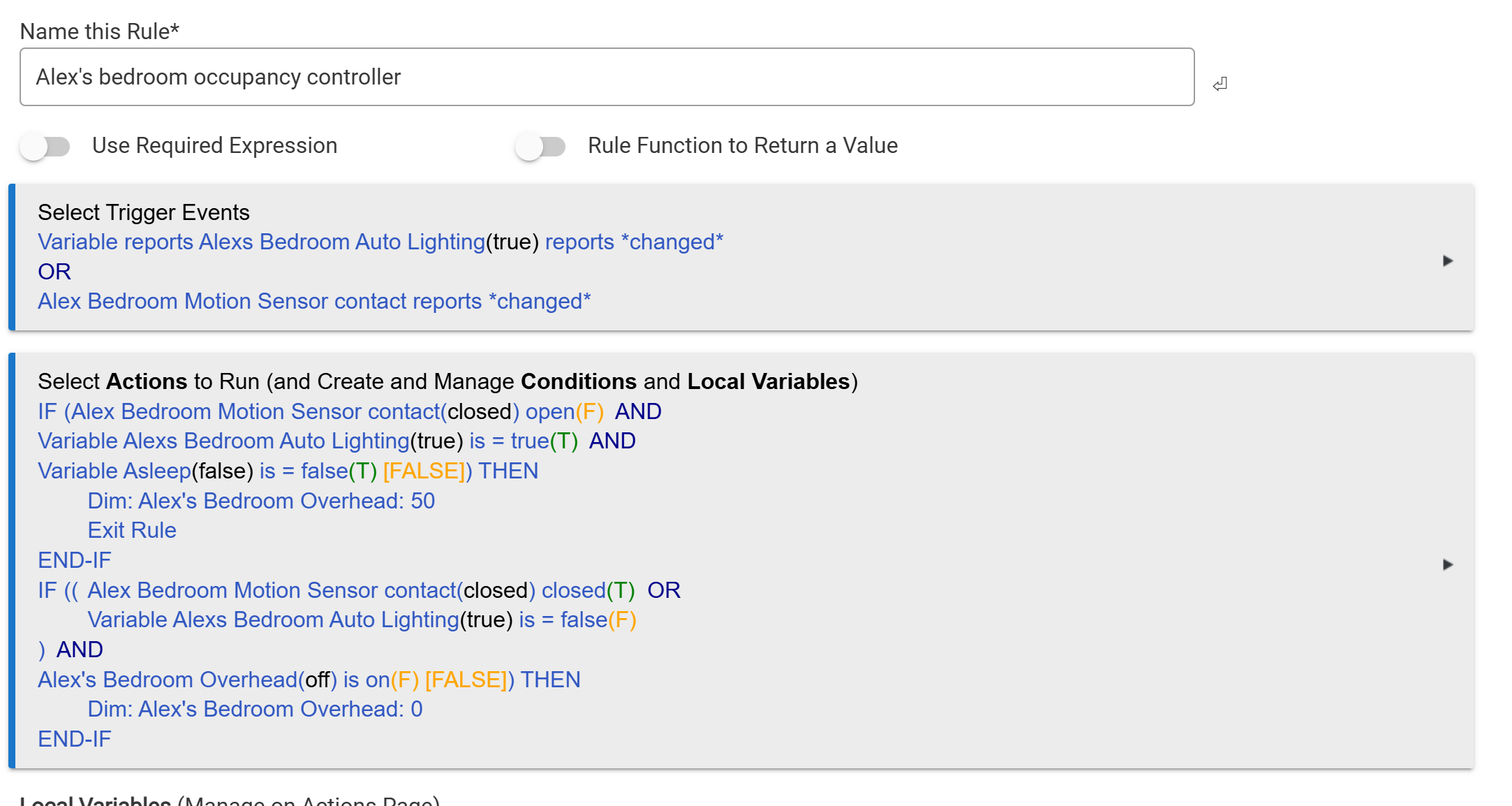
yeah, I don’t have my switches yet but my plan is to set param 110 to zero and control the room lighting based on a room based rule machine occupancy rule that’s already part of the overall lighting code in the house. Here’s an example taken from a room based rule that I use. I’d replace the motion sensor trigger with a trigger on the switch’s mmwave state:
I also have noticed that the mmwave switches are warmer to the touch than my white dimmers, even when they share a gangbox. I just assumed it was from the constant mmwave.
I think that’s a good assumption. I’ve played with a lot of mmwave hardware over the last few years and all of the sensors run hot.
I’m seeing similar temperatures as everyone else reported but it doesn’t seem to be reaching anything I would consider unsafe on the surface of the paddle.
I’m running into an issue setting up smart bulb mode with ZHA, specifically with configuring the group binding. The guide on the support site says to use the LevelControl cluster with endpoint ID 1. The only LevelControl clusters that are available for binding are endpoint IDs 2 and 3, both with type out. When I use either switch presses do not work properly. I’m assuming this is because endpoint ID 1 is type in. Does this need to be fixed in firmware or the quirk?
You want to bind the switch on endpoint ID 2 with the LevelControl and OnOff clusters to the group. The firmware of the switch supports this. I’m running 2 of them that way currently (but with Z2M, not ZHA).
I double checked with the engineer and the sensor is right under the paddle which is why it is warm. As far as operating temperature in the spec refers to the room temperature that the device supports. So 32-95F should remain.
@GeekPower0 as @rohan mentioned the EP for the Inovelli should (in most cases) be 2. You mention a document that says EP1? Can you share the link and I will fix it?
@EricM_Inovelli it is mentioned in step 12 of the Group Binding instructions here: Setting Up Zigbee Bindings • Home Assistant - ZHA | Inovelli Help Center
Click on the checkbox that corresponds to, “LevelControl” and, “Endpoint #1” and click, “Bind Group”