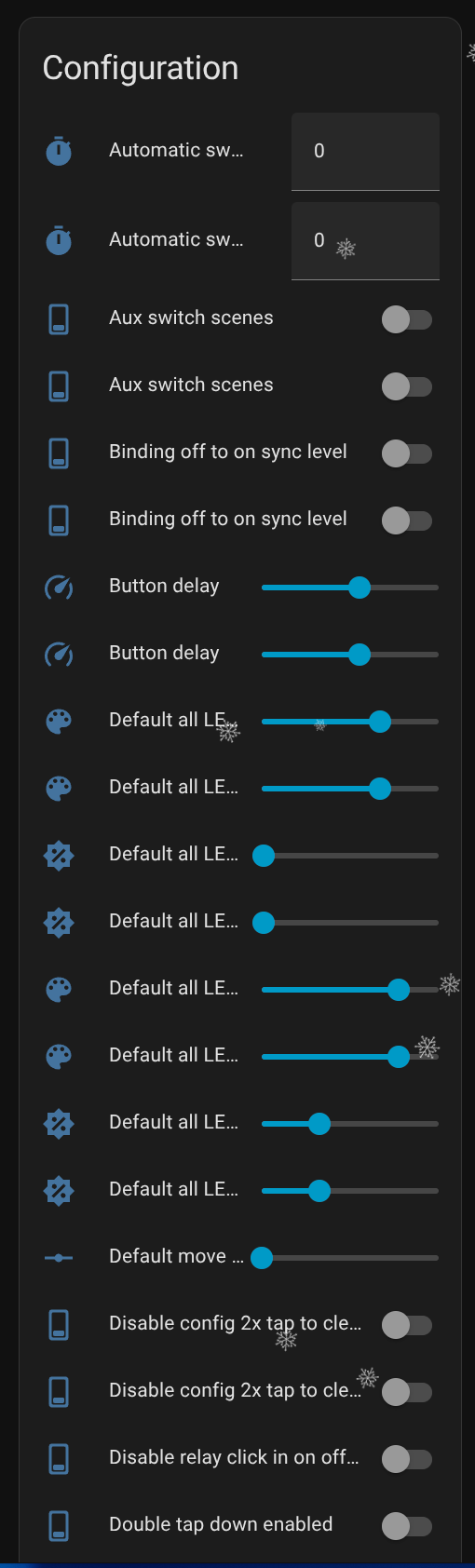
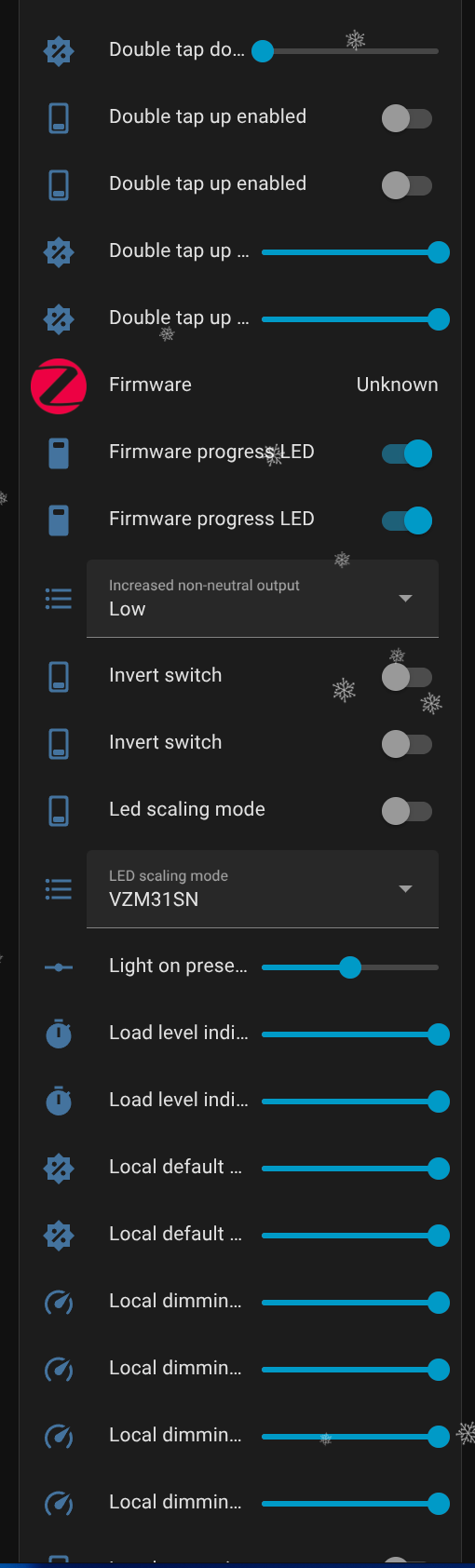
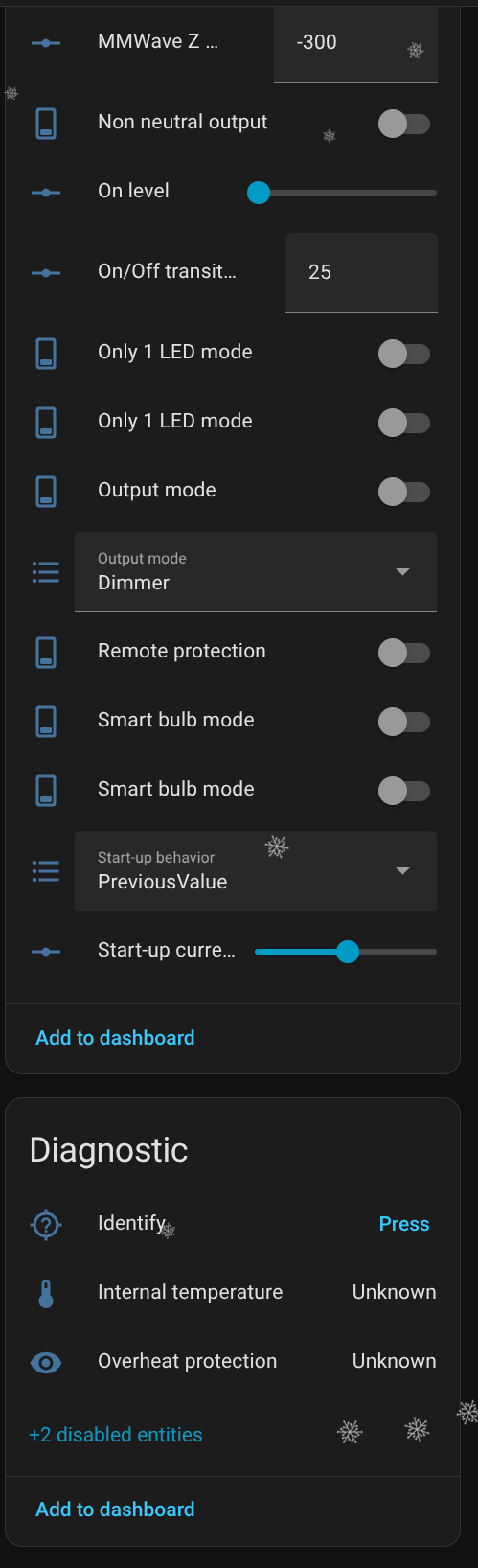
The reason is I have a PR in with “zha-device-handlers” that is consistent with our other products and I have a PR in with “zha” that adds the entities in a way that is consistent with our other products. I’m kind of waiting for those to go through, but I like your way to be able to expose the entities in just the quirk file. If you didn’t make any changes I will update my instructions to use this branch.
No other changes. It’s usable as-is for me, though it would obviously be great if someone else was able to QA +1 it with their ZHA setup.
Attached some screenshots of the UI after enabling it. I was wrong about the UX being different from the normal switches above (my HA mobile app was being funky; the key/values render pretty much the same as the non-mm Blues that I use).
Notable: the diagnostic parts (temps) are reporting as Unknown, but that’s a separate problem from the entity stuff.
I can confirm your custom quirk exposed the normal and new mmwave entities like in your screenshot. I tested change a couple entity values and it stored the values. I’ll play with the mmwave entities more today now that those are exposed with this change.
I can’t seem to get the custom quirk to work. I’ve had other custom quirks working in the past, but no matter which files I install from this thread, I’m not getting the new entities (just the default light ones). I followed the steps in the help, from the terminal, copied the new files, deleted and reinstalled the switches, and nothing. Am I missing something obvious?
I did, it seems the issue was the init file on the site (linked above) is not compatible with the VZM32SN.py file that was redone. When I got rid of the init file, it worked.
Traceback (most recent call last):
  File "/usr/local/lib/python3.13/site-packages/zhaquirks/__init__.py", line 479, in setup
    spec.loader.exec_module(module)
    ~~~~~~~~~~~~~~~~~~~~~~~^^^^^^^^
  File "<frozen importlib._bootstrap_external>", line 1027, in exec_module
  File "<frozen importlib._bootstrap>", line 488, in _call_with_frames_removed
  File "/config/zhacustomquirks/VZM32SN.py", line 6, in <module>
    from zhaquirks.inovelli import (
    ...<3 lines>...
    )
ImportError: cannot import name 'InovelliVZM32SNMMWaveCluster' from 'zhaquirks.inovelli' (/usr/local/lib/python3.13/site-packages/zhaquirks/inovelli/__init__.py)
Soooo I backed this when it first was introduced. Got the Blue because of the thought of moving to matter. I have matter and zwave devices at home but no zigbee. Followed the emails but just didn’t think much of it. Now I have the blue and don’t know what to do with it. I don’t want one zigbee device. The thread looks like we can’t flash em to matter. Bit disappointed but I guess I just have to try and sell it?
The issue is some of those properties come from the default switch. I ended up creating a custom quirk to remove the duplicates, but you just disable the duplicates for now. When it’s added to HA the extra ones should be abandoned and can be deleted.
Hey, loving the switches so far. I was trying to hook these up so that they could recall a Zigbee scene via binding, but it seems like these switches don’t support scene recall (not through a software platform, but through base Zigbee implementation/binding). Has there been any discussion on having that available for Blue switches across the board? I’m trying to get my setup to be as independent as possible with Zigbee which is why I’m wanting to be able to recall scenes directly. Just curious if that was a possibility or not. Thanks!
@max_potion I don’t believe there is room on the chip to support this. The hub is where the scenes are created and stored and there is no way to create and store scenes/automations on a switch.
@Lance_Inovelli I’m not asking for scenes to be stored on the switch, I’m asking for the switch to be able to send a scene recall command to other devices. Zigbee bulbs and other devices can store scenes locally (without hub) and those can be triggered locally (without hub) via a scene recall command when bound. This is part of the base Zigbee standard and would work regardless of chosen platform/integration. But the Inovelli Blue Switches don’t implement this functionality today
I think I found a bug in the Inovelli driver for this switch. The number of buttons in Hubitati’s Button Controller 5.1 app only shows 6 buttons when you add the device to the app. I know there are at least 8 and when I tested with Rule Machine and put in button 8 pressed as the event (no drop down you just put in the button number) pressing the config button triggers the rule.
Over on the Habitat forum they said the other Blue devices show the correct amount and the number of buttons come from the driver.
Update: From what I can tell it will show all the buttons in Hubitat. I had to go “in-private” in Chrome and then all the button options (14 of them) showed up in Button Controller app. So no bug with your driver.
Further Update: I had the same issue with adding another switch. What I found is that one needs to go into Device Info tab after the inclusion on the Hubitat C8-Pro using the “Fix” with the green led flash. I waited about 5 minutes after the inclusion and the button count was only 6, went into “Device Info” and did a save, and then in the button controller there was all the button devices.
I’m guessing the mmW has this same button-mapping as the rest of the Gen3 switches, so I’d expect to see up to 14 (per the table linked below) in Button Controller… My mmW is unfortunately in some really deep limbo right now with OnTrac, so I’m unable to confirm.