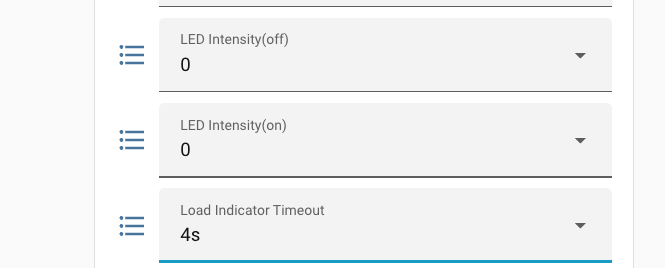
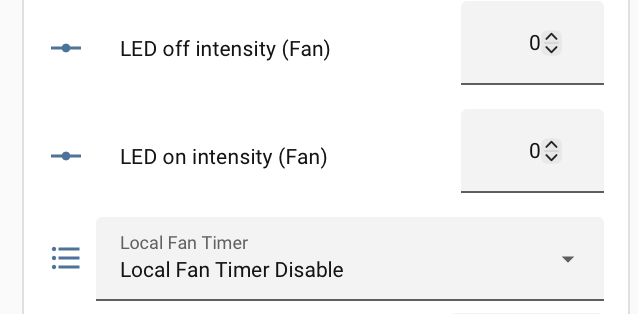
I just installed a White series fan switch for an old Hunter AC fan. It controls the fan fine and paired with both HomeKit and Home Assistant with no problems. But I cannot figure out how to activate the fan level LED timeout. No matter what I do, the fan-level light stays on forever. This is in a bedroom, where a blue LED at night badly fails the spouse approval test. I can turn off the LED completely, but then I can’t see the fan level when manually controlling it.
The manual shows this as local config parameter “7”. I’ve gone through the local config procedures for that several times. Once I’ve activated “7” (confirmed by 7 flashes), I tapped down until the light went out, then tapped 1 once. I then tried to save the setting by holding the config button until it got a yellow light, after which I got a flashing cyan confirmation. But the LED behavior stayed the same. What am I doing wrong?
I don’t normally use this feature (though it works elegantly). I just have HA set the “Led Intensity (on)” value to 1 at night and then set it back to 33 during the day. The brightness is then dim enough that it does not trouble my wife at night but I can still see what the fan speed is.
That is correct. You need one of the beta versions. I’ve been using 1.0.1r4 for a while now without any issues. It also upgrades the Matter stack to 1.5 which seems to have fixed the unreliability issues reported by some users.
Message (PM) @Kaleb_Inovelli and ask for a link to the firmware file. It’s trivial to install it via the HA Matter web UI. They (the HA Matter team) have recently made this really easy to do.