Standard wiring configuration (the first visual in the support guide)
My lights are strobing in this configuration at all levels. These same LED cans are working greate in other rooms where they are controlled by one Blue mmWave using trailing edge
Using leading edge prevents the strobing with the Aux. My concern is that I won’t be able to change to other lights that need to be in trailing edge to perform correctly.
I’m really happy about the new ability to put EP3 config switch in Toggle mode. However, I cannot via z2m get it to toggle a group of two hue bulbs. I can get the bind to happen but it doesn’t trigger the the bulbs when pressing the config switch.
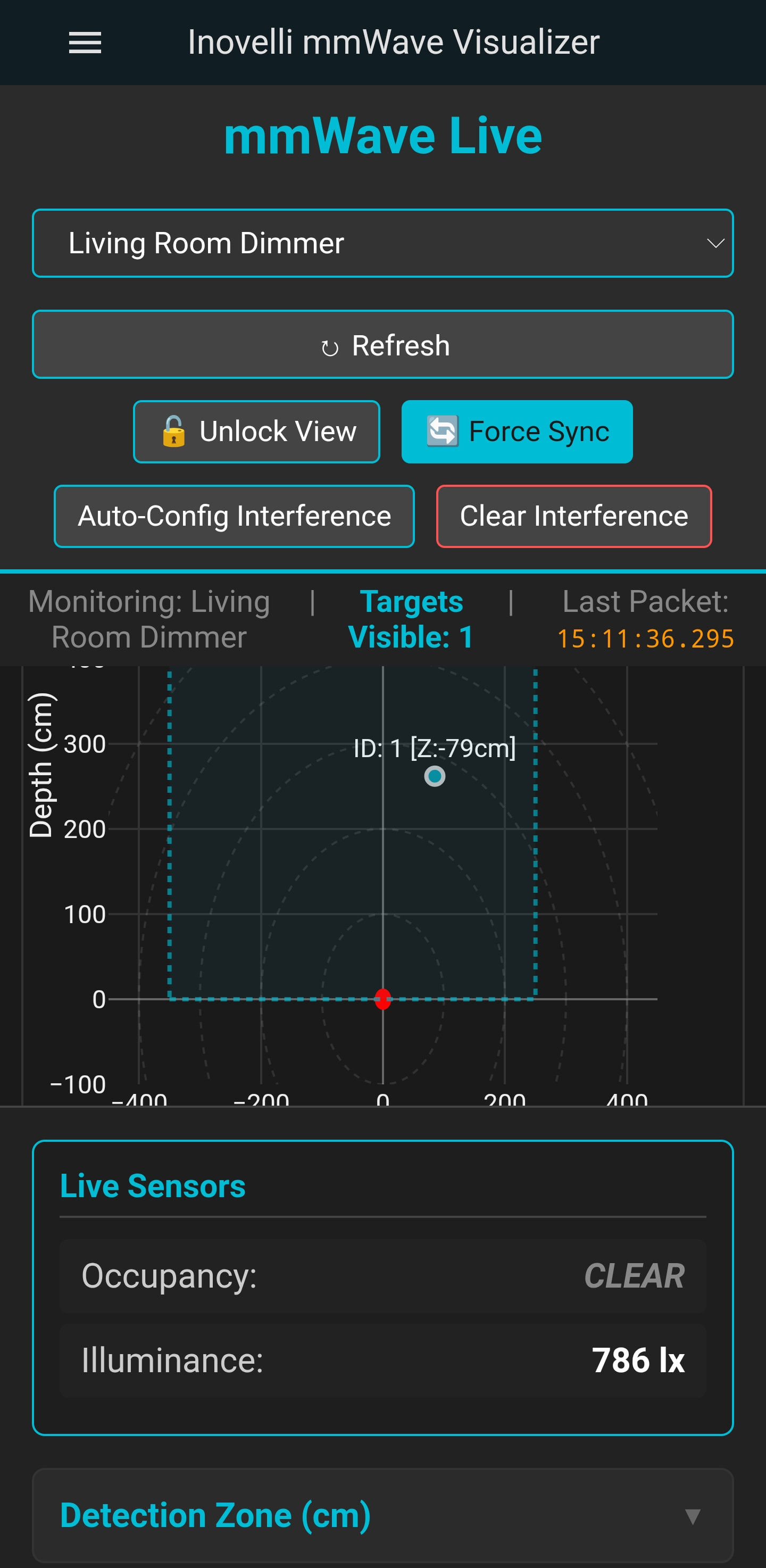
Hey, I build a tool for myself that will let you see the live data if you are using Zigbee2Mqtt and adjust as needed. Helpful to setup the zone. When they update z2m with the multizones I will try and update this again to make that easier. This only works with Zigbee2Mqtt for now. Accidently posted this on the zwave thread so just reposting it here for if someone finds this useful for setting up the switches.
The parameter definitely works. I’ve been using it with a beta unit from day 1 and with 6 production switches all with Z2M since they’ve been installed.
What hub are you using? Are you sure the hub is setting the parameter properly?
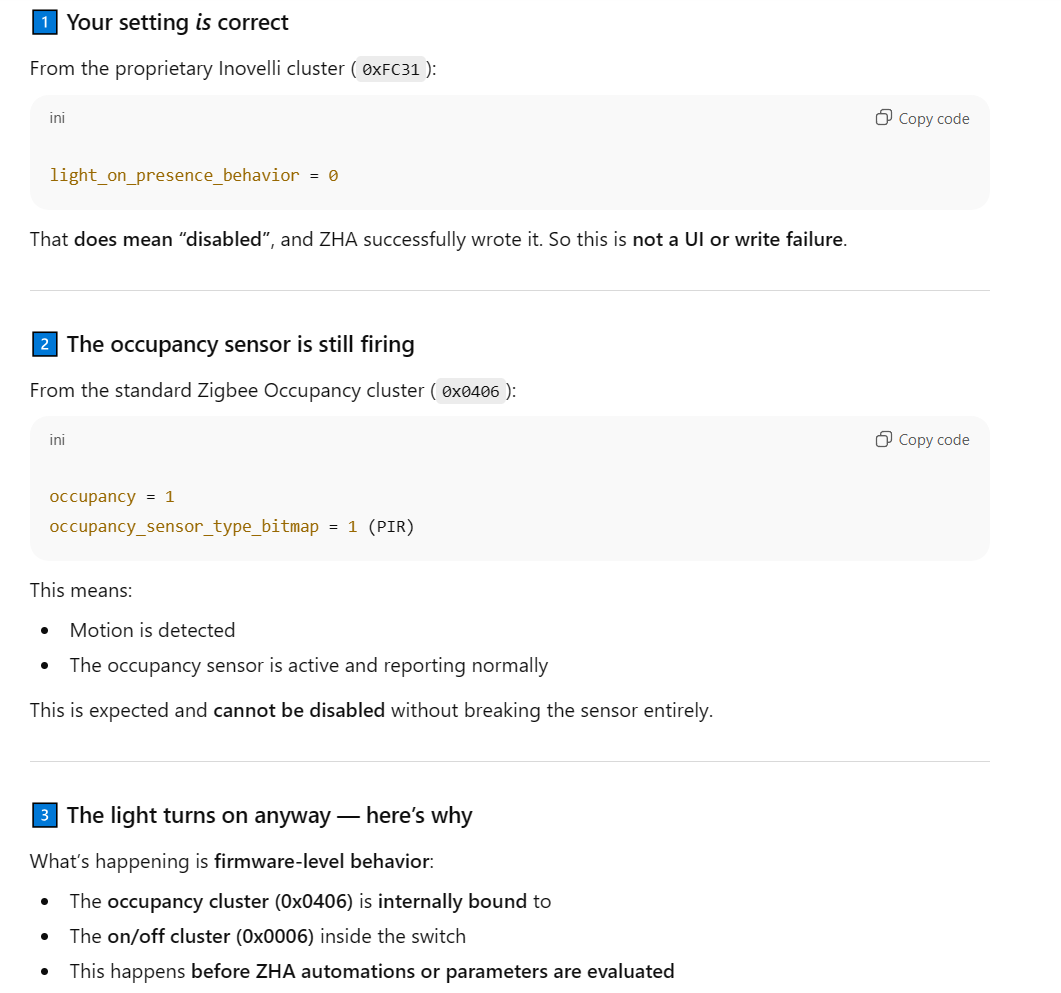
I have 4 units installed as of this morning and disabled light on presence in all of them. 1 unit continues to turn on when presence is detected about 50-75% of the time. Local protection is also enabled and smart led is disabled. The unit is in a single pole configuration and not binded to any other device. Only one automation involves the unit, which is to turn off the light when it turns on (my jerry-rigged poor solution to this in the meantime). As mentioned, I uploaded my logs and configurations to chatgpt and it told me it is a bug of the firmware. Not sure how accurate that is but I came here to report it.
When I read the attribute 110 “light_on_presence_behavior” it reads 0.
If it’s only happening on one unit, it seems more likely that it’s something wrong with that unit. I would try a factory reset if you haven’t tried that already and then set the parameter again.
It sounds like the parameter may not be getting applied properly even though the read back is showing the correct value.
Same thing here. I’m not finding this thing to be even as sensitive as my legacy motion sensor tbh. The lights are turning off with my lying on a couch 3 feet in front of the switch. I can pick up and use the remote gently without even triggering it. Default settings for room size and sensitivity, stay life at 60000 (i keep doubling it to see if it makes a difference, but so far nada) and hold time 60 seconds. Otherwise seems like a good device, but the promise of mmwave sensitivity isn’t at all apparent to me.
A really nice enhancement would be to add a parameter that defines the lowest value of illuminance that will allow the switch to automatically turn on with motion.
This would ensure that the light will only turn on when the room is dark, avoiding wasting electricity.
I configured the switch parameter for occupancy not to control the load and I do as you say, look at lux and other conditions in the home and determine to if the load is to be turned on via a automation in my Hubitat.
But maybe simple logic in the switch could be implemented to couple lux to motion for streamlined automations.
Using the visualizer someone made in this thread to try and help debug my issues and it appears that the switch will clear occupancy even though the target is still visible as seen in this screenshot.
The dot is very accurate for where I am standing except for the z axis which fluctuates by 10-30cm depending on how I’m sitting, but it’s still within the bounds I have set for the room.
Note that the switch does not send an “all clear” when it no longer sees a target (if it doesn’t pick up any other targets), so any tool that just continues to show the last received message will have “phantom” targets like this. Trust the In Area reports showing that the areas are all empty, rather than the target info report.
EDIT: now that I think more, I suppose it’s possible that such a message is sent, but my code isn’t handling the possibility of a zero target message. I’ll have to try it out.
EDIT: my initial thoughts seem to be correct. I fixed my code to handle the possibility of a reportTargetInfo message with 0 targets, but I’m not seeing such a message.
I just want to confirm with your tool if there is more than one person in the room I should be seeing more than 1 target correct? I’m just trying to make sure everything is working properly on my switch before I start rolling it out to other rooms in my house. So far I’m just seeing one target. Also running into an issue where if I am just hanging out in the room not moving much it goes to clear. I’ve increased the stay life to 600 and am still seemingly having this issue so not sure where else to go with this.
To control how quickly the sensor responds after detecting presence on the Blue Series mmWave Presence Dimmer switch, find parameter 113 in your hub’s UI and change accordingly. The lower the number, the high the delay (ie: 0 = Low, 1 = Medium, 2 = Fast). The default is 2 = Fast. Use this to prevent overly fast triggering or tune responsiveness based on how the room is used.
Range: 0-2
0 = Low (5s delay)
1 = Medium (1s delay)
2 = Fast (0.2s) (default)
Why would one want a slower trigger? Just delaying when motion event fires sounds like a much worse experience. Or is this less about delaying the trigger and more about how much long there has to be motion for before it will be considered motion, a sort of low pass filter for motion.
It would be nice to see a unified explanation of this setting especially as it relates to 112. mmWave Sensitivity I suspect it is something like this:
113 as about how long there needs to be sustained motion for
112 is about the size of motion needed (breathing vs walking if you will)
I would also suggest that there should be 2 sets of sensitivity settings. One for activation and one for deactivation. The reason for this is to turn on lights you might want to see a major motion (walking into room) but to hold lights on you may only want minor motion (breathing as you read a book). Currently the motion settings force you to pick between false activations or false deactivations, (as inevitably you must bias towards one of these).
Has anyone else been able to get a scene set on a VZM32 for a group? I have no problem doing this with my VZM31s, but I just tried to add a VZM32 to a group scene today, and I keep getting INSUFFICIENT_SPACE in zigbee2mqtt.
So I’ve noticed that my switch is rather warm to the touch compared to other switches. Has anyone else noticed this? Is this normal? I checked all the connections to make sure they are properly seated and they are. I have a dumb switch for my fan right next to it and its much cooler to the touch. I had a GE Motion switch in the slot before with no heat issues. The switch itself seems to be running fine other then it being considerably warm to the touch.