So I was trying to get the system to not turn on the lights when not needed by changing from using the built in occupancy to using home assistant to control the light based on occupancy and light level.
While the light I found to now be .5-1 second slower (not unexpected) the issue I now was getting is that if I were to walk into the room immediately after the light turned off, the light sensor will still be reporting the illuminance from when the light was on, resulting in home assistant not turning the light on. A possibility I could do is have illuminance changes be monitored as well in node-red and if it goes to dark while occupancy is detected to turn it back on (though I do have a worry that if i manually toggle the light then it’ll just turn back on). would it be possible to code in the firmware to push an illumance sensor update immediately after a light level change?
I’ve been seeing weird behavior with the mmWave params. It seems that only the pre-defined room sizes work properly, and was also seeing unexpected behavior for StayLife as well (setting a very high value with low sensitivity still turns off occupancy after a short while when motion stops but has not left the room). I see that there’s a beta firmware for the Red Series regarding the mmWave params - Red Series mmWave Firmware Changelog | VZW32-SN.
@EricM_Inovelli, is this something that could also be impacting the Blue series?
Exciting update which adds Z2M configuration of mmWave Stay Areas. Thanks @EricM_Inovelli and team!
I think I found a bug: I noticed that when I would try to adjust “Stay Area 1” WIDTH parameters, they would not apply as expected. It seems like it would swap min/max and also +/-
Bug on hubitat. pressing the favorites button doesn’t register an event of any kind. Rules using button 8/13 aren’t triggering either. Also, when the mmsensor is decoupled from the load, the motion sensor capability is not changing state. In fact, no “motion” state for it even exists. Also not seeing any mmSensor events on the switch itself. Is there a different method to detect mmwave state changes for rule triggering? Switch is working normally to control the load when param 110 is set to 1.
edit: “Configure all” on the switch corrected the button 8/13 issue and button 8 state is now showing. Still looking at the motion sensor problem..
Edit2: appears to be sorted. Once parameter 110 is changed to zero, another “configure all” has to be done before the motion state appears. Its all good, tracking active and inactive motion events and I’m standing down from defcon 1 lol…
It’d be nice be able to set the automatic on/off to a particular zone(s). Could be in that setting’s drop down or as binary switch per zone.
Use case is I have 2 switches in my kitchen and due to the layout and sight lines I need two switches. One is playing double duty with some accent lights. Would be nice if I could have the accent lights turn on/off automatically without an automation when I’m very close but still have a separate zone for whether the whole kitchen is occupied. Not the hardest to just make an automation to handle it but pure zigbee would be cool.
Might also be able to be used to have enter and exit zones?
Here’s another good one for you. Setting parameters 95 and 96 results in the LED 1 being different from the others. Testing on VZM31 works fine. Examples setting all color to yellow. Here’s the hubitat RM rule:
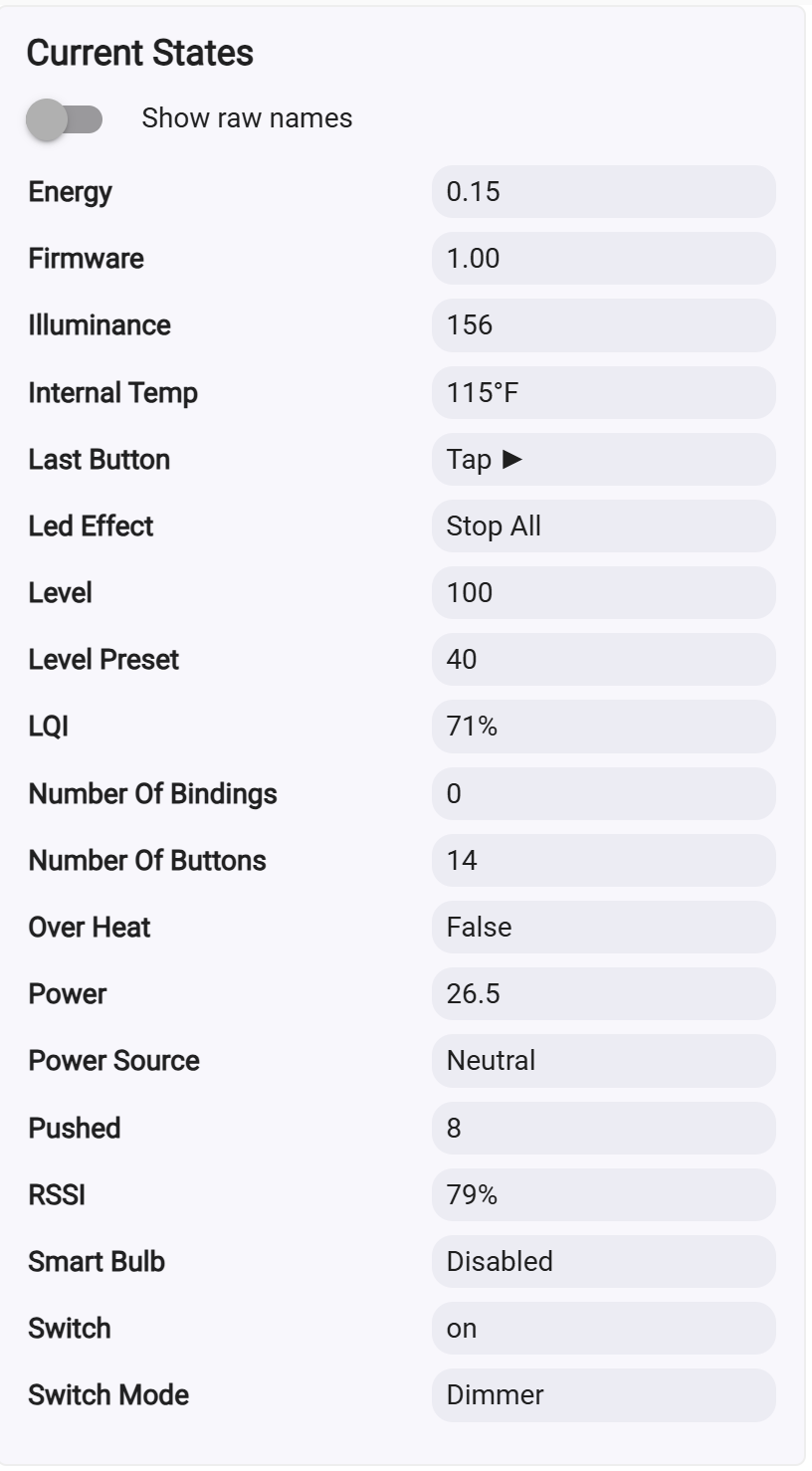
For anyone using HASS, I’ve made a fork of nickduvall921’s awesome mmwave_vis app with a bunch of QoL fixes (I made this for my own purposes, not intending to overhaul the whole thing ). I wanted something that could help me work with all (or most) of the configs in one place, with future support for more switches as I get them. I may not make many updates to this outside of extra model support, but it’s working quite well so far! Inovelli Switch Studio
Echoing the previous sentiment: this is awesome. Thank you! I’ve been having issues configuring my presence detection in the living room and this helps massively.
Sadly, even with the help of this I’m feeling like getting this working well in my living room is a lost cause.
My switch faces a large window (I don’t really have any other choice of placement for it) and when someone is sitting on the couch near the window (about 15.5 ft away), they often disappear from presence. Of course, this is where my significant other always sits and she is a harsh critic of any tech that doesn’t work well.
I’m thinking maybe I could get away with setting a high stay life and/or hold time, but I had plans to have an area around the coffee table for automations, and I would want lower values for to make those automations trigger more quickly.
Is it possible to have different stay life/hold time for the different areas? That’d be my feature request for a future firmware update…
Try a combo of sensors and a variable. You could use the sensor to set presence on normally, but as a variable, then add in a pressure sensor where the SO sits. Have the presence variable only clear after 5 min of no presence from the mmw or the pressure sensor.
You can also do this for rooms with doors. Door closed and presence sensed for more than 5 min by mmw, set presence true and make it so the rule to clear it cannot do so until the door has been opened. Like, if you go to bed, door closed and mmw detects you, sets presence true. You go to sleep and mmw loses track of you clearing presence, your rule prevents it from clearing due to door still being closed so you do not have lights coming back on next time you roll over. Just be sure you use the variable for your rules.
If you have sensors in other rooms next to it, you can even use those. Make it so the pressure sensor presence does not clear the variable unless the mmw says there is presence. She moves and the pressure sensor loses her, but mmw does not pick her up, impossible to leave without setting off mmw so presence does not clear. Then add onto that a conditional that it cannot clear unless the room next to it registers presence. She moves, pressure loses her, mmw picks her up then loses her, but room next to that one do not pick anything up, presence not cleared since she clearly did not leave the room.
Since the zigbee can expose zones you could even try setting zones for entries to the room and set the presence variable so that it does not clear unless those zones are the last to show presence. Walk into the room and sit down, mmw loses you, zone for the main room cleared after the entrance so presence variable not cleared. Leave the room and the zone at the exit clears last so you clearly left, presence variable clears.
The sensor is configurable up to 6 meters, but in practice ~5 meters is the limit of how far away it can reliably track something. 15.5’ = ~4.7 m, so you’re pretty close to the limit. @cfoos1 is absolutely correct though - for large rooms like this, you need to use a combination of sensors. I have an FSR (essentially weight) sensor under each spot in my couches in my two living areas that don’t have great visibility from mmWaves. I also do the “latching” that he describes in my bedrooms with FSRs in beds, and contact sensors on doors. It works quite well for if an FSR is acting up because my kid is sleeping in some weird position.
A couple of bugs/things to report from my side which I’ve now verified on multiple switches:
I am seeing left, right dimensions for the stay areas flip upon inputs. I do not see this for the primary detection areas or the interference areas. I thought I was going a little crazy, but I’m seeing it verified in the visualizer tool. You can draw a stay area, hit apply and literally see it flip across the y-axis from left to right.
I see this in:
Stay Area 1
Stay Area 2
Stay Area 3
Stay Area 4
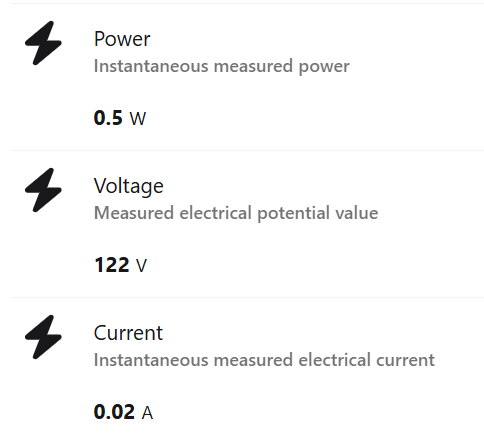
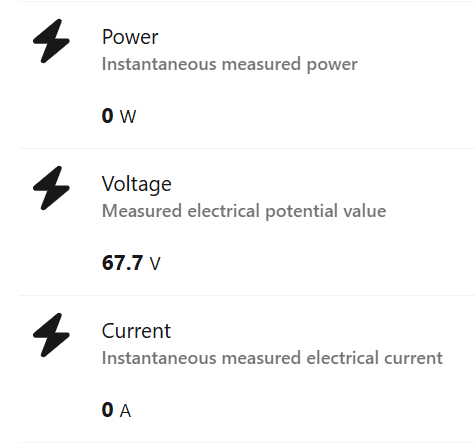
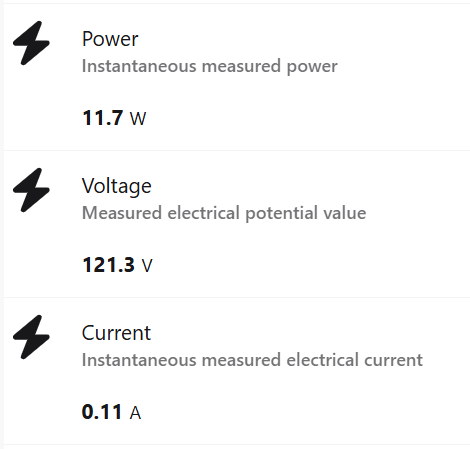
I’m seeing a weird bug in the reported voltage. I haven’t seen anyone else comment on this.
All of my switches are wired with Neutral wires.
On bulbs where the mmwave switch is directly controlling the bulb (normal non-smart bulb dimmer mode), my voltage reading varies with on/off state and brightness level of the dimmer.
I have taken a my Fluke true RMS DMM and measured the input voltage, it’s running ~121 to 122 VAC consistently. So it appears the switch is doing some math wrong internally, or maybe it’s got the RMS PWM waveform misinterpreted or something. Putting the switch in trailing edge vs. leading edge mode has no impact.
I literally just experienced that stay area issue and came here for an answer. Very weird, but it’s definitely a bug.
I also saw some weird stuff with voltage, but I think mine boiled down to having a switch that had no load attached - it’s in a zigbee group to control the main switch which has really bad blind spot thanks to my speaker placement. Anyway, I was seeing around 94V on it and was concerned. I checked the voltage with a meter and was reading 122V solid, but I went ahead and inspected/tightened some wiring upstream, ended up swapping the switch for another to be safe, same thing. Then I put it in Smart Bulb mode and suddenly the voltage was reading properly and seems to be stable.
To @ccutrer and @cfoos1: thanks for the advice on using other sensors. A pressure sensor would probably work really well here. Door sensors won’t help in this situation unfortunately - the only doors are to go out to the deck or to the adjacent room and we hardly use the latter unless we’re making a bee line from one room to the other.
I was hoping to dial this in without an automation on top but this may be the only feasible way to do it. The zones idea is a possibility. I have to think that one through though. The layout and where the doors/blindspots are might not allow for it to work cleanly.
Do you know of some zigbee FSR sensors that you would recommend? I did a quick search and came up with DIY stuff - not opposed to it, but I’m looking to limit the number of side projects I take on here lol
Not, Zigbee, but https://www.elevatedsensors.com should be pretty good. I build my own, but using their schematics, and a highly customized ESPHome configuration (allowing more sensors connected to a single ESP, removing some runtime config options that I don’t use, and making other config options that are substitutions configurable at runtime).

 ). I wanted something that could help me work with all (or most) of the configs in one place, with future support for more switches as I get them. I may not make many updates to this outside of extra model support, but it’s working quite well so far!