I cannot seem to get the custom quirk to pull in all the entities; I’m only getting 20 of them. I followed the instructions posted previously, validated that the folder, files, and modifications to my configuration.yaml are in place, and did multiple rounds of HA restarts and factory resets on the switch to re-pair it several times, but I’m at a loss for what to try next.
EDIT: Looks like the issue I hit was line #6 in the VZM32SN.py script like someone earlier had because I missed the modification on the import location.
I just got mine in and I had a few things that I would love to see added.
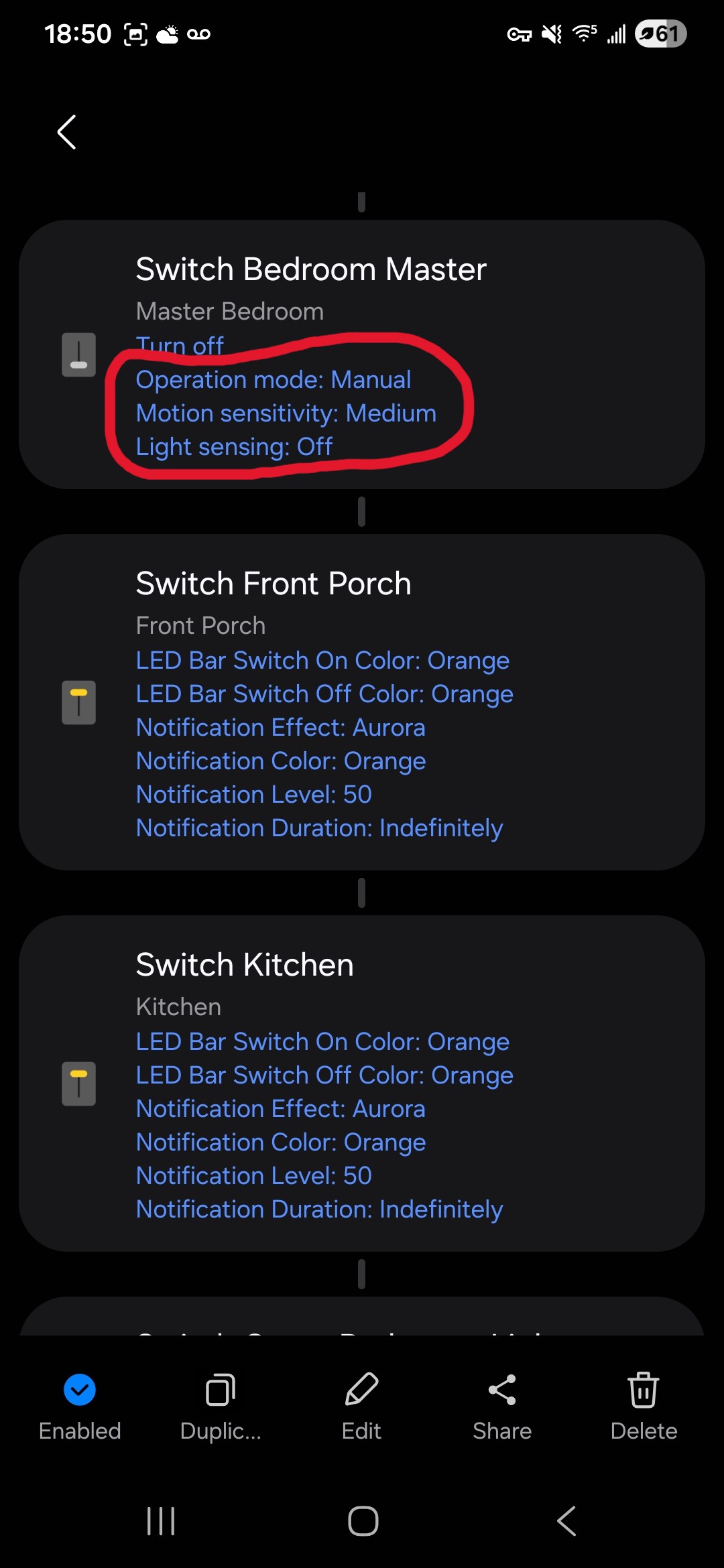
I’m using smartthings with some custom automations. I have several other GE motion switches Ive used for a long while now. Those switches have parameters that function just like the parameters 110 and 112 on the Inovelli motion switchs. I am able to access those parameters in my routines to change them. At night when I set smartthings to “arm stay”, I would like to change 110 so that it doesnt turn on the light with motion but will turn off the light when motion stops (option 2) and back to the default during the day (option 1). And when we set smartthings to “arm away”, I’d like to change 112 so its not as sensitive which can lead to false alarms.
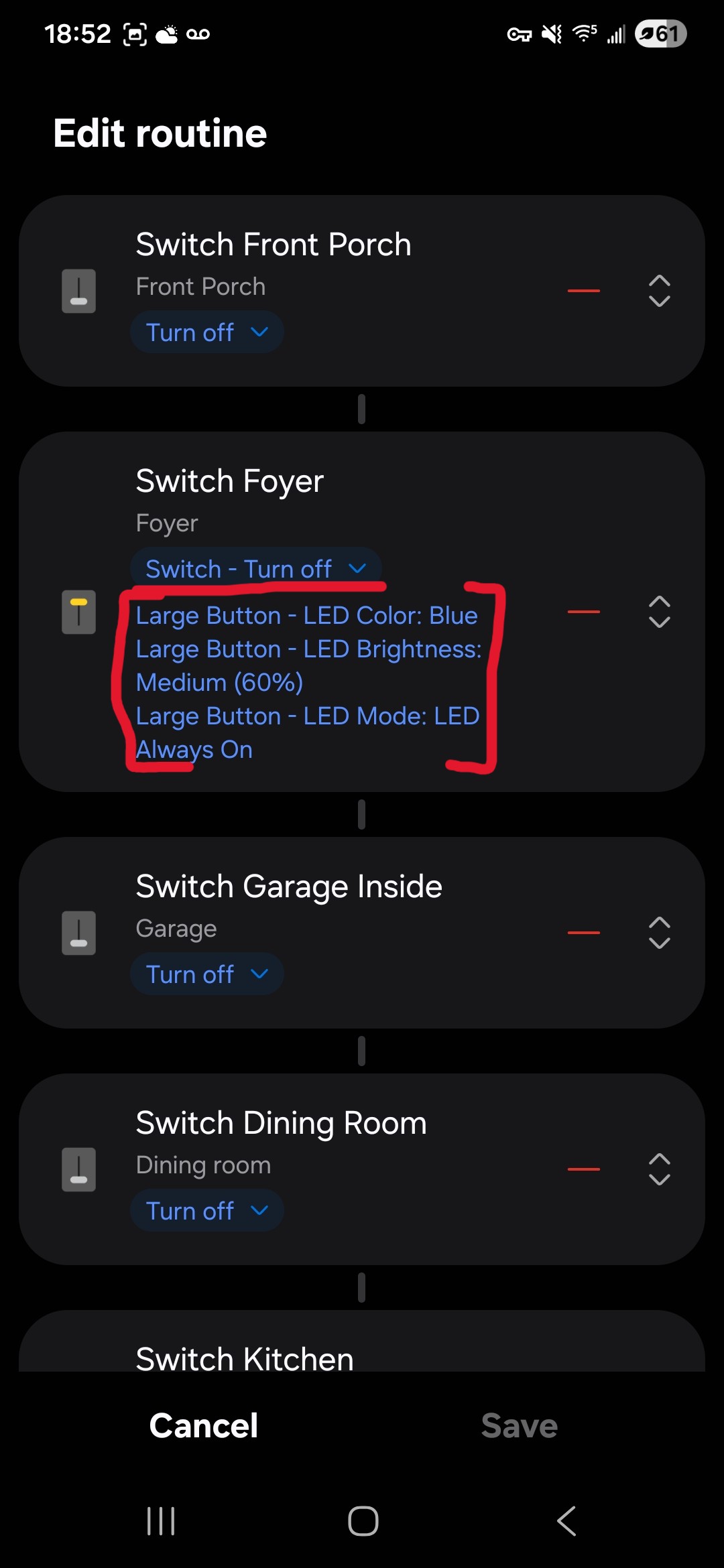
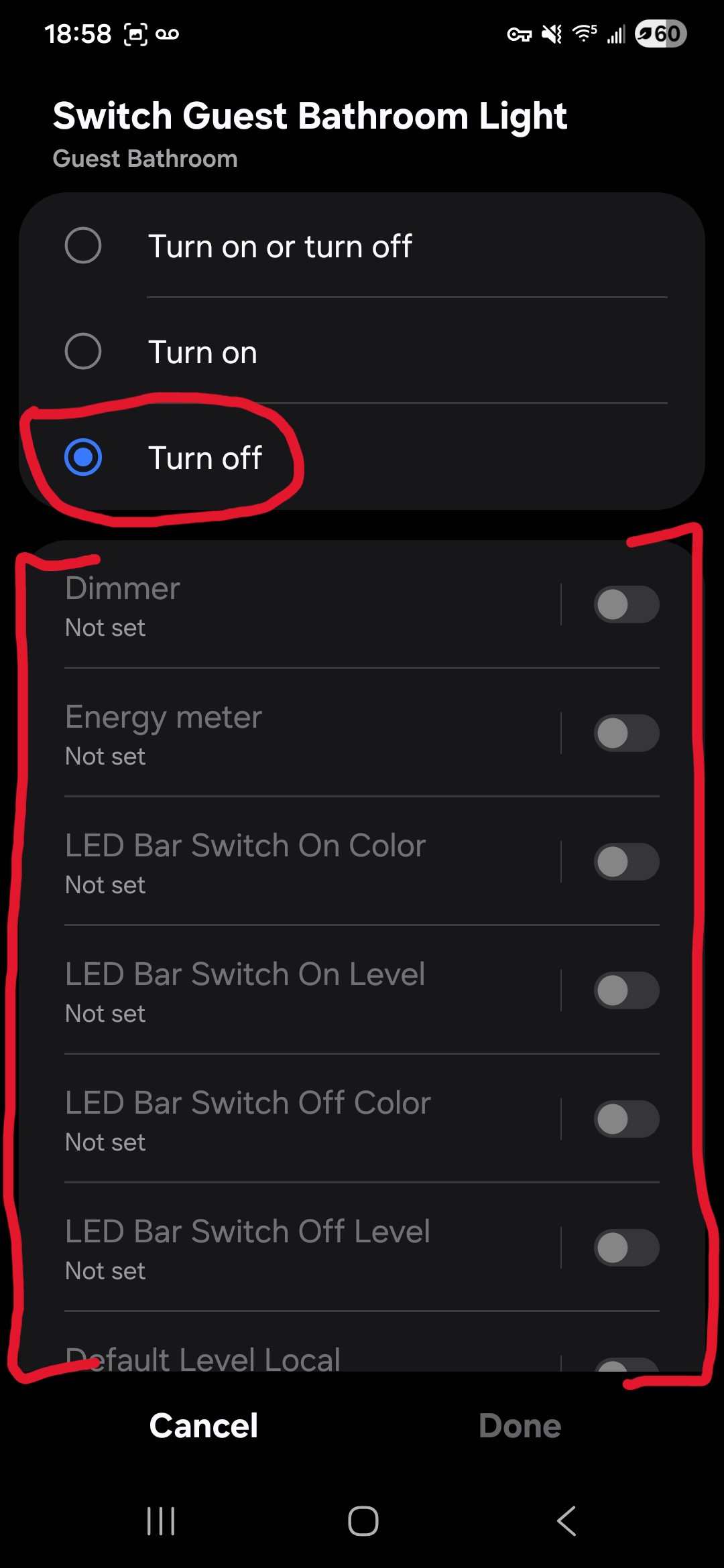
Also, in the routines, when I want the switch to be turned off, I can’t set any of the other parameters. This can be annoying as now I have to add the switch twice to get all the settings that I want. The Zooz button controller allows me to change all parameters even while setting the switch to off.
Happy Holidays @EricM_Inovelli and the rest of the Inovelli crew!
Got my mmW installed (Hubitat), and so far so good … I have 1 driver question, and 2 driver suggestions – NONE of these are hot potatoes though – I just wanted to pass 'em along before I forget…
These first 2 are for the 2025-12-12 Hubitat Blue mmW driver.
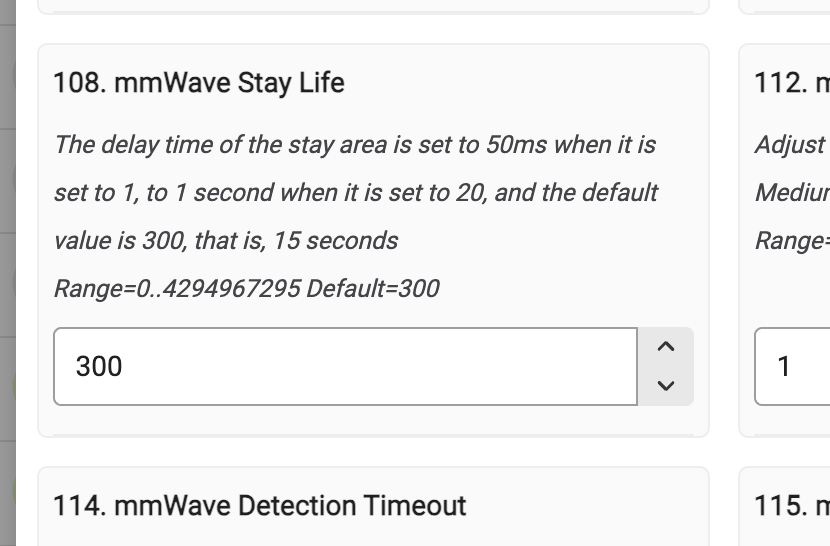
Was parameter 108 here exposed accidentally? It seems related to some advanced features (i.e. Stay zones?) that I don’t think are fully baked yet.. AFAICT, P108 isn’t mentioned anywhere in any parameter documentation.
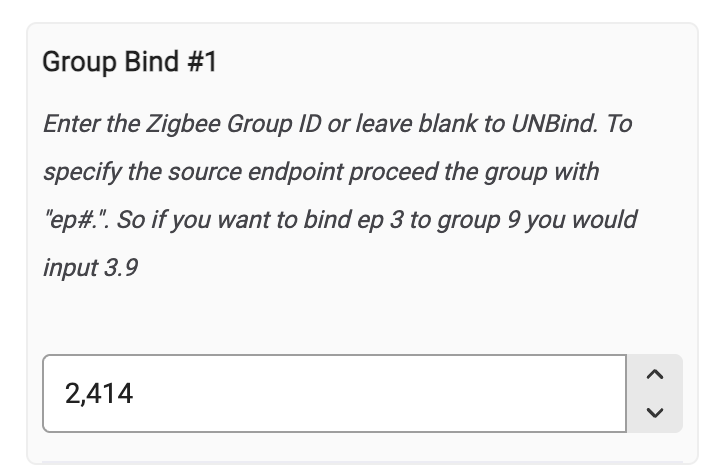
For the driver-based binding options, those fields are adding a comma to 4+ digit entries… It still works perfectly fine, but it’s kinda jarring to see at first. The Hubitat Blue 2-1 driver does not add any commas in these fields.
I think my last wish-list request here has already been asked recently somewhere in the community (but my search-fu is weak today)… For the various Hubitat drivers, would it eventually be possible to have them always display the selected parameter setting, whether default or otherwise?
After you initially set a device’s configuration, then when you go back later to review its “Preferences” tab page, all the Hubitat drivers show a blank field if a parameter is set to its default value.
So the Preferences tab page always looks incomplete (for lack of a better term) – you kinda get used it, but kinda not… Having all fields always show their selected setting would be a huge win for those of us with OCD-ish tendencies
AWESOME job on the mmW, and big congrats to the you and the team – it is very impressive so far!!
An issue I’m seeing with ramp rate (I think we need a separate ramp rate for motion sensor off from remote and local but that is a separate issue)
If you walk into a zone during the ramp down the light will hold at that brightness instead of going back to the original value. This includes when it then turns off, if you return again it’ll be at the brightness you walked in on before
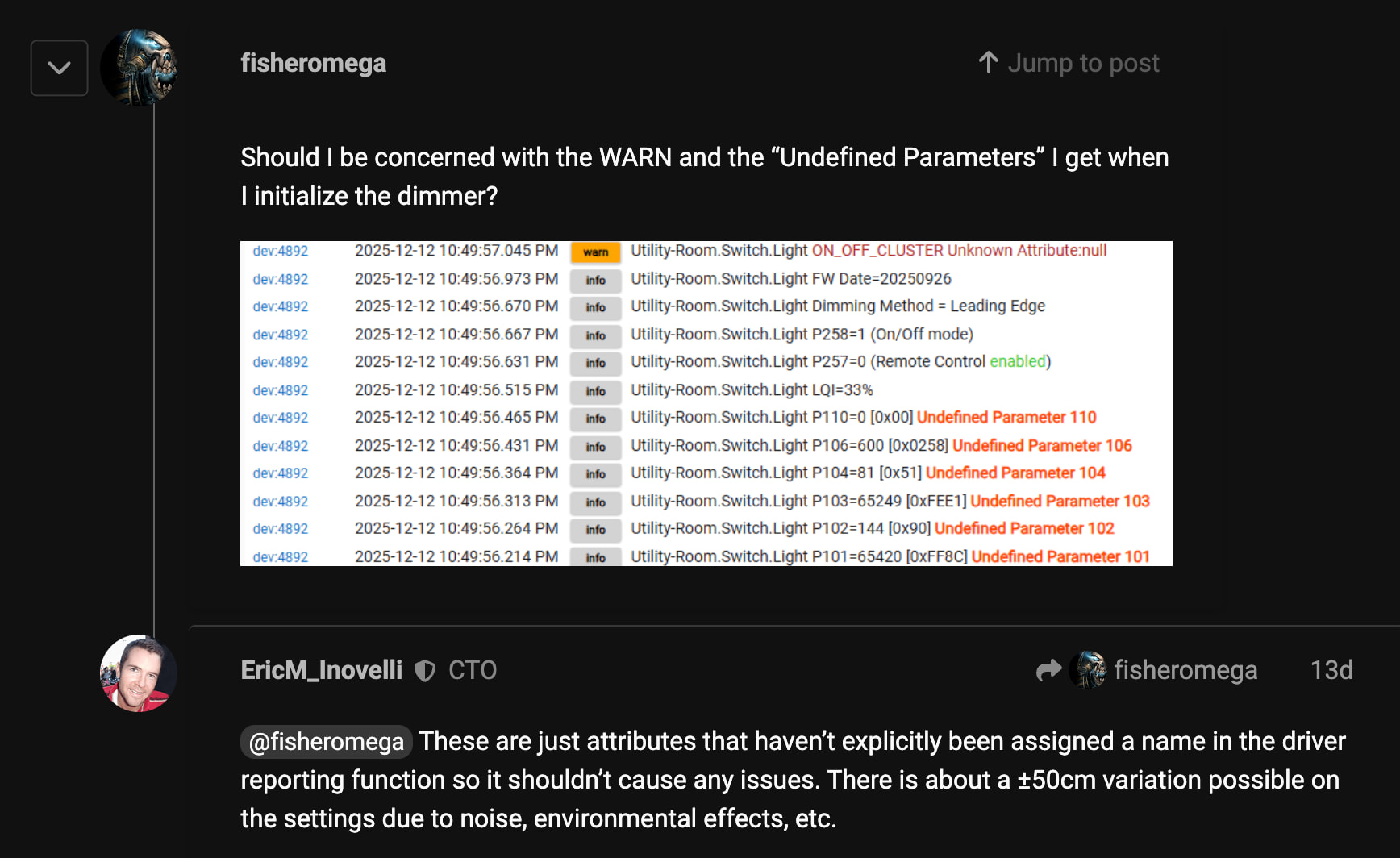
Just a heads up I was setting my mmWave distances today for the first time in Hubitat. After hitting save these undefined parameter messages showed up in the log. Want to confirm that this is normal? I am running the 2025-12-12 driver from your github.
dev:2792025-12-26 11:14:07.809 AM infoFamily Room-Mantle-Blue P106=480 [0x01E0] Undefined Parameter 106
dev:2792025-12-26 11:14:07.734 AM infoFamily Room-Mantle-Blue P105=0 [0x00] Undefined Parameter 105
dev:2792025-12-26 11:14:07.619 AM infoFamily Room-Mantle-Blue P104=60 [0x3C] Undefined Parameter 104
dev:2792025-12-26 11:14:07.513 AM infoFamily Room-Mantle-Blue P103=65411 [0xFF83] Undefined Parameter 103
dev:2792025-12-26 11:14:07.410 AM infoFamily Room-Mantle-Blue P14=90 (default remote level 90%)
@hydro311 thank you for the support and encouragement. I just made some changes to the hubitat driver to make the group number a string (so it shouldn’t put an apostrophe). I don’t think it will cause any problems but let me know if you notice anything. I’m also going to comment out the function that clears the setting when it is the default. As for:
This is left in on purpose. The Stay life setting can help when micromovements (like breathing) disappear for a certain amount of time. Like if you are sleeping. It is just another setting you can tweak if your environment is a little different from the default, but most won’t need to mess with it.
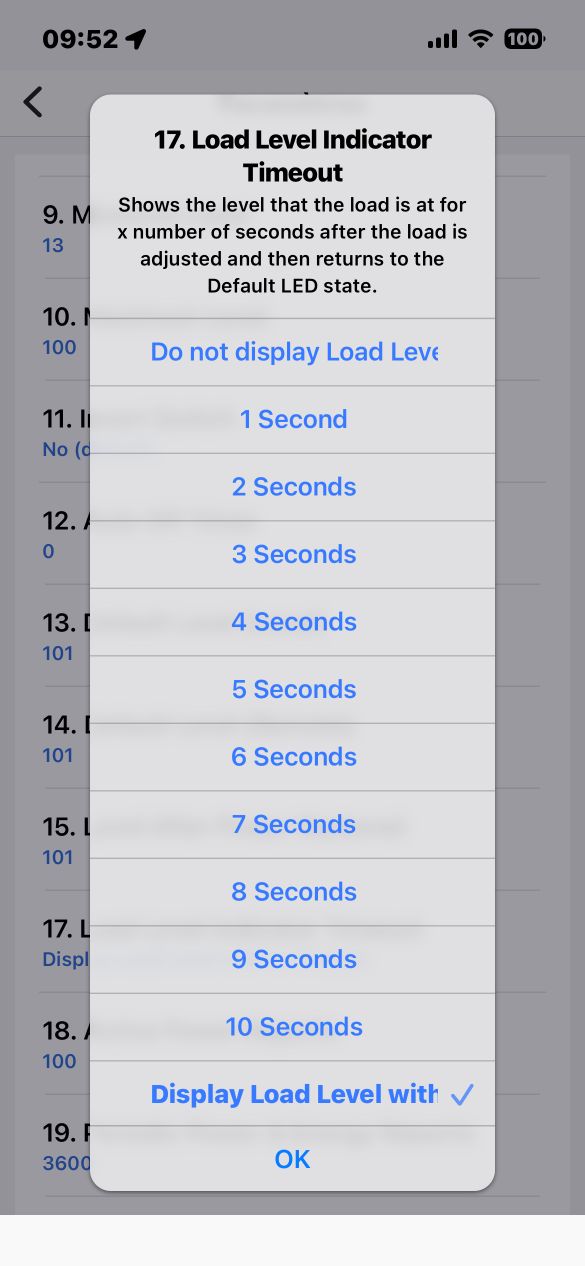
Minor Bug Report – Parameter 17 Causing Switch to Become Unresponsive (SmartThings)
I’ve noticed a minor but repeatable issue when using SmartThings with the switch.
Whenever Parameter 17 is changed from “Display load level with…” to any value that represents a number of seconds, the switch starts to bug out. After applying the change, the paddle no longer responds to ON/OFF presses.
The only way to recover is to pull the air gap to force a reset.
However, the issue comes back immediately as long as Parameter 17 remains set to a timed value. Switching Parameter 17 back to “Display load level with…” restores normal behavior.
Just wanted to report this in case it helps with debugging or future updates.
Out of curiosity (i.e. this is not an urgent question to answer ), how does this parameter interact with P114 (detection timeout)?
If P108 = 300 (15") and P114 = 10", which one actually wins and sends the “Alrighty, there’s no more motion activity” report?
The default values showing on the Preferences tab page looks fantastic - thank you! Whenever things settle down more, it would be awesome to get that applied to the other Hubitat drivers too. But that’s definitely a first-world problem, and I know there are bigger fish to fry for a while here.
I’m having an issue where lights turn on at full brightness either when turned on from the paddle or mmwave detects occupancy (parameter 110 set to 1 or 3). My understanding is that turning on parameter 125 “binding off to on sync level” should fix this behavior, but it does not. Parameters 13 & 14 Local and remote default dimming level are also set to 255, but I also tested setting them at 0 with the same results. Strangely, turning on the light switch from HA restores the previous brightness value as expected which makes me think I’m either missing a parameter somewhere or I’m hitting a bug.
My VZM32-SNs are connected via ZHA and the bulbs are Sengled E11-N1EAs in zigbee groups and bound to their respective switches. I also use Adaptive Lighting, but disabled it entirely while testing. Attached is a cropped snippet of the activity log along with a summarized list where I tested the different behaviors of mmwave on detection, turning the switch on via the HA app, and turning the switch on at the paddle with various results:
11:01:38 - set local & remote default dimming to 255 (remote default dimming doesn’t appear in the log, presumably since the entity isn’t surfaced within the UI and had to be changed in zigbee management)
11:01:59 - set binding off to on sync level to on
11:02:07 - set light on presence behavior to 3
11:02:15 - set light level to 128
11:02:23 - turned off light switch
11:02:28 - occupancy detected and light turned on at 254
11:02:42 - changed light on presence behavior to 0
11:02:48 - (adjusted brightness of bulb group in HA to 128 - I forgot to do it from the light entity on the switch itself so it doesn’t appear in the device activity log)
11:02:53 - turned off light switch
11:03:26 - light switch turned on via HA app at 128
11:04:15 - paddle pressed up and light turned on at 254
In the interim, I disabled parameter 110 and have an automation call the light service when occupancy is detected, but I haven’t found a simple and reliable way to do the same for the paddles without delays. Enabling the “detect non HA changes” setting in Adaptive Lighting also resolves the issue but isn’t a feasible workaround for me since my bulbs turn on unexpectedly with this setting so it causes more issues than it solves.
Kudos to the whole Inovelli team on a great piece of hardware! I’m having a lot of fun fiddling with all the settings and options despite some initial frustrations getting the ZHA quirk in place.
The document for 101 says Range: −600..600 (default −600). From this I read the default is 19 feet down. Not sure why this would be the default for any room application? There is also a setting for ceiling height. This is also ± 600. I would think 0 will be fine?
MMWave Stay Life is how long the dimmer should continue reporting occupancy after mmWave last detects motion, mmWave is extremely sensitive and can detect micro‑motion like breathing.
But when motion stops, the radar doesn’t instantly flip to “unoccupied.”
Instead, it uses a linger window to avoid rapid toggling.
Think of them as “after motion stops” vs. “before motion is confirmed.”
They operate on opposite sides of the detection cycle.


 … I have 1 driver question, and 2 driver suggestions – NONE of these are hot potatoes though – I just wanted to pass 'em along before I forget…