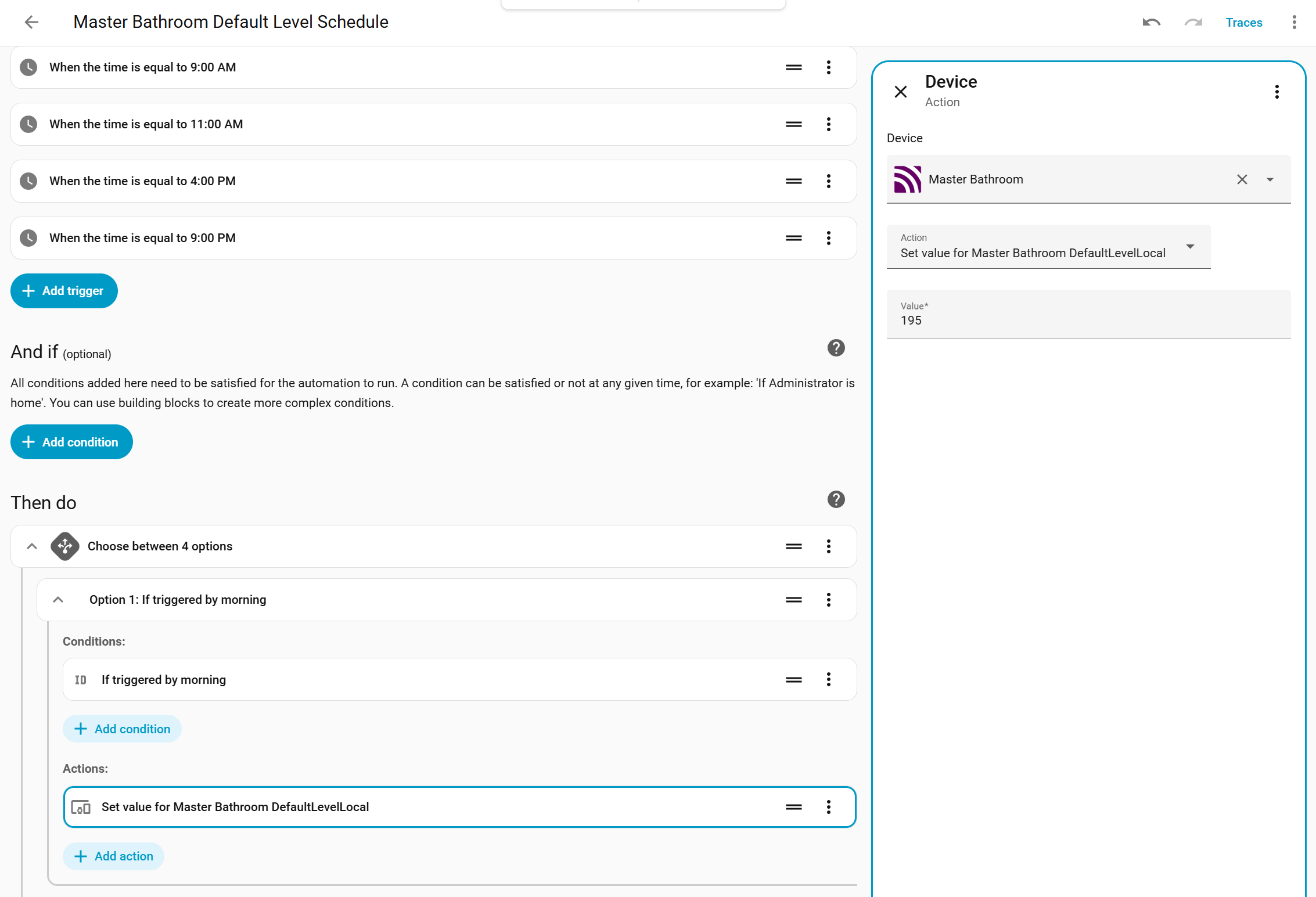
The group binding preference inputs in the Hubitat device driver for the Blue Series mmWave dimmer are defined as number (integer) fields, whereas the corresponding group binding inputs in the Blue Series 2-1 dimmer driver are defined as string fields. This difference affects how endpoint information can be specified in the binding configuration.
Specifically, the Blue Series 2-1 driver allows values such as 2.3121, which can encode both an endpoint and a group identifier in a single field, while the Blue Series mmWave driver rejects such values because its inputs accept only whole numbers. As a result, there is currently no way to express endpoint-qualified group bindings using the mmWave driver’s preference inputs.
If the intent is to retain numeric input validation, defining these preferences as a decimal type (rather than an integer) could preserve numeric constraints while still allowing endpoint-qualified values like 2.3121. Or, alternatively, the instructions accompanying the field description would need to be changed to indicate that such inputs are not allowed.
@justinlindh This is what my device settings show. Did I read it correctly, that there will soon be an update in HA or the device itself, that will open up all the settings? Or will I need to dive into the quirks and mess with code? I’m not a pro, so staying away from code is sometimes wise.
My VZM32-SN is now constantly showing detected for room occupancy. It was working fairly well for about a week. Today it never shows clear. I have reset the device and no difference. It is used in a muli-way (4) with 2 AUX switches.
Two of my switches have stopped working. They worked for a couple of days and now refuse to turn on if dimming mode is enabled.
After hacking on them a bit, I have discovered that if I set them to On/Off mode, they work. As soon as I return them to Dimmer mode, they refuse to turn on.
I am using HA with zigbee2mqtt. In HA/z2m if I hit the 100% brightness button, then sometimes the lights will very briefly turn on, just to immediately turn back off. Most of the time, nothing happens at all.
I have tried pulling the air-gap. I have tried doing a factory reset. I have tried re-interviewing. I have tried deleting the device from z2m and then re-paring it. I have tried going through all of the “dimming” parameters and hitting the revert-to-default button. Nothing has helped.
I just noticed that one of these problematic switches is SPAMMING the zigbee2mqtt logs with link quality updates. Six to eight per second. 248 → 255 → 243 → 248 → 254 →255, etc.
I’m having a great time installing these. I have 11 going so far with a mix of other inovelli smart and AUX switches. I’ve ran into a couple of things that I didn’t see mentioned in this thread. One specific to the presence switch and the other is general but only happened with them so I’m wondering if anyone else had the same experience and knew of a quick fix.
First, I’ve noticed that switches set as dimmers with the default ramp behavior (2.5s ramp) get stuck at random brightness levels after occupancy triggers them. I’ve had this happen with three-way wiring for both two smart switches and a smart switch plus an AUX switch. I can reproduce it easily but don’t know how to dig into what is going on.
Second, I have two switches that have screws that I can’t get to tighten around a wire. One’s a neutral and the other’s on a line. I just put these to the side and grabbed another switch each time it’s happened, hoping there’s a quick way I can fix them.
I have the Stay Life now set to 144,000 but it doesn’t seem to be helping with my issues/doing anything at all. I did a few factory resets + mmWave module resets over the weekend from both the physical switch + from Home Assistant but no luck.
@EricM_Inovelli wondering if you could help me troubleshoot my issues/clarify how the switch should be working? It seems like my switch might be defective as it stands with how much I have to wave my hands for it to detect motion.
For example, with “Hold Time” == 10 seconds, and “Stay Life” == 144,000, if I walk into my room and sit a few feet in front of the switch and then sit still for 10 seconds, the lights will turn off, even though I haven’t left the room at all and I’m still breathing. Not sure what I’m missing here but it seems like the Stay Life isn’t doing anything and even the “High” sensitivity isn’t detecting the micro-movements from my breathing?
Have you noticed a slow ramp on/off time for any of your mmwave switches? I have one that has a painfully slow ramp time, and changing the ramp speed setting doesnt seem to affect them. The other blue switch has a relatively slow ramp too but it’s not a light i care about speed for. I suspect its a firmware bug, but would be curious to hear from others.
I also have the issue with the light turning on at a random brightness when i physically turn it on - either from an aux switch or locally.
A third detail - the led bar seems to behave unpredictably, only for the mmwave switches. Both turn the LED off completely whe off (should be white), and one switch ramps up, then turns off when the bar gets to full brightness. This might be a setting in the exposes i need to fix, but i havent had enough time to sit down with a laptop to carefully walk through the novel of setpoints hah.
For reference - i have two mmwave switches and about 8 non-motion blue switches. Both of my mmwave switches are using motion sensing to turn on OTHER non-motion switches (due to switch locations in a room).
I’ve had 11 mmWave switches installed for ~3 weeks now (and many VZM31 switches for almost a year), and have several observations. For context, I use Zigbee2MQTT, almost all of my switches are in smart bulb mode and bound with Philips Hue bulbs (typically in a group, but some are single bulbs), I’ve configured all switches with custom (and measured) min/max room width/height/depth, and I have Control Wired Device set to disabled on all of my switches, and rely on the switch reporting occupancy to my hub where I have rules that actually turn lights on and off, since for almost all of my rooms I have multiple devices feeding presence data in, and it needs to take all of them into account. This rule has essentially its own “hold time” parameter built in, mostly set at 5 seconds, which is why I set the switches to 1 second as described below.
I’m almost certain this is a bug, as I can’t find any configuration parameter that would impact it, and it behaves differently from my 2-1 dimmers, and also differently from the (whole bar) LED effect: if you use individual LED effect command to set an LED (say LED 1) to solid (with any color that I can tell), with a brightness of 100 (probably any brightness), and any duration (though I typically use 255, but I also tested with 2), it the LED does not clear until the next time the switch changes levels (either locally or remotely). For 2 second, it should clear by itself. For 255, I have to send clear_effect first, and then it still persists until the next interaction. I can send “off” for the effect, and then clear it, but that seems like an extra unnecessary step. I can’t just send “off”, because then normal dimming status lights will never show up.
While the switches work quite well in most rooms, I’m surprised at how poorly it performs in my water closet (small room that only has a toilet in it). I’m sitting with my head literally about 12 inches from the switch, and it still loses track of me after only a few seconds. I’ve tried cranking up Stay Life (not absurdly high) a bit, and it doesn’t seem to have helped. I’ve essentially given up and just increased the hold time (to 10 seconds; much higher than the 1 second I have all the rest of the switches at), which means the lights stay on much longer than I’d like after I leave the room. I’ve had to decrease the sensitivity from high to medium anyway to avoid false positives and lights turning on unexpectedly in the middle of the night. Any other suggestions on what settings to tweak here?
I presume Single Pole Full Sine Wave isn’t supported in On/Off mode like the 2-1 dimmers, for the same reason that dumb 3-way switches aren’t supported (no internal relay)?
I noticed that VZM32 defaults to Dimmer mode, not Switch mode, like the VZM31 does. I really liked that about the VZM31 because I didn’t have to worry about it damaging devices that aren’t meant to be directly dimmed (either non-dimmable, non-smart bulbs, non-lighting loads, or smart bulbs that expect continuous power) when first installing the devices. Now I have to make sure to temporarily “install” the switch without the load long enough to configure the switch type to be either on/off or smart bulb mode before turning power back off and installing it permanently with its load.
I’ve occasionally noticed that sometimes the reporting to Z2M of the occupancy state can get lost (if I press refresh in Z2M, it then shows the proper current state). Presumably this is because I have a very large network (nearly 250 Zigbee devices at the moment; once I’ve finished the conversion of all switches and lighting to Zigbee I’ll probably be between three and four hundred), and sometimes there’s simply a collision from multiple devices trying to report in at the same time. I’ve significantly reduced this problem when I realized it by disabling active power and energy reports. I’m not an expert on Zigbee physical layer protocol, but is there not a way to either set priority or check for ACK of the “packet” reporting changes in occupancy? If not, what about an option to send the report twice (say 0.5-1s apart) for busy networks to increase odds of delivery?
Related (in order to reduce chattiness), for illuminance reports, it would be nice to have a parameter to only report based on percentage changed. The ActivePowerReports setting works that way for power, and I can configure the reporting for the msIlluminanceMeasurement cluster with a Min rep change, but that is linear. I don’t care much about a change from 10,000 lx to even 9,000 lx, but I do care about a change from 30 lx to 15 lx.
I have one switch that is set to on/off mode, and has a ~100-200W resistive (non-lighting) load connected to it. I’ve noticed that when I turn it on, the top LED starts flashing. Is this the switch complaining that it doesn’t like the load, and I shouldn’t use this switch in this location? (I really want to, since it’s in a difficult location to determine occupancy otherwise).
Is there any guidance on how close you can place two switches without them interfering with each other? Since multiple zones aren’t supported, I have two switches placed opposite each other, one inside a bedroom door, and one outside the door. If I were to put mmWave switches in both these, would the radar from one totally confuse the radar of the other? What about a larger separation (say 2-3 meters), or 90° angles to each other?
Finally, is there a recommendation on how often is reasonable to change the DefaultLevelLocal parameter? I set it to 100% during the day, and 20% at night, but my rule also ramps it down slowly over time in the evening. So is twice a day fine, but say 50 times a day in danger of prematurely wearing out internal flash?
My on/off ramps seem to match the 2.5s default, I haven’t tried to configure the speeds yet. I mainly have Hue recessed bulbs (model 579573) in smart switch mode that are grouped with the inovelli mmwave switch.
I had some mismatched LED bars when in my two smart switch 3-way wiring, but I fixed that by having each switches endpoint 2 bound to the others endpoint 1 instead of just one switch like the Z2M binding how-to page said. Hopefully that doesn’t come back to bite me but so far so good.
The LED bar brightness indicator is what tipped me off to whatever is plaguing my switches that have Occupancy on/off trigger w/ the dimming capability and on/off ramp. I noticed the bars kept getting stuck at random brightnesses and sure enough the lights were dimmed. I’d get them back to 100% by holding the up button only to come back later and see them stuck dimmed again. I suspect it’s getting stuck during the on/off ramp, maybe the occupancy setting shuts the lights off before letting them fully ramp and then is stuck at that brightness level? When I get a chance, I’m going to setup a dashboard to plot the brightness over time vs. the occupancy and state of the switch.
I hope I don’t have to disable local Occupancy control and use Home Assistant automations to work around this because otherwise it’s a breeze for certain rooms I don’t need to merge the state of multiple sensors to know occupancy.
I would say most of the time that there are issues like this there is some configuration setting that is out of place. After a factory reset and an mmwave module reset I would expect the defaults to not cause what you are seeing. When you say you are a few feet away, how many feet would you say? Are there any other settings that have been modified?
When I install a new switch I usually only change X,Y, and Z based on the info in this guide:
I usually set the sensitivity to medium but I wouldn’t do that right now in your case.
I also usually change the Ramp rate off to on local to 10 (or even 0 depending on the bulbs). If the LED bulb has a slow turn on speed (where it won’t turn on until it gets to 10 or 15%) then I sometimes set this to 0. You could also adjust the minimum level too though.
Also, I will sometimes set the interference area if there is a troublesome spot (fan for example) but don’t do this yet in your case either. You might want to pull the air gap and push it back in to give it a good reboot as well.
I believe this bug has been identified and will be fixed in the future.
It sounds like you are on top of most of the settings and can configure them with the best of us I know it is quite awesome to have the hold time down, but realisitcally I think it sometimes might need to be increased based on the specifics of the room. Not sure why this one seems picky but I guess you could try swapping out with a different switch just to rule out some defect. I leave my hold time at 30, but I am not as picky about the lights staying on for a while after I leave.
We did decide to make this the default as we had a lot of users that were frustrated by the extra steps they had to endure to just dim their lights. I believe the level at factory is 100%, so the load turning on shouldn’t cause too much harm. It might be worth it to memorize the button combo to enable on/off mode. Hold the up button and triple press the config button. The LED bar will flash Red.
My guess is exactly what you are saying. On a busy network the packet may not have made it to the coordinator. I have not seen this on the Zigbee model, but did on the Z-Wave and I am not sure of a resolution for it.
We used the built in reporting cluster for lux on the Zigbee switch. I will check if there can be an additional configuration option added that can change how it reports (but it would be out of the Zigbee spec). Probably not an issue though.
I am also curious on this if you were to try a different switch in this location to see if it does the same thing.
I would say that there is little concern about wearing out the flash. I have put my blue switches through quite a bit and haven’t had any failures yet (about 4 years of use?). I will double check with the engineer though. I personally have setup a schedule in HA to set the Default Level Local and am able to limit to about 4 times for most switches. I am not the best at doing automations in HA so there is probably a better way to do this.
That was really my only “must have/fix.” Everything else is mostly me stretching the boundaries of what the switches are expected to do. I’ll try swapping the two specific switches I mentioned when I get my next batch in.
Oh, you didn’t answer the part about if it’s okay to have mmWave switches opposing each other in close proximity. I know I could always just try it, but it’s always easier to be told “nah, don’t bother!” instead of having to do multiple switch swaps .
I’ve been really impressed with these mmWave sensors. They’ve been the most versatile out of any I’ve tried. The only things that aren’t as flexible is getting realtime feedback of the position of tracked objects (which is almost certainly not a restriction of the mmWave sensor itself, just practicalities of it not being IP connected), or the ability to more robustly define zones (on my ESPHome based ones, I can define as many zones as I want, and I use full polygons with vertices to define them, not just min/max on each axis). Speaking of the former, I assume that’s what “MmWaveTargetInfoReport” is for (if only for debugging). Are there any tips for how to utilize that? Like a custom plugin for Z2M that can process them, or even just info on how to look through logs to find the data?
I am ~6 feet away and about 10-15 degrees to the right of the sensor which I assume is within the detection cone from the diagram shared earlier in this thread. I did use my laser measure to set the XYZ values but reduced the values by a little to shrink the detection area to avoid the windows in the room. Besides those values, the Hold Time and Stay Life params, the only other param I’m using is the Smart Bulb Mode.
I am on ZHA and custom quirk is missing a number of items I think should be included “Hold time, trailing edge, inference”, Can you put your custom quirk on a public repository and allow customers to contribute?

 I know it is quite awesome to have the hold time down, but realisitcally I think it sometimes might need to be increased based on the specifics of the room. Not sure why this one seems picky but I guess you could try swapping out with a different switch just to rule out some defect. I leave my hold time at 30, but I am not as picky about the lights staying on for a while after I leave.